
Admin-Wizard voor Magento® 2.x

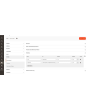
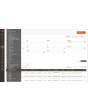
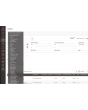


De Admin-Wizard geeft de mensen die uw winkel beheren de gereedschappen die de Adobe Commerce (Magento) beheeromgeving niet meelevert: zoeken op basis van regels in de overzichten waarin u dagelijks werkt, snelkoppelingen naar de pagina’s die u voortdurend opent, en een helder antwoord op wat er geïnstalleerd is, wat waar is ingesteld en wat de achtergrondtaken doen.
Een bestelling vinden op wat erin zit, een instelling over alle winkelweergaven vergelijken, zien voor welke extensies een update klaarstaat, nagaan of de cron überhaupt heeft gedraaid — dat vraagt normaal om een export, een wisseling van bereik of een bericht aan een ontwikkelaar. De Admin-Wizard beantwoordt het vanuit de beheeromgeving.
Elk gereedschap heeft zijn eigen recht, zodat een rol de overzichten kan krijgen zonder de diagnostiek, of andersom.
Functies
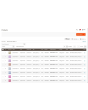
Uitgebreide filters voor bestellingen, facturen, zendingen, creditnota’s en producten
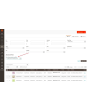
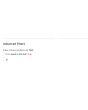
Filteren werkt zoals een winkelwagenprijsregel: voeg een voorwaarde toe, kies het attribuut, de operator en de waarde, en combineer voorwaarden met ALLE of EEN. De voorwaarden zijn niet beperkt tot de kolommen van het overzicht.
In de verkoopoverzichten dekken ze totalen, aantal en gewicht, de verzendmethode, het volledige factuur- en verzendadres, klantnaam, e-mail en klantgroep, betaalmethode, status en winkel — plus een combinatie van productattributen, die een bestelling vindt op wat erin zit. „Bestellingen boven een bedrag met een product van dit merk, verzonden naar dit land” is één zoekopdracht in plaats van een export en een spreadsheet.
Een zoekopdracht die u vaak bouwt, kunt u als preset bewaren en met één klik opnieuw toepassen. Elk overzicht wordt afzonderlijk ingeschakeld, en de standaardfilters van Magento kunnen blijven staan of verdwijnen zodra de uitgebreide er zijn.
Dashboard
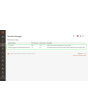
Eén pagina met elk gereedschap van de extensie en of het aanstaat, met een link naar elk ervan. Een praktische startpagina na het inloggen en de snelste manier om te zien hoe de extensie is ingesteld op een installatie die u niet kent.
Hotlinks
Snelle toegang tot de beheerpagina’s die u voortdurend gebruikt — Verkoop → Betaalmethoden, een specifiek configuratiegedeelte, een overzicht waarin u leeft. Voeg ze toe met titel en URL, orden ze, zet er losse uit; ze verschijnen voor iedereen in de zijbalk.
Automatische hotlinks doen hetzelfde ongevraagd: de extensie telt de pagina’s die elke beheerder bezoekt en biedt die persoon de eigen meest bezochte pagina’s aan, tot de limiet die u instelt.
Informatie over geïnstalleerde extensies
Elk geïnstalleerd pakket van derden met de huidige versie, de laatst gepubliceerde en of er een update klaarstaat. Geen SSH-sessie en geen composer-commando om te beantwoorden of u ergens achterloopt.
Omgevingsinformatie
De versie, editie en modus van Adobe Commerce (Magento); de PHP-versie, de geheugen- en uploadlimieten en de geladen extensies; de omvang van de database en het aantal tabellen; of Redis en de zoekmachine antwoorden; en hoeveel schijfruimte de log-, cache-, media-, static- en generated-mappen innemen. De pagina waar een supportvraag meestal mee begint.
Cron-monitor
Elke taak die de installatie declareert, met groep, planningsexpressie, laatste status, laatste uitvoering en duur, plus de uitvoeringsgeschiedenis. Taken kunnen direct vanuit het overzicht worden gedraaid. Een taak die nog nooit heeft gedraaid wordt duidelijk vermeld — meestal de snelste manier om te ontdekken dat de cron niet onder de juiste gebruiker draait.
Configuratieverschillen
Elk configuratiepad dat een website of winkelweergave overschrijft, met het bereik, de daar geldende waarde en de standaardwaarde waarvan die afwijkt. Na een configuratie-import of een migratie is dit de lijst van alles wat niet standaard is, op één scherm.
Multistore-configuratie
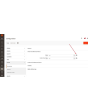
In de configuratie toont een beheerd veld een klein pictogram naast de invoer. Eén klik toont de waarde van dat veld in elke winkel van de installatie — zonder van bereik te wisselen, zonder de websites één voor één langs te gaan. Voor wie meer dan één winkel beheert, scheelt dat uren.
Plugin- en preference-viewer
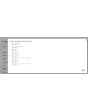
Welke plugins een klasse onderscheppen, in welke sorteervolgorde en op welke methoden, doorzoekbaar op doelklasse, pluginklasse of module; en naar welke concrete klasse elke interface wordt herleid. Een filter toont alleen de methoden die meer dan één plugin raakt — daar zitten de conflicten tussen extensies.
Beheersessies
Elke beheersessie met gebruiker, IP-adres, status, starttijd en laatste activiteit, en een actie voor geforceerd uitloggen die de sessie meteen beëindigt: het volgende verzoek vanuit die browser komt op het inlogscherm uit.
Indexbeheer
Het standaardoverzicht voor indexbeheer krijgt een achterstandsteller en de laatste fout per indexeerder, plus een detailpagina met uitvoeringsgeschiedenis, afhankelijkheden en twee knoppen. Pauze stopt de geplande updates van een indexeerder volledig; Throttle beperkt ze tot één doorloop per zoveel minuten. Beide zijn bedoeld voor een bulkimport of een datamigratie — pauzeer wat niet hoeft bij te blijven en indexeer aan het eind één keer opnieuw. Handmatig herindexeren gebeurt altijd, wat de rem ook zegt.
Categorieën-grid
De categorieboom als plat overzicht: sorteerbaar, filterbaar, met pad, niveau, status, positie en een actueel aantal producten. Vind categorieën zonder producten, zet een reeks per ongeluk uitgezette categorieën in bulk weer aan, wijzig een naam in de rij zelf. Bij veel categorieën is het verschil met de boomweergave meteen merkbaar.
Databasetabellen behouden bij het verwijderen van extensies
Wanneer een module wordt uitgezet, verwijdert Adobe Commerce (Magento) de tabellen bij de volgende upgrade. De Admin-Wizard voorkomt dat, zodat een module die een middag uitstaat zijn gegevens niet meeneemt. Tabellen verdwijnen alleen wanneer een module daar via zijn eigen data patches expliciet om vraagt.
Two-Factor Authentication vanuit het admin-paneel activeren/deactiveren
Tweefactorauthenticatie kan vanuit de configuratie worden omzeild, afzonderlijk voor het inloggen en voor het aanmaken van API-tokens, met de mogelijkheid de omzeiling buiten de ontwikkelaarsmodus te houden. Bedoeld voor een belastingstest, een teruggezette kopie van productie of een installatie die al achter een identiteitsprovider met MFA staat — niet voor een openbare winkel zonder zo’n voorziening.
Logs Manager Pro
De module Logs Manager Pro is volledig geïntegreerd in de Admin-Wizard. Bij aanschaf van de Admin-Wizard krijgt u alle functies van Logs Manager Pro gratis.
Meer over de mogelijkheden van Logs Manager Pro vindt u hier.
Backup Manager Pro
De module Backup Manager Pro is volledig geïntegreerd in de Admin-Wizard. Bij aanschaf van de Admin-Wizard krijgt u alle functies van Backup Manager Pro gratis.
Meer over de mogelijkheden van Backup Manager Pro vindt u hier.
Demo
U kunt deze extensie 30 dagen uitproberen. Vraag de demo aan op deze pagina met Demo aanvragen; hoe het werkt leest u op Probeer een extensie 30 dagen uit.
| CMS | Magento 2 |
|---|---|
| Compatibiliteit | 2.4, 2.3 |
| Functies |
|
De extensie wordt met Composer geïnstalleerd. Welke repository u toevoegt hangt af van waar u haar heeft gekocht — de installatie zelf is in beide gevallen dezelfde.
1. De repository koppelen
Gekocht op extmag.com. Uw accountpagina toont het adres van de repository en uw persoonlijke inloggegevens, samen met de twee composer config-commando’s om te plakken. Voer ze één keer per project uit; daarna is elke extensie die u bezit beschikbaar uit dezelfde repository.
Gekocht op de Adobe Commerce Marketplace. Het pakket komt van repo.magento.com, dat de meeste winkels al ingesteld hebben. Zo niet, voeg dan de access keys uit uw Adobe-account toe onder My Profile -> Access Keys.
2. De extensie installeren
Voer uit in de projectmap:
composer require extmag/improver
php bin/magento setup:upgrade
php bin/magento cache:flush
Composer lost de gedeelde Extmag-pakketten op waarvan de extensie afhangt, dus er hoeft verder niets met de hand te worden opgegeven.
Log uit de admin en weer in, en de extensie is klaar voor gebruik.
Cloudopslag
Ondersteuning voor Dropbox en Google Drive zit in de extensie. OneDrive vraagt één extra pakket:
composer require krizalys/onedrive-php-sdk
Uitproberen voordat u koopt
U kunt een demo van 30 dagen van deze extensie aanvragen en die precies zo installeren als hierboven — hetzelfde pakket, dezelfde repository, dezelfde commando’s. Hoe demo’s werken.
Installeren zonder Composer
Het archief kan ook in app/code/Extmag/ worden uitgepakt, maar daarmee valt de extensie buiten het afhankelijkheidsbeheer: haar gedeelde pakketten moeten met de hand worden geïnstalleerd en updates bereiken haar nooit. Gebruik Composer voor elke winkel die u draait, ook voor de demo.
Heeft u een vraag over de installatie, neem dan contact op met onze technische support.
-
User Guide User Guide.pdf · 1.3 MBDownloaden
-
Reference Manual Reference Manual.pdf · 356.2 KBDownloaden
-
Installation Guide Installation Guide.pdf · 230.0 KBDownloaden
AdminWizard voegt een reeks gereedschappen toe aan de Adobe Commerce-(Magento-)admin, onder het Extmag-menu. De meeste werken zodra de extensie is geïnstalleerd; in te stellen zijn de overzichten die geavanceerde filters krijgen, de snelkoppelingen in de zijbalk en of het omzeilen van tweefactorauthenticatie wordt gebruikt.
Dashboard
- Ga naar Admin Main Menu -> Extmag -> AdminWizard -> Dashboard.
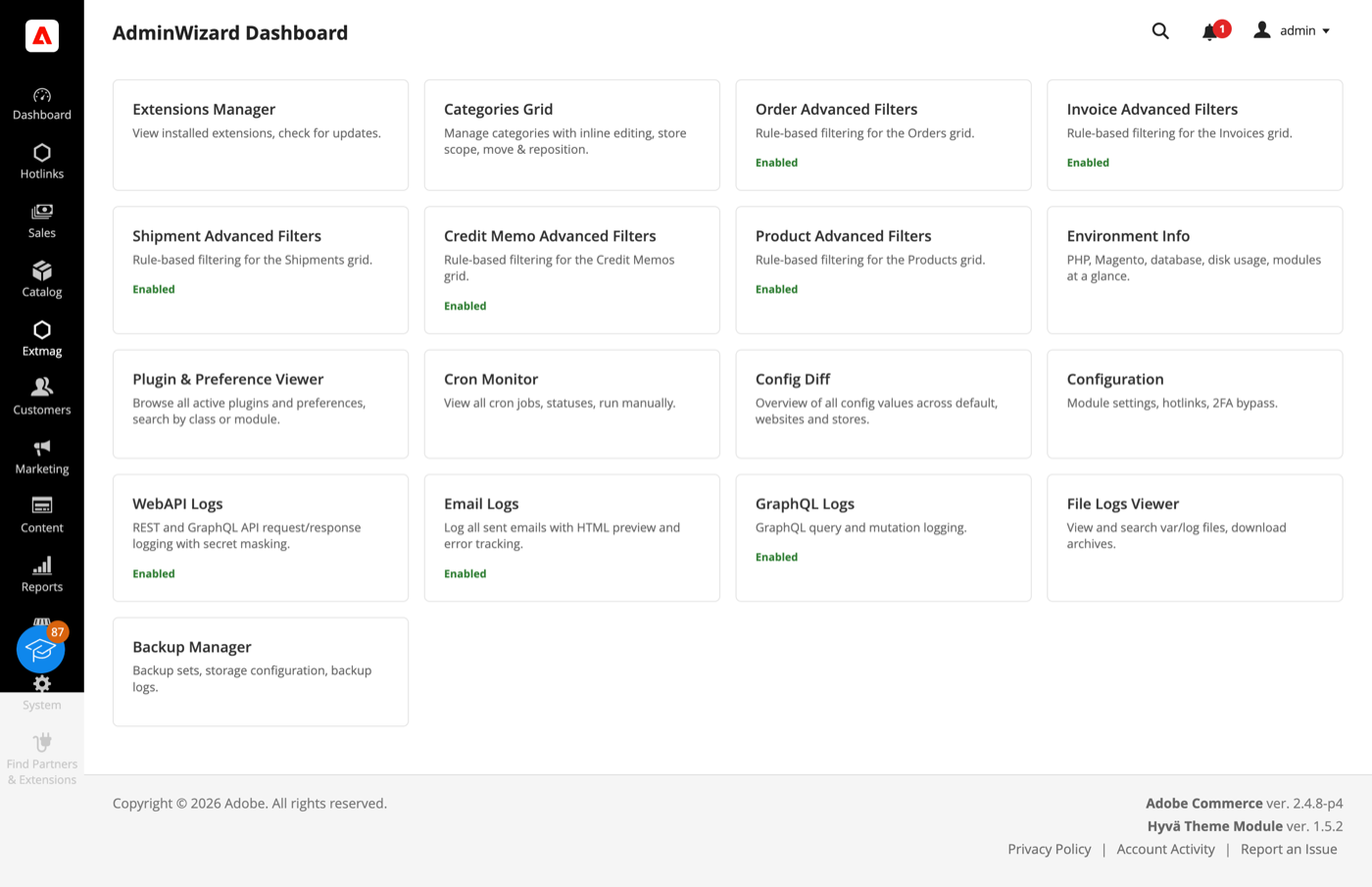
- Elk gereedschap is een kaart: de ingeschakelde zeggen dat er ook bij, en elke kaart opent zijn eigen pagina. Handig als landingspagina na het inloggen — de staat van de extensie en de ingang tot alles op één scherm.
Het dashboard toont ook de gereedschappen die uit Logs Manager Pro en Backup Manager Pro komen. Beide zitten zonder meerprijs bij AdminWizard, dus hun kaarten zijn echt en geen reclame.
Advanced Filters voor overzichten
- Open Sales -> Orders (of Invoices, Shipments, Credit Memos, of Catalog -> Products) en klik naast de standaardfilters op „Advanced Filters”.
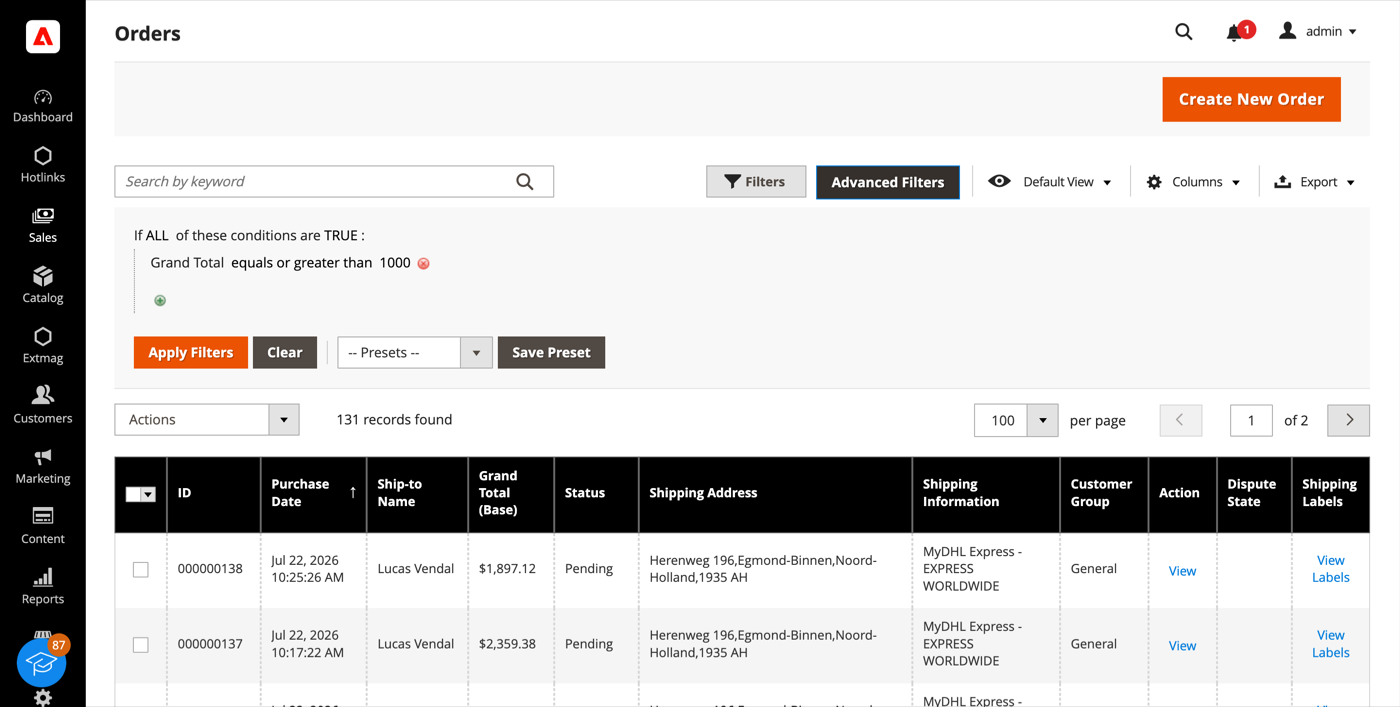
- Bouw de query zoals een winkelwagenregel: voeg een voorwaarde toe, kies het attribuut, de operator en de waarde, en combineer voorwaarden met ALL / ANY.
- Klik op „Apply Filters”. Het overzicht laadt opnieuw en toont alleen de passende regels.
- „Save Preset” bewaart een query die u vaak gebruikt; hij verschijnt in de lijst Presets en is de volgende keer één klik weg.
De lijst met voorwaarden blijft niet beperkt tot de kolommen van het overzicht. Op de verkoopoverzichten dekt hij totalen, aantallen, gewicht, verzendmethode, het volledige factuur- en verzendadres, klantnaam, e-mail en groep, betaalmethode, bestelstatus en winkel, plus een voorwaarde op productattributen die een bestelling vindt op wat erin zit. „Bestellingen met een product van dit merk boven deze prijs” is één voorwaarde, geen export met een spreadsheet.
Extensions List en Environment Info
- Ga naar Admin Main Menu -> Extmag -> AdminWizard -> Extensions List.
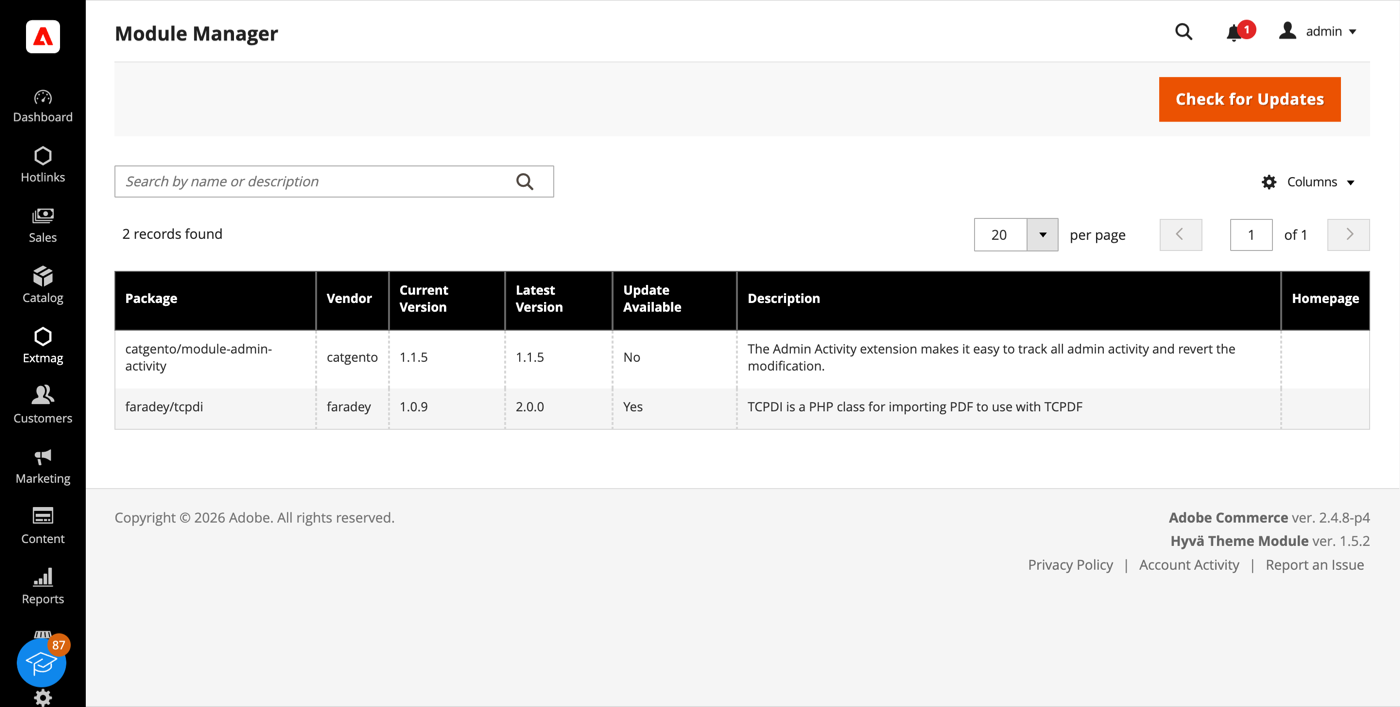
- Klik op „Check for Updates”. Het overzicht toont elk geïnstalleerd pakket van derden met de huidige versie, de laatst gepubliceerde en of er een update is.
- Environment Info in hetzelfde menu geeft de rest van het beeld: Magento-versie, editie en modus, de PHP-versie en zijn limieten, welke extensies geladen zijn, de databasegrootte en het aantal tabellen, de staat van Redis en de zoekmachine, en hoeveel schijf de mappen log, cache, media, static en generated innemen.
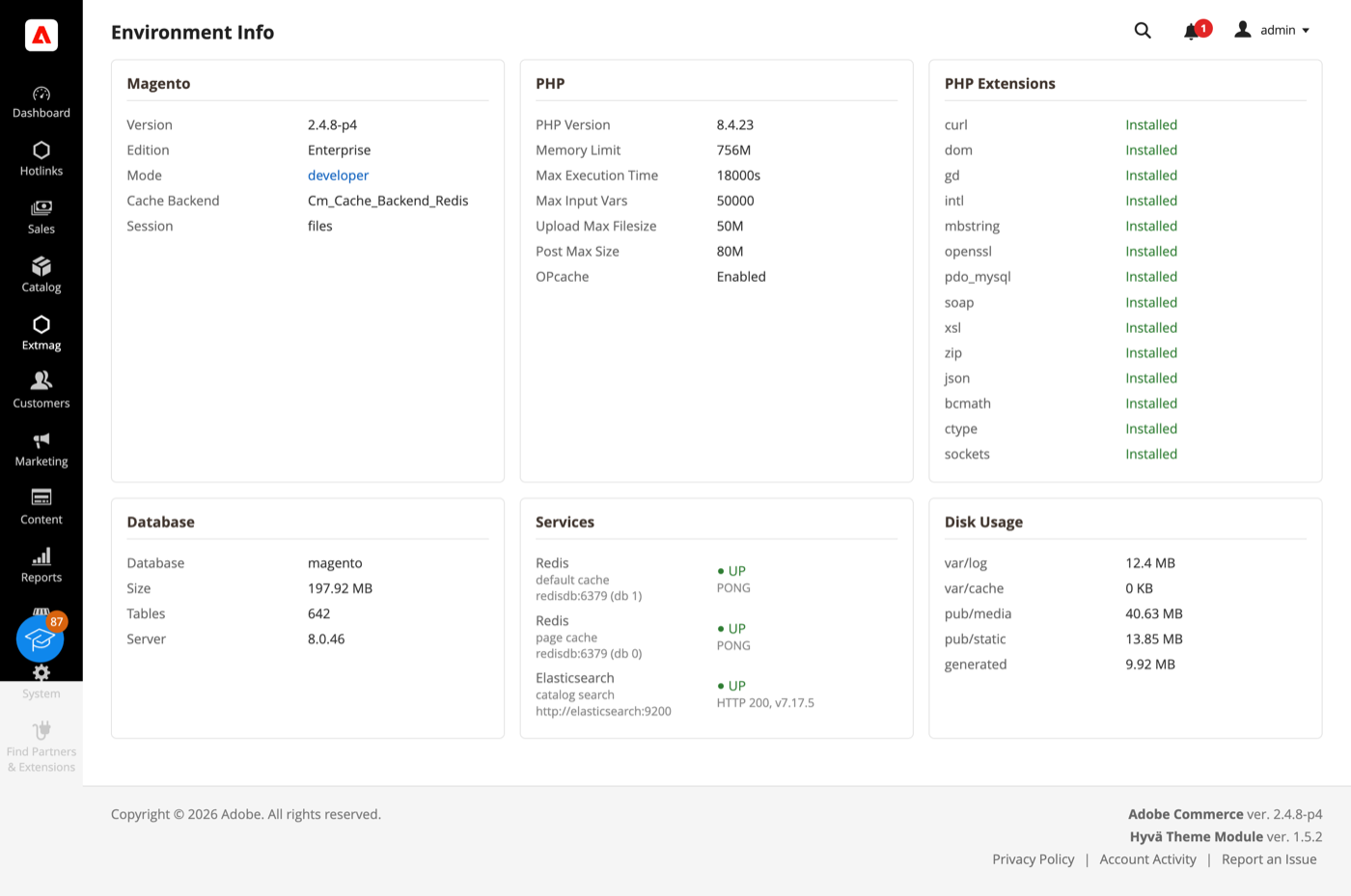
Beide pagina’s beantwoorden de vragen waarmee een supportverzoek meestal begint, zonder SSH-sessie.
Cron Monitor
- Ga naar Admin Main Menu -> Extmag -> AdminWizard -> Cron Monitor.
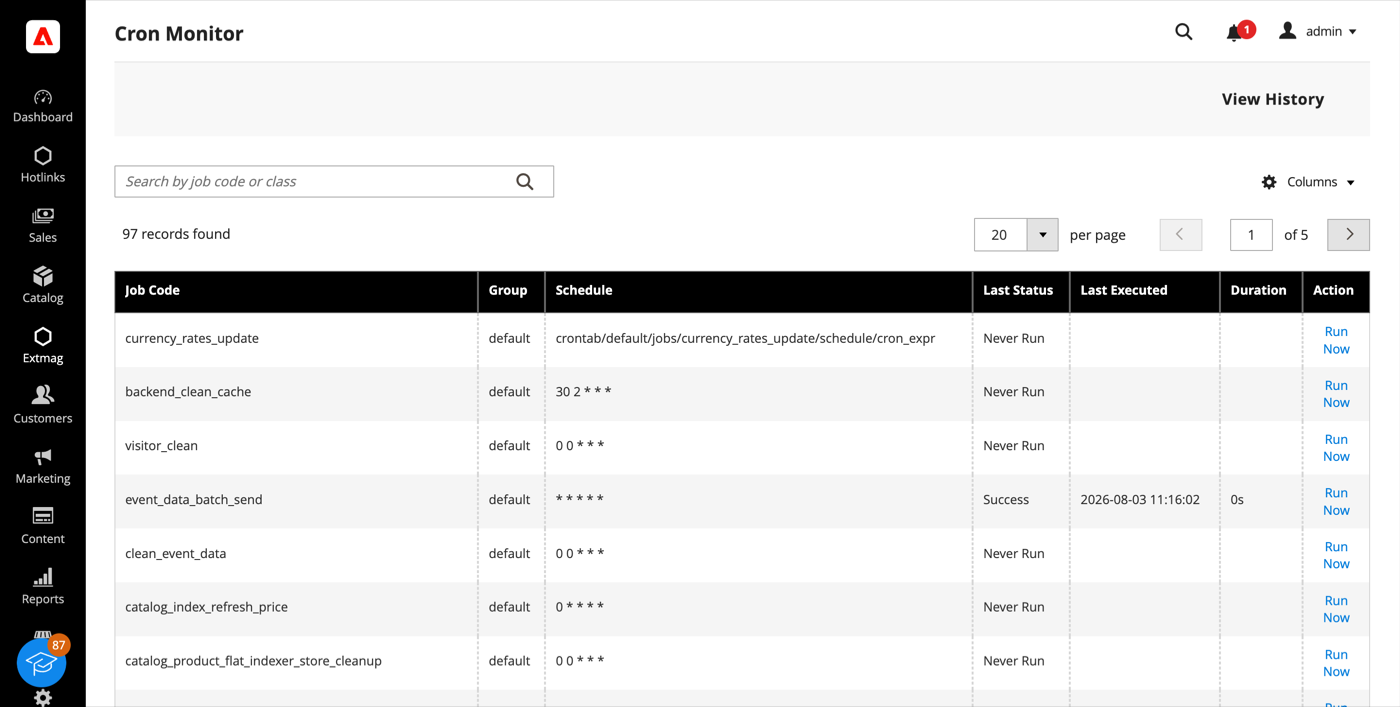
- Het overzicht toont elke taak die de installatie aanmeldt — de groep, de planningsexpressie, de laatste status, wanneer hij voor het laatst liep en hoe lang hij duurde.
- „Run Now” voert één taak meteen uit; „View History” toont eerdere uitvoeringen. Een taak die nog nooit heeft gelopen wordt onomwonden zo genoemd, en dat is meestal de snelste weg naar de ontdekking dat de cron niet onder de juiste gebruiker draait.
Config Diff
- Ga naar Admin Main Menu -> Extmag -> AdminWizard -> Config Diff.
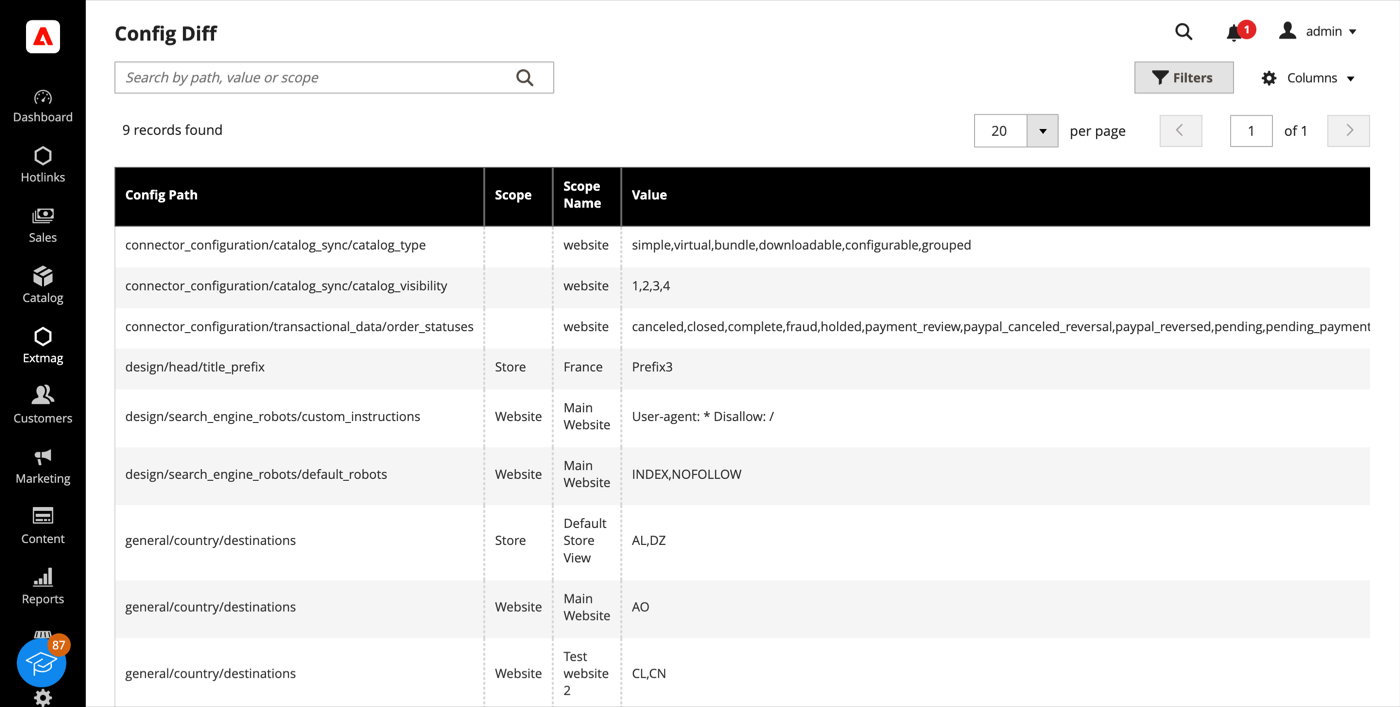
- Het overzicht toont elk configuratiepad dat een website of store view overschrijft, met de scope, de daar geldende waarde en de standaardwaarde waarvan hij afwijkt.
Dezelfde informatie is elders in de admin per veld beschikbaar: een door AdminWizard beheerd veld toont een tandwielicoon naast de invoer, en een klik daarop somt de waarde van dat veld op elke winkel op zonder van scope te wisselen.
Plugin & Preference Viewer
- Ga naar Admin Main Menu -> Extmag -> AdminWizard -> Plugin & Preference Viewer.
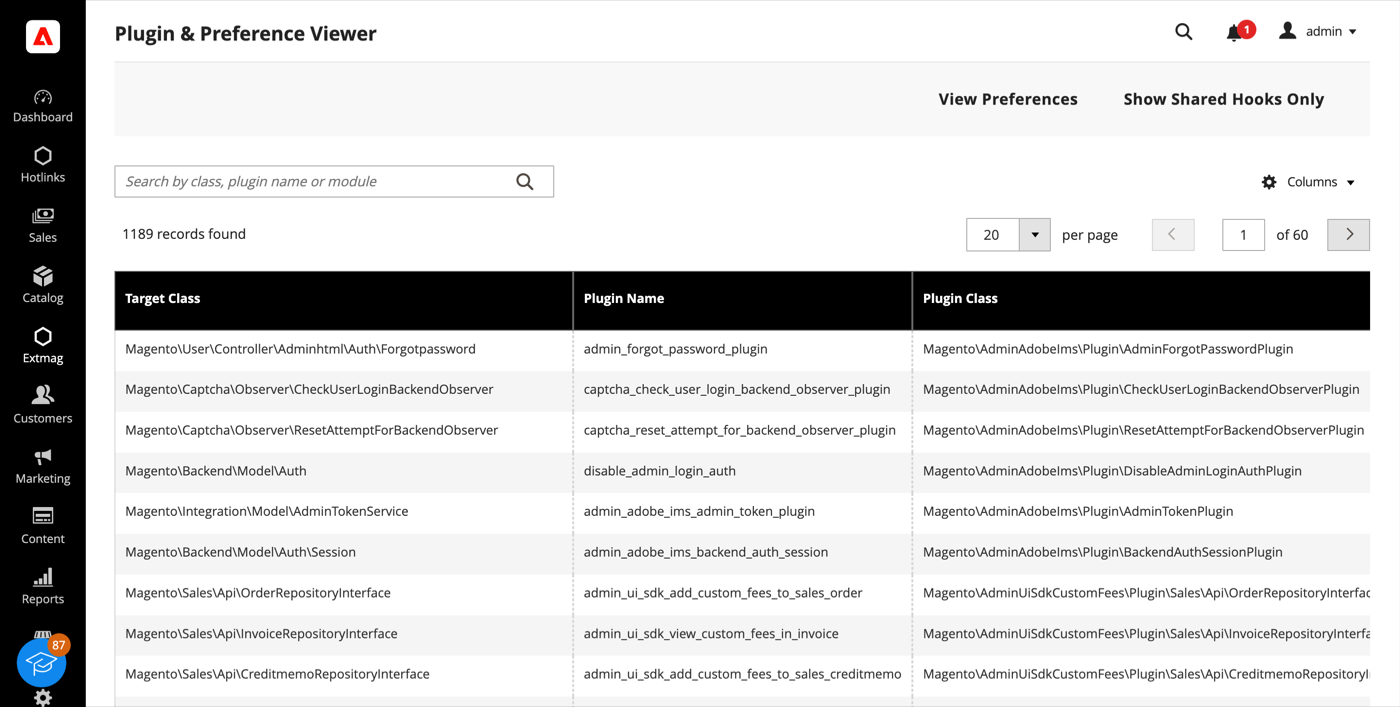
- Zoek op doelklasse, pluginklasse of module om elke plugin te zien die een klasse onderschept, op sorteervolgorde, met de methoden waaraan hij hangt. „View Preferences” schakelt naar de preference-lijst: naar welke concrete klasse elke interface oplost.
- „Show Shared Hooks Only” beperkt de lijst tot methoden die meer dan één plugin raakt, en daar wonen de conflicten tussen extensies.
Admin Sessions en Categories Grid
- Admin Sessions (Extmag -> AdminWizard -> Admin Sessions) toont elke adminsessie met gebruiker, IP, status, starttijd en laatste activiteit. Een Force Logout per regel beëindigt een sessie direct — het volgende verzoek vanuit die browser komt op het inlogscherm uit.
- Categories Grid (Catalog -> Inventory -> Categories Grid) toont de categorieboom als een plat, sorteerbaar en filterbaar overzicht met pad, niveau, status, positie en actueel aantal producten. Filteren op een leeg aantal producten of een reeks categorieën in één keer inschakelen kost seconden, waar de boomweergave veel klikken vraagt.
Index Management
Het standaardoverzicht System -> Tools -> Index Management krijgt een achterstandsteller en de laatste fout per indexer, plus een detailpagina met uitvoeringsgeschiedenis, afhankelijkheden en twee knoppen: Pause stopt de geplande updates van een indexer helemaal en Throttle beperkt ze tot één ronde per zoveel minuten. Beide zijn bedoeld voor een bulkimport of een migratie — pauzeer wat niet hoeft bij te blijven en herindexeer één keer aan het eind. Een handmatige reindex loopt altijd, wat de rem ook zegt.
Configuratie
- Ga naar Admin Main Menu -> Extmag -> AdminWizard -> Configuration.
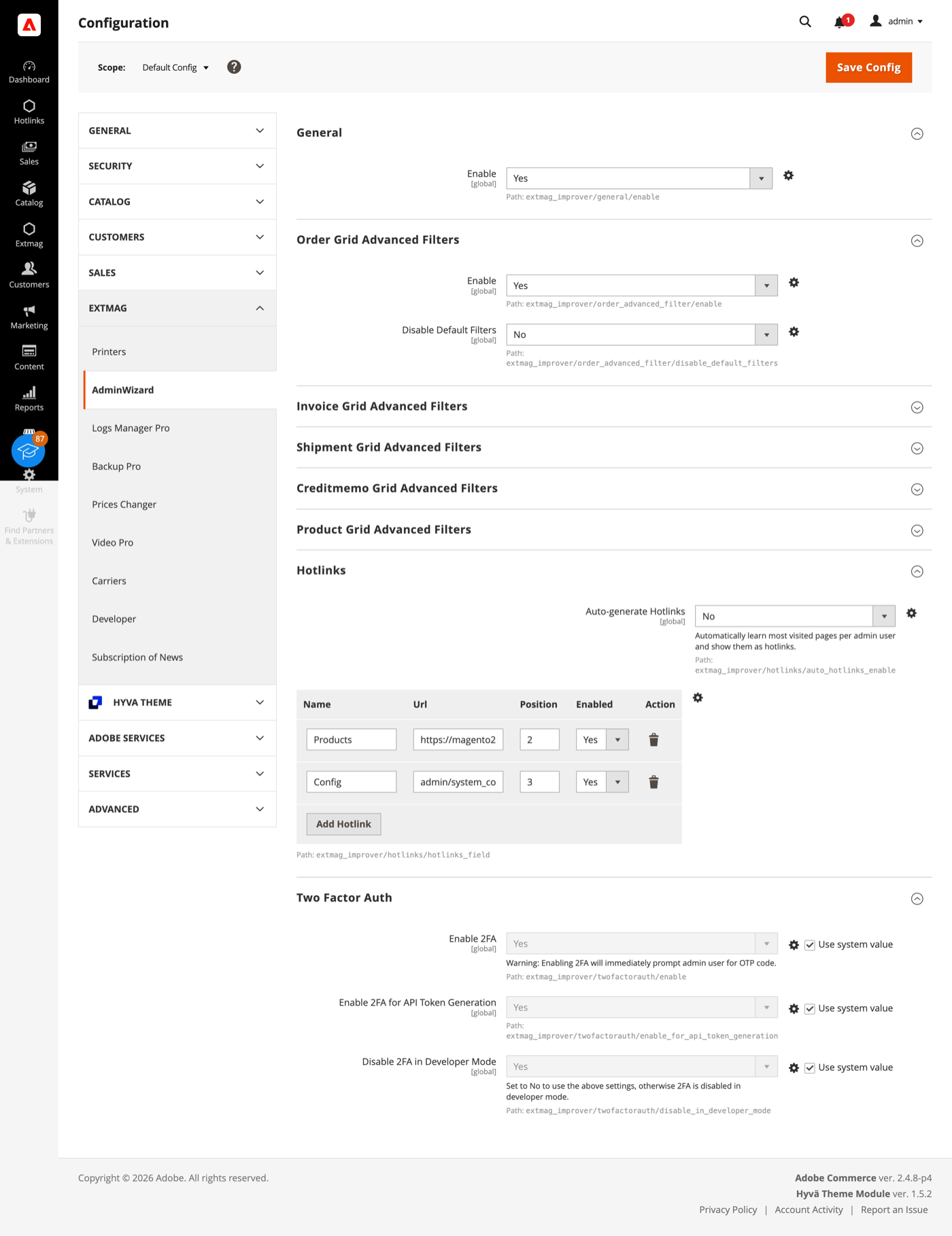
- Werk de groepen door en vul in wat op uw winkel van toepassing is.
De groepen behandelen:
- General — de hoofdschakelaar van de extensie.
- Order, Invoice, Shipment, Credit Memo en Product Grid Advanced Filters — één groep per overzicht: of de geavanceerde filters daar verschijnen en of de standaardfilters van Magento verborgen worden zodra ze er zijn.
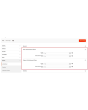
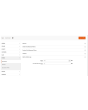
- Hotlinks — een tabel met snelkoppelingen (titel en URL, geordend en afzonderlijk aan te zetten) die voor iedereen als item Hotlinks in de adminzijbalk verschijnen. Zet Auto-generate Hotlinks aan en elke medewerker krijgt daarnaast zijn eigen meestbezochte pagina’s, tot het aantal dat u instelt.
- Two Factor Auth — of de tweefactorauthenticatie van Magento wordt omzeild, apart voor het inloggen in de admin en voor het aanmaken van API-tokens, met de optie de omzeiling buiten developer-modus te houden.
Tweefactorauthenticatie is een beveiligingsmaatregel. Zet de omzeiling aan voor een belastingtest, een teruggezette kopie van productie of een installatie die al achter een identity provider zit die MFA afdwingt — niet op een openbare productiewinkel zonder dat iets anders die taak doet.
Eén ding werkt zonder enige instelling: wordt een module uitgeschakeld, dan verwijdert Adobe Commerce (Magento) bij de volgende setup:upgrade de databasetabellen ervan. AdminWizard onderdrukt dat, zodat een module tijdelijk uitzetten de gegevens niet vernietigt. Staat standaard aan.
De volledige naslag per veld, met de exacte configuratiepaden en de ACL-resources achter elke pagina, staat in de Reference Manual die bij de extensie wordt geleverd.
1.4.7
Use injected $escaper instead of $block->escape*() in admin templates. Bind reload link via JS to comply with CSP restrict mode.
1.4.6
Fixed clearing advanced filters by iterating remove buttons and applying.
1.4.5
Added support Magento 2.4.9 and Adobe Commerce 2.4.9
1.4.4
Major refactoring: replace AdminActionLog with AdminSession, add Dashboard and new tools. Added support Magento 2.4.8-p4 and Adobe Commerce 2.4.8-p4
1.4.0
Added support Magento 2.4.7-p4 and Adobe Commerce 2.4.7-p4
1.3.9
Added support Magento 2.4.7-p3 and Adobe Commerce 2.4.7-p3
1.3.8
Added support Magento 2.4.7-p2 and Adobe Commerce 2.4.7-p2
1.3.7
Added support Magento 2.4.7-p1 and Adobe Commerce 2.4.7-p1
1.3.6
Fixed names of Google API classes. There were changing underscores to namespaces.
1.3.5
Backup Core:
Fixed Google Drive connection
Improved the frequency of the schedule
1.3.4
Added support Magento 2.4.7 and Adobe Commerce 2.4.7
1.3.3
Fixed bug with nullable variable in the method attribute
Fixed schedule frequency for the backup
1.3.2
Added support Magento 2.4.6-p4 and Adobe Commerce 2.4.6-p4
1.3.1
Removed extra button from Admin Actions Log Grid
1.3.0
A category grid has been added. Now you can manage your categories very conveniently. Now it’s convenient to filter, sort, create, edit, and delete them.
1.2.8
Added Advanced Filters for the Creditmemo Grid.
1.2.7
Added the ability to reverse admin actions. For example, you can return the saving of a configuration or product if it was done incorrectly or by mistake.
1.2.6
Added Advanced Filters for the Shipments Grid.
Added "Product Type", "Has Options", and "Required options" as filters for the Products grid.
1.2.5
Enable/disable two-factor authentication from the admin panel.
1.2.4
The Backup Manager Pro module has been integrated into the Admin Wizard module and has become part of it.
To check the correct connection to Cloud Storages, Test Connection buttons for Microsoft OneDrive, Google Drive, and Dropbox were added.
1.2.3
Fixed a bug with the Google Drive connection
1.2.2
The Logs Manager Pro module has been integrated into the Admin Wizard module and has become part of it.
To check the correct connection to Cloud Storages, Test Connection buttons for Microsoft OneDrive, Google Drive, and Dropbox were added.
1.2.1
Added support Magento 2.4.6-p2 and Adobe Commerce 2.4.6-p2
1.2.0
Implementation advanced filters for invoices.
Add translations.
1.1.0
Added support Adobe Commerce 2.4.6-p1
1.0.0
Added the new version 1.0.0
Gerelateerde producten


