
Prices Changer voor Magento® 2.x

Hoe vaak moet u de reguliere prijs of de speciale prijs voor een productgroep wijzigen? Met onze module doet u dat in enkele klikken. U filtert producten op willekeurige attributen om hun prijzen te wijzigen. De module ondersteunt verschillende formules voor prijswijziging.
Veiligheid
De veiligheid van de prijswijziging wordt op twee manieren bereikt:
1. Alle prijswijzigingen vinden plaats in één enkele transactie. Treedt er een fout op, dan rolt de database de wijzigingen automatisch terug.
2. Voor elke prijswijziging maakt onze module een back-up van de eerdere prijzen. Bij een fout kunt u altijd terugrollen.
Prijstypes
De module ondersteunt de volgende prijstypes:
- Price
- Special Price
- Cost
- Minimum Advertised Price (MSRP)
- Tier Price
- Customizable Options
- Productattributen van het type „Price"
Formules
Formules voor flexibele prijswijziging:
- null: verwijdert de prijs van het product.
- 20: het ingevoerde getal vervangt de huidige prijs van het product.
- -20: de prijs van het product wordt met het opgegeven getal verlaagd.
- +20: de prijs van het product wordt met het opgegeven bedrag verhoogd.
- -10%: de prijs wordt met het opgegeven percentage verlaagd.
- +20%: de prijs wordt met het opgegeven percentage verhoogd.
- max20: getal met prefix „max" — de eindprijs is kleiner dan of gelijk aan dit getal.
- min20: getal met prefix „min" — de eindprijs is groter dan of gelijk aan dit getal.
De getallen 20 en 10 dienen als voorbeeld. In uw geval kunnen dat willekeurige getallen zijn.
In de formule kunnen ook andere prijstypes worden gebruikt. Toegankelijke prijstypes: {{price}}, {{special_price}}, {{cost}}, {{msrp}}.
In één set kunnen meerdere formules worden gebruikt.
Alle prijzen moeten in de basisvaluta worden opgegeven.
Demo
U kunt deze extensie 30 dagen uitproberen. Vraag de demo aan op deze pagina met Demo aanvragen; hoe het werkt leest u op Probeer een extensie 30 dagen uit.
Voorbeelden
Enkele voorbeelden:
1
price: 80
cost: 50
formula: {{cost}} +150%
result: 125
2
price: 80
cost: 50
formula: {{cost}} +150% max110
result: 110
3
price: 80
formula: -15%
result: 65
| CMS | Magento 2 |
|---|---|
| Compatibiliteit | 2.4, 2.3 |
| Functies |
|
De extensie wordt met Composer geïnstalleerd. Welke repository u toevoegt hangt af van waar u haar heeft gekocht — de installatie zelf is in beide gevallen dezelfde.
1. De repository koppelen
Gekocht op extmag.com. Uw accountpagina toont het adres van de repository en uw persoonlijke inloggegevens, samen met de twee composer config-commando’s om te plakken. Voer ze één keer per project uit; daarna is elke extensie die u bezit beschikbaar uit dezelfde repository.
Gekocht op de Adobe Commerce Marketplace. Het pakket komt van repo.magento.com, dat de meeste winkels al ingesteld hebben. Zo niet, voeg dan de access keys uit uw Adobe-account toe onder My Profile -> Access Keys.
2. De extensie installeren
Voer uit in de projectmap:
composer require extmag/pricer
php bin/magento setup:upgrade
php bin/magento cache:flush
Composer lost de gedeelde Extmag-pakketten op waarvan de extensie afhangt, dus er hoeft verder niets met de hand te worden opgegeven.
Log uit de admin en weer in, en de extensie is klaar voor gebruik.
Uitproberen voordat u koopt
U kunt een demo van 30 dagen van deze extensie aanvragen en die precies zo installeren als hierboven — hetzelfde pakket, dezelfde repository, dezelfde commando’s. Hoe demo’s werken.
Installeren zonder Composer
Het archief kan ook in app/code/Extmag/ worden uitgepakt, maar daarmee valt de extensie buiten het afhankelijkheidsbeheer: haar gedeelde pakketten moeten met de hand worden geïnstalleerd en updates bereiken haar nooit. Gebruik Composer voor elke winkel die u draait, ook voor de demo.
Heeft u een vraag over de installatie, neem dan contact op met onze technische support.
-
User Guide User Guide.pdf · 3.0 MBDownloaden
-
Reference Manual Reference Manual.pdf · 425.3 KBDownloaden
-
Installation Guide Installation Guide.pdf · 224.6 KBDownloaden
Prices Changer wordt bediend vanuit het Extmag-menu in de Adobe Commerce-(Magento-)admin. Een prijswijziging beschrijft u één keer als Replacer Set — welke producten hij raakt en wat de nieuwe prijzen zijn — en past u daarna met de hand toe of geeft u aan een Schedule. Elke schrijfactie wordt vastgelegd en elke toegepaste set is terug te draaien.
Replacer Sets
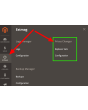
- Ga naar Admin Main Menu -> Extmag -> Prices Changer -> Replacer Sets.
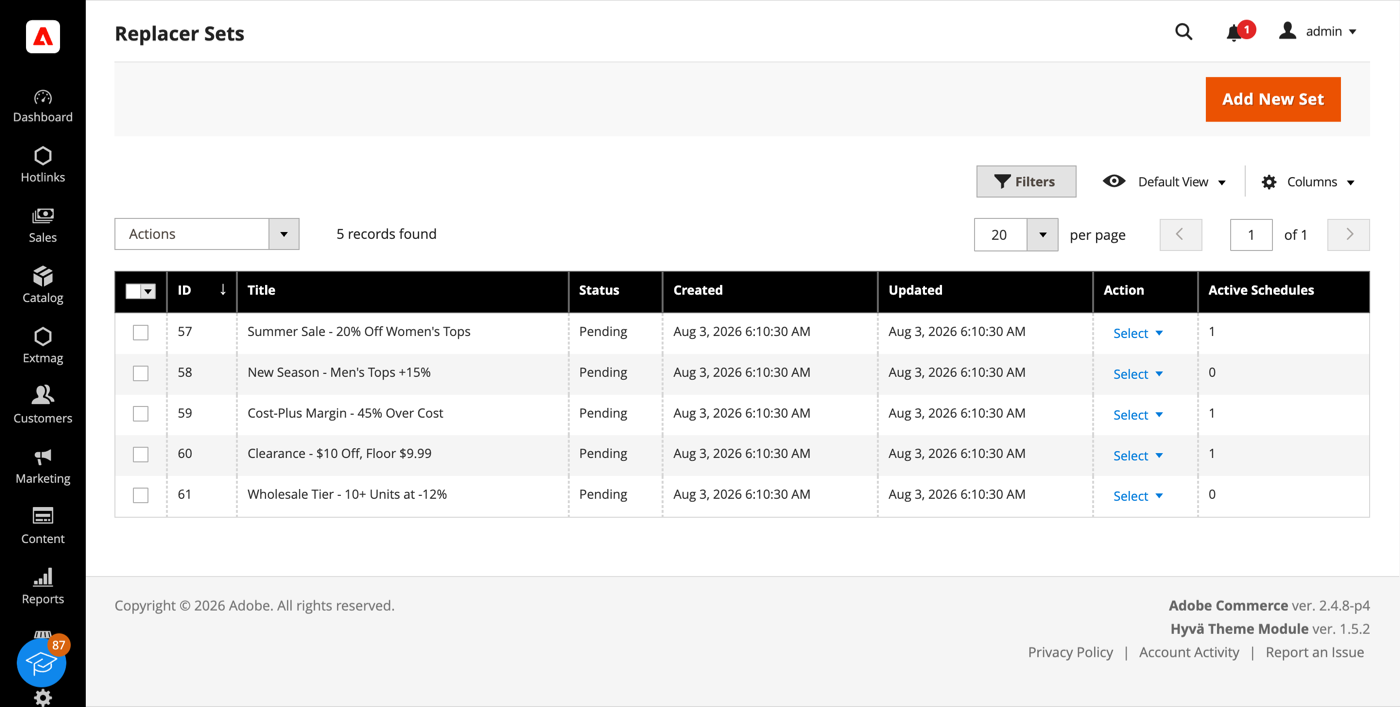
- Klik op de knop „Add New Set”.
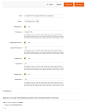
- Geef de set een titel, zet de prijstypen aan die hij moet wijzigen en vul per type een formule in. Een uitgeschakeld prijstype blijft ongemoeid.
- Kies onder Conditions op welke producten de set van toepassing is — elk productattribuut of elke categorie, gecombineerd met AND / OR. Een lege voorwaardenboom betekent de hele catalogus.
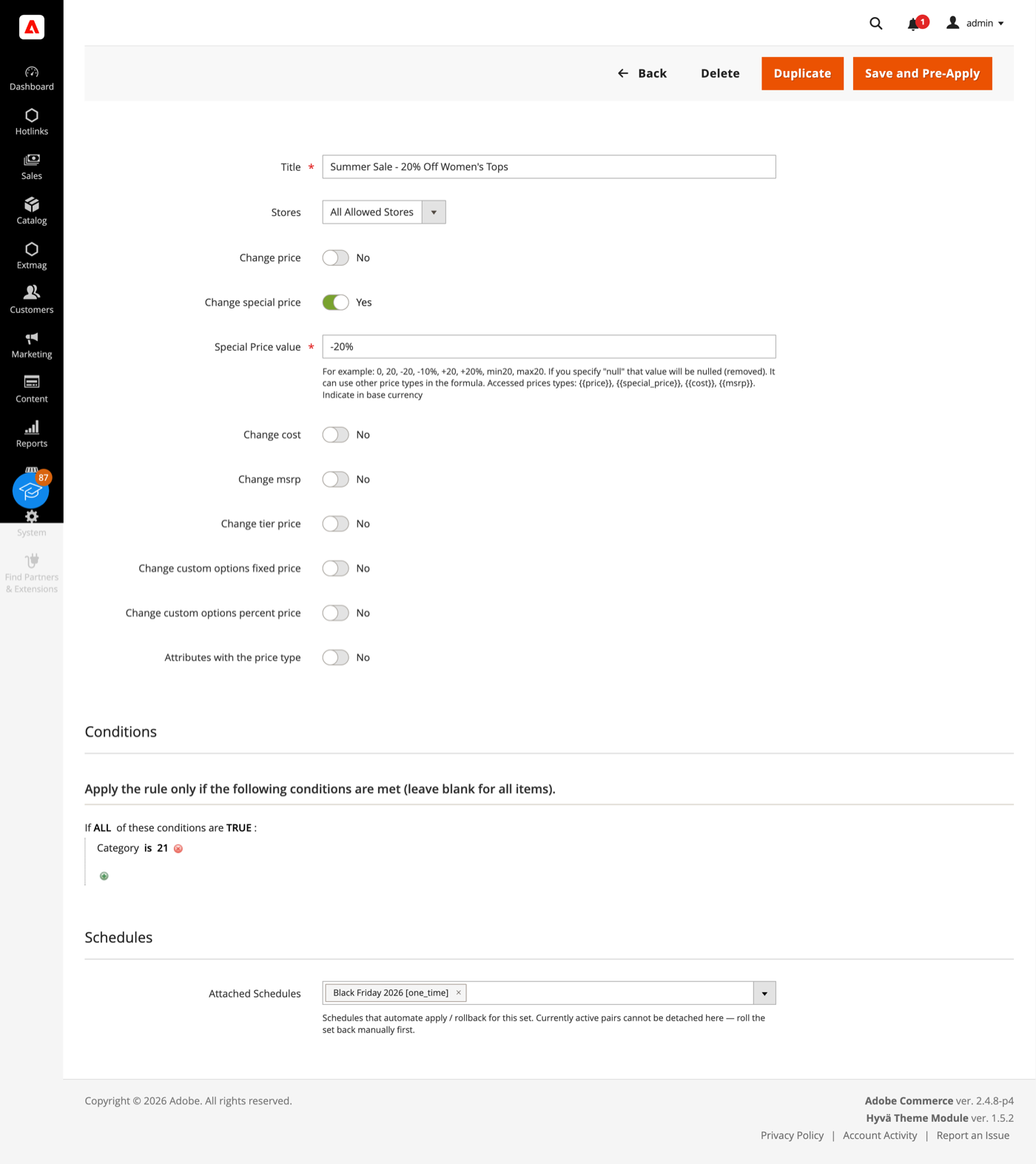
- Klik op „Save and Pre-Apply”. De set wordt opgeslagen met status Pending; er wordt niets naar de catalogus geschreven tot u hem toepast of een Schedule afgaat.
Een formule schrijft u in de basisvaluta en kan zijn:
- 20 — vervang de prijs door dat getal.
- +20 / -20 — verhoog of verlaag de prijs met een vast bedrag.
- +20% / -10% — verhoog of verlaag hem met een percentage.
- min20 / max20 — begrens het resultaat met een onder- of bovengrens.
- null — haal de prijs van het product af.
- {{cost}} +45% min19.99 — bouw de ene prijs uit de andere op. De tokens
{{price}},{{special_price}},{{cost}}en{{msrp}}zijn allemaal bruikbaar en te combineren.
De set dekt Price, Special price, Cost, MSRP, Tier prices, Customizable Options en elk attribuut van het type Price, elk met een eigen formule.
Toepassen en terugdraaien
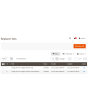
- Open in het Replacer Sets-overzicht het menu Select op de regel en kies Apply.
- Voordat er iets wordt geschreven legt de module de huidige prijzen van de geraakte producten vast, zodat de wijziging later ongedaan gemaakt kan worden. Het toepassen zelf loopt binnen één databasetransactie — bij een fout herstelt de database de vorige toestand vanzelf.
- Kies Rollback in hetzelfde menu om een toegepaste set ongedaan te maken. De prijzen worden uit die vastlegging hersteld.
Een set met een gekoppeld Schedule kan niet met de hand worden toegepast of teruggedraaid zolang het Schedule pending of actief is — koppel het los of laat het aflopen, zodat een medewerker en de cron niet tegelijk dezelfde prijzen schrijven.
Schedules
- Ga naar Admin Main Menu -> Extmag -> Prices Changer -> Schedules.
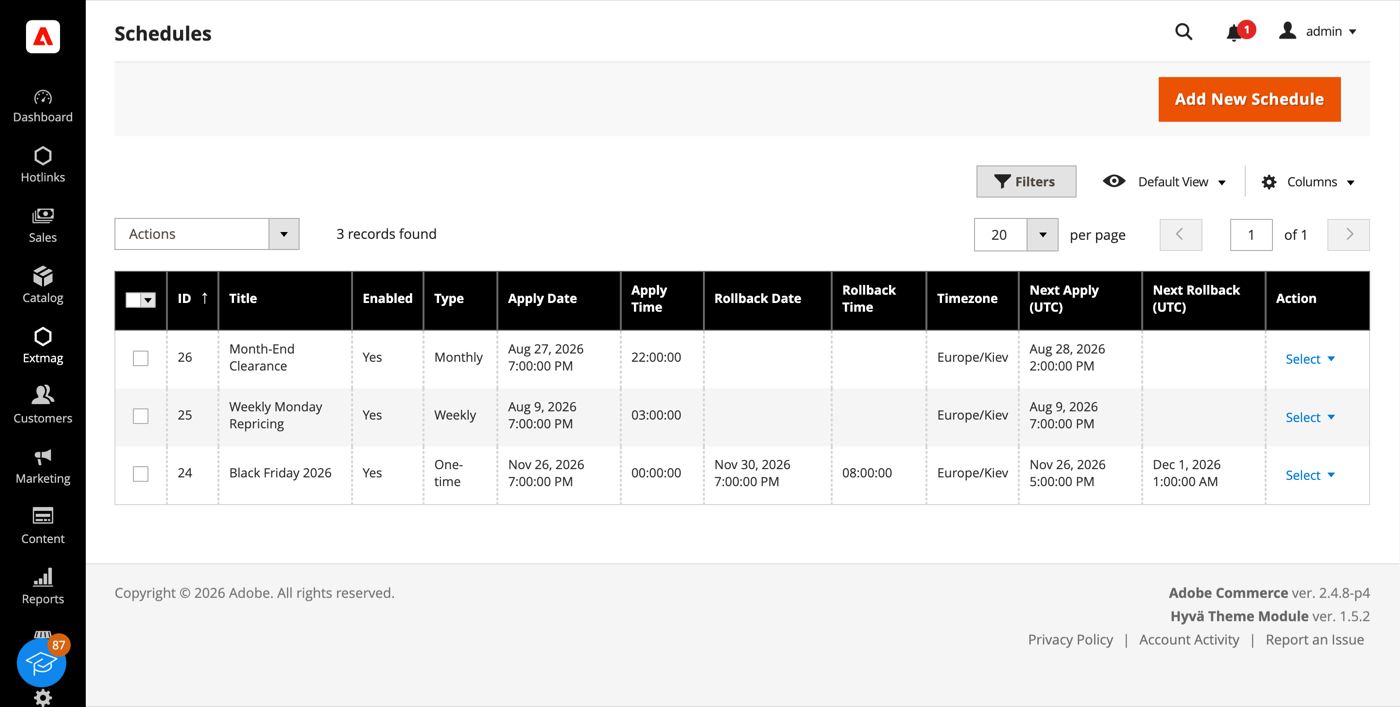
- Klik op de knop „Add New Schedule”.
- Kies wanneer het afgaat — eenmalig, jaarlijks, maandelijks, wekelijks of een eigen cron-expressie — en stel datum en tijd van toepassen in. Een terugdraaidatum is optioneel: vult u die in, dan komen de prijzen vanzelf terug.
- Kies de tijdzone waarin de tijden worden gelezen. Afgaan wordt in UTC opgeslagen, zodat de overgang naar zomertijd een actie niet een uur verschuift.
- Koppel het Schedule aan zoveel sets als u nodig heeft — vanuit het Schedule-formulier of via het veld Schedules op de set. Eén Schedule kan meerdere sets aansturen en één set kan meerdere Schedules dragen.
Elk paar van set en Schedule houdt een eigen status en uitvoeringsgeschiedenis bij, dus een fout op de ene set houdt de andere niet tegen. Mislukt een uitvoering, dan kan de module een gekozen lijst ontvangers mailen en een melding in de admin-inbox plaatsen.
Price Change Log
- Ga naar Admin Main Menu -> Extmag -> Prices Changer -> Price Change Log.
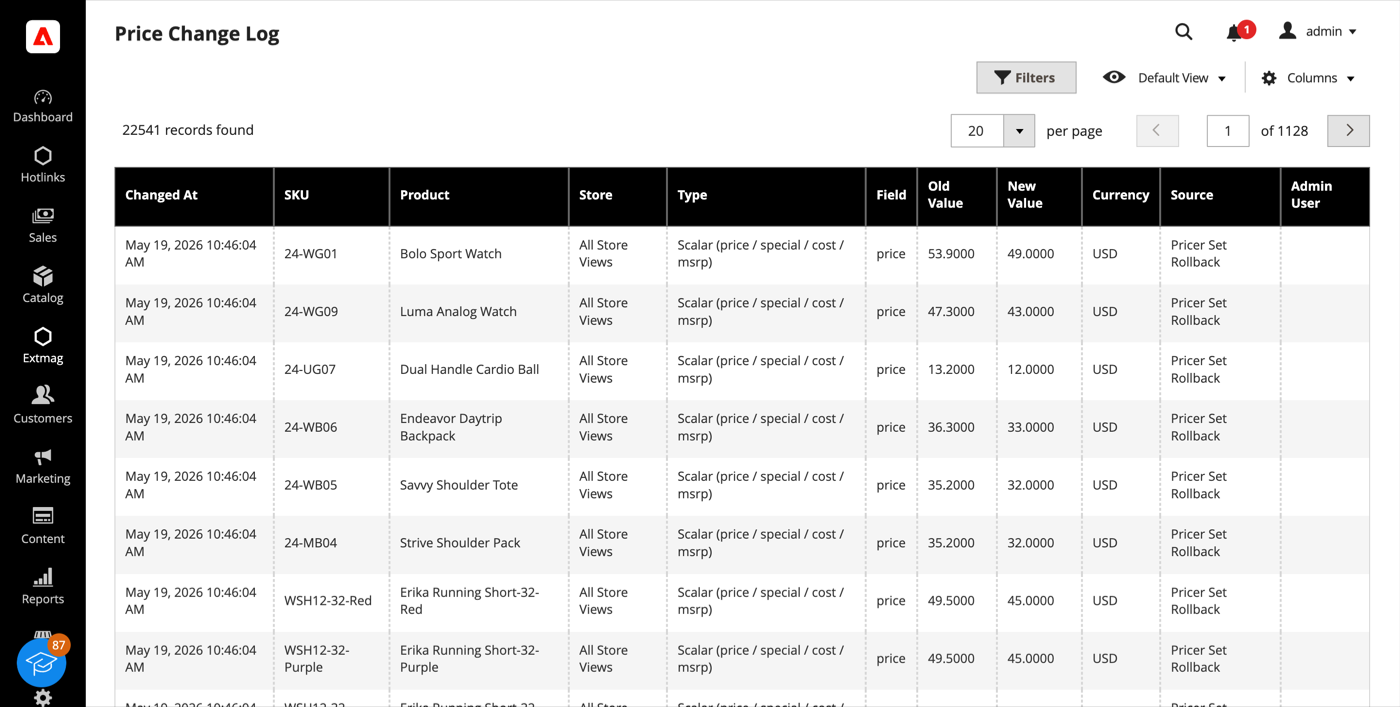
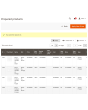
- Elke prijsschrijfactie is één regel: het product, de store view, het prijstype en het veld, de oude en de nieuwe waarde, de valuta, wie de wijziging deed en waardoor — een bewerking in de admin, een import, de REST API, een Apply of een Rollback van Pricer.
- Price Log Statistics, in hetzelfde menu, telt het log op per bron, per admingebruiker en per SKU, en meldt hoeveel opslag het inneemt.
Het log wordt alleen aangevuld en ook geschreven als de wijziging niet uit deze module komt, zodat het voor de hele winkel antwoord geeft op „wie heeft die prijs verlaagd en wanneer”. Een dagelijkse cron verwijdert regels die ouder zijn dan de door u gekozen bewaartermijn.
Configuratie
- Ga naar Admin Main Menu -> Extmag -> Prices Changer -> Configuration.
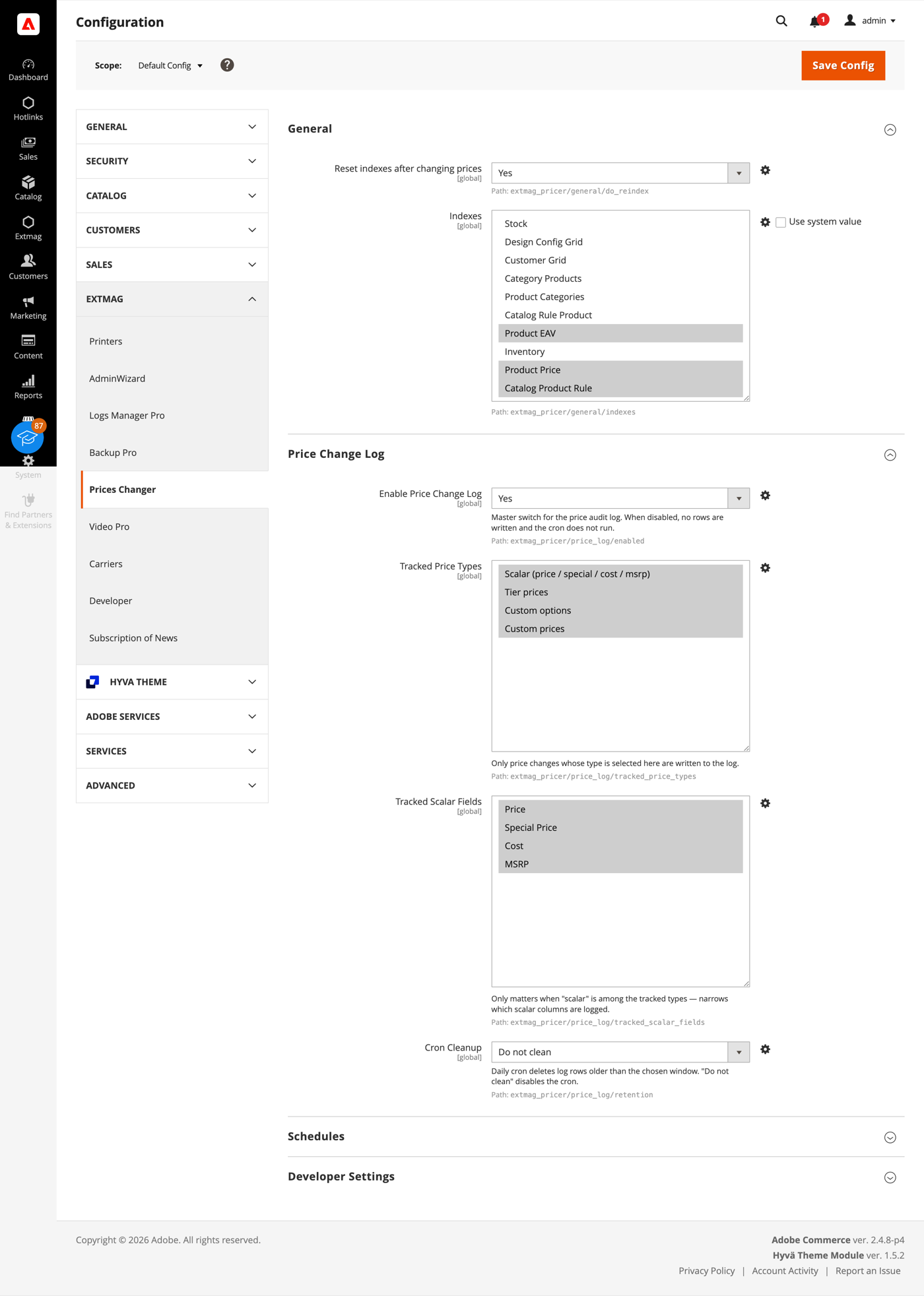
- Werk de groepen door en vul in wat op uw winkel van toepassing is.
De groepen behandelen:
- General — of de indexen na een prijswijziging worden gereset, en welke.
- Price Change Log — de hoofdschakelaar, welke prijstypen en scalaire velden worden bijgehouden, en hoe lang regels blijven staan voordat de opruimcron ze weghaalt.
- Schedules — de cron-schakelaar voor Schedules, hoeveel er per ronde worden verwerkt, de standaardtijdzone en de ontvangers, template en afzender van de foutmelding.
- Developer Settings — hoe de toepasronde met de database praat. De standaardwaarden passen bij een productiewinkel; de modus in blokken is er voor catalogi boven de honderdduizend producten, waar één transactie openhouden voor de hele run niet werkbaar is.
Sets houden rekening met de Catalog Price Scope. Bij globale scope worden prijzen één keer voor alle winkels geschreven; bij website-scope onthoudt een set voor welke scope hij is gebouwd en weigert hij zich in een andere toe te passen, zodat een prijs die voor één website bedoeld is nooit bij de rest terechtkomt.
De volledige naslag per veld, met de exacte configuratiepaden, staat in de Reference Manual die bij de extensie wordt geleverd.
2.0.0
Switched server_time template to Escaper helper for output escaping. Reverted CSV import source wording in Price Change Log docs. Hardened inline script rendering via SecureHtmlRenderer in schedule server_time template. Corrected Price Change Log import source description.
1.6.9
Added support Magento 2.4.8-p4 and Adobe Commerce 2.4.8-p4
1.6.8
Refactored code.
1.6.7
Added support Magento 2.4.8-p3 and Adobe Commerce 2.4.8-p3
1.6.6
Added support Magento 2.4.8-p2 and Adobe Commerce 2.4.8-p2
1.6.5
Added support Magento 2.4.8-p1 and Adobe Commerce 2.4.8-p1
Fixed price template validation
1.6.4
Added support Magento 2.4.8 and Adobe Commerce 2.4.8
1.6.3
Fixed a bug with the product attribute with the website scope
1.6.2
Fixed a bug with the default store if prices are not set globally but per website.
1.6.1
Fixed bug with store scopes.
Added support Magento 2.4.7-p5 and Adobe Commerce 2.4.7-p5
1.6.0
Added support Magento 2.4.7-p4 and Adobe Commerce 2.4.7-p4
1.5.9
Added support Magento 2.4.7-p3 and Adobe Commerce 2.4.7-p3
1.5.8
Added support Magento 2.4.7-p2 and Adobe Commerce 2.4.7-p2
1.5.7-1.5.8
Added support Magento 2.4.7-p2 and Adobe Commerce 2.4.7-p2
Added support Magento 2.4.7-p1 and Adobe Commerce 2.4.7-p1
1.5.7
Added support Magento 2.4.7-p1 and Adobe Commerce 2.4.7-p1
1.5.6
Added support Magento 2.4.7 and Adobe Commerce 2.4.7
1.5.5
Added support Magento 2.4.6-p4 and Adobe Commerce 2.4.6-p4
1.5.4
Added support Magento 2.4.6-p3 and Adobe Commerce 2.4.6-p3
1.5.3
Added support Magento 2.4.6-p2 and Adobe Commerce 2.4.6-p2
1.5.2
Added support Adobe Commerce 2.4.6-p1
1.5.1
Support Adobe Commerce (Magento) 2.4.6
Support PHP 8.1
1.5.0
Improved filtering product collection and resetting product indexes.
1.4.4
Added availability to reset all indexes after changing prices.
1.4.3
Fixed the problem with tier prices and option All Websites
1.4.2
Fixed some bugs with XML layout and PHP conditions.
1.4.1
Fixed some minor bugs with Conditions in Price Sets.
1.4.0
Added the ability to change the prices of product attributes with the type "Price"
1.3.0
Fixed some minor bugs.
Changed behavior for Website Prices and Global Prices.
1.2.0
Added the ability to change the prices of custom options
1.1.2
Fixed the PHP warnings
1.1.1
Support Adobe Commerce (Magento) 2.4.5-p1
1.1.0
Added opportunity for bulk changing Tier prices of products
1.0.0
Support PHP 8.1 and Adobe Commerce 2.4.4