
Extended Shipping Rates Pro per Magento® 2.x

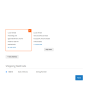
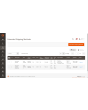

Desidera avere il pieno controllo dei costi di spedizione in base a regione, data, festività, sconti, ecc.? Il modulo „Extended Shipping Rates Pro" per Magento 2 La aiuta in questo.
Il nostro modulo non richiede moduli aggiuntivi per filtrare o limitare i metodi di spedizione nella pagina di checkout. Crea regole proprie per la visualizzazione dei propri metodi di spedizione.
Nuova funzionalità: modifica del prezzo in base a regole. Crea, all'interno di un metodo di spedizione, un numero illimitato di regole di prezzo. Ad esempio: costi di spedizione del 10 % inferiori durante le festività, del 20 % a Capodanno. Il nostro modulo svolge il tutto senza difficoltà. Indica inoltre vincoli su peso, prezzo totale del carrello, prezzo di un singolo articolo, ecc. Il numero di combinazioni di regole raggiunge diverse centinaia.
Con il nostro modulo ha realmente un controllo illimitato su metodi e costi di spedizione. Il modulo è inoltre pienamente compatibile con tutti i nostri moduli Magento 2.
Demo
Potete provare questa estensione per 30 giorni. Richiedete la demo da questa stessa pagina con Richiedi demo; come funziona è spiegato in Prova un'estensione per 30 giorni.
| CMS | Magento 2 |
|---|---|
| Compatibilità | 2.4, 2.3 |
| Funzionalità |
|
L’estensione si installa con Composer. Quale repository aggiungere dipende da dove l’avete acquistata — l’installazione in sé è identica nei due casi.
1. Collegare il repository
Acquistata su extmag.com. La pagina del vostro account mostra l’indirizzo del repository e le vostre credenziali personali, insieme ai due comandi composer config da incollare. Eseguiteli una volta per progetto; da quel momento ogni estensione che possedete è disponibile dallo stesso repository.
Acquistata sull’Adobe Commerce Marketplace. Il pacchetto viene servito da repo.magento.com, già configurato nella maggior parte degli store. In caso contrario, aggiungete le access key del vostro account Adobe in My Profile -> Access Keys.
2. Installare l’estensione
Eseguite nella radice del progetto:
composer require extmag/extendedratespro
php bin/magento setup:upgrade
php bin/magento cache:flush
Composer risolve i pacchetti Extmag condivisi da cui l’estensione dipende: non c’è altro da richiedere a mano.
Uscite dall’admin e rientrate: l’estensione è pronta.
Provarla prima di acquistare
Potete richiedere una demo di 30 giorni di questa estensione e installarla esattamente come sopra: stesso pacchetto, stesso repository, stessi comandi. Come funzionano le demo.
Installare senza Composer
L’archivio può essere scompattato in app/code/Extmag/, ma così l’estensione resta fuori dalla gestione delle dipendenze: i pacchetti condivisi vanno installati a mano e gli aggiornamenti non la raggiungono mai. Usate Composer per qualsiasi store che gestite, demo compresa.
Per qualsiasi domanda sull’installazione, scrivete al nostro supporto tecnico.
-
User Guide User Guide.pdf · 795.7 KBScarica
-
Reference Manual Reference Manual.pdf · 433.6 KBScarica
-
Installation Guide Installation Guide.pdf · 270.6 KBScarica
Configurazione
Per configurare l’estensione andate su Extmag -> Extended Shipping Rates -> Configuration.
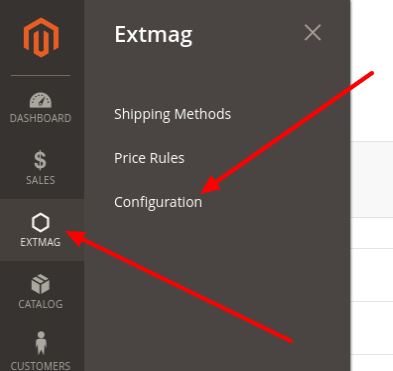
Nel gruppo Extended Shipping Rates attivate il modulo e compilate il titolo. Il titolo può essere cambiato per ogni metodo di spedizione.

Se il vostro store è in modalità sviluppatore, impostate Debug su Yes.
I metodi di spedizione si possono importare ed esportare all’occorrenza.
Creare un metodo di spedizione
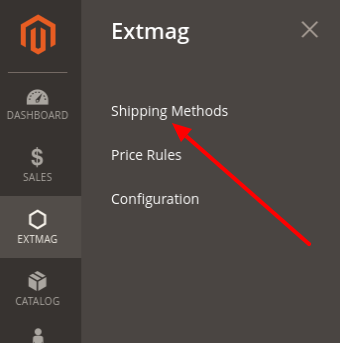
Per creare un metodo di spedizione andate su Extmag -> Extended Shipping Rates -> Shipping Methods.
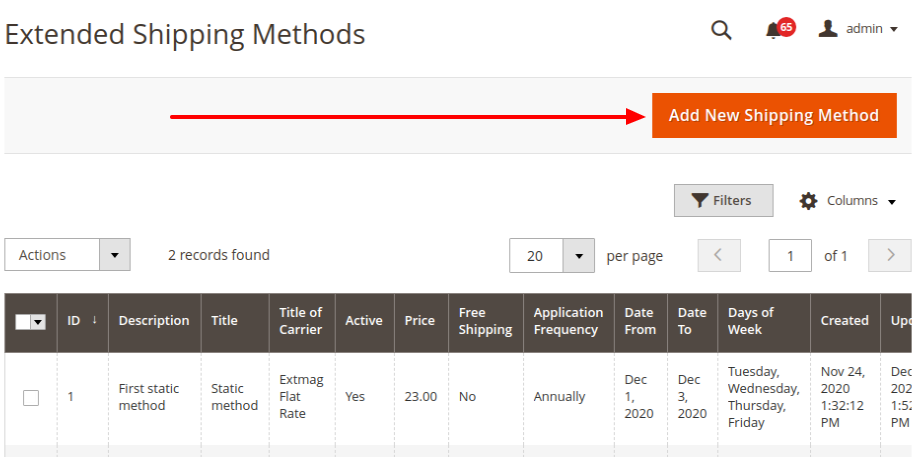
Fate clic sul pulsante «Add New Shipping Method».
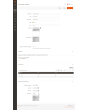
Compilate i campi obbligatori e salvate il metodo di spedizione.
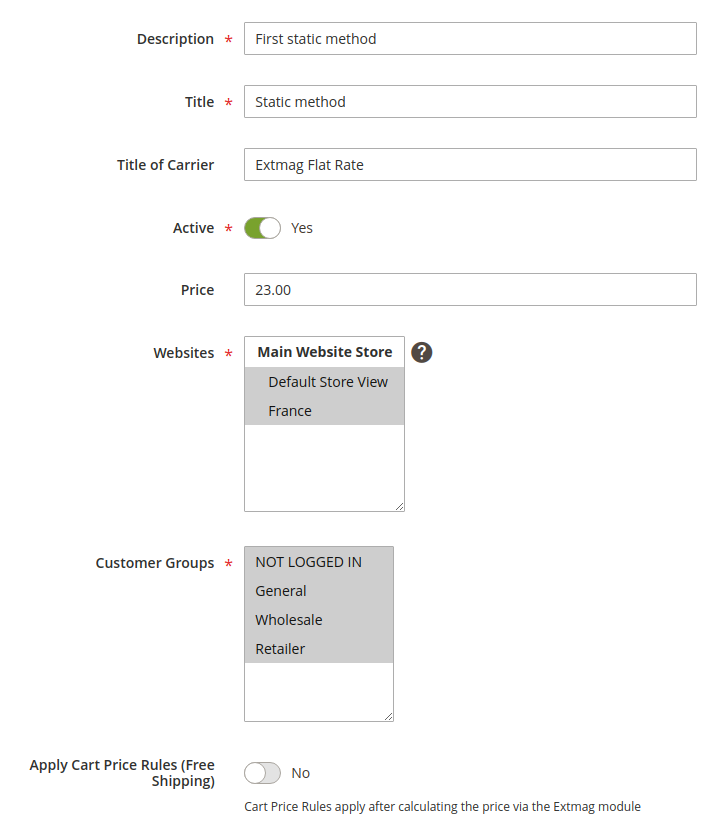
Description — descrizione del metodo per l’amministratore. Deve essere univoca.
Title — il nome del metodo di spedizione che l’acquirente vede nella fase di spedizione.
Title of Carrier — il nome del corriere. Il campo sovrascrive l’impostazione Title della configurazione del modulo.
Active — attiva o disattiva il metodo al checkout.
Price — il prezzo della spedizione.
Websites — gli store a cui si applica questo metodo.
Customer Groups — i gruppi di clienti a cui si applica questo metodo.
Apply Cart Price Rules (Free Shipping) — se avete regole del carrello per la spedizione gratuita e volete applicarle a questo metodo, attivate l’opzione.
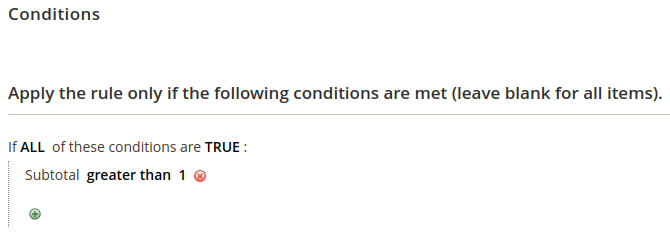
Conditions — regole per mostrare il metodo al checkout, su molti parametri e in numero illimitato.
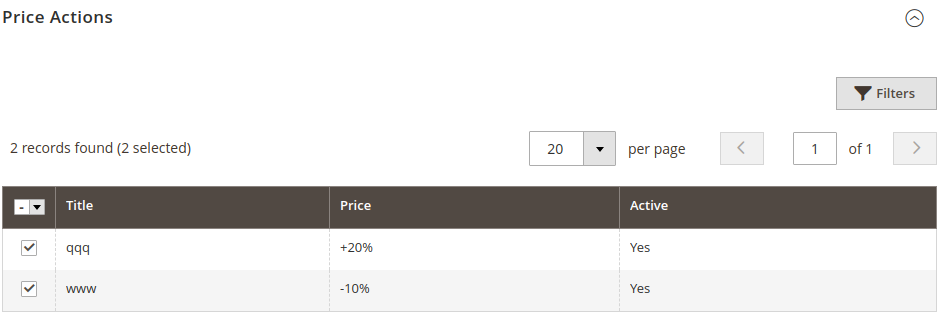
Price Actions — regole di formazione del prezzo finale. Sono indipendenti fra loro e vince il prezzo più basso. La creazione di una Price Action è descritta più avanti.
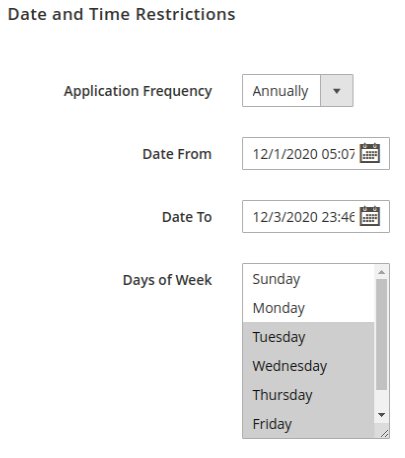
Le restrizioni di data e ora mostrano i metodi di spedizione solo in date precise o in un dato periodo. Gli eventi ciclici sono supportati.
Application Frequency — la frequenza della data in cui il metodo viene mostrato.
Date From — data e ora di inizio della visualizzazione del metodo.
Date To — data e ora di fine della visualizzazione del metodo.
Days of Week — se è selezionata almeno una voce, il metodo compare solo in quei giorni della settimana.
Creare una regola di prezzo
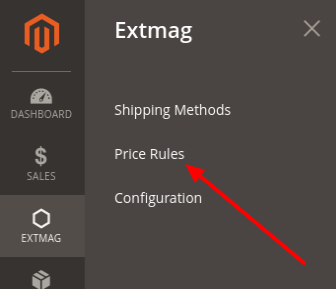
Per creare una regola di prezzo andate su Extmag -> Extended Shipping Rates -> Price Rules.
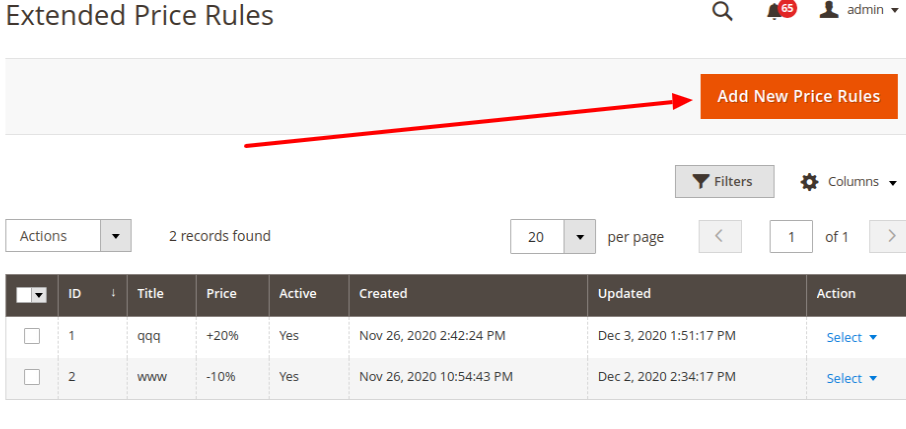
Fate clic sul pulsante «Add New Price Rules».
Compilate i campi obbligatori e salvate la regola di prezzo.
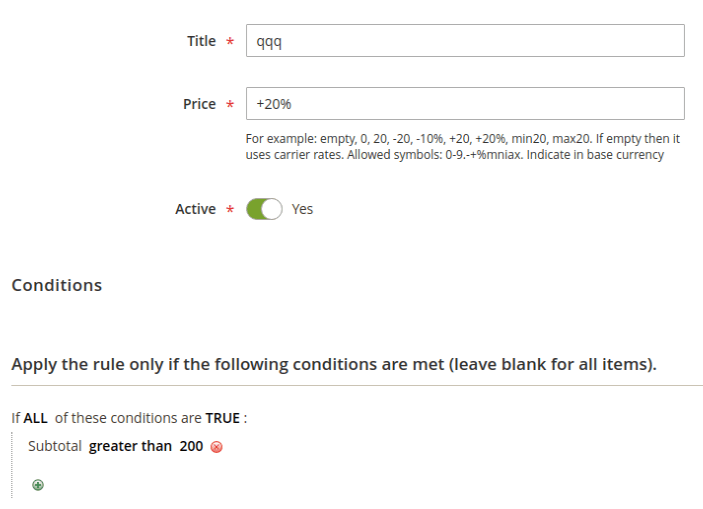
Title — il nome della regola di prezzo.
Price — un numero o un modello di prezzo. Se è solo un numero, sostituisce il prezzo del metodo. Se è un modello, viene applicato al prezzo di spedizione.
Conditions — le condizioni alle quali questa regola si applica.
Modelli di prezzo
vuoto: lasciate vuoto se non volete applicare alcun prezzo aggiuntivo al prezzo base.
0: il metodo diventa gratuito.
20: un prezzo qualsiasi, mostrato al posto del prezzo base.
-20: un numero preceduto dal meno riduce il prezzo base di tanto.
+20: un numero preceduto dal più aumenta il prezzo base di tanto.
-10%: meno davanti e segno di percentuale dietro riducono il prezzo base di quella percentuale.
+20%: più davanti e segno di percentuale dietro aumentano il prezzo base di quella percentuale.
max20: con il prefisso «max» il prezzo finale sarà al massimo quel numero.
min20: con il prefisso «min» il prezzo finale sarà almeno quel numero.
I numeri 20 e 10 sono solo un esempio: può essere qualsiasi numero.
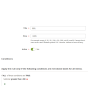
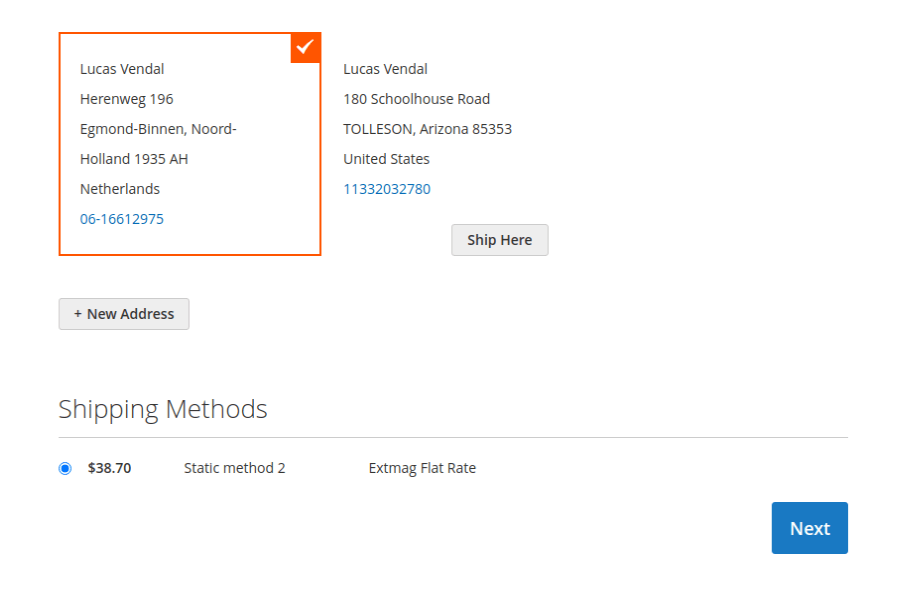
Ecco come il metodo di spedizione appare al checkout:
1.6.1
Replaced the Alpine.js x-data disabled binding with a server-rendered disabled attribute.
1.6.0
Replaced the Alpine.js x-data disabled binding with a server-rendered disabled attribute.
1.5.9
Refactored Hyva checkout shipping method list to use SecureHtmlRenderer for CSP compliance.
1.5.8
Added support Magento 2.4.9 and Adobe Commerce 2.4.9
1.5.7
Added BlackoutRules feature with admin CRUD, repository, UI components, and migration patch.
1.5.6
Added support Magento 2.4.8-p4 and Adobe Commerce 2.4.8-p4
1.5.5
Refactored code.
1.5.4
Added support Magento 2.4.8-p3 and Adobe Commerce 2.4.8-p3
1.5.3
Added support Magento 2.4.8-p2 and Adobe Commerce 2.4.8-p2
1.5.2
Added support Magento 2.4.8-p1 and Adobe Commerce 2.4.8-p1
1.5.1
Added support Magento 2.4.8 and Adobe Commerce 2.4.8
1.5.0
Added support Magento 2.4.7-p5 and Adobe Commerce 2.4.7-p5
1.4.9
Added support Magento 2.4.7-p4 and Adobe Commerce 2.4.7-p4
1.4.8
Added support Magento 2.4.7-p3 and Adobe Commerce 2.4.7-p3
1.4.7
Fixed the z-index issue on the label details page.
Added support Magento 2.4.7-p2 and Adobe Commerce 2.4.7-p2
1.4.6
Added support Magento 2.4.7-p1 and Adobe Commerce 2.4.7-p1
1.4.5
Added support Magento 2.4.7 and Adobe Commerce 2.4.7
1.4.4
Integration with Hyva Theme and Hyva Checkout has been added
1.4.3
Added support Magento 2.4.6-p4 and Adobe Commerce 2.4.6-p4
1.4.2
Improve the speed of calculating rules
1.4.1
Fixed bug with conditions for Product Attributes Combinations
1.4.0
Added support Magento 2.4.6-p3 and Adobe Commerce 2.4.6-p3
1.3.9
Added support Magento 2.4.6-p2 and Adobe Commerce 2.4.6-p2
1.3.8
Added support Adobe Commerce 2.4.6-p1
1.3.7
Support Adobe Commerce (Magento) 2.4.6
Support PHP 8.1
1.3.6
Fixed some minor bugs
1.3.5
Fixed the PHP warnings
1.3.4
Support Adobe Commerce (Magento) 2.4.5-p1
1.3.3
Support Adobe Commerce (Magento) 2.4.5
1.3.2
Fixed etc/adminhtml/di.xml and etc/di.xml
1.3.1
Fixed bug with Magento 2.3 and dependency injection
1.3.0
Added shipping method logo.
Support PHP 8.1 and Magento 2.4.4
1.2.2
Fixed deprecated PHP function array_key_exists for objects
1.2.1
Added Date and Time
Restriction for Price Rule
Reformat code with the new style
1.2.0
A new parameter "Allowed areas" have been added that allows you to show the delivery method only in the admin panel
1.1.0
Added a link to the price rule edit page from the delivery method edit page
1.0.0
Module created

