
Logs Manager per Magento® 2.x

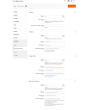
Magento® 2 non fornisce, in modo predefinito, strumenti per la gestione dei file di log. Con il tempo i file di log raggiungono dimensioni notevoli, a volte enormi. Lavorare con file di questo tipo è scomodo e la loro analisi diventa un processo complesso. Per mantenere sempre i Suoi file di log a una dimensione accettabile, utilizzi l'estensione Logs Manager.
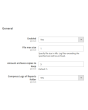
Logs Manager Le consente di definire la dimensione massima di ciascun file di log e il numero massimo di copie archiviate.
Dopo l'attivazione del modulo, i Suoi file di log vengono controllati ogni giorno. I file che superano la dimensione impostata vengono archiviati. Il modulo conserva il numero di copie archiviate indicato in configurazione e rimuove gli archivi obsoleti. In questo modo i Suoi file di log restano sempre piccoli e facili da leggere e analizzare.
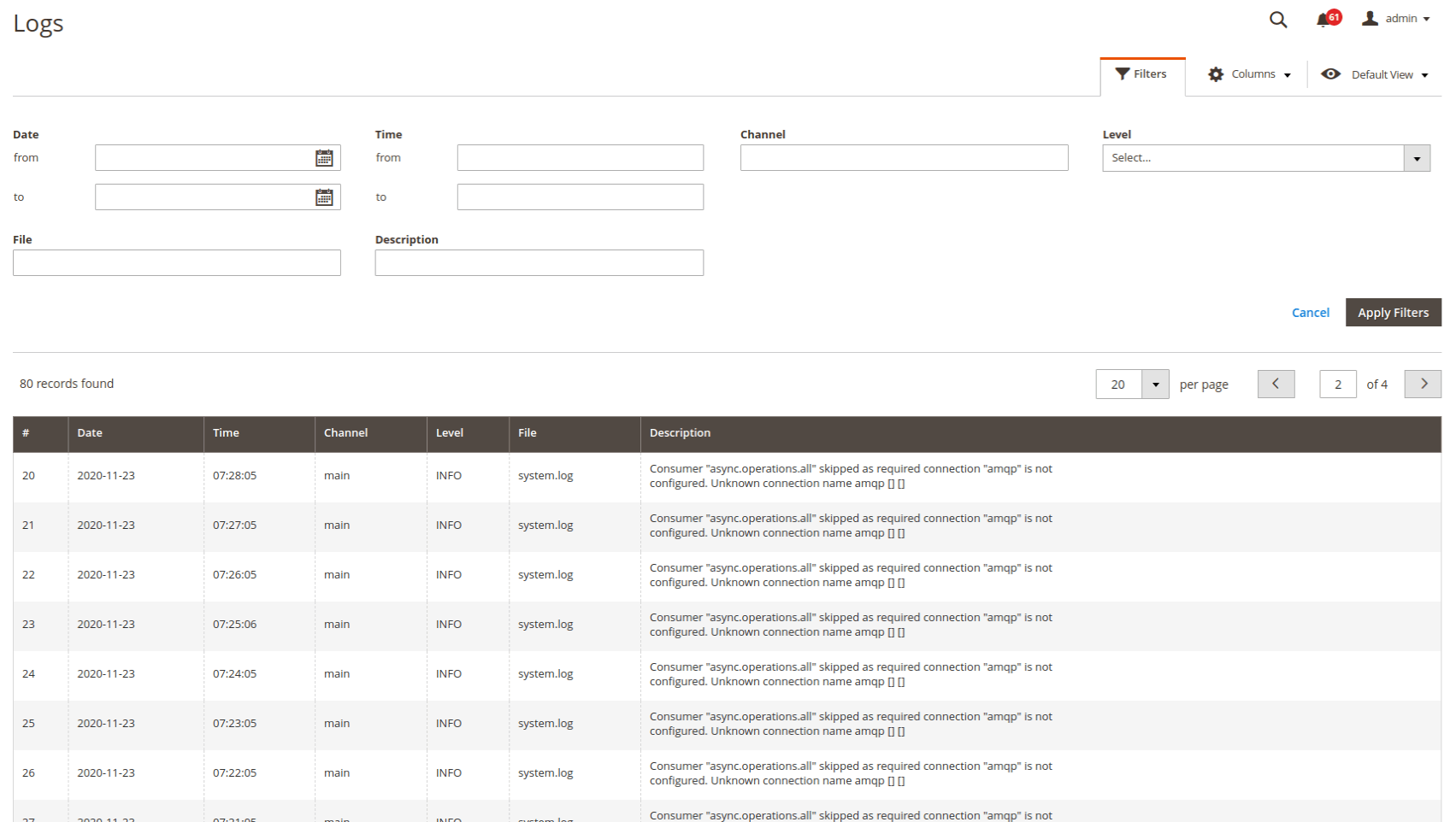
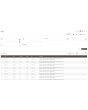
Visualizzare e analizzare i log direttamente dal pannello di amministrazione è molto comodo. Può configurare l'accesso solo per Sé o per determinati amministratori. La ricerca e i filtri si applicano a tutti i file di log. È possibile filtrare i log per data e ora, per tipo di errore e tramite ricerca testuale.
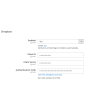
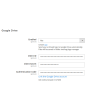
Un'altra funzione importante di Logs Manager per Magento 2 è l'integrazione con i servizi cloud. Ogni file di log compresso può essere caricato automaticamente in una cartella (con struttura) del Suo Dropbox o di un altro servizio cloud. In questo modo libera spazio sul server per file più importanti. Storage cloud supportati: Dropbox, Google Drive, Microsoft OneDrive.
Il modulo Logs Manager comprime i file di log in archivi ZIP. Poiché i log contengono spesso righe o porzioni di riga ripetute, si comprimono molto bene. Un file da 10 MB, ad esempio, può essere ridotto a 0,5–1 MB. Di norma il tasso di compressione è compreso tra il 70 e il 90 %.
Demo
Potete provare questa estensione per 30 giorni. Richiedete la demo da questa stessa pagina con Richiedi demo; come funziona è spiegato in Prova un'estensione per 30 giorni.
| CMS | Magento 2 |
|---|---|
| Compatibilità | 2.4, 2.3, 2.2, 2.1, 2.0 |
| Funzionalità |
|
L’estensione si installa con Composer. Quale repository aggiungere dipende da dove l’avete acquistata — l’installazione in sé è identica nei due casi.
1. Collegare il repository
Acquistata su extmag.com. La pagina del vostro account mostra l’indirizzo del repository e le vostre credenziali personali, insieme ai due comandi composer config da incollare. Eseguiteli una volta per progetto; da quel momento ogni estensione che possedete è disponibile dallo stesso repository.
Acquistata sull’Adobe Commerce Marketplace. Il pacchetto viene servito da repo.magento.com, già configurato nella maggior parte degli store. In caso contrario, aggiungete le access key del vostro account Adobe in My Profile -> Access Keys.
2. Installare l’estensione
Eseguite nella radice del progetto:
composer require extmag/logsmanagerpro
php bin/magento setup:upgrade
php bin/magento cache:flush
Composer risolve i pacchetti Extmag condivisi da cui l’estensione dipende: non c’è altro da richiedere a mano.
Uscite dall’admin e rientrate: l’estensione è pronta.
Provarla prima di acquistare
Potete richiedere una demo di 30 giorni di questa estensione e installarla esattamente come sopra: stesso pacchetto, stesso repository, stessi comandi. Come funzionano le demo.
Installare senza Composer
L’archivio può essere scompattato in app/code/Extmag/, ma così l’estensione resta fuori dalla gestione delle dipendenze: i pacchetti condivisi vanno installati a mano e gli aggiornamenti non la raggiungono mai. Usate Composer per qualsiasi store che gestite, demo compresa.
Per qualsiasi domanda sull’installazione, scrivete al nostro supporto tecnico.
-
User Guide User Guide.pdf · 725.7 KBScarica
-
Reference Manual Reference Manual.pdf · 346.6 KBScarica
-
Installation Guide Installation Guide.pdf · 208.8 KBScarica
Configurazione di sistema
Elenco dei log
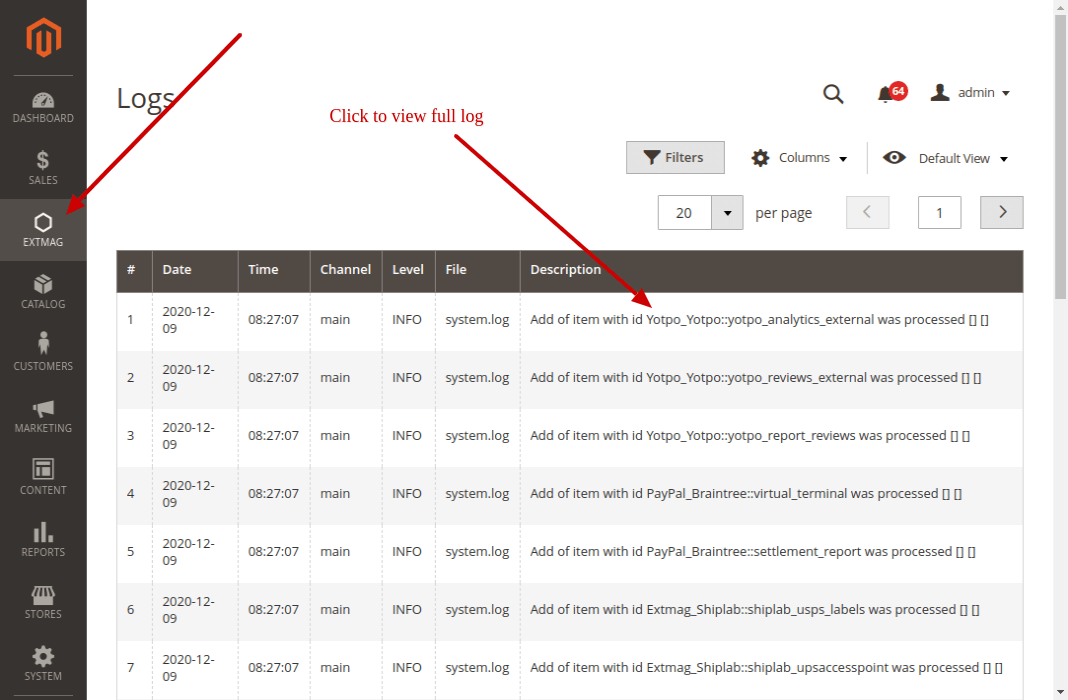
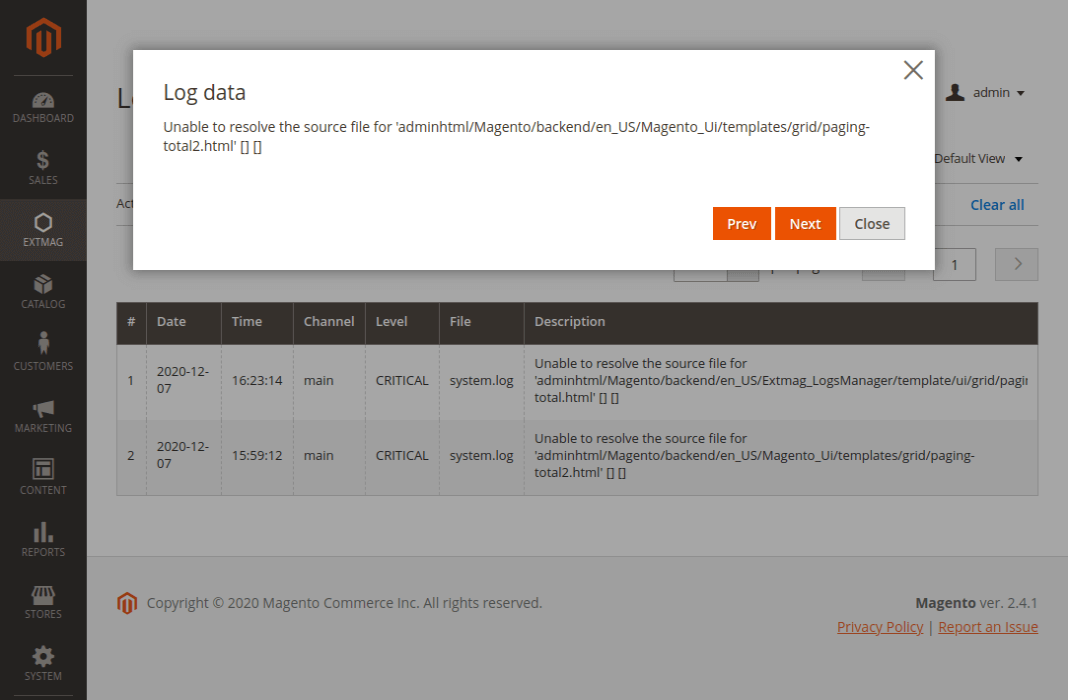
Nella pagina dell’elenco vedete tutti i vostri log. Nell’elenco compare solo una parte della descrizione: fateci clic e si apre una finestra con il testo completo.
I log si trovano in Admin main menu -> Extmag -> Logs Manager -> Logs.
Filtrare i log
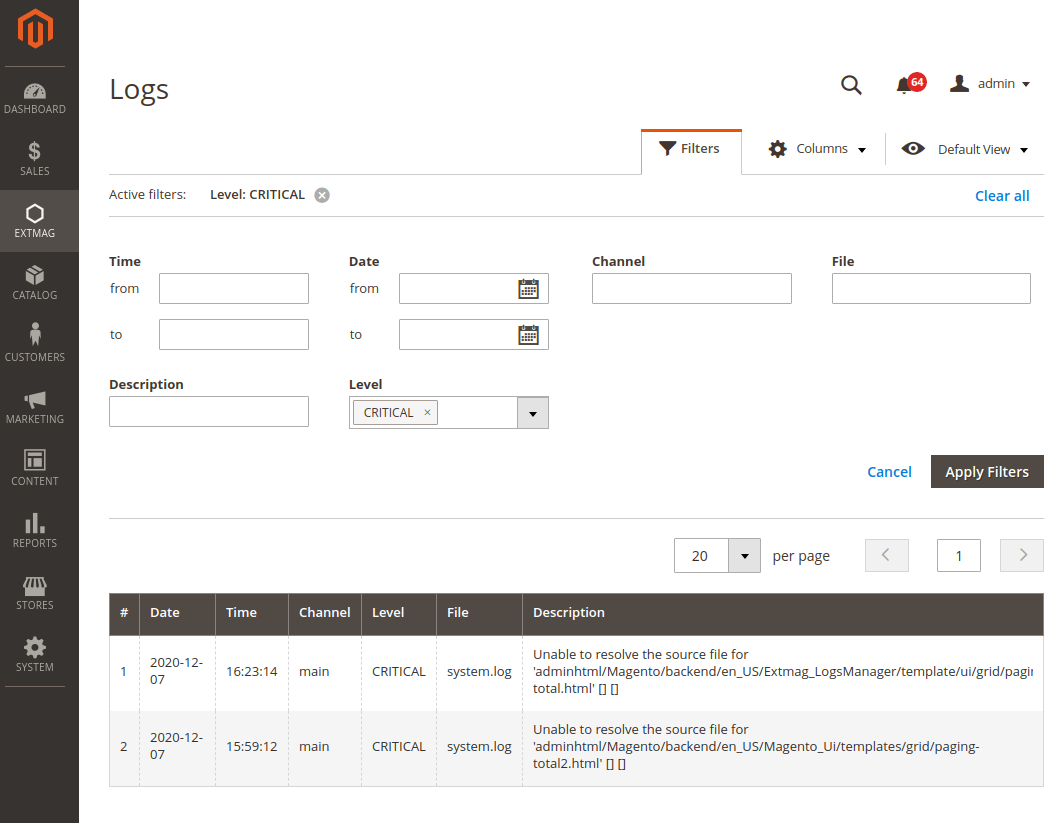
I log si filtrano per:
- data e ora
- Channel (main o un modulo)
- nome del file
- ricerca nella descrizione del log
- livello di log (Error, Info, Warning, Critical, Debug e altri)
Punti a cui prestare attenzione
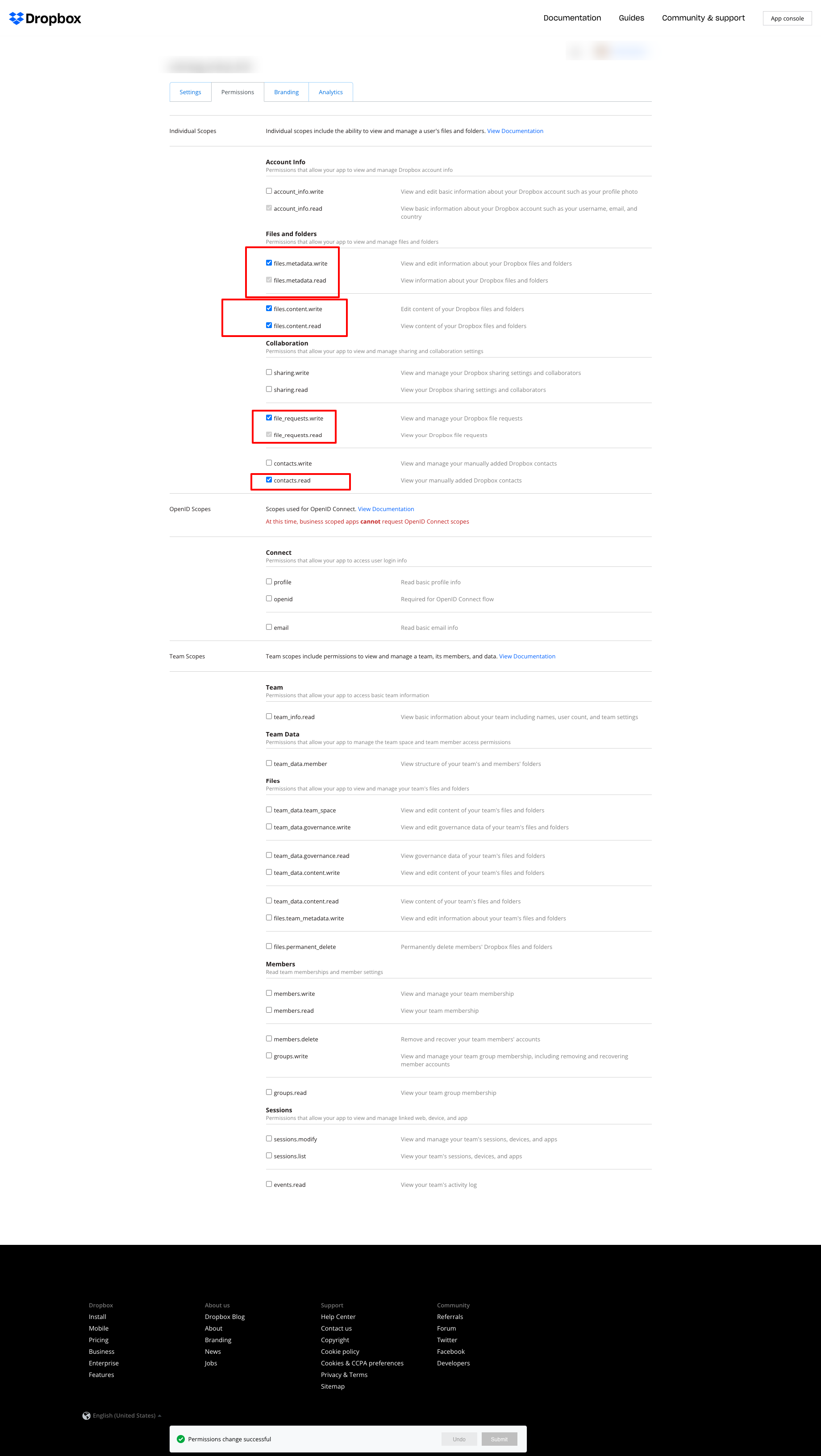
Se usate Dropbox per conservare i log e ottenete l’errore mostrato qui sotto:
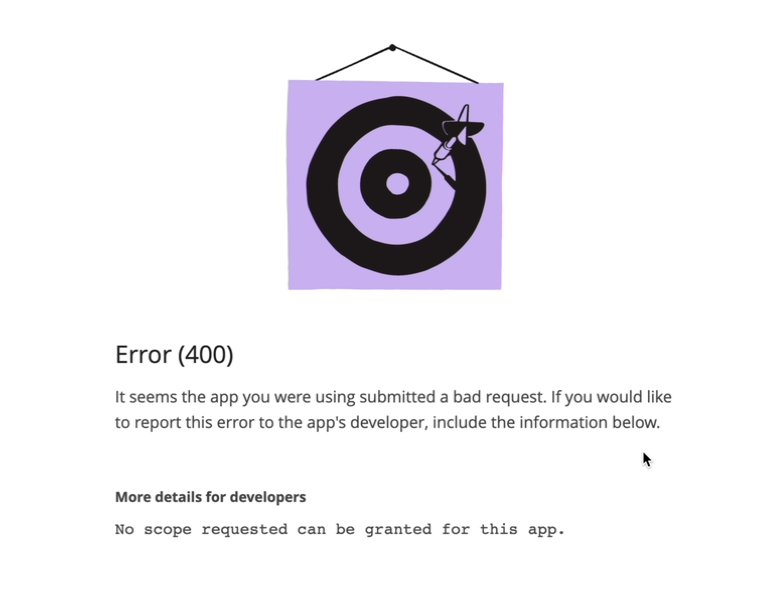
impostate i permessi come nella schermata seguente:
2.2.0
LogsCore: Switched admin log templates to the Escaper service instead of block escape helpers.
2.1.9
LogsCore: Add email and webapi log management features. Added support Magento 2.4.8-p4 and Adobe Commerce 2.4.8-p4
2.1.8
Added support Magento 2.4.8-p4 and Adobe Commerce 2.4.8-p4
2.1.7
Refactored code.
2.1.6
The functionality for uploading logs to cloud storages, such as Dropbox, Google Drive, and MS OneDrive, has been removed. This is now handled by the Backup Pro module.
2.1.5
Added support Magento 2.4.8-p3 and Adobe Commerce 2.4.8-p3
2.1.4
Added support Magento 2.4.8-p2 and Adobe Commerce 2.4.8-p2
2.1.3
Added support Magento 2.4.8-p1 and Adobe Commerce 2.4.8-p1
2.1.2
Added support Magento 2.4.8 and Adobe Commerce 2.4.8
2.1.1
Added support Magento 2.4.7-p5 and Adobe Commerce 2.4.7-p5
2.1.0
Added support Magento 2.4.7-p4 and Adobe Commerce 2.4.7-p4
2.0.9
Added support Magento 2.4.7-p3 and Adobe Commerce 2.4.7-p3
2.0.8
Added support Magento 2.4.7-p2 and Adobe Commerce 2.4.7-p2
2.0.7
Added support Magento 2.4.7-p1 and Adobe Commerce 2.4.7-p1
2.0.6
Fixed names of Google API classes. There were changing underscores to namespaces.
2.0.5
Fixed Google Drive connection
2.0.4
Added support Magento 2.4.7 and Adobe Commerce 2.4.7
2.0.3
Added support Magento 2.4.6-p4 and Adobe Commerce 2.4.6-p4
2.0.2
Added support Magento 2.4.6-p3 and Adobe Commerce 2.4.6-p3
2.0.1
Fixed a bug with the Google Drive connection
2.0.0
To check the correct connection to Cloud Storages, Test Connection buttons for Microsoft OneDrive, Google Drive, and Dropbox were added.
1.6.2
1.6.1
Added support Magento 2.4.6-p2 and Adobe Commerce 2.4.6-p2
1.6.0
Added support Adobe Commerce 2.4.6-p1
1.5.9
Support Adobe Commerce (Magento) 2.4.6
Support PHP 8.1 and PHP 8.2
1.5.8
Fixed PHP warnings
1.5.7
Refactoring code
1.5.6
Support Adobe Commerce (Magento) 2.4.5-p1
1.5.5
Support Adobe Commerce (Magento) 2.4.5
1.5.4
Added new dependency to the module composer.json
Added permissions to request authorization for Dropbox
1.5.3
Fixed bug with the core module
1.5.2
Added support for PHP 8.1 and Adobe Commerce (Magento) 2.4.4
1.5.1
Update versions of dependencies
1.5.0
Added the ability to download log files in zip format for local storage or transfer to developers of extensions to analyze errors and work of extensions
1.4.1
Show error with onedrive getting Authentication Code if this error exists
1.4.0
Added reports to log listing
Filter by reports
Compress reports folder and send archive to cloud storage
1.3.5
Added listing of logs in the admin panel with filtering by several parameters
1.3.4
Fixed bug with schedule and config cache
Refactoring PHP code
1.3.3
Fixed bug with uploading log files to Microsoft OneDrive
1.3.2
Fixed bug with empty client id
Fixed supporting Magento 2.3.5
Fixed bug with Microsoft OneDrive OAuth code
1.3.0
Added Microsoft OneDrive for keeping your log archives.
1.2.0
Admin has to create self Dropbox app.
Admin has to create self Google app.
1.1.0
Added Google Drive storage.
Fixed some small bugs.