
Backup Manager per Magento® 2.x

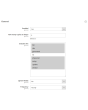
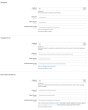
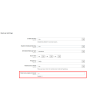
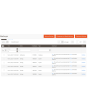
Extmag Backup Manager per Magento® 2.x offre impostazioni flessibili per backup giornalieri o orari. Effettua il backup soltanto delle cartelle del Suo negozio critiche per il funzionamento e configura il modulo di backup standard di Magento in modo che una volta a settimana esegua una copia completa del sito. In questo modo i Suoi backup occupano spazio minimo sul server e non interferiscono con il funzionamento del sito. Le copie minime vengono create rapidamente e non richiedono la modalità di manutenzione.
Un'ulteriore peculiarità di Extmag Backup Manager per Magento 2.x è la possibilità di salvare i backup nel cloud. Attualmente il modulo supporta Dropbox, Google Drive e Microsoft OneDrive. Dopo alcune impostazioni, tutti i Suoi backup vengono caricati nello storage cloud selezionato. Indica inoltre quante copie debbano essere conservate sul server per il ripristino. Il modulo eliminerà tutte le altre copie — queste rimarranno tuttavia nel cloud (se configurato) finché non le rimuoverà manualmente.
Il ripristino di un backup avviene tramite l'interfaccia standard esattamente come per un backup regolare del modulo di backup standard di Magento.
Un esempio applicativo di Extmag Backup Manager per Magento 2.x:
- Durante lo sviluppo del negozio online, configura il modulo affinché i backup comprendano tutte le cartelle e vengano creati ogni 2–3 ore. In questo modo, in caso di errore di sviluppo, potrà sempre tornare alla versione corretta.
- Quando il sito è completamente pronto e passa in modalità di produzione, esegue un backup completo.
- Configuri il modulo affinché vengano salvate soltanto le cartelle soggette a frequenti modifiche. La cartella vendor, ad esempio, non rientra fra queste — escludendola, è comunque già inclusa nel backup completo.
- In presenza di traffico elevato e numerosi ordini, configuri il modulo affinché i backup vengano creati ogni 3–5 ore. In caso di perdita di dati, ripristinerà i dati fino all'ora successiva.
- In presenza di pochi ordini al giorno, imposti una pianificazione dei backup una volta ogni 12 ore. Sono naturalmente possibili backup più frequenti.
Demo
Potete provare questa estensione per 30 giorni. Richiedete la demo da questa stessa pagina con Richiedi demo; come funziona è spiegato in Prova un'estensione per 30 giorni.
| CMS | Magento 2 |
|---|---|
| Compatibilità | 2.4, 2.3, 2.2, 2.1, 2.0 |
| Funzionalità |
|
L’estensione si installa con Composer. Quale repository aggiungere dipende da dove l’avete acquistata — l’installazione in sé è identica nei due casi.
1. Collegare il repository
Acquistata su extmag.com. La pagina del vostro account mostra l’indirizzo del repository e le vostre credenziali personali, insieme ai due comandi composer config da incollare. Eseguiteli una volta per progetto; da quel momento ogni estensione che possedete è disponibile dallo stesso repository.
Acquistata sull’Adobe Commerce Marketplace. Il pacchetto viene servito da repo.magento.com, già configurato nella maggior parte degli store. In caso contrario, aggiungete le access key del vostro account Adobe in My Profile -> Access Keys.
2. Installare l’estensione
Eseguite nella radice del progetto:
composer require extmag/backuppro
php bin/magento setup:upgrade
php bin/magento cache:flush
Composer risolve i pacchetti Extmag condivisi da cui l’estensione dipende: non c’è altro da richiedere a mano.
Uscite dall’admin e rientrate: l’estensione è pronta.
Storage cloud
Il supporto per Dropbox e Google Drive è incluso nell’estensione. OneDrive richiede un pacchetto aggiuntivo:
composer require krizalys/onedrive-php-sdk
Provarla prima di acquistare
Potete richiedere una demo di 30 giorni di questa estensione e installarla esattamente come sopra: stesso pacchetto, stesso repository, stessi comandi. Come funzionano le demo.
Installare senza Composer
L’archivio può essere scompattato in app/code/Extmag/, ma così l’estensione resta fuori dalla gestione delle dipendenze: i pacchetti condivisi vanno installati a mano e gli aggiornamenti non la raggiungono mai. Usate Composer per qualsiasi store che gestite, demo compresa.
Per qualsiasi domanda sull’installazione, scrivete al nostro supporto tecnico.
-
User Guide User Guide.pdf · 1.3 MBScarica
-
Reference Manual Reference Manual.pdf · 490.5 KBScarica
-
Installation Guide Installation Guide.pdf · 302.5 KBScarica
Configurazione di sistema
Punti a cui prestare attenzione
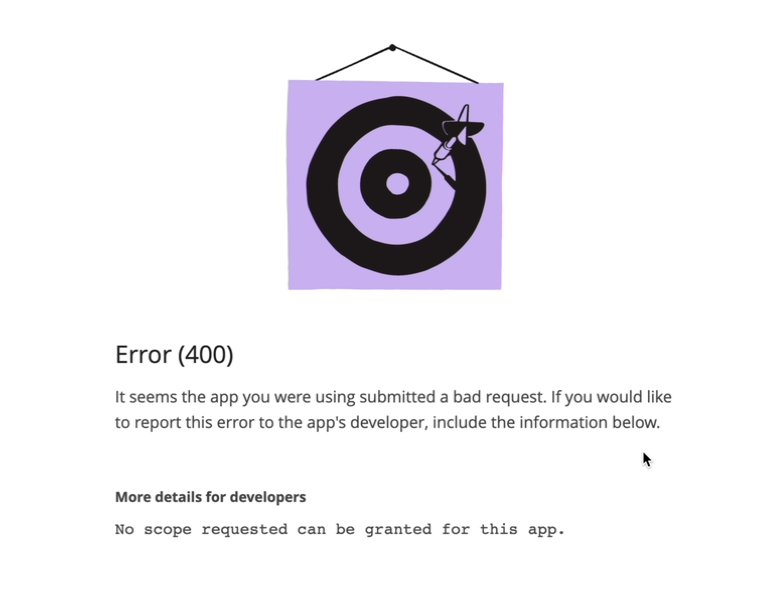
Se lo storage cloud restituisce l’errore mostrato qui sotto:
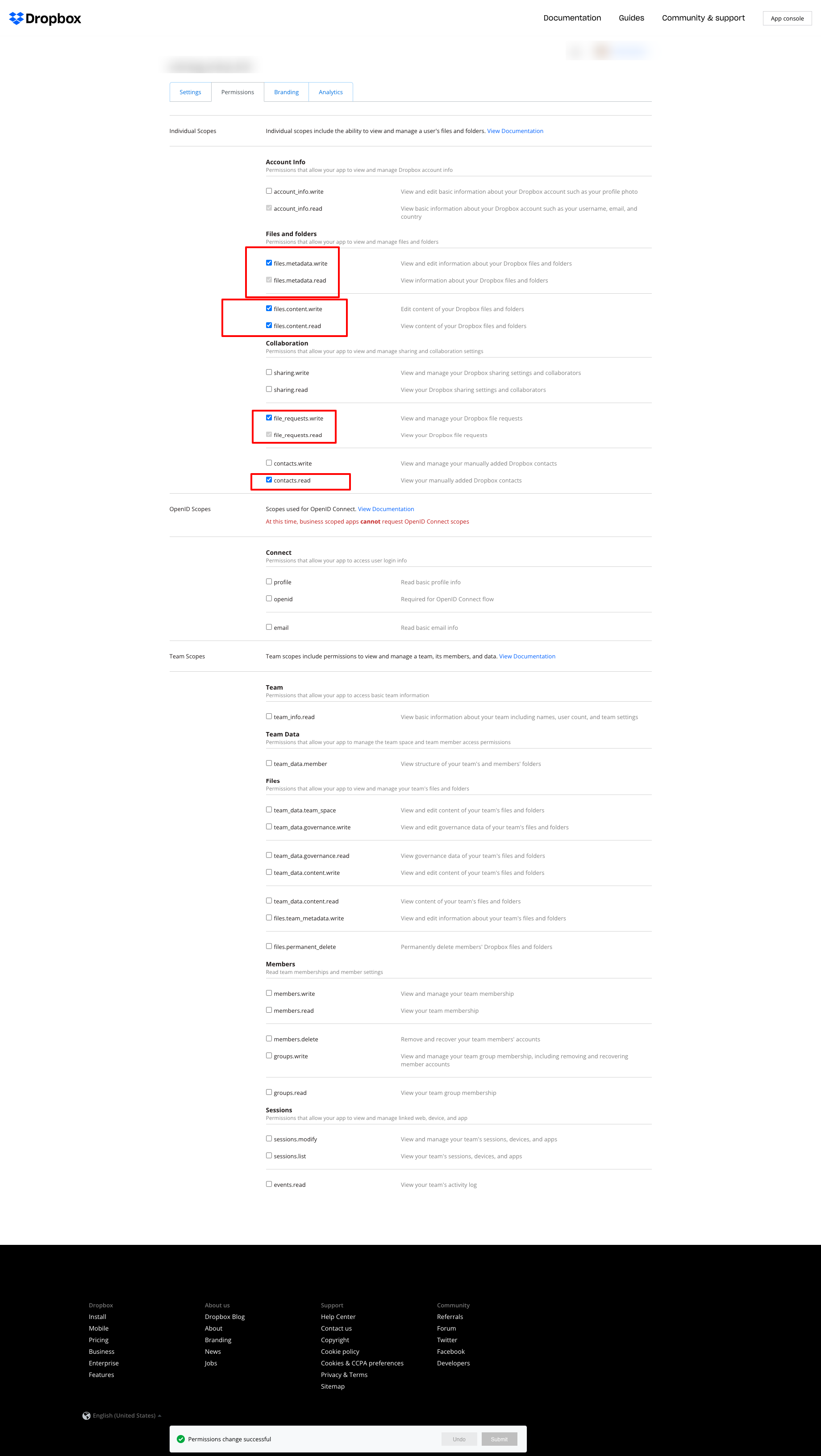
impostate i permessi come nella schermata seguente:
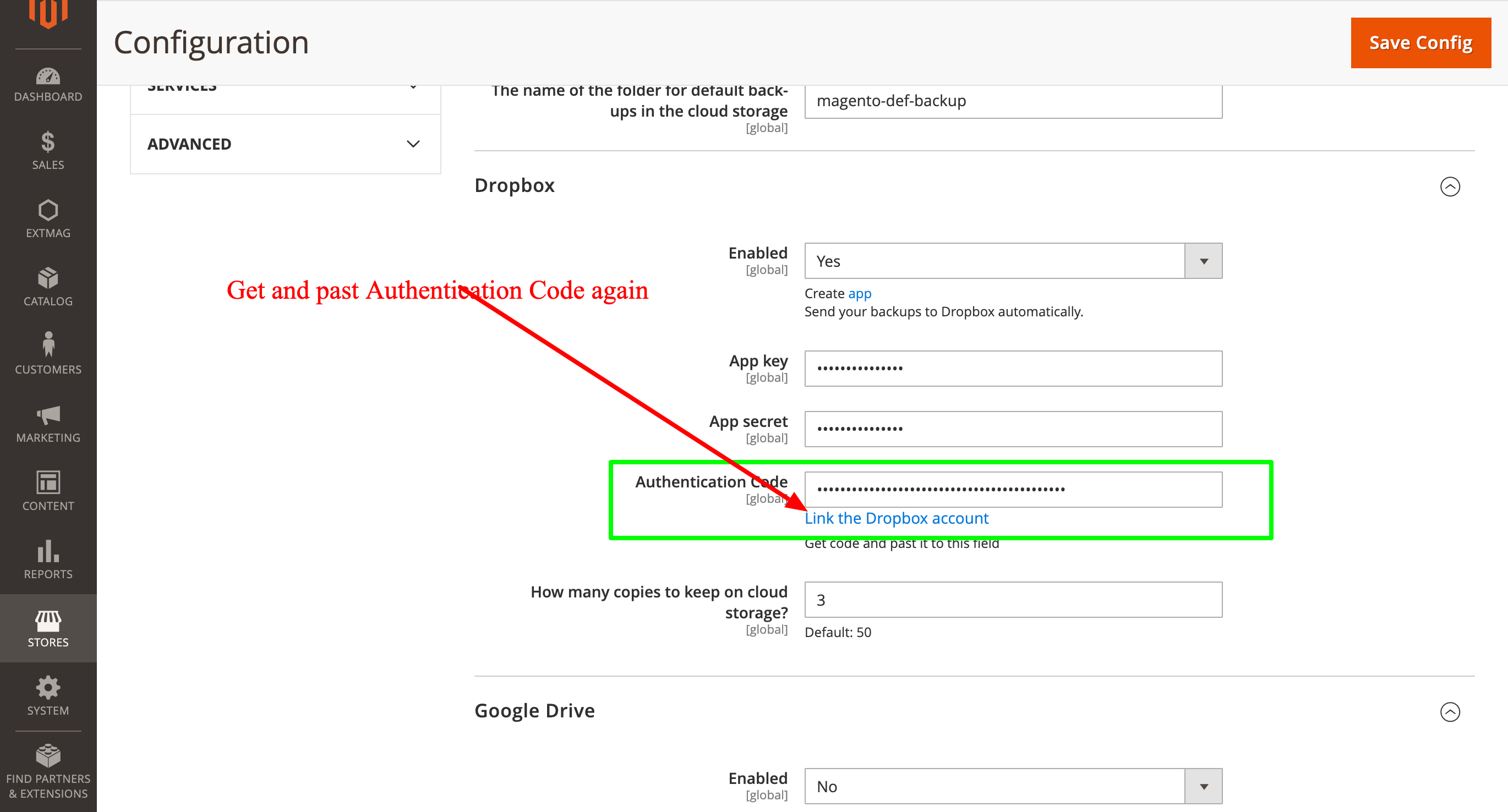
poi richiedete di nuovo l’Authentication Code e inseritelo:
2.0.4
BackupCore: Fixed backup type detection and folder name collisions. BackupCore: Removed Store/Website repository preferences. BackupCore: Refactored token show.phtml to use secureRenderer for CSP compliance. BackupCore: Added create_mini ACL resource.
2.0.3
Added support Magento 2.4.9 and Adobe Commerce 2.4.9
2.0.2
Added support Magento 2.4.8-p4 and Adobe Commerce 2.4.8-p4
2.0.1
Refactored code.
2.0.0
Added backup sets.
Added starage sets.
Added Amazon S3 as a cloud storage.
1.7.2
Added support Magento 2.4.8-p3 and Adobe Commerce 2.4.8-p3
1.7.1
Added support Magento 2.4.8-p2 and Adobe Commerce 2.4.8-p2
1.7.0
Added support Magento 2.4.8-p1 and Adobe Commerce 2.4.8-p1
1.6.9
Added support Magento 2.4.8 and Adobe Commerce 2.4.8
1.6.8
Added support Magento 2.4.7-p5 and Adobe Commerce 2.4.7-p5
1.6.7
Added support Magento 2.4.7-p4 and Adobe Commerce 2.4.7-p4
1.6.6
Added support Magento 2.4.7-p3 and Adobe Commerce 2.4.7-p3
1.6.5
Added support Magento 2.4.7-p2 and Adobe Commerce 2.4.7-p2
1.6.4
Added support Magento 2.4.7-p1 and Adobe Commerce 2.4.7-p1
1.6.3
Fixed names of Google API classes. There were changing underscores to namespaces.
1.6.2
Improved the frequency of the schedule
Fixed Google Drive connection
1.6.1
Added support Magento 2.4.7 and Adobe Commerce 2.4.7
1.6.0
Fixed schedule frequency for the backup
1.5.9
Fixed bug with nullable variable in the method attribute
1.5.8
Added support Magento 2.4.6-p4 and Adobe Commerce 2.4.6-p4
1.5.7
Added support Magento 2.4.6-p3 and Adobe Commerce 2.4.6-p3
1.5.6
Added buttons Test Connection for Cloud Storages configuration
1.5.5
Added support Magento 2.4.6-p2 and Adobe Commerce 2.4.6-p2
1.5.4
Added support Adobe Commerce 2.4.6-p1
1.5.3
Support Adobe Commerce (Magento) 2.4.6
Support PHP 8.1 and PHP 8.2
1.5.2
Improved the PHP code
1.5.1
Fixed PHP warnings
1.5.0
Support Adobe Commerce (Magento) 2.4.5-p1
1.4.9
Support Adobe Commerce (Magento) 2.4.5
1.4.8
Added new dependency to the module composer.json
Added permissions to request authorization for Dropbox
1.4.6
Fixed bug with the core module
1.4.5
Cleared error message if the access token for cloud storage is correct
1.4.4
Fixed sending backups to cloud services.
Fixes some bugs.
1.4.3
Added support for PHP 8.1 and Adobe Commerce (Magento) 2.4.4
1.4.2
Fixed bug with DB dump
1.4.1
Update versions of dependencies
1.4.0
Added the ability to manage the number of stored copies of mini backups on your cloud storage
1.3.0
Decrease time of database backup and increase availability database at backup doing.
Added new CLI command for restoring DB from backup.
1.2.0
Added folder name for cloud storage
1.1.0
Added "Extmag Mini Backup" button on logs grid
Fixed authentication errors for cloud storage
Refactoring code
1.0.5
Show error with onedrive getting auth code if this error exists
1.0.4
The version of the core module up to ^1.2
Changed the version of dependency modules
1.0.3
Fixed bug with acl
Fixed bug with system configuration
Core module was added as a dependency
1.0.2
Fixed bug with schedule and config cache
1.0.1
Fixed bug with uploading backups to Microsoft OneDrive
Fixed bug with schedule
1.0.0
Module created
