
Backup Manager voor Magento® 2.x

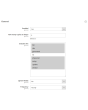
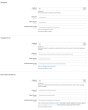
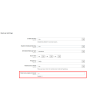
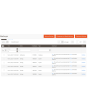
Extmag Backup Manager voor Magento® 2.x biedt flexibele instellingen voor dagelijkse of uurlijkse back-ups. U maakt alleen back-ups van de mappen van uw shop die kritiek zijn voor de werking en stelt de standaard Magento-back-upmodule zo in dat deze eenmaal per week een volledige kopie van de website maakt. Zo nemen uw back-ups minimale ruimte in op de server en verstoren ze de werking van de website niet. Minimale kopieën worden snel gemaakt en vereisen geen onderhoudsmodus.
Een ander kenmerk van Extmag Backup Manager voor Magento 2.x is de mogelijkheid om back-ups in de cloud op te slaan. Op dit moment ondersteunt de module Dropbox, Google Drive en Microsoft OneDrive. Na enkele aanpassingen worden al uw back-ups naar de gekozen cloudopslag geüpload. U geeft daarnaast aan hoeveel kopieën op de server moeten worden bewaard voor herstel. De module verwijdert alle andere kopieën — deze blijven echter (indien geconfigureerd) in de cloud bewaard totdat u ze handmatig verwijdert.
Het herstellen van een back-up gebeurt via de standaardinterface op dezelfde manier als bij een reguliere back-up van de standaard Magento-back-upmodule.
Een toepassingsvoorbeeld voor Extmag Backup Manager voor Magento 2.x:
- Tijdens de ontwikkeling van de webshop configureert u de module zo dat back-ups alle mappen omvatten en elke 2–3 uur worden gemaakt. Zo kunt u bij een ontwikkelfout altijd terugrollen naar de juiste versie.
- Wanneer de website volledig klaar is en overgaat naar de productiemodus, voert u een volledige back-up uit.
- Configureer de module zo dat alleen die mappen worden geback-upt die vaak veranderen. De vendor-map hoort daar bijvoorbeeld niet bij — als u deze uitsluit, zit hij al in de volledige back-up.
- Bij veel verkeer en veel bestellingen configureert u de module zo dat back-ups elke 3–5 uur worden gemaakt. Bij gegevensverlies herstelt u de gegevens tot op het volgende uur.
- Bij weinig bestellingen per dag stelt u een back-upschema in van eenmaal per 12 uur. Frequentere back-ups zijn uiteraard mogelijk.
Demo
U kunt deze extensie 30 dagen uitproberen. Vraag de demo aan op deze pagina met Demo aanvragen; hoe het werkt leest u op Probeer een extensie 30 dagen uit.
| CMS | Magento 2 |
|---|---|
| Compatibiliteit | 2.4, 2.3, 2.2, 2.1, 2.0 |
| Functies |
|
De extensie wordt met Composer geïnstalleerd. Welke repository u toevoegt hangt af van waar u haar heeft gekocht — de installatie zelf is in beide gevallen dezelfde.
1. De repository koppelen
Gekocht op extmag.com. Uw accountpagina toont het adres van de repository en uw persoonlijke inloggegevens, samen met de twee composer config-commando’s om te plakken. Voer ze één keer per project uit; daarna is elke extensie die u bezit beschikbaar uit dezelfde repository.
Gekocht op de Adobe Commerce Marketplace. Het pakket komt van repo.magento.com, dat de meeste winkels al ingesteld hebben. Zo niet, voeg dan de access keys uit uw Adobe-account toe onder My Profile -> Access Keys.
2. De extensie installeren
Voer uit in de projectmap:
composer require extmag/backuppro
php bin/magento setup:upgrade
php bin/magento cache:flush
Composer lost de gedeelde Extmag-pakketten op waarvan de extensie afhangt, dus er hoeft verder niets met de hand te worden opgegeven.
Log uit de admin en weer in, en de extensie is klaar voor gebruik.
Cloudopslag
Ondersteuning voor Dropbox en Google Drive zit in de extensie. OneDrive vraagt één extra pakket:
composer require krizalys/onedrive-php-sdk
Uitproberen voordat u koopt
U kunt een demo van 30 dagen van deze extensie aanvragen en die precies zo installeren als hierboven — hetzelfde pakket, dezelfde repository, dezelfde commando’s. Hoe demo’s werken.
Installeren zonder Composer
Het archief kan ook in app/code/Extmag/ worden uitgepakt, maar daarmee valt de extensie buiten het afhankelijkheidsbeheer: haar gedeelde pakketten moeten met de hand worden geïnstalleerd en updates bereiken haar nooit. Gebruik Composer voor elke winkel die u draait, ook voor de demo.
Heeft u een vraag over de installatie, neem dan contact op met onze technische support.
-
User Guide User Guide.pdf · 1.3 MBDownloaden
-
Reference Manual Reference Manual.pdf · 490.5 KBDownloaden
-
Installation Guide Installation Guide.pdf · 302.5 KBDownloaden
Systeemconfiguratie
Aandachtspunten
Geeft de cloudopslag de onderstaande fout:
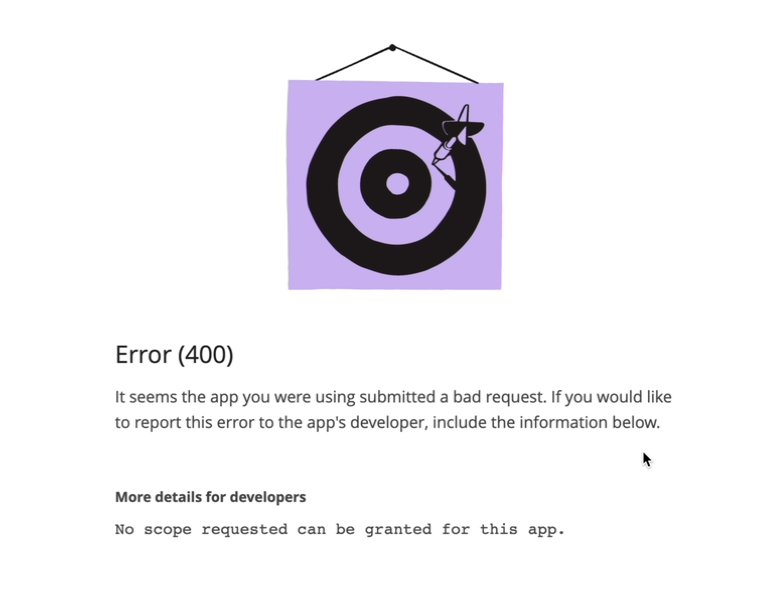
stel de rechten dan in zoals op de volgende schermafbeelding:
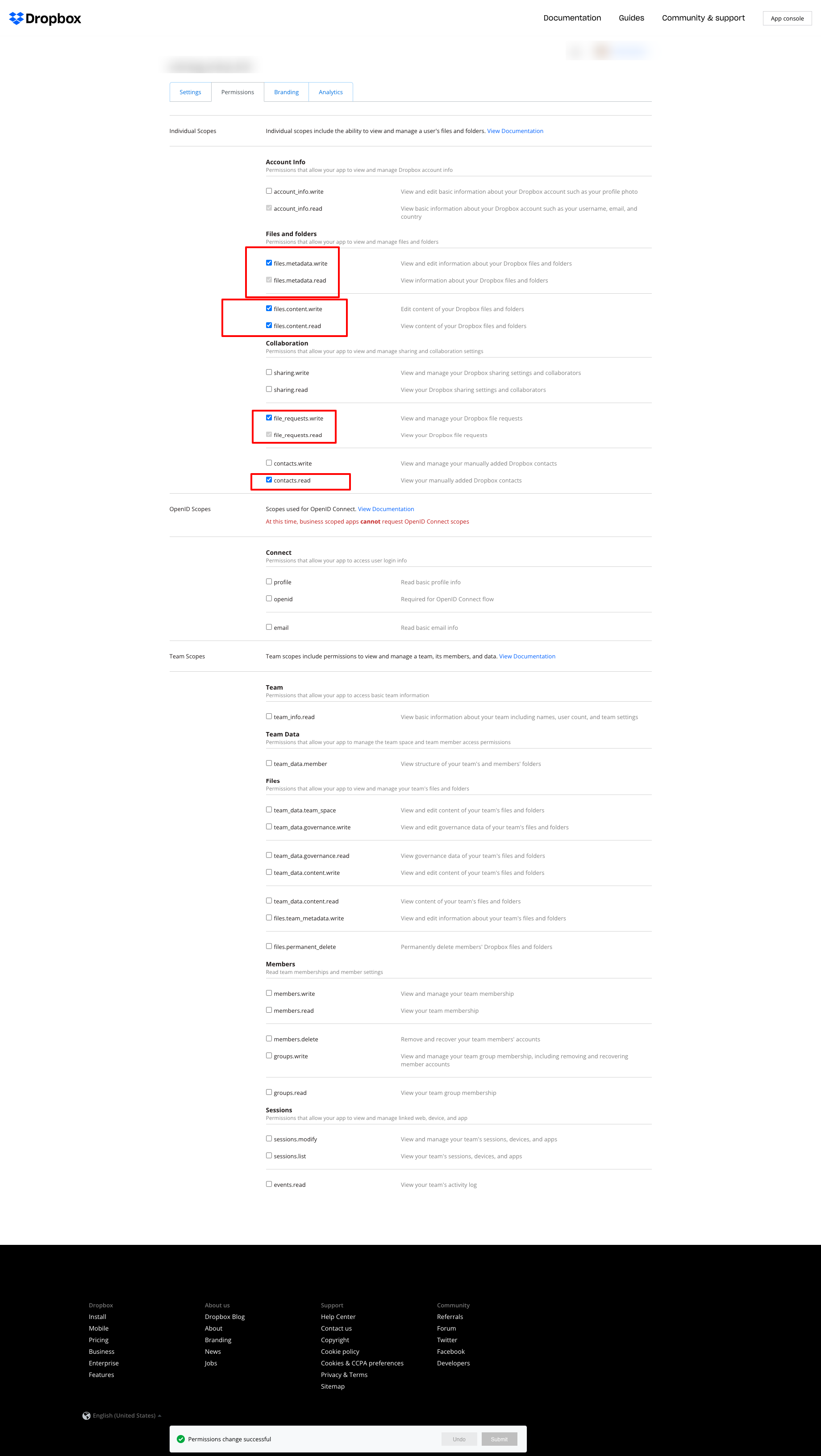
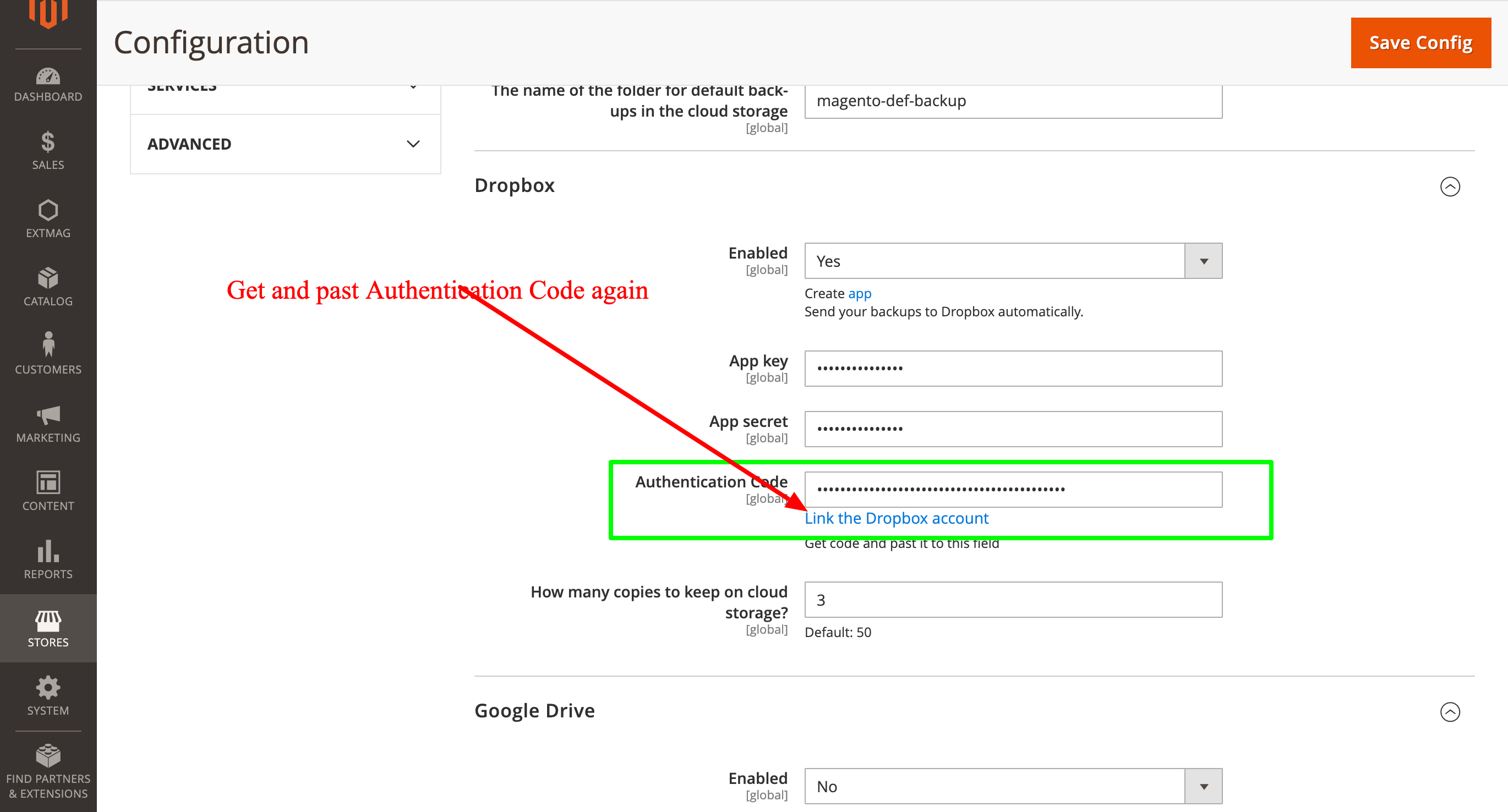
en haal daarna de Authentication Code opnieuw op en vul die opnieuw in:
2.0.4
BackupCore: Fixed backup type detection and folder name collisions. BackupCore: Removed Store/Website repository preferences. BackupCore: Refactored token show.phtml to use secureRenderer for CSP compliance. BackupCore: Added create_mini ACL resource.
2.0.3
Added support Magento 2.4.9 and Adobe Commerce 2.4.9
2.0.2
Added support Magento 2.4.8-p4 and Adobe Commerce 2.4.8-p4
2.0.1
Refactored code.
2.0.0
Added backup sets.
Added starage sets.
Added Amazon S3 as a cloud storage.
1.7.2
Added support Magento 2.4.8-p3 and Adobe Commerce 2.4.8-p3
1.7.1
Added support Magento 2.4.8-p2 and Adobe Commerce 2.4.8-p2
1.7.0
Added support Magento 2.4.8-p1 and Adobe Commerce 2.4.8-p1
1.6.9
Added support Magento 2.4.8 and Adobe Commerce 2.4.8
1.6.8
Added support Magento 2.4.7-p5 and Adobe Commerce 2.4.7-p5
1.6.7
Added support Magento 2.4.7-p4 and Adobe Commerce 2.4.7-p4
1.6.6
Added support Magento 2.4.7-p3 and Adobe Commerce 2.4.7-p3
1.6.5
Added support Magento 2.4.7-p2 and Adobe Commerce 2.4.7-p2
1.6.4
Added support Magento 2.4.7-p1 and Adobe Commerce 2.4.7-p1
1.6.3
Fixed names of Google API classes. There were changing underscores to namespaces.
1.6.2
Improved the frequency of the schedule
Fixed Google Drive connection
1.6.1
Added support Magento 2.4.7 and Adobe Commerce 2.4.7
1.6.0
Fixed schedule frequency for the backup
1.5.9
Fixed bug with nullable variable in the method attribute
1.5.8
Added support Magento 2.4.6-p4 and Adobe Commerce 2.4.6-p4
1.5.7
Added support Magento 2.4.6-p3 and Adobe Commerce 2.4.6-p3
1.5.6
Added buttons Test Connection for Cloud Storages configuration
1.5.5
Added support Magento 2.4.6-p2 and Adobe Commerce 2.4.6-p2
1.5.4
Added support Adobe Commerce 2.4.6-p1
1.5.3
Support Adobe Commerce (Magento) 2.4.6
Support PHP 8.1 and PHP 8.2
1.5.2
Improved the PHP code
1.5.1
Fixed PHP warnings
1.5.0
Support Adobe Commerce (Magento) 2.4.5-p1
1.4.9
Support Adobe Commerce (Magento) 2.4.5
1.4.8
Added new dependency to the module composer.json
Added permissions to request authorization for Dropbox
1.4.6
Fixed bug with the core module
1.4.5
Cleared error message if the access token for cloud storage is correct
1.4.4
Fixed sending backups to cloud services.
Fixes some bugs.
1.4.3
Added support for PHP 8.1 and Adobe Commerce (Magento) 2.4.4
1.4.2
Fixed bug with DB dump
1.4.1
Update versions of dependencies
1.4.0
Added the ability to manage the number of stored copies of mini backups on your cloud storage
1.3.0
Decrease time of database backup and increase availability database at backup doing.
Added new CLI command for restoring DB from backup.
1.2.0
Added folder name for cloud storage
1.1.0
Added "Extmag Mini Backup" button on logs grid
Fixed authentication errors for cloud storage
Refactoring code
1.0.5
Show error with onedrive getting auth code if this error exists
1.0.4
The version of the core module up to ^1.2
Changed the version of dependency modules
1.0.3
Fixed bug with acl
Fixed bug with system configuration
Core module was added as a dependency
1.0.2
Fixed bug with schedule and config cache
1.0.1
Fixed bug with uploading backups to Microsoft OneDrive
Fixed bug with schedule
1.0.0
Module created
Gerelateerde producten
