
Backup-Manager für Magento® 2.x
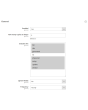
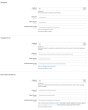
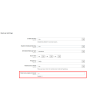
Extmag Backup Manager für Magento® 2.x bietet flexible Einstellungen für tägliche oder stündliche Backups. Sie sichern nur die Ordner Ihres Shops, die für den Betrieb kritisch sind, und richten das Magento-Standard-Backup-Modul so ein, dass es einmal pro Woche eine vollständige Kopie der Seite erstellt. So nehmen Ihre Backups minimal Platz auf dem Server ein und stören den Betrieb der Seite nicht. Minimale Kopien werden schnell erstellt und erfordern keinen Wartungsmodus.
Eine weitere Besonderheit des Extmag Backup Manager für Magento 2.x ist die Möglichkeit, Backups in der Cloud zu speichern. Aktuell unterstützt das Modul Dropbox, Google Drive und Microsoft OneDrive. Nach einigen Anpassungen werden alle Ihre Backups in den ausgewählten Cloud-Speicher hochgeladen. Sie geben außerdem an, wie viele Kopien auf dem Server für die Wiederherstellung gespeichert werden sollen. Das Modul löscht alle anderen Kopien — sie bleiben jedoch in der Cloud erhalten (falls konfiguriert), bis Sie sie manuell entfernen.
Die Wiederherstellung eines Backups erfolgt über die Standardoberfläche genauso wie bei einem regulären Backup des Magento-Standard-Backup-Moduls.
Ein Anwendungsbeispiel für den Extmag Backup Manager für Magento 2.x:
- Während der Entwicklung des Online-Shops konfigurieren Sie das Modul so, dass Backups alle Ordner umfassen und alle 2–3 Stunden erstellt werden. So rollen Sie bei einem Entwicklungsfehler immer auf die korrekte Version zurück.
- Wenn die Seite vollständig fertig ist und in den Produktionsmodus wechselt, führen Sie ein Full-Backup durch.
- Konfigurieren Sie das Modul so, dass nur die Ordner gesichert werden, die sich häufig ändern. Der vendor-Ordner gehört z.B. nicht dazu — wenn Sie ihn ausschließen, ist er bereits im Full-Backup enthalten.
- Bei hohem Traffic und vielen Bestellungen konfigurieren Sie das Modul so, dass Backups alle 3–5 Stunden erstellt werden. Im Falle eines Datenverlusts stellen Sie die Daten bis zur nächsten Stunde wieder her.
- Bei wenigen Bestellungen pro Tag richten Sie einen Backup-Zeitplan von einmal alle 12 Stunden ein. Häufigere Backups sind selbstverständlich möglich.
Demo
Sie können diese Erweiterung 30 Tage lang testen. Die Demo fordern Sie direkt auf dieser Seite über Demo anfordern an; wie das abläuft, steht unter Eine Erweiterung 30 Tage lang testen.
| CMS | Magento 2 |
|---|---|
| Kompatibilität | 2.4, 2.3, 2.2, 2.1, 2.0 |
| Funktionen |
|
Die Erweiterung wird mit Composer installiert. Welches Repository Sie einbinden, hängt davon ab, wo Sie sie gekauft haben — die Installation selbst ist in beiden Fällen dieselbe.
1. Repository einbinden
Auf extmag.com gekauft. Ihre Kontoseite zeigt die Repository-Adresse und Ihre persönlichen Zugangsdaten samt den beiden composer config-Befehlen zum Einfügen. Führen Sie sie einmal pro Projekt aus; danach steht jede Erweiterung, die Sie besitzen, aus demselben Repository zur Verfügung.
Auf dem Adobe Commerce Marketplace gekauft. Das Paket wird von repo.magento.com ausgeliefert, das in den meisten Shops bereits eingerichtet ist. Falls nicht, tragen Sie die Access Keys aus Ihrem Adobe-Konto unter My Profile -> Access Keys ein.
2. Erweiterung installieren
Im Projektverzeichnis ausführen:
composer require extmag/backuppro
php bin/magento setup:upgrade
php bin/magento cache:flush
Composer löst die gemeinsam genutzten Extmag-Pakete auf, von denen die Erweiterung abhängt — von Hand ist nichts weiter zu fordern.
Melden Sie sich vom Admin ab und wieder an, dann ist die Erweiterung einsatzbereit.
Cloud-Speicher
Dropbox und Google Drive werden von der Erweiterung mitgeliefert. Für OneDrive wird ein zusätzliches Paket benötigt:
composer require krizalys/onedrive-php-sdk
Vor dem Kauf ausprobieren
Sie können eine 30-Tage-Demo dieser Erweiterung anfordern und sie genau wie oben installieren — gleiches Paket, gleiches Repository, gleiche Befehle. Wie Demos funktionieren.
Installation ohne Composer
Das Archiv lässt sich stattdessen nach app/code/Extmag/ entpacken, doch damit steht die Erweiterung außerhalb der Abhängigkeitsverwaltung: Ihre gemeinsam genutzten Pakete müssen von Hand installiert werden und Updates erreichen sie nie. Nutzen Sie für jeden Shop, den Sie betreiben, Composer — auch für die Demo.
Bei Fragen zur Installation wenden Sie sich bitte an unseren technischen Support.
-
User Guide User Guide.pdf · 1.3 MBHerunterladen
-
Reference Manual Reference Manual.pdf · 490.5 KBHerunterladen
-
Installation Guide Installation Guide.pdf · 302.5 KBHerunterladen
Systemkonfiguration
Worauf zu achten ist
Wenn der Cloud-Speicher den unten gezeigten Fehler meldet:
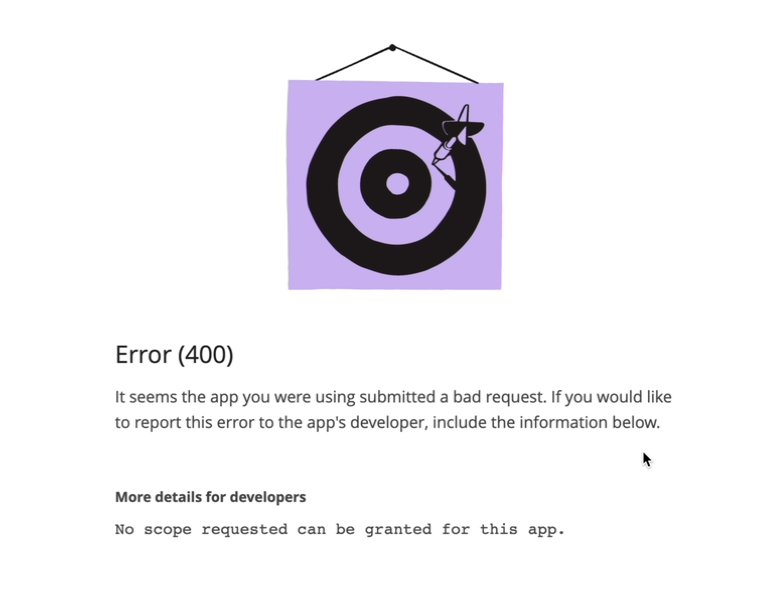
setzen Sie die Berechtigungen wie im folgenden Screenshot:
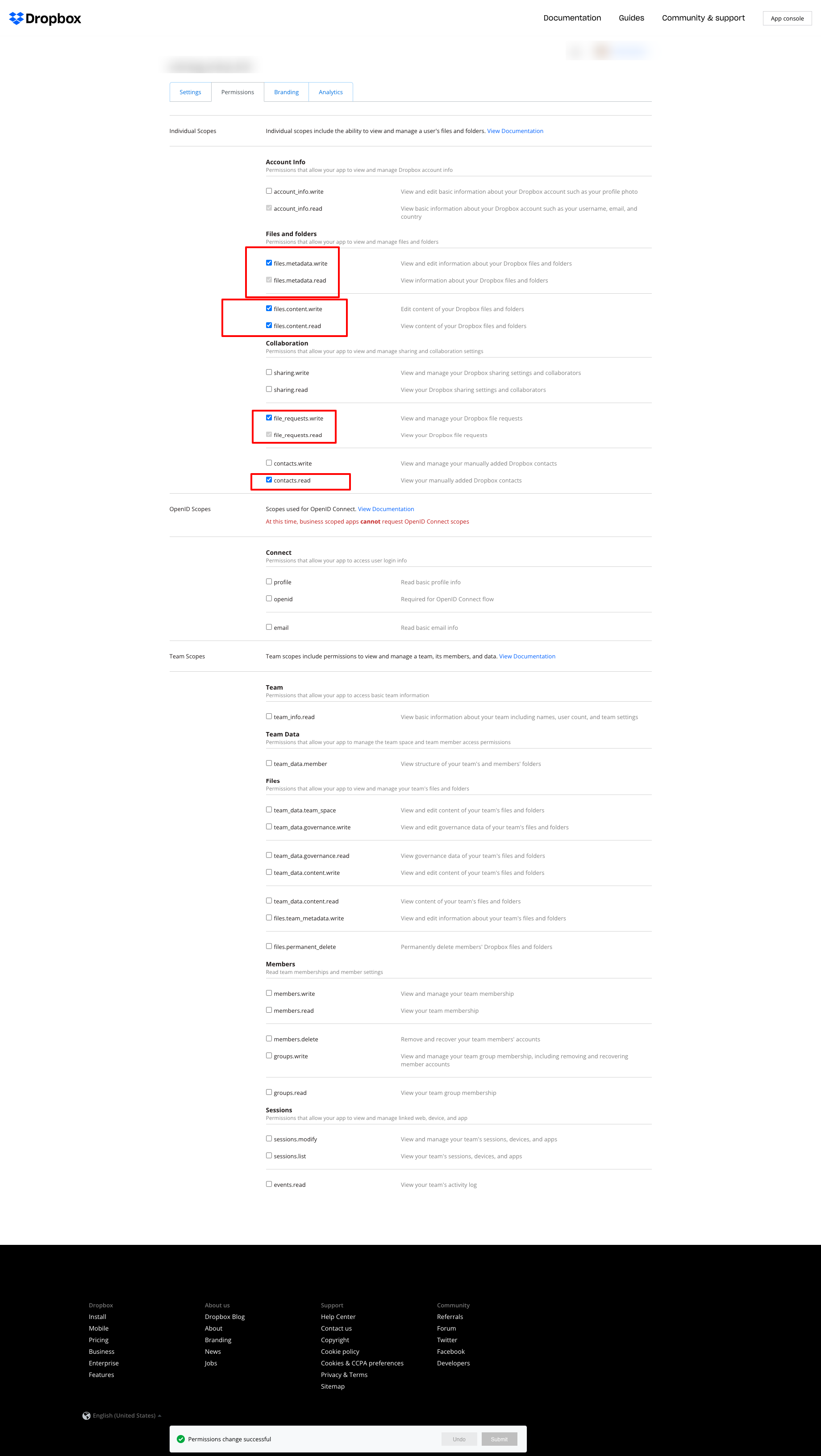
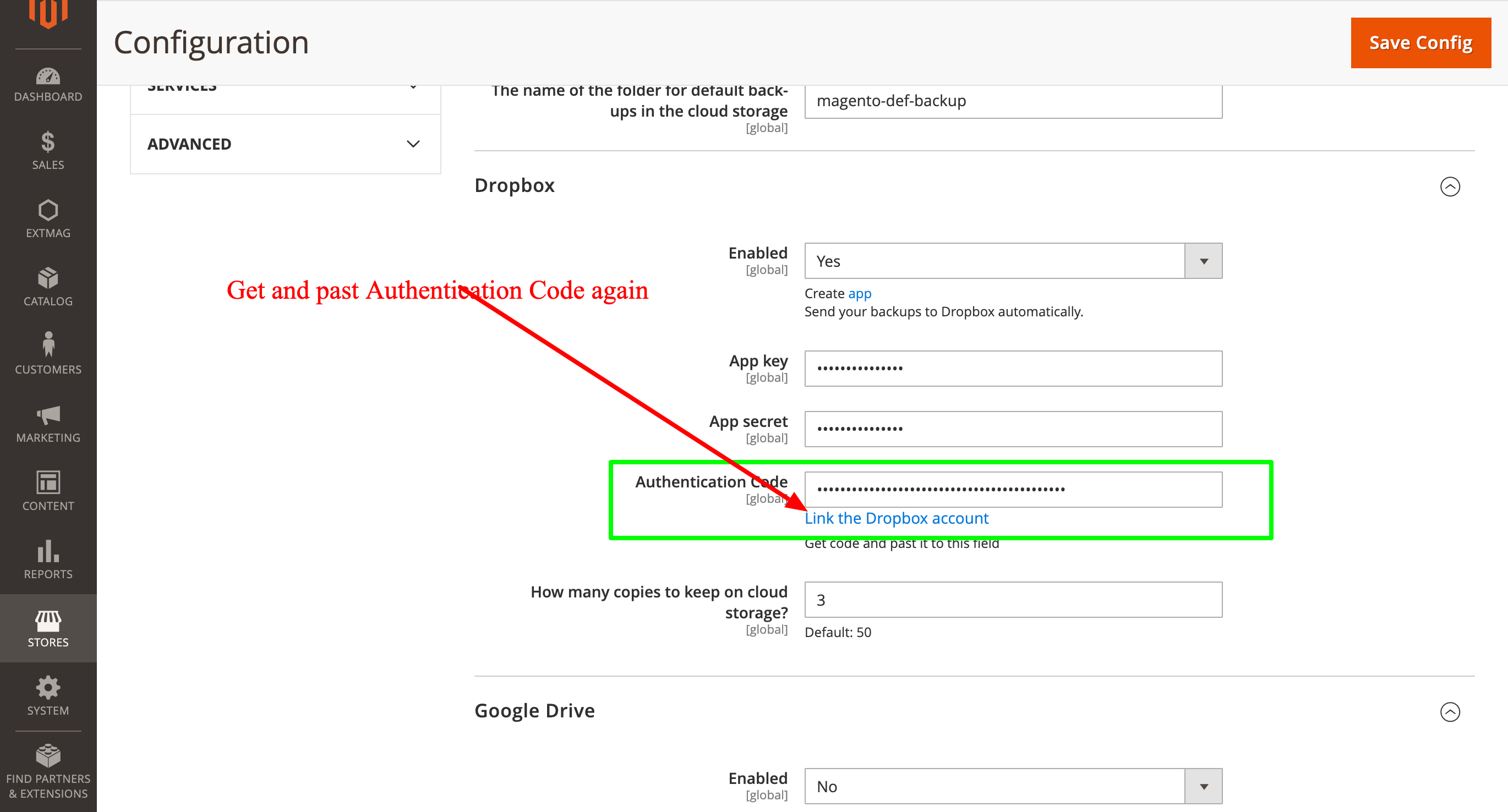
und holen Sie danach den Authentication Code neu und tragen Sie ihn erneut ein:
2.0.4
BackupCore: Fixed backup type detection and folder name collisions. BackupCore: Removed Store/Website repository preferences. BackupCore: Refactored token show.phtml to use secureRenderer for CSP compliance. BackupCore: Added create_mini ACL resource.
2.0.3
Added support Magento 2.4.9 and Adobe Commerce 2.4.9
2.0.2
Added support Magento 2.4.8-p4 and Adobe Commerce 2.4.8-p4
2.0.1
Refactored code.
2.0.0
Added backup sets.
Added starage sets.
Added Amazon S3 as a cloud storage.
1.7.2
Added support Magento 2.4.8-p3 and Adobe Commerce 2.4.8-p3
1.7.1
Added support Magento 2.4.8-p2 and Adobe Commerce 2.4.8-p2
1.7.0
Added support Magento 2.4.8-p1 and Adobe Commerce 2.4.8-p1
1.6.9
Added support Magento 2.4.8 and Adobe Commerce 2.4.8
1.6.8
Added support Magento 2.4.7-p5 and Adobe Commerce 2.4.7-p5
1.6.7
Added support Magento 2.4.7-p4 and Adobe Commerce 2.4.7-p4
1.6.6
Added support Magento 2.4.7-p3 and Adobe Commerce 2.4.7-p3
1.6.5
Added support Magento 2.4.7-p2 and Adobe Commerce 2.4.7-p2
1.6.4
Added support Magento 2.4.7-p1 and Adobe Commerce 2.4.7-p1
1.6.3
Fixed names of Google API classes. There were changing underscores to namespaces.
1.6.2
Improved the frequency of the schedule
Fixed Google Drive connection
1.6.1
Added support Magento 2.4.7 and Adobe Commerce 2.4.7
1.6.0
Fixed schedule frequency for the backup
1.5.9
Fixed bug with nullable variable in the method attribute
1.5.8
Added support Magento 2.4.6-p4 and Adobe Commerce 2.4.6-p4
1.5.7
Added support Magento 2.4.6-p3 and Adobe Commerce 2.4.6-p3
1.5.6
Added buttons Test Connection for Cloud Storages configuration
1.5.5
Added support Magento 2.4.6-p2 and Adobe Commerce 2.4.6-p2
1.5.4
Added support Adobe Commerce 2.4.6-p1
1.5.3
Support Adobe Commerce (Magento) 2.4.6
Support PHP 8.1 and PHP 8.2
1.5.2
Improved the PHP code
1.5.1
Fixed PHP warnings
1.5.0
Support Adobe Commerce (Magento) 2.4.5-p1
1.4.9
Support Adobe Commerce (Magento) 2.4.5
1.4.8
Added new dependency to the module composer.json
Added permissions to request authorization for Dropbox
1.4.6
Fixed bug with the core module
1.4.5
Cleared error message if the access token for cloud storage is correct
1.4.4
Fixed sending backups to cloud services.
Fixes some bugs.
1.4.3
Added support for PHP 8.1 and Adobe Commerce (Magento) 2.4.4
1.4.2
Fixed bug with DB dump
1.4.1
Update versions of dependencies
1.4.0
Added the ability to manage the number of stored copies of mini backups on your cloud storage
1.3.0
Decrease time of database backup and increase availability database at backup doing.
Added new CLI command for restoring DB from backup.
1.2.0
Added folder name for cloud storage
1.1.0
Added "Extmag Mini Backup" button on logs grid
Fixed authentication errors for cloud storage
Refactoring code
1.0.5
Show error with onedrive getting auth code if this error exists
1.0.4
The version of the core module up to ^1.2
Changed the version of dependency modules
1.0.3
Fixed bug with acl
Fixed bug with system configuration
Core module was added as a dependency
1.0.2
Fixed bug with schedule and config cache
1.0.1
Fixed bug with uploading backups to Microsoft OneDrive
Fixed bug with schedule
1.0.0
Module created
