
Backup Manager para Magento® 2.x

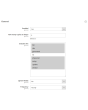
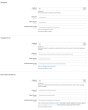
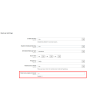
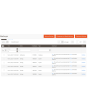
Extmag Backup Manager para Magento® 2.x ofrece ajustes flexibles para realizar copias de seguridad diarias o cada hora. Puede respaldar únicamente las carpetas de su tienda que sean críticas para su funcionamiento y configurar el módulo estándar de backup de Magento para que cree una copia completa del sitio una vez por semana. De este modo, sus copias de seguridad ocupan un espacio mínimo en el servidor y no interfieren en el funcionamiento del sitio. Las copias mínimas se generan con rapidez y no requieren el modo de mantenimiento.
Otra particularidad de Extmag Backup Manager para Magento 2.x es la posibilidad de almacenar las copias de seguridad en la nube. Actualmente el módulo admite Dropbox, Google Drive y Microsoft OneDrive. Tras unos sencillos ajustes, todas sus copias de seguridad se cargarán al almacenamiento en la nube seleccionado. También puede indicar cuántas copias deben conservarse en el servidor para tareas de restauración. El módulo eliminará todas las demás copias, aunque permanecerán en la nube (si así se ha configurado) hasta que las elimine manualmente.
La restauración de una copia de seguridad se realiza a través de la interfaz estándar, igual que con una copia de seguridad habitual del módulo estándar de backup de Magento.
Un ejemplo de uso de Extmag Backup Manager para Magento 2.x:
- Durante el desarrollo de la tienda online, configure el módulo para que las copias de seguridad incluyan todas las carpetas y se generen cada 2–3 horas. De este modo, ante cualquier error de desarrollo siempre podrá volver a una versión correcta.
- Cuando el sitio esté completamente listo y pase al modo de producción, realice un Full-Backup.
- Configure el módulo para que solo se respalden las carpetas que cambian con frecuencia. La carpeta vendor, por ejemplo, no entra en este grupo: si la excluye, ya está incluida en el Full-Backup.
- Con un tráfico alto y muchos pedidos, configure el módulo para que las copias de seguridad se generen cada 3–5 horas. En caso de pérdida de datos podrá restaurarlos hasta la hora siguiente.
- Si recibe pocos pedidos al día, establezca un calendario de copias de seguridad cada 12 horas. Por supuesto, también es posible realizar copias de seguridad con mayor frecuencia.
Demo
Puede probar esta extensión durante 30 días. Solicite la demo en esta misma página con Solicitar demo; cómo funciona se explica en Pruebe una extensión durante 30 días.
| CMS | Magento 2 |
|---|---|
| Compatibilidad | 2.4, 2.3, 2.2, 2.1, 2.0 |
| Características |
|
La extensión se instala con Composer. Qué repositorio añade depende de dónde la haya comprado; la instalación en sí es la misma en ambos casos.
1. Conectar el repositorio
Comprada en extmag.com. Su página de cuenta muestra la dirección del repositorio y sus credenciales personales, junto con los dos comandos composer config que hay que pegar. Ejecútelos una vez por proyecto; a partir de ahí, todas las extensiones que posea están disponibles desde el mismo repositorio.
Comprada en el Adobe Commerce Marketplace. El paquete se sirve desde repo.magento.com, que la mayoría de las tiendas ya tienen configurado. Si no es su caso, añada las claves de acceso de su cuenta de Adobe en My Profile -> Access Keys.
2. Instalar la extensión
Ejecute en la raíz del proyecto:
composer require extmag/backuppro
php bin/magento setup:upgrade
php bin/magento cache:flush
Composer resuelve los paquetes compartidos de Extmag de los que depende la extensión, así que no hay nada más que requerir a mano.
Salga del admin y vuelva a entrar: la extensión está lista.
Almacenamiento en la nube
La compatibilidad con Dropbox y Google Drive viene con la extensión. OneDrive necesita un paquete adicional:
composer require krizalys/onedrive-php-sdk
Probarla antes de comprar
Puede pedir una demo de 30 días de esta extensión e instalarla exactamente como se indica arriba: mismo paquete, mismo repositorio, mismos comandos. Cómo funcionan las demos.
Instalar sin Composer
El archivo puede descomprimirse en app/code/Extmag/, pero eso deja la extensión fuera de la gestión de dependencias: sus paquetes compartidos hay que instalarlos a mano y las actualizaciones nunca le llegan. Use Composer en cualquier tienda que gestione, también en la demo.
Para cualquier duda sobre la instalación, escriba a nuestro soporte técnico.
-
User Guide User Guide.pdf · 1.3 MBDescargar
-
Reference Manual Reference Manual.pdf · 490.5 KBDescargar
-
Installation Guide Installation Guide.pdf · 302.5 KBDescargar
Configuración del sistema
Puntos a tener en cuenta
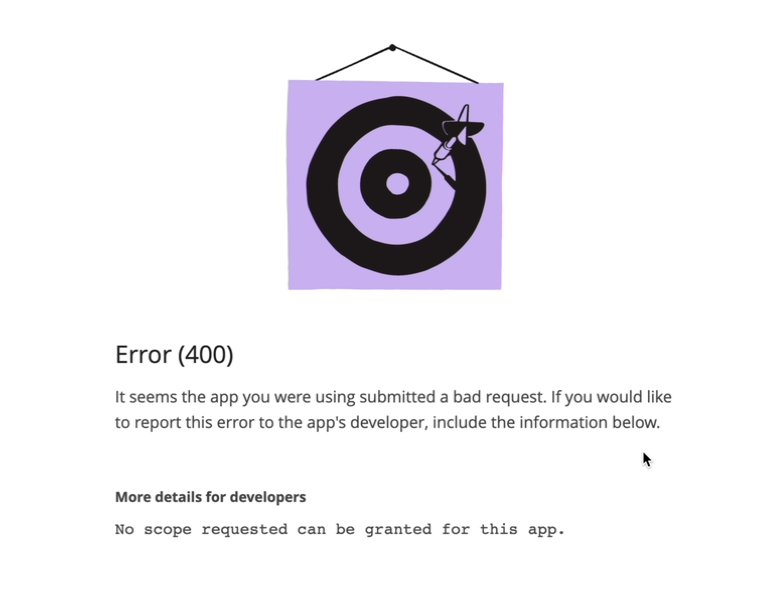
Si el almacenamiento en la nube devuelve el error que se ve abajo:
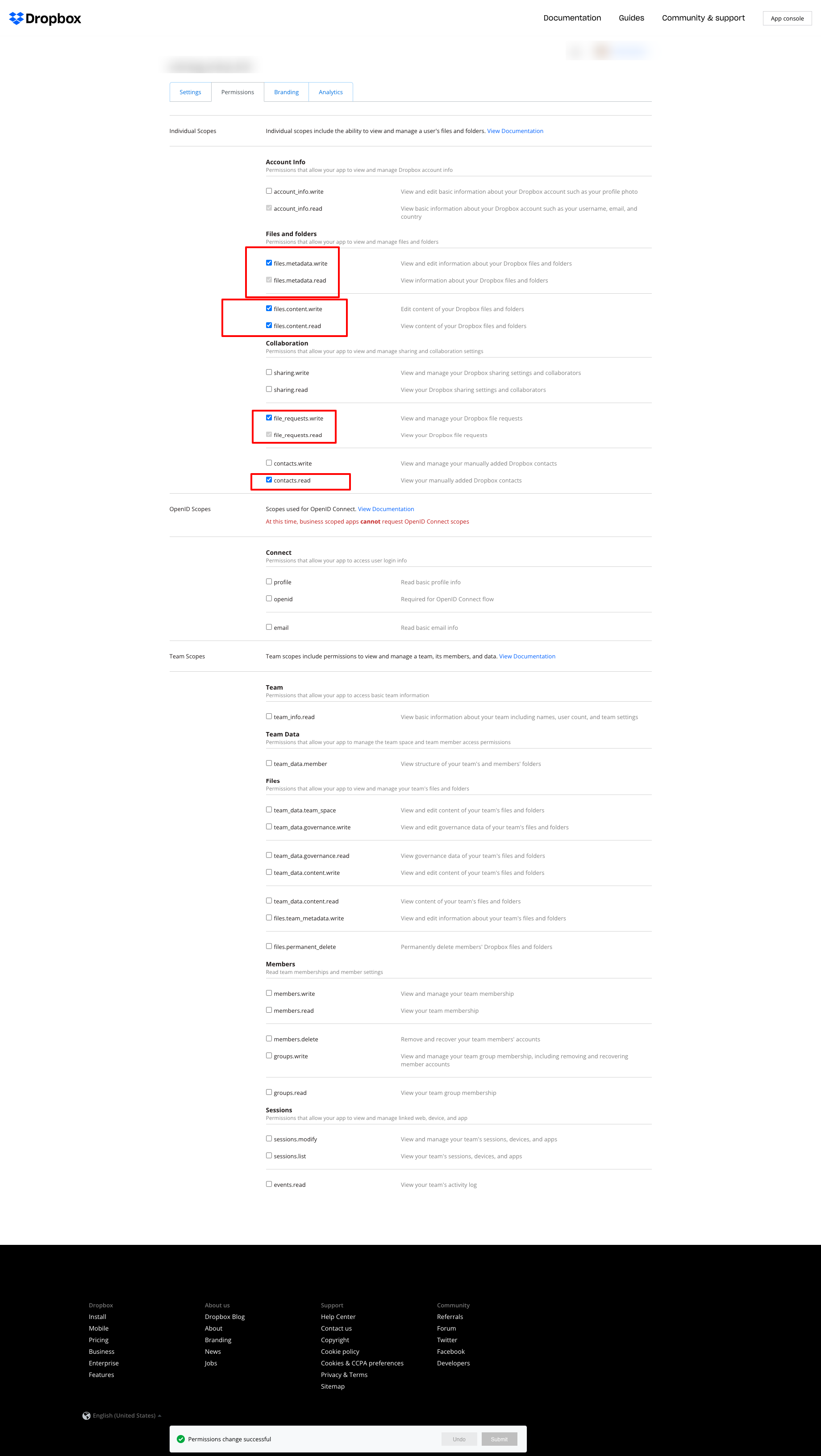
ajuste los permisos como en la siguiente captura:
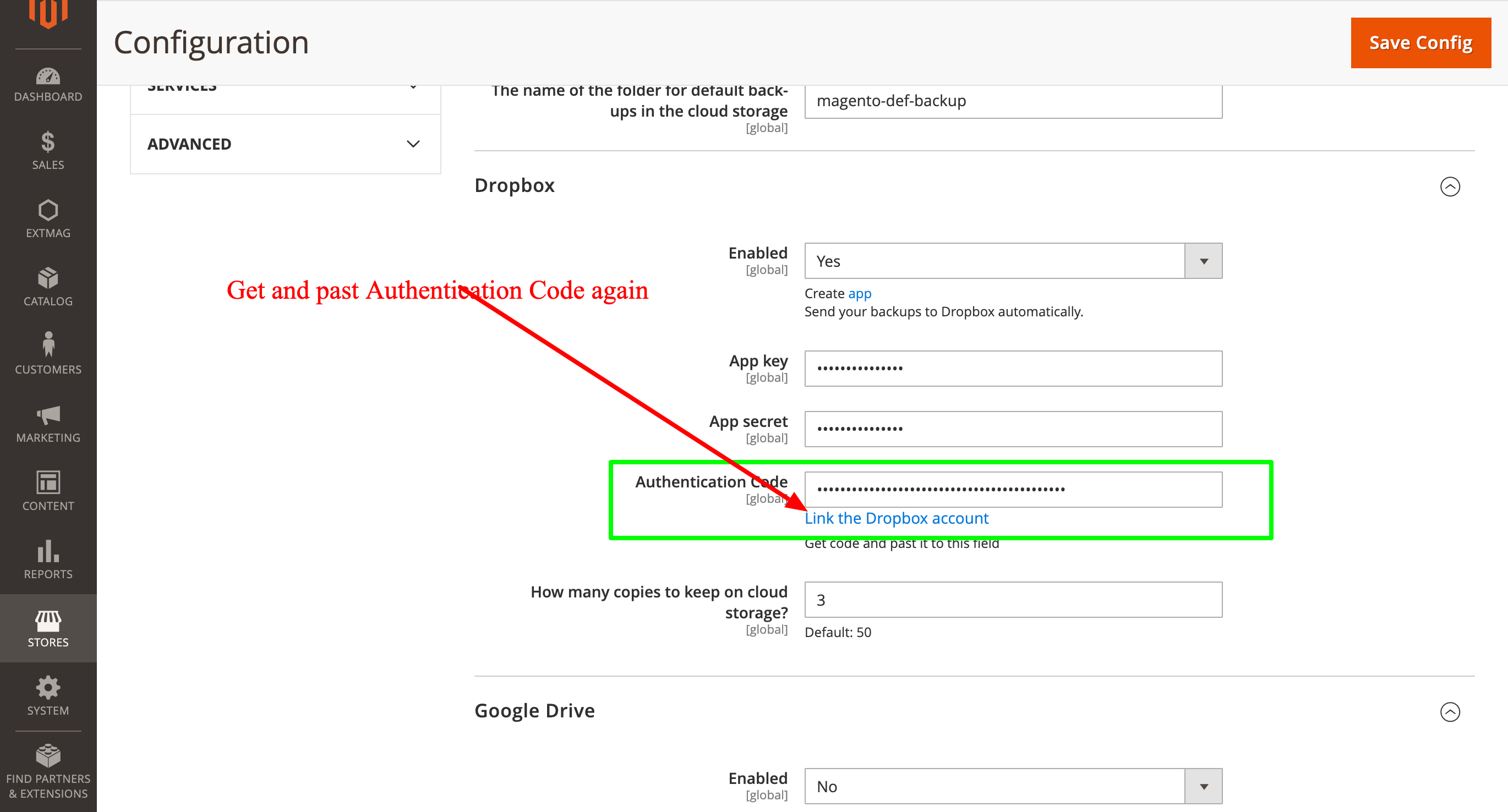
y después vuelva a obtener el Authentication Code e introdúzcalo de nuevo:
2.0.4
BackupCore: Fixed backup type detection and folder name collisions. BackupCore: Removed Store/Website repository preferences. BackupCore: Refactored token show.phtml to use secureRenderer for CSP compliance. BackupCore: Added create_mini ACL resource.
2.0.3
Added support Magento 2.4.9 and Adobe Commerce 2.4.9
2.0.2
Added support Magento 2.4.8-p4 and Adobe Commerce 2.4.8-p4
2.0.1
Refactored code.
2.0.0
Added backup sets.
Added starage sets.
Added Amazon S3 as a cloud storage.
1.7.2
Added support Magento 2.4.8-p3 and Adobe Commerce 2.4.8-p3
1.7.1
Added support Magento 2.4.8-p2 and Adobe Commerce 2.4.8-p2
1.7.0
Added support Magento 2.4.8-p1 and Adobe Commerce 2.4.8-p1
1.6.9
Added support Magento 2.4.8 and Adobe Commerce 2.4.8
1.6.8
Added support Magento 2.4.7-p5 and Adobe Commerce 2.4.7-p5
1.6.7
Added support Magento 2.4.7-p4 and Adobe Commerce 2.4.7-p4
1.6.6
Added support Magento 2.4.7-p3 and Adobe Commerce 2.4.7-p3
1.6.5
Added support Magento 2.4.7-p2 and Adobe Commerce 2.4.7-p2
1.6.4
Added support Magento 2.4.7-p1 and Adobe Commerce 2.4.7-p1
1.6.3
Fixed names of Google API classes. There were changing underscores to namespaces.
1.6.2
Improved the frequency of the schedule
Fixed Google Drive connection
1.6.1
Added support Magento 2.4.7 and Adobe Commerce 2.4.7
1.6.0
Fixed schedule frequency for the backup
1.5.9
Fixed bug with nullable variable in the method attribute
1.5.8
Added support Magento 2.4.6-p4 and Adobe Commerce 2.4.6-p4
1.5.7
Added support Magento 2.4.6-p3 and Adobe Commerce 2.4.6-p3
1.5.6
Added buttons Test Connection for Cloud Storages configuration
1.5.5
Added support Magento 2.4.6-p2 and Adobe Commerce 2.4.6-p2
1.5.4
Added support Adobe Commerce 2.4.6-p1
1.5.3
Support Adobe Commerce (Magento) 2.4.6
Support PHP 8.1 and PHP 8.2
1.5.2
Improved the PHP code
1.5.1
Fixed PHP warnings
1.5.0
Support Adobe Commerce (Magento) 2.4.5-p1
1.4.9
Support Adobe Commerce (Magento) 2.4.5
1.4.8
Added new dependency to the module composer.json
Added permissions to request authorization for Dropbox
1.4.6
Fixed bug with the core module
1.4.5
Cleared error message if the access token for cloud storage is correct
1.4.4
Fixed sending backups to cloud services.
Fixes some bugs.
1.4.3
Added support for PHP 8.1 and Adobe Commerce (Magento) 2.4.4
1.4.2
Fixed bug with DB dump
1.4.1
Update versions of dependencies
1.4.0
Added the ability to manage the number of stored copies of mini backups on your cloud storage
1.3.0
Decrease time of database backup and increase availability database at backup doing.
Added new CLI command for restoring DB from backup.
1.2.0
Added folder name for cloud storage
1.1.0
Added "Extmag Mini Backup" button on logs grid
Fixed authentication errors for cloud storage
Refactoring code
1.0.5
Show error with onedrive getting auth code if this error exists
1.0.4
The version of the core module up to ^1.2
Changed the version of dependency modules
1.0.3
Fixed bug with acl
Fixed bug with system configuration
Core module was added as a dependency
1.0.2
Fixed bug with schedule and config cache
1.0.1
Fixed bug with uploading backups to Microsoft OneDrive
Fixed bug with schedule
1.0.0
Module created
Productos relacionados
