
Extended Shipping Rates Pro for Magento® 2.x

Do you want to have complete control over the delivery price depending on the region, date, holidays, discounts, etc.? The Extended Shipping Rates Pro module for Magento 2 will help you with this.
Our module does not need additional modules to filter or limit the display of shipping methods on the checkout page. It knows how to create rules for showing its delivery methods.
The new feature is the price change according to the rules. You can create an infinite number of price rules in one shipping method. For example, you want to make the shipping cost 10% cheaper for the holidays, and 20% for the new year. Our module can handle this with ease. You can also specify restrictions on weight, the total price of the basket, the price of any item in the basket, etc. The number of rule combinations can reach several hundred.
With our module, you have truly limitless control over the shipping methods and costs. It is also worth considering that this module is fully compatible with all our Magento 2 modules.
Demo
You can try this extension for 30 days. Ask for the demo on this page with Request demo; how it works is explained on Try an extension for 30 days.
| CMS | Magento 2 |
|---|---|
| Compatibility | 2.4, 2.3 |
| Features |
|
The extension is installed with Composer. Which repository you add depends on where you bought it — the install itself is the same either way.
1. Connect the repository
Bought on extmag.com. Your account page shows the repository address and your personal credentials, together with the two composer config commands to paste. Run them once per project; every extension you own is then available from the same repository.
Bought on the Adobe Commerce Marketplace. The package is served from repo.magento.com, which most stores already have configured. If not, add the access keys from your Adobe account under My Profile -> Access Keys.
2. Install the extension
Run in the project root:
composer require extmag/extendedratespro
php bin/magento setup:upgrade
php bin/magento cache:flush
Composer resolves the shared Extmag packages the extension depends on, so there is nothing else to require by hand.
Log out and log back into the admin, and the extension is ready.
Trying it before you buy
You can ask for a 30-day demo of this extension and install it exactly as above — same package, same repository, same commands. How demos work.
Installing without Composer
The archive can be unpacked into app/code/Extmag/ instead, but that leaves the extension outside dependency management: its shared packages have to be installed by hand and updates never reach it. Use Composer for any store you run, demo included.
For any question about the installation, please contact our technical support.
-
User Guide User Guide.pdf · 795.7 KBDownload
-
Reference Manual Reference Manual.pdf · 433.6 KBDownload
-
Installation Guide Installation Guide.pdf · 270.6 KBDownload
Configuration
To configure the extension, go to Extmag -> Extended Shipping Rates -> Configuration.
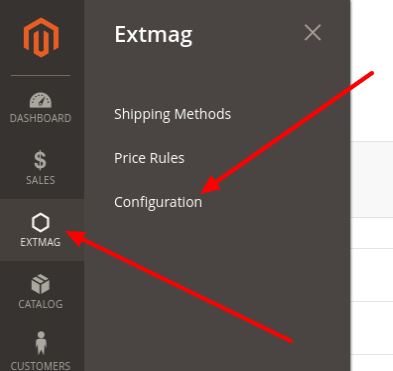
In the Extended Shipping Rates group, switch the module on and fill in the title. The title can be overridden for each shipping method.

If your store runs in developer mode, set Debug to Yes.
Shipping methods can be imported and exported when needed.
Creating a shipping method
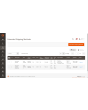
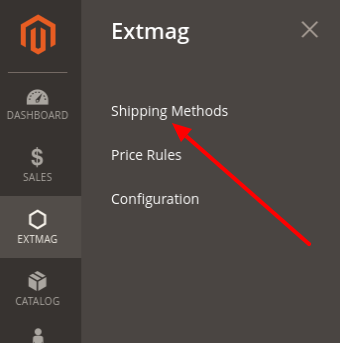
To create a shipping method, go to Extmag -> Extended Shipping Rates -> Shipping Methods.
Click the “Add New Shipping Method” button.
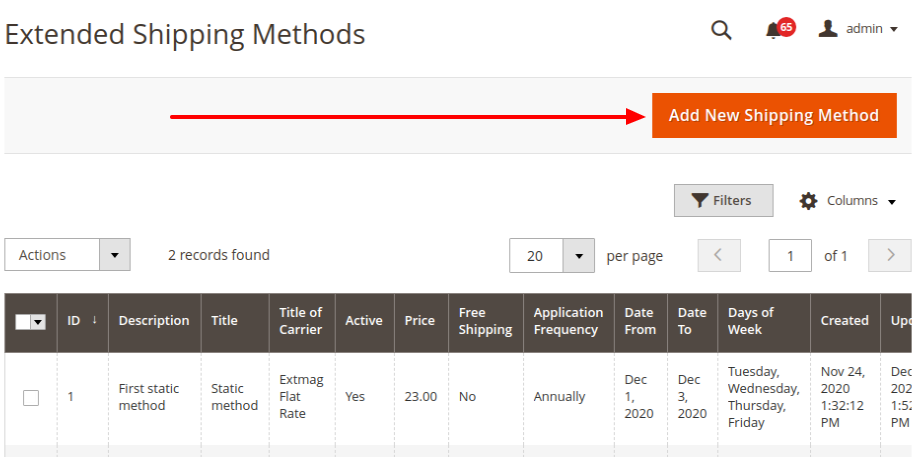
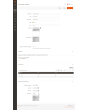
Fill in the required fields and save the shipping method.
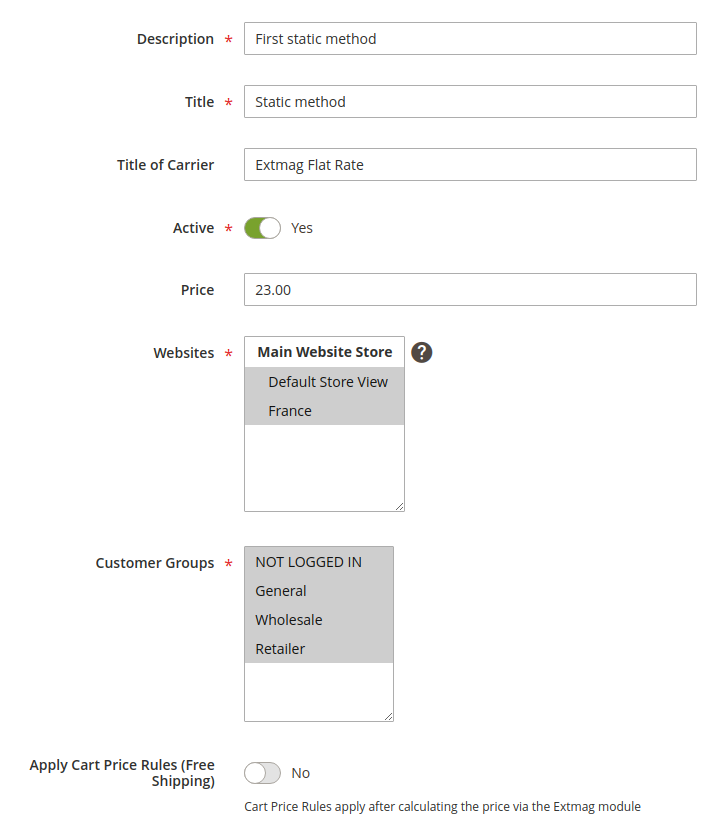
Description — description of the method for the administrator. It has to be unique.
Title — the name of the shipping method the buyer sees at the shipping step.
Title of Carrier — the name of the carrier. This field overrides the Title setting from the module configuration.
Active — activates or deactivates the method at checkout.
Price — the price of the shipping.
Websites — the stores this method applies to.
Customer Groups — the customer groups this method applies to.
Apply Cart Price Rules (Free Shipping) — if you have cart rules for free shipping and want them applied to this method, switch this option on.
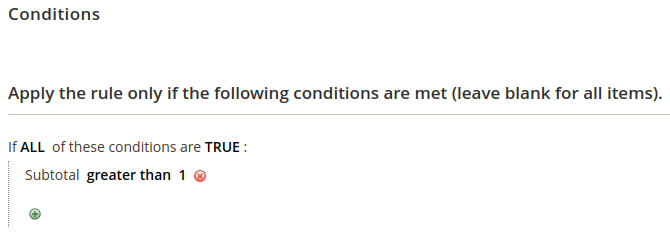
Conditions — rules for showing the method at checkout, across many parameters and in any number.
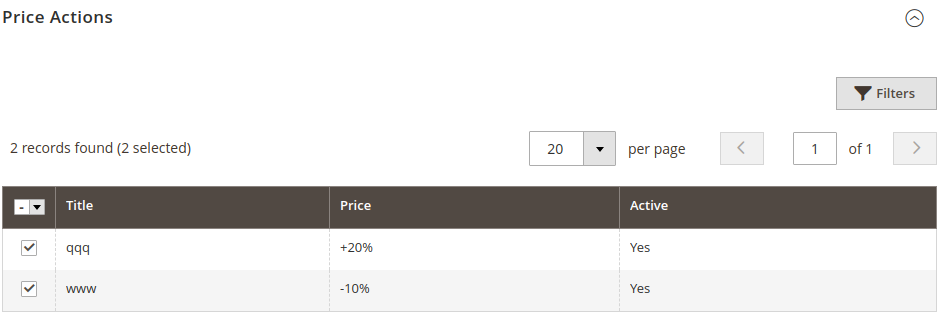
Price Actions — rules that form the final price. They are independent of each other and the lowest price wins. Creating a Price Action is described below.
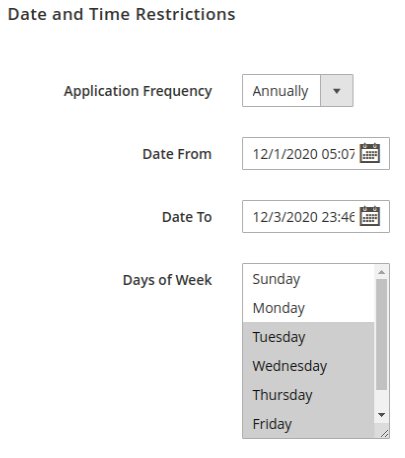
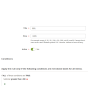
Date and time restrictions show shipping methods only on given dates or within a period. Recurring events are supported.
Application Frequency — how often the date on which the method is shown recurs.
Date From — the date and time the method starts being shown.
Date To — the date and time the method stops being shown.
Days of Week — if at least one entry is selected, the method appears only on those days of the week.
Creating a price rule
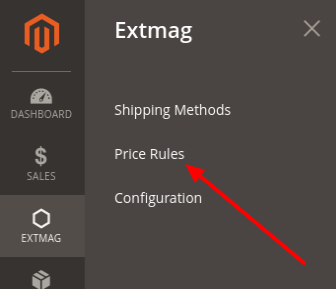
To create a price rule, go to Extmag -> Extended Shipping Rates -> Price Rules.
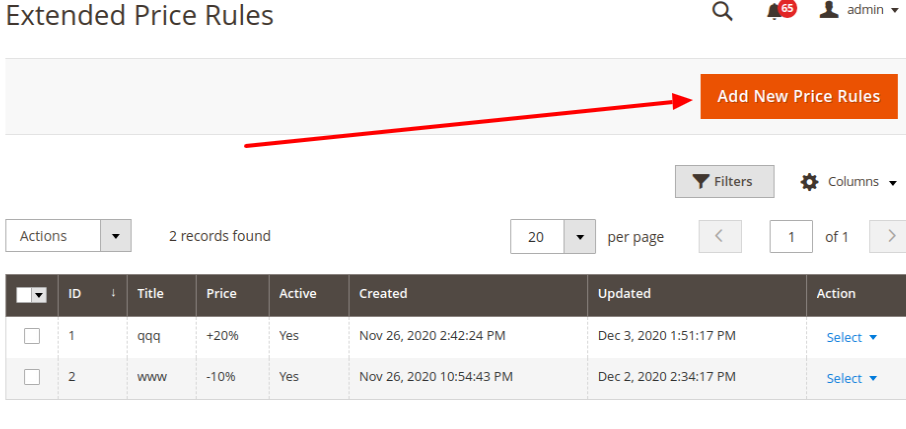
Click the “Add New Price Rules” button.
Fill in the required fields and save the price rule.
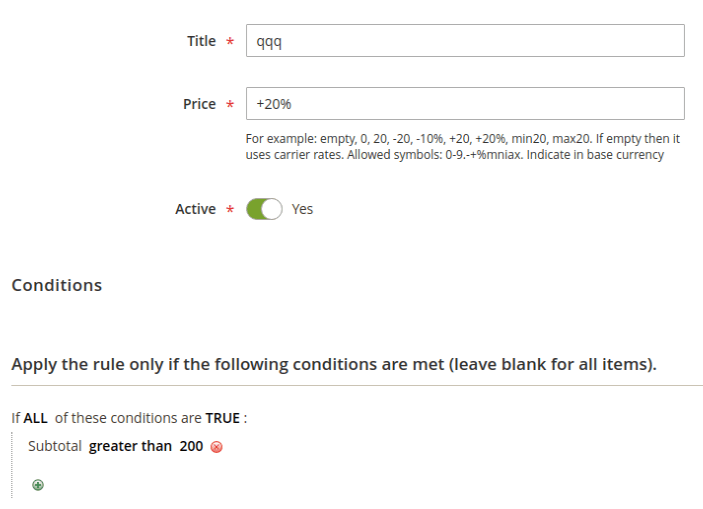
Title — the name of the price rule.
Price — a number or a price pattern. A bare number replaces the price of the method; a pattern is applied to the shipping price.
Conditions — the conditions under which this price rule applies.
Price patterns
blank — leave empty if no additional price should be applied to the base price.
0 — the method becomes free.
20 — any price, shown instead of the base price.
-20 — a number with a minus in front lowers the base price by that amount.
+20 — a number with a plus in front raises the base price by that amount.
-10% — a minus in front and a percent sign at the end lower the base price by that percentage.
+20% — a plus in front and a percent sign at the end raise the base price by that percentage.
max20 — with the “max” prefix the final price is at most that number.
min20 — with the “min” prefix the final price is at least that number.
The numbers 20 and 10 are only an example; any number will do.
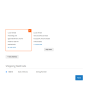
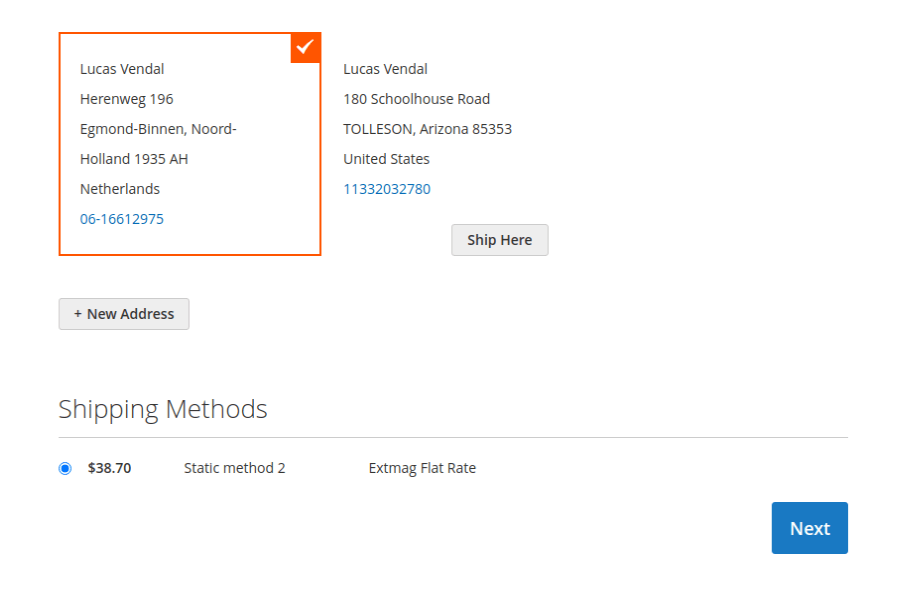
This is how the shipping method appears at checkout:
1.6.1
Replaced the Alpine.js x-data disabled binding with a server-rendered disabled attribute.
1.6.0
Replaced the Alpine.js x-data disabled binding with a server-rendered disabled attribute.
1.5.9
Refactored Hyva checkout shipping method list to use SecureHtmlRenderer for CSP compliance.
1.5.8
Added support Magento 2.4.9 and Adobe Commerce 2.4.9
1.5.7
Added BlackoutRules feature with admin CRUD, repository, UI components, and migration patch.
1.5.6
Added support Magento 2.4.8-p4 and Adobe Commerce 2.4.8-p4
1.5.5
Refactored code.
1.5.4
Added support Magento 2.4.8-p3 and Adobe Commerce 2.4.8-p3
1.5.3
Added support Magento 2.4.8-p2 and Adobe Commerce 2.4.8-p2
1.5.2
Added support Magento 2.4.8-p1 and Adobe Commerce 2.4.8-p1
1.5.1
Added support Magento 2.4.8 and Adobe Commerce 2.4.8
1.5.0
Added support Magento 2.4.7-p5 and Adobe Commerce 2.4.7-p5
1.4.9
Added support Magento 2.4.7-p4 and Adobe Commerce 2.4.7-p4
1.4.8
Added support Magento 2.4.7-p3 and Adobe Commerce 2.4.7-p3
1.4.7
Fixed the z-index issue on the label details page.
Added support Magento 2.4.7-p2 and Adobe Commerce 2.4.7-p2
1.4.6
Added support Magento 2.4.7-p1 and Adobe Commerce 2.4.7-p1
1.4.5
Added support Magento 2.4.7 and Adobe Commerce 2.4.7
1.4.4
Integration with Hyva Theme and Hyva Checkout has been added
1.4.3
Added support Magento 2.4.6-p4 and Adobe Commerce 2.4.6-p4
1.4.2
Improve the speed of calculating rules
1.4.1
Fixed bug with conditions for Product Attributes Combinations
1.4.0
Added support Magento 2.4.6-p3 and Adobe Commerce 2.4.6-p3
1.3.9
Added support Magento 2.4.6-p2 and Adobe Commerce 2.4.6-p2
1.3.8
Added support Adobe Commerce 2.4.6-p1
1.3.7
Support Adobe Commerce (Magento) 2.4.6
Support PHP 8.1
1.3.6
Fixed some minor bugs
1.3.5
Fixed the PHP warnings
1.3.4
Support Adobe Commerce (Magento) 2.4.5-p1
1.3.3
Support Adobe Commerce (Magento) 2.4.5
1.3.2
Fixed etc/adminhtml/di.xml and etc/di.xml
1.3.1
Fixed bug with Magento 2.3 and dependency injection
1.3.0
Added shipping method logo.
Support PHP 8.1 and Magento 2.4.4
1.2.2
Fixed deprecated PHP function array_key_exists for objects
1.2.1
Added Date and Time
Restriction for Price Rule
Reformat code with the new style
1.2.0
A new parameter "Allowed areas" have been added that allows you to show the delivery method only in the admin panel
1.1.0
Added a link to the price rule edit page from the delivery method edit page
1.0.0
Module created

