
Extended Shipping Rates Pro pour Magento® 2.x

Souhaitez-vous contrôler entièrement les frais d’expédition en fonction de la région, de la date, des jours fériés, des remises, etc. ? Le module « Extended Shipping Rates Pro » pour Magento 2 vous y aide.
Notre module ne nécessite aucun module supplémentaire pour filtrer ou restreindre les méthodes d’expédition sur la page de checkout. Il crée ses propres règles d’affichage de ses méthodes d’expédition.
Nouvelle fonctionnalité : modification du prix sur la base de règles. Vous créez dans une méthode d’expédition un nombre illimité de règles de prix. Exemple : frais d’expédition 10 % moins chers les jours fériés, 20 % au Nouvel An. Notre module s’en charge sans effort. Vous indiquez également des restrictions liées au poids, au prix total du panier, au prix d’un article quelconque, etc. Le nombre de combinaisons de règles atteint plusieurs centaines.
Avec notre module, vous disposez d’un contrôle véritablement illimité sur les méthodes et les frais d’expédition. De plus, le module est entièrement compatible avec tous nos modules Magento 2.
Démo
Vous pouvez essayer cette extension pendant 30 jours. Demandez la démo sur cette page avec Demander une démo ; son fonctionnement est expliqué sur Essayez une extension pendant 30 jours.
| CMS | Magento 2 |
|---|---|
| Compatibilité | 2.4, 2.3 |
| Fonctionnalités |
|
L’extension s’installe avec Composer. Le dépôt à ajouter dépend de l’endroit où vous l’avez achetée — l’installation elle-même est identique dans les deux cas.
1. Connecter le dépôt
Achetée sur extmag.com. Votre page de compte affiche l’adresse du dépôt et vos identifiants personnels, ainsi que les deux commandes composer config à coller. Exécutez-les une fois par projet ; toutes les extensions que vous possédez sont ensuite disponibles depuis le même dépôt.
Achetée sur l’Adobe Commerce Marketplace. Le paquet est servi depuis repo.magento.com, déjà configuré sur la plupart des boutiques. Sinon, ajoutez les clés d’accès de votre compte Adobe sous My Profile -> Access Keys.
2. Installer l’extension
À la racine du projet, exécutez :
composer require extmag/extendedratespro
php bin/magento setup:upgrade
php bin/magento cache:flush
Composer résout les paquets Extmag partagés dont dépend l’extension : rien d’autre n’est à exiger à la main.
Déconnectez-vous de l’admin puis reconnectez-vous, et l’extension est prête.
L’essayer avant d’acheter
Vous pouvez demander une démo de 30 jours de cette extension et l’installer exactement comme ci-dessus — même paquet, même dépôt, mêmes commandes. Comment fonctionnent les démos.
Installer sans Composer
L’archive peut être décompressée dans app/code/Extmag/, mais l’extension se retrouve alors hors de la gestion des dépendances : ses paquets partagés doivent être installés à la main et les mises à jour ne l’atteignent jamais. Utilisez Composer pour toute boutique que vous exploitez, démo comprise.
Pour toute question sur l’installation, contactez notre support technique.
-
User Guide User Guide.pdf · 795.7 KBTélécharger
-
Reference Manual Reference Manual.pdf · 433.6 KBTélécharger
-
Installation Guide Installation Guide.pdf · 270.6 KBTélécharger
Configuration
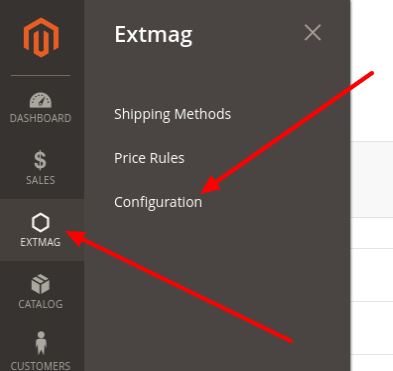
Pour configurer l’extension, allez dans Extmag -> Extended Shipping Rates -> Configuration.
Dans le groupe Extended Shipping Rates, activez le module et renseignez le titre. Le titre peut être redéfini pour chaque méthode de livraison.

Si votre boutique tourne en mode développeur, mettez Debug sur Yes.
Les méthodes de livraison peuvent être importées ou exportées si besoin.
Créer une méthode de livraison
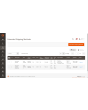
Pour créer une méthode de livraison, allez dans Extmag -> Extended Shipping Rates -> Shipping Methods.
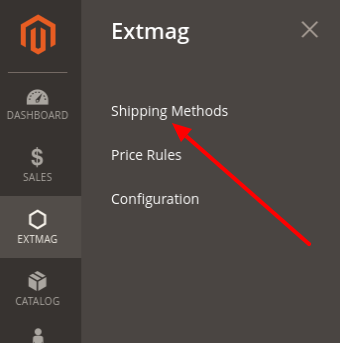
Cliquez sur le bouton « Add New Shipping Method ».
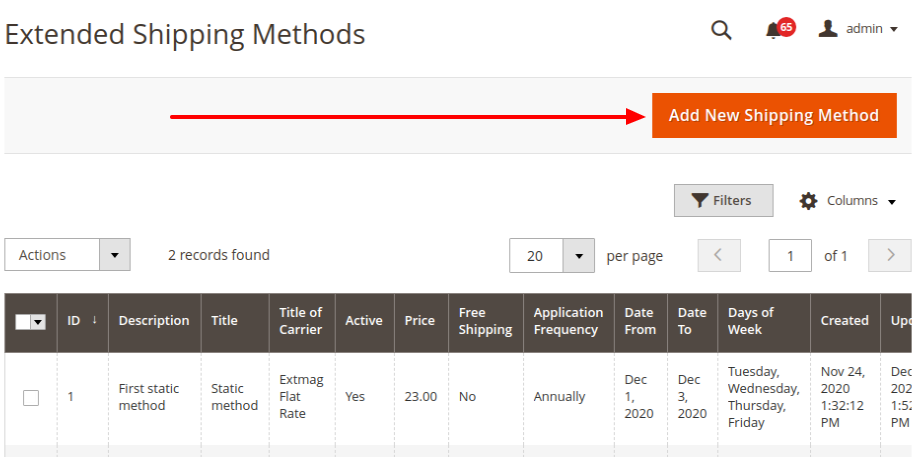
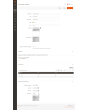
Renseignez les champs obligatoires et enregistrez la méthode de livraison.
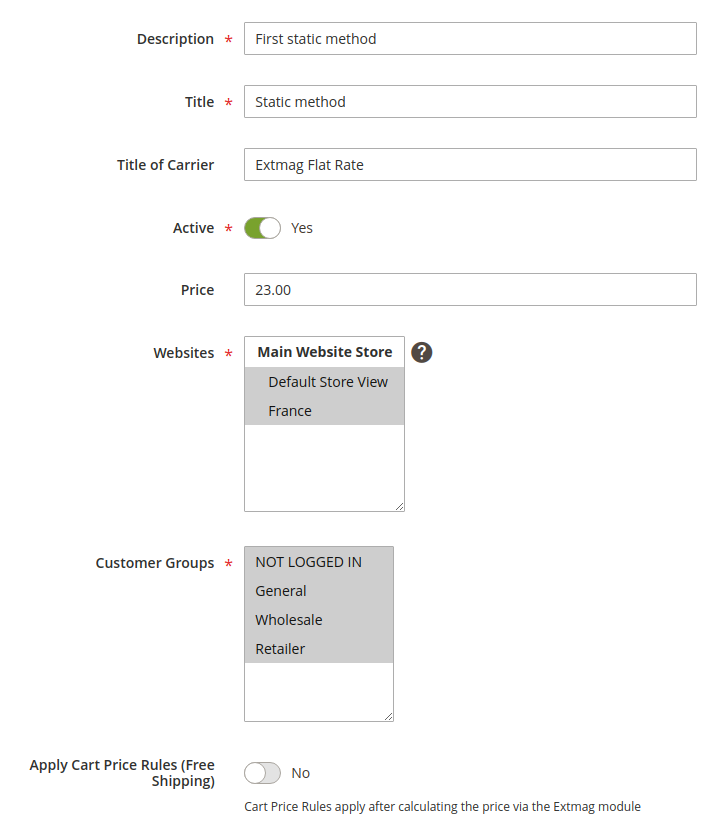
Description — description de la méthode pour l’administrateur. Elle doit être unique.
Title — le nom de la méthode de livraison que l’acheteur voit à l’étape de livraison.
Title of Carrier — le nom du transporteur. Ce champ remplace le réglage Title de la configuration du module.
Active — active ou désactive la méthode au moment du paiement.
Price — le prix de la livraison.
Websites — les boutiques auxquelles cette méthode s’applique.
Customer Groups — les groupes de clients auxquels cette méthode s’applique.
Apply Cart Price Rules (Free Shipping) — si vous avez des règles de panier pour la livraison gratuite et souhaitez les appliquer à cette méthode, activez cette option.
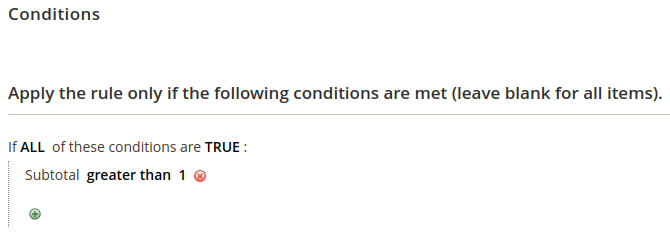
Conditions — règles d’affichage de la méthode au paiement, sur de nombreux paramètres et en nombre illimité.
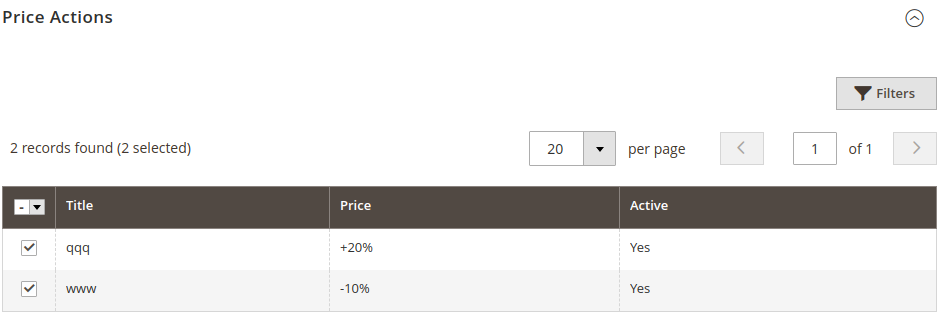
Price Actions — règles de formation du prix final. Les règles sont indépendantes les unes des autres et le prix le plus bas l’emporte. La création d’une Price Action est décrite plus bas.
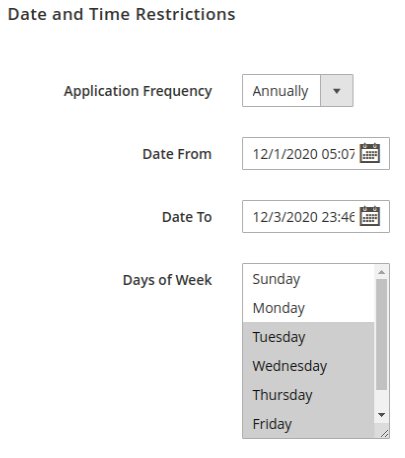
Les restrictions de date et d’heure n’affichent les méthodes de livraison qu’à certaines dates ou sur une période donnée. Les événements récurrents sont pris en charge.
Application Frequency — la fréquence de la date à laquelle la méthode est affichée.
Date From — date et heure de début d’affichage de la méthode.
Date To — date et heure de fin d’affichage de la méthode.
Days of Week — si au moins un élément est coché, la méthode n’apparaît que ces jours-là.
Créer une règle de prix
Pour créer une règle de prix, allez dans Extmag -> Extended Shipping Rates -> Price Rules.
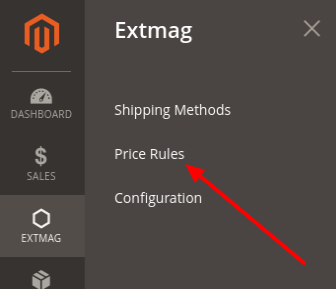
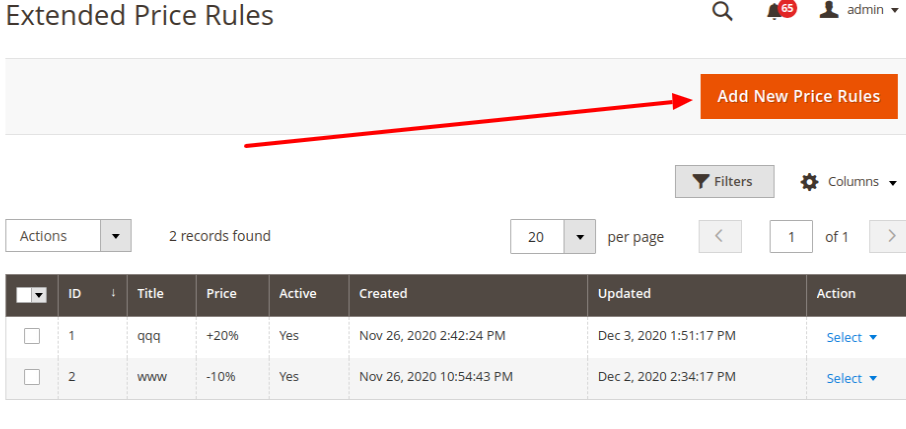
Cliquez sur le bouton « Add New Price Rules ».
Renseignez les champs obligatoires et enregistrez la règle de prix.
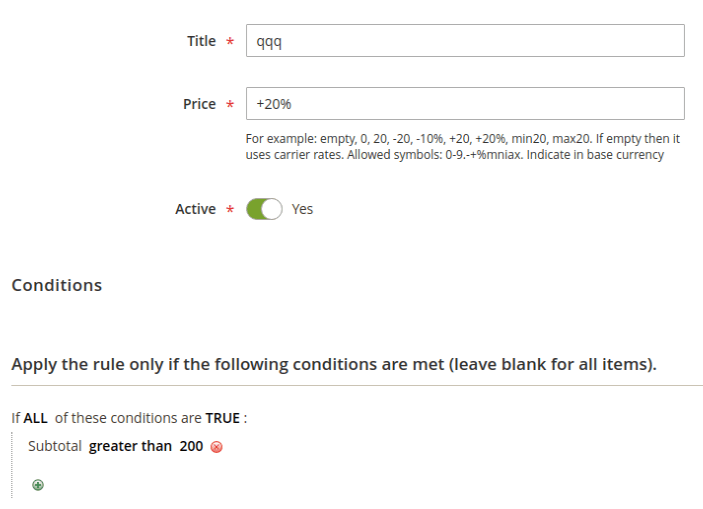
Title — le nom de la règle de prix.
Price — un nombre ou un modèle de prix. Si c’est un simple nombre, il remplace le prix de la méthode. Si c’est un modèle, il est appliqué au prix de livraison.
Conditions — les conditions dans lesquelles cette règle s’applique.
Modèles de prix
vide : laissez vide si aucun prix supplémentaire ne doit s’appliquer au prix de base.
0 : la méthode devient gratuite.
20 : un prix quelconque, affiché à la place du prix de base.
-20 : un nombre précédé d’un moins réduit le prix de base d’autant.
+20 : un nombre précédé d’un plus augmente le prix de base d’autant.
-10% : un moins devant et un signe pourcent derrière réduisent le prix de base de ce pourcentage.
+20% : un plus devant et un signe pourcent derrière augmentent le prix de base de ce pourcentage.
max20 : avec le préfixe « max », le prix final est au plus égal à ce nombre.
min20 : avec le préfixe « min », le prix final est au moins égal à ce nombre.
Les nombres 20 et 10 ne sont que des exemples ; ce peut être n’importe quel nombre.
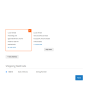
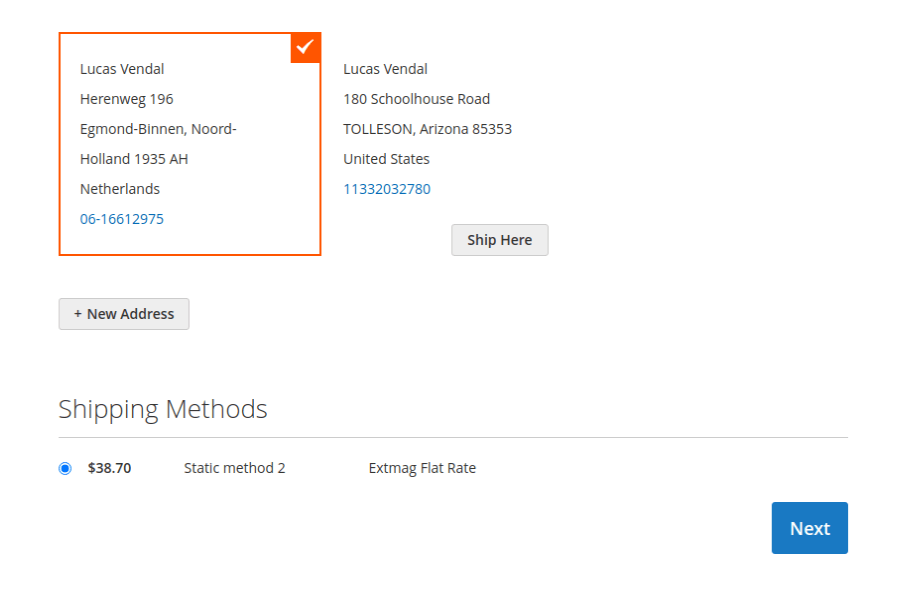
Voici comment la méthode apparaît au moment du paiement :
1.6.1
Replaced the Alpine.js x-data disabled binding with a server-rendered disabled attribute.
1.6.0
Replaced the Alpine.js x-data disabled binding with a server-rendered disabled attribute.
1.5.9
Refactored Hyva checkout shipping method list to use SecureHtmlRenderer for CSP compliance.
1.5.8
Added support Magento 2.4.9 and Adobe Commerce 2.4.9
1.5.7
Added BlackoutRules feature with admin CRUD, repository, UI components, and migration patch.
1.5.6
Added support Magento 2.4.8-p4 and Adobe Commerce 2.4.8-p4
1.5.5
Refactored code.
1.5.4
Added support Magento 2.4.8-p3 and Adobe Commerce 2.4.8-p3
1.5.3
Added support Magento 2.4.8-p2 and Adobe Commerce 2.4.8-p2
1.5.2
Added support Magento 2.4.8-p1 and Adobe Commerce 2.4.8-p1
1.5.1
Added support Magento 2.4.8 and Adobe Commerce 2.4.8
1.5.0
Added support Magento 2.4.7-p5 and Adobe Commerce 2.4.7-p5
1.4.9
Added support Magento 2.4.7-p4 and Adobe Commerce 2.4.7-p4
1.4.8
Added support Magento 2.4.7-p3 and Adobe Commerce 2.4.7-p3
1.4.7
Fixed the z-index issue on the label details page.
Added support Magento 2.4.7-p2 and Adobe Commerce 2.4.7-p2
1.4.6
Added support Magento 2.4.7-p1 and Adobe Commerce 2.4.7-p1
1.4.5
Added support Magento 2.4.7 and Adobe Commerce 2.4.7
1.4.4
Integration with Hyva Theme and Hyva Checkout has been added
1.4.3
Added support Magento 2.4.6-p4 and Adobe Commerce 2.4.6-p4
1.4.2
Improve the speed of calculating rules
1.4.1
Fixed bug with conditions for Product Attributes Combinations
1.4.0
Added support Magento 2.4.6-p3 and Adobe Commerce 2.4.6-p3
1.3.9
Added support Magento 2.4.6-p2 and Adobe Commerce 2.4.6-p2
1.3.8
Added support Adobe Commerce 2.4.6-p1
1.3.7
Support Adobe Commerce (Magento) 2.4.6
Support PHP 8.1
1.3.6
Fixed some minor bugs
1.3.5
Fixed the PHP warnings
1.3.4
Support Adobe Commerce (Magento) 2.4.5-p1
1.3.3
Support Adobe Commerce (Magento) 2.4.5
1.3.2
Fixed etc/adminhtml/di.xml and etc/di.xml
1.3.1
Fixed bug with Magento 2.3 and dependency injection
1.3.0
Added shipping method logo.
Support PHP 8.1 and Magento 2.4.4
1.2.2
Fixed deprecated PHP function array_key_exists for objects
1.2.1
Added Date and Time
Restriction for Price Rule
Reformat code with the new style
1.2.0
A new parameter "Allowed areas" have been added that allows you to show the delivery method only in the admin panel
1.1.0
Added a link to the price rule edit page from the delivery method edit page
1.0.0
Module created
Produits associés

