
Backup Manager for Magento® 2.x
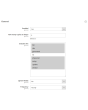
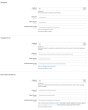
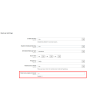
Extmag Backup Manager for Magento® 2.x has flexible settings for performing daily or hourly backups. You can only back up those folders in your store that are critical for the operation of the store. And set up the native Magento Backup module to work once a week in order to have a complete copy of the site. Thus, your backups will take up a minimum of space on the server and will not interfere with the operation of the site. Minimal copies are created quickly and do not require a store to shut down for maintenance.
Another feature of Extmag Backup Manager for Magento 2.x is the ability to store backups in the cloud storage. At the moment, the module supports Dropbox, Google Drive, and Microsoft OneDrive. After making some adjustments, all your backups will be uploaded to the selected cloud storage. You can also specify how many copies to keep on the server to restore the store. The module will delete all other copies, but they will still be stored in the cloud storage (if configured) until you manually delete them.
Restoring a backup is done from the standard interface in the same way as from a regular backup made by the default Magento Backup module.
An example of using the Extmag Backup Manager for Magento 2.x module:
- While the online store is under development, you need to configure the module so that the backups include all folders and are created once every 2-3 hours. This way you can always roll back to the correct version if a development error occurs.
- When the site is completely ready and switched to production mode, you need to perform a full backup.
- Configure the module so that it backs up only those folders that change frequently. As an example, the vendor folder is not included in such folders, so if you exclude it, it is already in the full backup anyway.
- If the traffic and the number of orders from the site are high, then you should configure the module to create backups once every 3-5 hours. This will give you the opportunity in case of data loss to restore them to the next hour.
- If there are not many orders per day, then it is worth setting up a schedule for performing backups once every 12 hours. Although it is possible more often.
Demo
You can try this extension for 30 days. Ask for the demo on this page with Request demo; how it works is explained on Try an extension for 30 days.
| CMS | Magento 2 |
|---|---|
| Compatibility | 2.4, 2.3, 2.2, 2.1, 2.0 |
| Features |
|
The extension is installed with Composer. Which repository you add depends on where you bought it — the install itself is the same either way.
1. Connect the repository
Bought on extmag.com. Your account page shows the repository address and your personal credentials, together with the two composer config commands to paste. Run them once per project; every extension you own is then available from the same repository.
Bought on the Adobe Commerce Marketplace. The package is served from repo.magento.com, which most stores already have configured. If not, add the access keys from your Adobe account under My Profile -> Access Keys.
2. Install the extension
Run in the project root:
composer require extmag/backuppro
php bin/magento setup:upgrade
php bin/magento cache:flush
Composer resolves the shared Extmag packages the extension depends on, so there is nothing else to require by hand.
Log out and log back into the admin, and the extension is ready.
Cloud storage
Dropbox and Google Drive support comes with the extension. OneDrive needs one additional package:
composer require krizalys/onedrive-php-sdk
Trying it before you buy
You can ask for a 30-day demo of this extension and install it exactly as above — same package, same repository, same commands. How demos work.
Installing without Composer
The archive can be unpacked into app/code/Extmag/ instead, but that leaves the extension outside dependency management: its shared packages have to be installed by hand and updates never reach it. Use Composer for any store you run, demo included.
For any question about the installation, please contact our technical support.
-
User Guide User Guide.pdf · 1.3 MBDownload
-
Reference Manual Reference Manual.pdf · 490.5 KBDownload
-
Installation Guide Installation Guide.pdf · 302.5 KBDownload
System Configuration
Points to watch
If the cloud storage reports the error shown below:
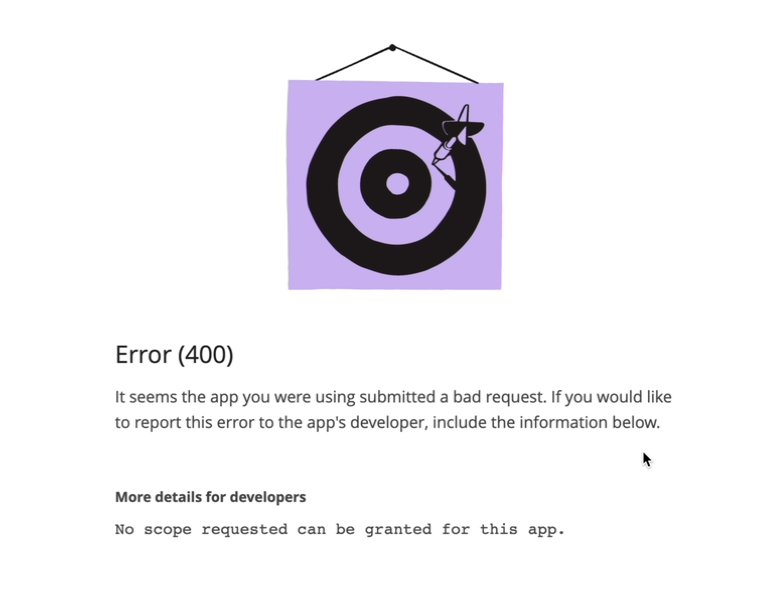
set the permissions as in the following screenshot:
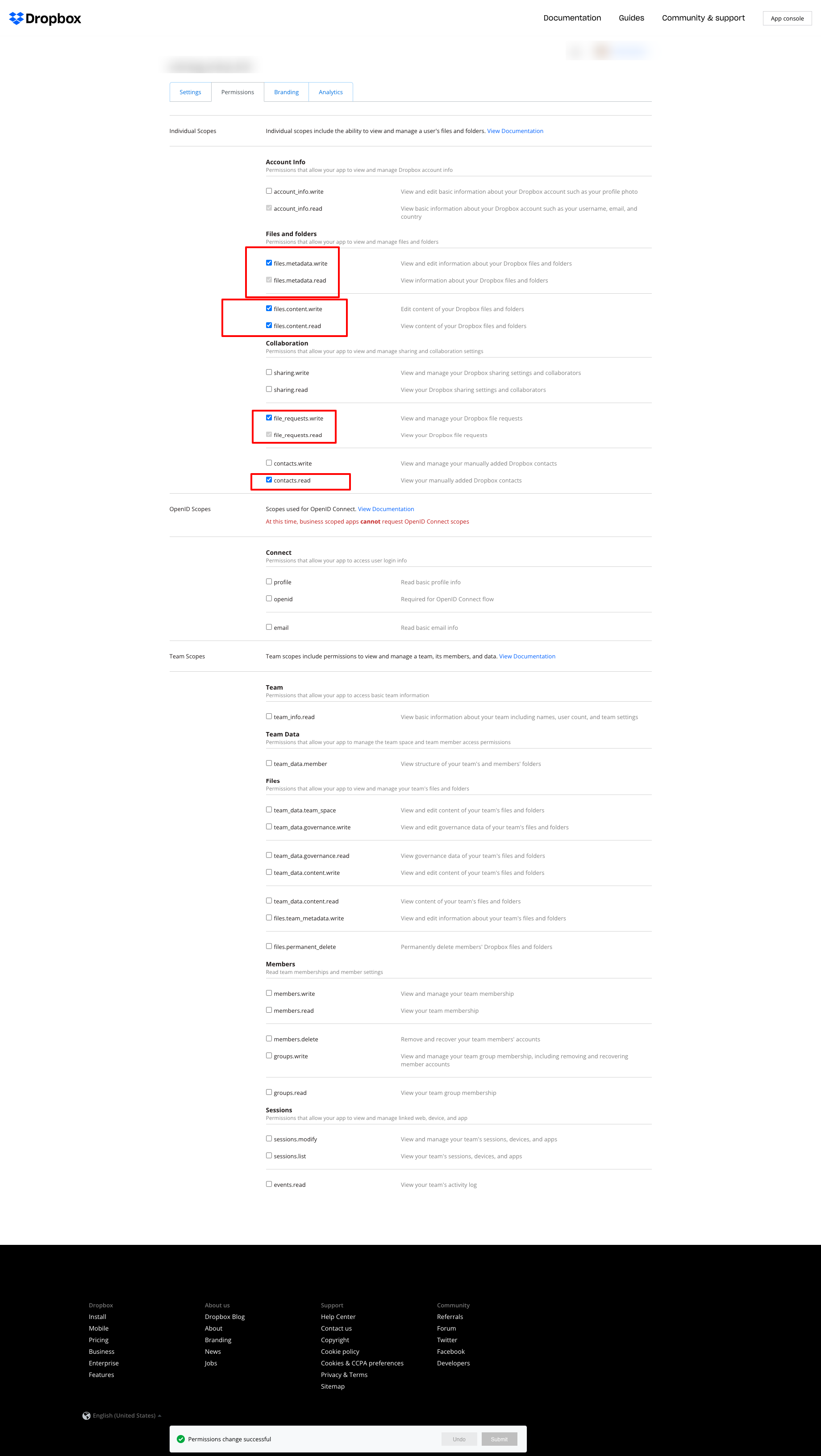
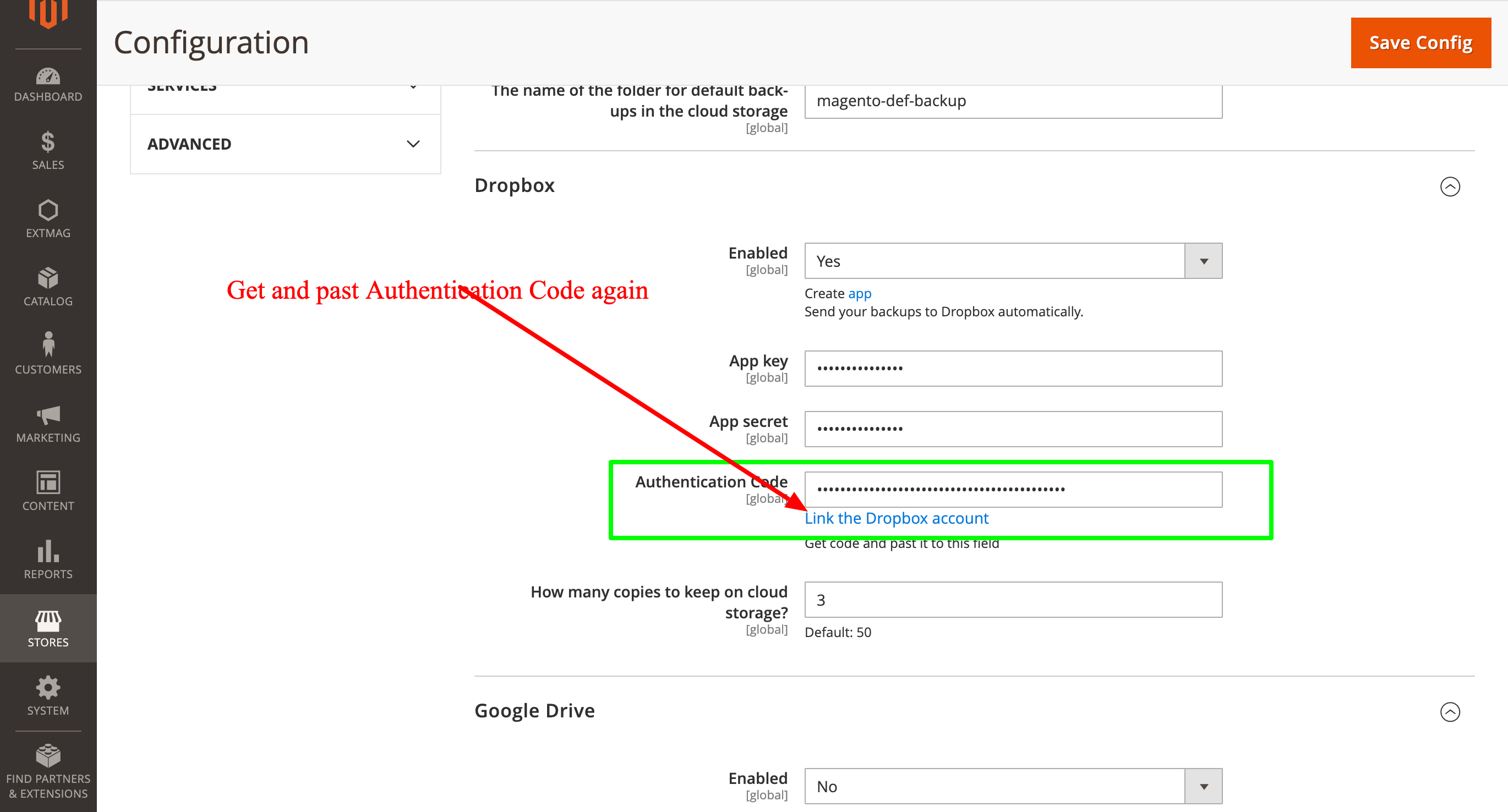
and then fetch the Authentication Code again and enter it once more:
2.0.4
BackupCore: Fixed backup type detection and folder name collisions. BackupCore: Removed Store/Website repository preferences. BackupCore: Refactored token show.phtml to use secureRenderer for CSP compliance. BackupCore: Added create_mini ACL resource.
2.0.3
Added support Magento 2.4.9 and Adobe Commerce 2.4.9
2.0.2
Added support Magento 2.4.8-p4 and Adobe Commerce 2.4.8-p4
2.0.1
Refactored code.
2.0.0
Added backup sets.
Added starage sets.
Added Amazon S3 as a cloud storage.
1.7.2
Added support Magento 2.4.8-p3 and Adobe Commerce 2.4.8-p3
1.7.1
Added support Magento 2.4.8-p2 and Adobe Commerce 2.4.8-p2
1.7.0
Added support Magento 2.4.8-p1 and Adobe Commerce 2.4.8-p1
1.6.9
Added support Magento 2.4.8 and Adobe Commerce 2.4.8
1.6.8
Added support Magento 2.4.7-p5 and Adobe Commerce 2.4.7-p5
1.6.7
Added support Magento 2.4.7-p4 and Adobe Commerce 2.4.7-p4
1.6.6
Added support Magento 2.4.7-p3 and Adobe Commerce 2.4.7-p3
1.6.5
Added support Magento 2.4.7-p2 and Adobe Commerce 2.4.7-p2
1.6.4
Added support Magento 2.4.7-p1 and Adobe Commerce 2.4.7-p1
1.6.3
Fixed names of Google API classes. There were changing underscores to namespaces.
1.6.2
Improved the frequency of the schedule
Fixed Google Drive connection
1.6.1
Added support Magento 2.4.7 and Adobe Commerce 2.4.7
1.6.0
Fixed schedule frequency for the backup
1.5.9
Fixed bug with nullable variable in the method attribute
1.5.8
Added support Magento 2.4.6-p4 and Adobe Commerce 2.4.6-p4
1.5.7
Added support Magento 2.4.6-p3 and Adobe Commerce 2.4.6-p3
1.5.6
Added buttons Test Connection for Cloud Storages configuration
1.5.5
Added support Magento 2.4.6-p2 and Adobe Commerce 2.4.6-p2
1.5.4
Added support Adobe Commerce 2.4.6-p1
1.5.3
Support Adobe Commerce (Magento) 2.4.6
Support PHP 8.1 and PHP 8.2
1.5.2
Improved the PHP code
1.5.1
Fixed PHP warnings
1.5.0
Support Adobe Commerce (Magento) 2.4.5-p1
1.4.9
Support Adobe Commerce (Magento) 2.4.5
1.4.8
Added new dependency to the module composer.json
Added permissions to request authorization for Dropbox
1.4.6
Fixed bug with the core module
1.4.5
Cleared error message if the access token for cloud storage is correct
1.4.4
Fixed sending backups to cloud services.
Fixes some bugs.
1.4.3
Added support for PHP 8.1 and Adobe Commerce (Magento) 2.4.4
1.4.2
Fixed bug with DB dump
1.4.1
Update versions of dependencies
1.4.0
Added the ability to manage the number of stored copies of mini backups on your cloud storage
1.3.0
Decrease time of database backup and increase availability database at backup doing.
Added new CLI command for restoring DB from backup.
1.2.0
Added folder name for cloud storage
1.1.0
Added "Extmag Mini Backup" button on logs grid
Fixed authentication errors for cloud storage
Refactoring code
1.0.5
Show error with onedrive getting auth code if this error exists
1.0.4
The version of the core module up to ^1.2
Changed the version of dependency modules
1.0.3
Fixed bug with acl
Fixed bug with system configuration
Core module was added as a dependency
1.0.2
Fixed bug with schedule and config cache
1.0.1
Fixed bug with uploading backups to Microsoft OneDrive
Fixed bug with schedule
1.0.0
Module created
