
MyDHL Express Comprehensive Shipping per Magento® 2.x
MyDHL Express Comprehensive Shipping è un'estensione Magento 2 che Le permette di gestire l'intero ciclo di consegna MyDHL Express tramite l'API di MyDHL Express.
L'estensione offre un'ampia gamma di impostazioni. Ottenga tariffe di spedizione aggiornate e generi etichette di spedizione MyDHL Express termiche (ZPL, EPL) e PDF. Pianifichi i ritiri e tracci i Suoi pacchi.
I principali vantaggi dell'estensione MyDHL Express Comprehensive Shipping:
Etichette di spedizione termiche e PDF
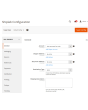
La generazione delle etichette di spedizione può avvenire manualmente, automaticamente e persino in modo pianificato. L'estensione MyDHL Express Comprehensive Shipping collega l'etichetta a un ordine, a una spedizione o a una nota di credito. Tutte le etichette vengono salvate sul Suo server e sono sempre accessibili dall'interfaccia di amministrazione.
Prima della creazione manuale, sceglie il metodo di spedizione desiderato fra quelli offerti da MyDHL Express e vede immediatamente i costi di spedizione. In modalità automatica, le etichette vengono generate secondo il metodo scelto dal cliente oppure al prezzo minimo/massimo di tutti i metodi MyDHL.
Paperless Commercial Invoice
MyDHL Express Comprehensive Shipping supporta le spedizioni in tutto il mondo. Per le spedizioni all'estero è prevista l'emissione paperless (o cartacea) della fattura doganale (International Invoice). A tal fine, l'estensione supporta le seguenti impostazioni: codici Harmonized e ScheduleB, Dangerous Goods e Hazardous Materials, condizioni di consegna, Reason for Export, Sold To Address e altre.
Tariffe di spedizione & metodi di spedizione
Riceva le tariffe di spedizione in fase di checkout come sulla piattaforma MyDHL Express. Le tariffe di spedizione dipendono di solito da assicurazione, valore dichiarato del pacco, peso, dimensioni, ecc. — la nostra estensione tiene conto di tutti questi aspetti. Il costo di un metodo può essere sia statico che dinamico.
Pagamento, COD, assicurazione
Adatti il pagatore ai Suoi processi aziendali. La spedizione può essere pagata dal mittente o da una terza parte, dazi e tasse sia dal destinatario sia dal mittente. Gestisce inoltre l'assicurazione (Insured) e utilizza Invoice Line Total. Se necessario, può inserire un codice fiscale. Se l'acquirente desidera pagare alla consegna, utilizzi l'opzione COD.
Etichette di reso e RMA
La creazione delle etichette di reso è semplice quanto quella delle etichette di spedizione standard. Le etichette di reso possono essere create contemporaneamente all'etichetta principale. L'amministratore può concedere al cliente la possibilità di creare e stampare autonomamente le etichette di reso.
Landed Cost — dazi e imposte di importazione stimati
Mostrate al checkout dazi, imposte e oneri di importazione stimati per le spedizioni internazionali. L’estensione calcola gli oneri doganali tramite l’API DHL Landed Cost sulla base dei codici merceologici, dell’origine del prodotto e delle tariffe del paese di destinazione. I dazi possono essere indicati come riga informativa al checkout (a carico del destinatario) oppure inclusi nel prezzo di spedizione (DDP — a carico del mittente). Sono supportati i codici merceologici (codici SA) per prodotto e le impostazioni del paese di produzione per un calcolo tariffario accurato.
Ritiro e tracking
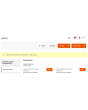
Ordini il ritiro dei pacchi direttamente dal pannello di amministrazione. Scelga per quali etichette richiedere il ritiro e l'estensione invierà la richiesta al corriere. In ogni ritiro può sempre vedere ciò che è stato spedito. Dopo la spedizione, tracci i pacchi con la nostra estensione e vedrà tutte le tappe e la posizione attuale.
Stampa
Utilizzi la nostra applicazione per stampare etichette termiche e PDF su stampanti locali. La può ottenere qui.
Configurazione
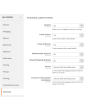
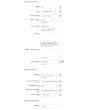
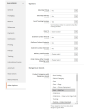
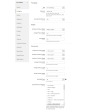
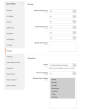
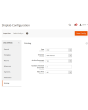
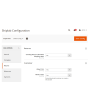
Le potenzialità della nostra estensione sono praticamente illimitate grazie alla flessibilità delle impostazioni. Può configurare l'estensione per uno store specifico o per un determinato paese. È anche possibile separare completamente le impostazioni per le etichette standard e per quelle di reso.
Demo
Potete provare questa estensione per 30 giorni. Richiedete la demo da questa stessa pagina con Richiedi demo; come funziona è spiegato in Prova un'estensione per 30 giorni.
Hyva Theme e Hyva Checkout
Compatibile con Hyva Theme e Hyva Checkout
| CMS | Magento 2 |
|---|---|
| Compatibilità | 2.4, 2.3 |
| Funzionalità |
|
L’estensione si installa con Composer. Quale repository aggiungere dipende da dove l’avete acquistata — l’installazione in sé è identica nei due casi.
1. Collegare il repository
Acquistata su extmag.com. La pagina del vostro account mostra l’indirizzo del repository e le vostre credenziali personali, insieme ai due comandi composer config da incollare. Eseguiteli una volta per progetto; da quel momento ogni estensione che possedete è disponibile dallo stesso repository.
Acquistata sull’Adobe Commerce Marketplace. Il pacchetto viene servito da repo.magento.com, già configurato nella maggior parte degli store. In caso contrario, aggiungete le access key del vostro account Adobe in My Profile -> Access Keys.
2. Installare l’estensione
Eseguite nella radice del progetto:
composer require extmag/mydhlshipping
php bin/magento setup:upgrade
php bin/magento cache:flush
Composer risolve i pacchetti Extmag condivisi da cui l’estensione dipende: non c’è altro da richiedere a mano.
Uscite dall’admin e rientrate: l’estensione è pronta.
Stampa delle etichette
Per stampare le etichette su una stampante locale o di rete, installate il nostro software di stampa da qui, poi seguite Installazione e configurazione di el-Print.
Hyva Theme e Hyva Checkout
Gli store su Hyva richiedono un pacchetto in più:
composer require extmag/shiplab-hyva
composer require magewirephp/magewire
L’integrazione sostituisce un template Hyva, view/frontend/templates/checkout/shipping/method-list.phtml. Se il vostro tema sovrascrive già quel file, unite le modifiche invece di sostituirlo.
Provarla prima di acquistare
Potete richiedere una demo di 30 giorni di questa estensione e installarla esattamente come sopra: stesso pacchetto, stesso repository, stessi comandi. Come funzionano le demo.
Installare senza Composer
L’archivio può essere scompattato in app/code/Extmag/, ma così l’estensione resta fuori dalla gestione delle dipendenze: i pacchetti condivisi vanno installati a mano e gli aggiornamenti non la raggiungono mai. Usate Composer per qualsiasi store che gestite, demo compresa.
Per qualsiasi domanda sull’installazione, scrivete al nostro supporto tecnico.
-
User Guide User Guide.pdf · 1.4 MBScarica
-
Reference Manual Reference Manual.pdf · 519.8 KBScarica
-
Installation Guide Installation Guide.pdf · 389.7 KBScarica
MyDHL Express si configura dal menu Extmag dell’admin Adobe Commerce (Magento). Aggiungete l’account del corriere, gli indirizzi da cui spedite, le scatole in cui imballate e i metodi di spedizione che i clienti vedono, poi mettete a punto la configurazione del corriere.
Account MyDHL Express
- Se non avete ancora le credenziali MyDHL Express, richiedetele a MyDHL Express. Servono credenziali API e un numero di conto MyDHL.
- Andate su Admin Main Menu -> Extmag -> Settings -> Shipper Accounts.
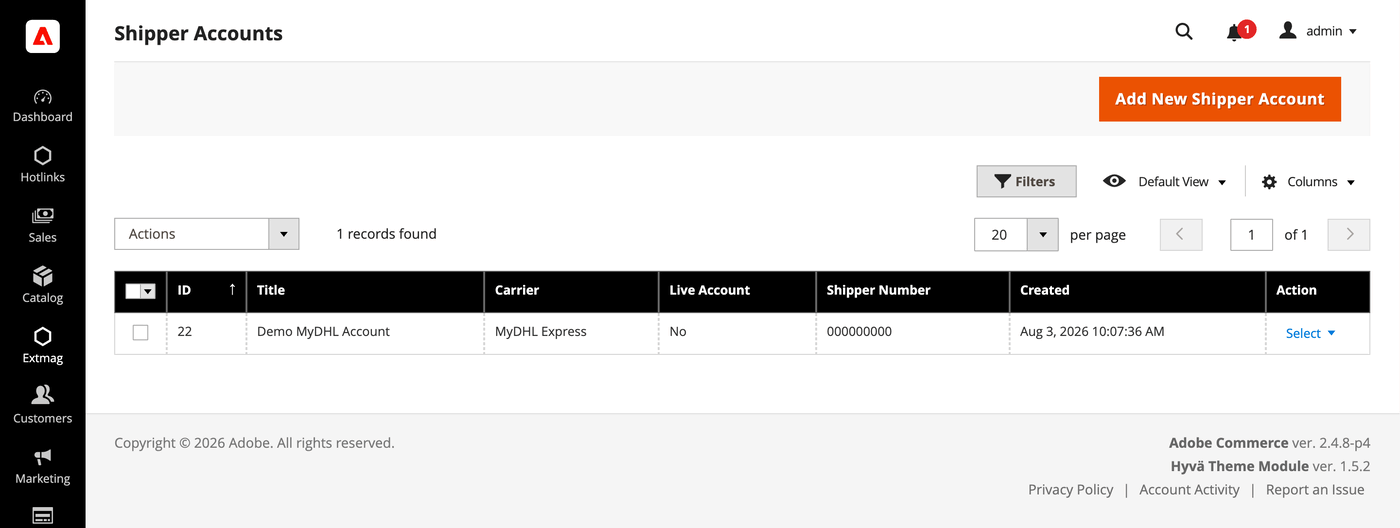
- Fate clic sul pulsante «Add New Shipper Account».
- Inserite le vostre credenziali e fate clic su «Save». Lasciate Live Account su No finché provate contro la sandbox del corriere.
Indirizzi
- Andate su Admin Main Menu -> Extmag -> Settings -> Addresses.
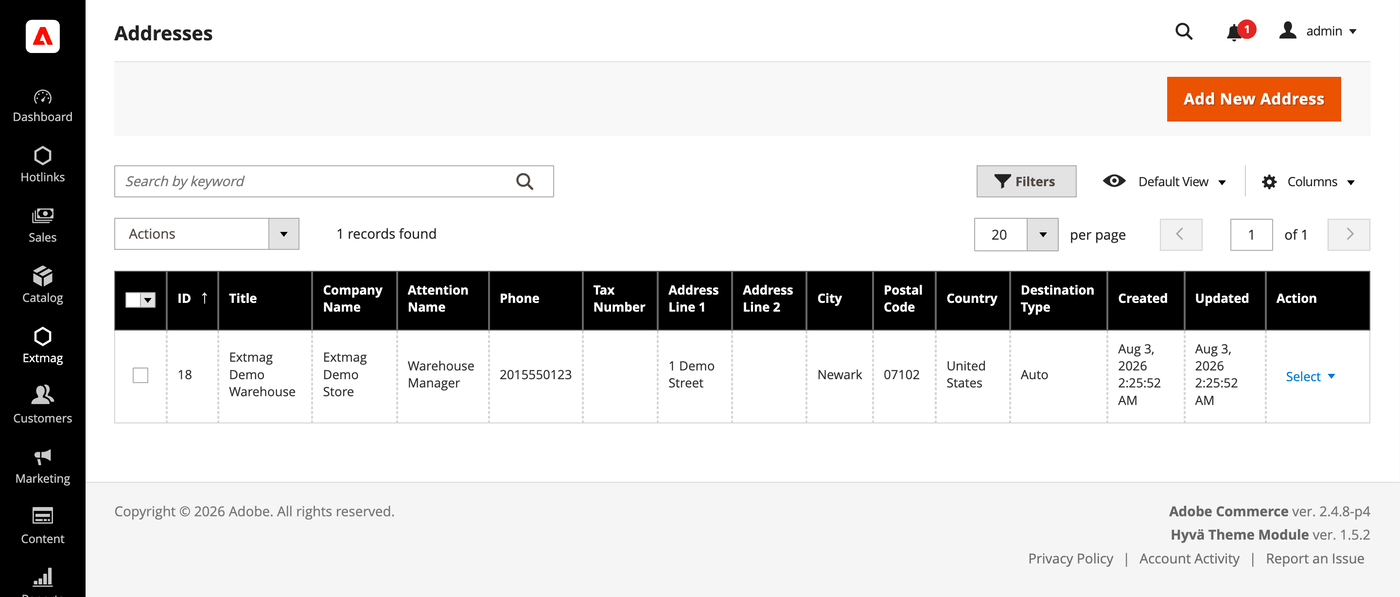
- Fate clic sul pulsante «Add New Address».
- Compilate ragione sociale, referente, telefono e indirizzo completo, poi fate clic su «Save». Aggiungete un indirizzo per ogni sede da cui spedite: l’indirizzo di fatturazione e quello di partenza si scelgono separatamente.
Scatole per l’imballaggio
- Andate su Admin Main Menu -> Extmag -> Settings -> Package Boxes.
- Fate clic sul pulsante «Add New Box».
- Inserite le misure interne ed esterne, il peso a vuoto e il carico massimo, poi fate clic su «Save». L’algoritmo di imballaggio ripartisce l’ordine tra i colli sulla base di queste scatole: più scatole reali sono censite, più la tariffa mostrata si avvicina a quella che vi verrà addebitata.
Metodi di spedizione
- Andate su Admin Main Menu -> Extmag -> Shipping Methods.
- Fate clic sul pulsante «Add New Shipping Method».
- Scegliete MyDHL Express come corriere, decidete quali suoi servizi mostrare — tutti, un elenco specifico, oppure solo il più economico o il più costoso — e limitate il metodo per sito web e gruppo di clienti se serve. Fate clic su «Save».
Configurazione
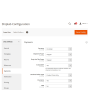
- Andate su Admin Main Menu -> Extmag -> Settings -> MyDHL Express Configuration.
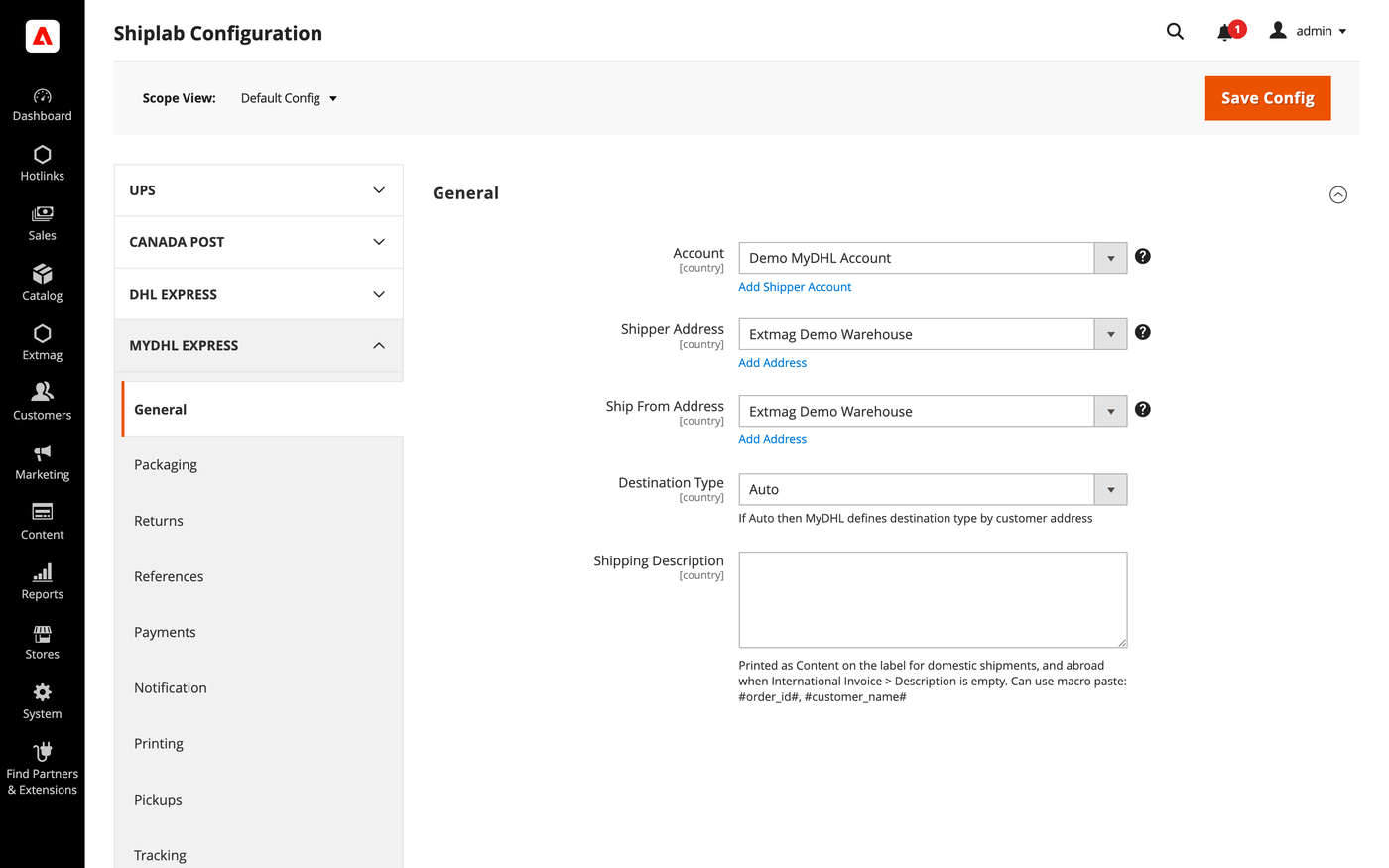
- Aprite per prima la scheda General e selezionate l’account mittente, l’indirizzo di fatturazione e l’indirizzo di partenza creati sopra.
- Percorrete le schede restanti compilando ciò che riguarda il vostro account.
Le schede coprono:
- General — account, indirizzi, tipo di destinazione, metodo di spedizione predefinito e istruzioni di spedizione.
- Packaging — tipo di imballaggio, dimensioni e ripartizione dell’ordine tra i colli.
- Returns — etichette di reso e gestione RMA.
- References — i numeri di riferimento stampati sull’etichetta e i relativi codici a barre.
- Payments — chi paga spedizione e dazi, e i dati del conto del pagatore.
- Notification — gli eventi notificati dal corriere e i destinatari.
- Printing — formati dei documenti e stampante usata per ciascun tipo.
- Pickups — se i ritiri vengono prenotati automaticamente dopo la creazione dell’etichetta o pianificati a mano.
- Tracking — con quale frequenza i colli vengono interrogati e come gli stati vengono riscritti nell’ordine.
- International Invoice — la fattura commerciale senza carta, la sua immagine di firma e il contenuto doganale.
- Automatic — quando le etichette vengono create senza operatore.
- Mass Actions — creazione di etichette in blocco dalla griglia degli ordini.
- Manual Actions — creazione di una singola etichetta da un ordine.
- Other Options — log e gli altri interruttori a livello di corriere.
Ogni impostazione può essere applicata per sito web e per paese di destinazione, così una regola che ha senso solo per un mercato non tocca gli altri.
Il riferimento completo campo per campo, con i percorsi di configurazione esatti, è nel Reference Manual fornito con l’estensione.
2.0.8
Persisted the locator API request/response via DataSave for debugging. Renamed 'Access Point' to 'Service Point' (DHL official term) across the UI and documentation.
2.0.7
Added a landed-cost shipment-price mode and fixed freight/insurance charges. Suppressed landed cost on the phase-1 rate pass and surfaced the duty estimate in the admin rate dropdown. Added Access Point selection UI for the admin label form and frontend checkout. Replaced the ShippingMethods Save plugin with an access-point-depends UI mixin.
2.0.6
Move EstimatedDutiesStorage and checkout total wiring to Extmag_Shiplab base. Render estimated duties as informational row (value=0) for both DDP and DAP. Derive duty payer from Terms of Shipment; relabel field to third-party billing override. Convert estimated duties from base to quote currency for checkout totals display. Sum only TOTAL_* aggregates from Landed Cost breakdown to avoid double-counting. Add default values for Access Point and map config sections. Add DHL Service Point Locator with iframe-based access point selection at checkout. Show estimated-duties checkout segment when value is zero (DDP informational row). Improve Landed Cost: HS code normalization, DDP breakdown, response warnings. Always send cityName in DHL address payload (required by schema, fallback to postal code or 'N/A'). Apply typeCode/dimensions fallback to base getPackages() for LandedCost path. Skip empty optional fields in rate/landed-cost payloads via setIfNotEmpty helper. Omit manufacturerCountry from invoice line items when product has no country of origin. Use placeholder dimensions instead of synthetic 'YP' typeCode for shipper's own packaging. Shiplab: Replace raw filesystem calls in settings import with Magento file driver.
2.0.5
Shiplab: Added support for multiple label files per tracking number with -N suffix.
2.0.4
Added 'YP' typeCode fallback when package has no dimensions. Improved REST API error reporting by parsing the 'reasons' array. Shiplab: Hardened product info access in PackageHandler to handle missing cart entries safely.
2.0.3
Shiplab: Added zero-weight guard and weight diagnostics for shipping rate calculation. Shiplab: Removed legacy Additional Price fields and migrated data to price rules.
2.0.2
Use CategoryChooser frontend model for dangerous goods product categories field. Shiplab: Replaced multiselect categories with AJAX tree chooser in dimension config. Added support Magento 2.4.9 and Adobe Commerce 2.4.9
2.0.1
Simplify GoGreen options and add invoice instructions support. Shiplab: Fixed attribute ID retrieval order in category EAV setup patch.
2.0.0
Migrate from SOAP to REST API and add Landed Cost support. Add cache persistence for estimated duties storage and Carrier plugin. Shiplab: Added response post-processing hook and fixed logo data handling.
1.8.11
Migrate from SOAP to REST API and add Landed Cost support. Add cache persistence for estimated duties storage and Carrier plugin. Shiplab: Added response post-processing hook and fixed logo data handling.
1.8.10
Shiplab: Added BlackoutRules feature with full CRUD, date picker mixin, and schedule migration.
1.8.9
Added duty, tax, and fee breakdown parsing in rate response.
1.8.8
Fixed Charges parsing in rate response. Initialized service array at each loop iteration in rate response parsing. Shiplab: Fixed null safety issues and added numeric attribute validation. Added support Magento 2.4.8-p4 and Adobe Commerce 2.4.8-p4
1.8.7
Fixed service code resolution to preserve value set during step three.
1.8.6
Optimized the algorithms for packing items into boxes to ensure better efficiency.
1.8.5
Fixed bundle product handling for Ship Separately/Together and price/weight types.
Added config option to include zero-price bundle children in international invoices.
Fixed property type declarations for PHP 8.x compatibility.
1.8.4
Fixed loadedData check in DataProvider classes for PHP 8.x compatibility.
Fixed place order callback to pass data for proper Braintree payment handling.
1.8.3
Refactored code.
1.8.2
Added support for PHP 8.4
1.8.1
Added support Magento 2.4.8-p3 and Adobe Commerce 2.4.8-p3
1.8.0
Added support Magento 2.4.8-p2 and Adobe Commerce 2.4.8-p2
1.7.9
Fixed a bug with the Schedule New Update form on the category page
1.7.8
Added support Magento 2.4.8-p1 and Adobe Commerce 2.4.8-p1
1.7.7
Added support Magento 2.4.8 and Adobe Commerce 2.4.8
1.7.6
Fixed a bug when the order has only virtual products
1.7.5
Added support Magento 2.4.7-p5 and Adobe Commerce 2.4.7-p5
1.7.4
Added support Magento 2.4.7-p4 and Adobe Commerce 2.4.7-p4
1.7.3
Fixed a bug with SplitButton for the order view page in the admin panel
1.7.2
Fixed logs for shipping rates
Added support Magento 2.4.7-p3 and Adobe Commerce 2.4.7-p3
1.7.1
Fixed the price format on the label creation page in the admin panel.
Improved the integration with the Hyva Theme.
1.7.0
Fixed a bug with division by zero
1.6.9
Fixed a bug with a recursive function for shipping rates
1.6.8
Fixed a bug with shipping rates debugging.
Fixed CSP for printing by websocket.
1.6.7
Fixed a bug with the deactivating module
1.6.6
Fixed the z-index issue on the label details page.
Added support Magento 2.4.7-p2 and Adobe Commerce 2.4.7-p2
1.6.5
Added support Magento 2.4.7-p1 and Adobe Commerce 2.4.7-p1
1.6.4
Fixed cache for shipping rates
1.6.3
The issue with printing return labels on the customer side has been fixed.
1.6.2
Fixed the packaging box selector
1.6.1
Fixed calculation of the estimated value of a parcel including a discount, which caused the error "Missing or Invalid Monetary Value of Commodity 1's Commodity Value"
1.6.0
The issue related to the customer group and guest order creation in the admin panel has been fixed
1.5.9
Fixed CURL multi-handles
1.5.8
Added support Magento 2.4.7 and Adobe Commerce 2.4.7
1.5.7
Integration with Hyva Theme and Hyva Checkout has been added
1.5.6
Fixed the JS bug with placing the order
Fixed bug with Signature Image Uploader
1.5.5
Updated linked modules
1.5.4
Added the ability to rename original courier shipping methods
1.5.3
Added support Magento 2.4.6-p3 and Adobe Commerce 2.4.6-p3
1.5.2
Fixed the packer for packages of the shipment
1.5.1
Fixed a bug with downloading shipping logs
1.5.0
Added two options "Show Method if Not Applicable" and "Displayed Error Message" in the Extmag Shipping method configuration
1.4.9
Fixed a bug when it was impossible to save the Shiplab configuration in Magento 2.4.6-p1
1.4.8
Fixed Shiplab version
1.4.7
Fixed PDP printing with the QZ Tray program
1.4.6
Support the QZ Tray program for printing labels.
1.4.5
Fixed a bug with Sales Rules.
Removed deprecated code.
1.4.4
Fixed sources for orders after saving the tracking number
Added support Magento 2.4.6-p2 and Adobe Commerce 2.4.6-p2
1.4.3
Fixed calculating prices for shipping methods.
Fixed shipping price rules.
1.4.2
Fixed bug with shipping price rules
1.4.1
Fixed bug with session and manual label creation
1.4.0
Improved selection of Websites and Customer Groups for Shipping Methods
1.3.9
Fixed bugs on the checkout page of the admin panel
1.3.8
Added support Adobe Commerce 2.4.6-p1
1.3.7
Fix bug with musltiselect fields and values as type integer
1.3.6
Fixed bug with the Volume Weight switcher
1.3.5
Support Adobe Commerce (Magento) 2.4.6
Support PHP 8.1
1.3.4
Fixed some bugs to support PHP 8.1
1.3.3
Added max volumetric weight for a package.
Added type of volumetric weight value.
Fixed some bugs with volumetric weight.
1.3.2
Fixed a bug with the volumetric weight
1.3.1
Updated dependencies.
Fixed some minor bugs.
1.3.0
Added support for Product Volumetric Weight
1.2.2
Support Adobe Commerce (Magento) 2.4.5-p1
1.2.1
Fixed the country_id condition type for the shipping method rules
1.2.0
Fixed a few bugs linked with PHP 8.1
Added "Additional Price Actions" for applying multiple rules for the shipping method.
1.1.1
Added support for PHP 8.1 and Magento 2.4.4
1.1.0
Improve PHP code.
Removed the json_request_data field from the form of creating labels.
1.0.0
release 1.0.0
