
MyDHL Express Comprehensive Shipping pour Magento® 2.x
MyDHL Express Comprehensive Shipping est une extension Magento 2 qui vous permet de gérer l’ensemble du cycle de livraison MyDHL Express via l’API MyDHL Express.
L’extension offre un large éventail de paramètres. Obtenez des tarifs d’expédition à jour et créez des étiquettes d’expédition MyDHL Express thermiques (ZPL, EPL) et PDF. Planifiez des enlèvements et suivez vos colis.
Les principaux avantages de l’extension MyDHL Express Comprehensive Shipping :
Étiquettes d’expédition thermiques et PDF
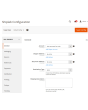
La création d’étiquettes d’expédition est possible aussi bien manuellement qu’automatiquement, et même de manière planifiée. L’extension MyDHL Express Comprehensive Shipping associe l’étiquette à une commande, une livraison ou un avoir. Toutes les étiquettes sont stockées sur votre serveur et restent accessibles à tout moment via l’interface d’administration.
Avant la création manuelle, vous choisissez la méthode d’expédition souhaitée parmi celles proposées par MyDHL Express et voyez immédiatement les frais d’expédition. En mode automatique, les étiquettes sont générées selon la méthode choisie par le client ou au prix minimal/maximal de toutes les méthodes MyDHL.
Paperless Commercial Invoice
MyDHL Express Comprehensive Shipping prend en charge les envois internationaux. Pour les expéditions à l’étranger, l’émission de la facture douanière (International Invoice) au format dématérialisé (ou papier) est proposée. À cet effet, l’extension prend en charge les paramètres suivants : codes Harmonized et ScheduleB, Dangerous Goods et Hazardous Materials, conditions de livraison, Reason for Export, Sold To Address et bien d’autres.
Tarifs d’expédition & méthodes d’expédition
Obtenez des tarifs d’expédition au checkout comme sur la plateforme MyDHL Express. Les tarifs d’expédition dépendent généralement de l’assurance, de la valeur déclarée du colis, du poids, des dimensions, etc. — notre extension prend en compte tous ces éléments. Le coût d’une méthode peut être statique ou dynamique.
Paiement, COD, assurance
Adaptez le payeur à vos processus métier. L’expédition peut être payée par l’expéditeur ou par un tiers, les droits et taxes aussi bien par le destinataire que par l’expéditeur. Vous gérez également l’assurance (Insured) et utilisez Invoice Line Total. En cas de besoin, vous renseignez un numéro fiscal. Si l’acheteur souhaite payer à la livraison, utilisez l’option COD.
Étiquettes de retour et RMA
La création d’étiquettes de retour est aussi simple que celle des étiquettes d’expédition classiques. Les étiquettes de retour peuvent être générées en même temps que l’étiquette d’expédition régulière. L’administrateur peut offrir au client la possibilité de créer et d’imprimer lui-même les étiquettes de retour.
Landed Cost — droits et taxes d’importation estimés
Affichez au moment du paiement les droits de douane, taxes et frais estimés pour les envois internationaux. L’extension calcule les frais de douane via l’API DHL Landed Cost à partir des codes marchandises, de l’origine des produits et des tarifs du pays de destination. Les droits peuvent être affichés comme une ligne informative au paiement (payés par le destinataire) ou inclus dans le prix d’expédition (DDP — payés par l’expéditeur). Les codes marchandises (codes SH) par produit et le pays de fabrication sont pris en charge pour un calcul tarifaire exact.
Enlèvement et suivi
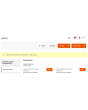
Commandez l’enlèvement des colis directement depuis le panneau d’administration. Vous choisissez les étiquettes pour lesquelles commander un enlèvement, et l’extension envoie la requête au service de livraison. Dans chaque enlèvement, vous voyez à tout moment ce qui a été expédié. Une fois les colis expédiés, suivez-les avec notre extension et voyez toutes les étapes ainsi que la position actuelle.
Impression
Utilisez notre application pour imprimer les étiquettes thermiques et PDF sur des imprimantes locales. Vous l’obtenez ici.
Configuration
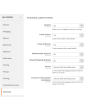
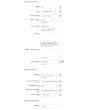
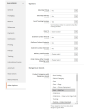
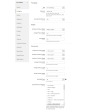
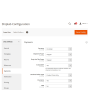
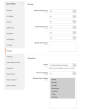
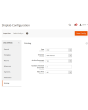
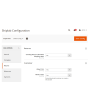
Les possibilités de notre extension sont pratiquement illimitées grâce à des paramètres flexibles. Vous configurez l’extension pour une boutique ou un pays donné. Des paramètres entièrement séparés pour les étiquettes régulières et les étiquettes de retour sont également possibles.
Démo
Vous pouvez essayer cette extension pendant 30 jours. Demandez la démo sur cette page avec Demander une démo ; son fonctionnement est expliqué sur Essayez une extension pendant 30 jours.
Hyva Theme et Hyva Checkout
Compatible avec Hyva Theme et Hyva Checkout
| CMS | Magento 2 |
|---|---|
| Compatibilité | 2.4, 2.3 |
| Fonctionnalités |
|
L’extension s’installe avec Composer. Le dépôt à ajouter dépend de l’endroit où vous l’avez achetée — l’installation elle-même est identique dans les deux cas.
1. Connecter le dépôt
Achetée sur extmag.com. Votre page de compte affiche l’adresse du dépôt et vos identifiants personnels, ainsi que les deux commandes composer config à coller. Exécutez-les une fois par projet ; toutes les extensions que vous possédez sont ensuite disponibles depuis le même dépôt.
Achetée sur l’Adobe Commerce Marketplace. Le paquet est servi depuis repo.magento.com, déjà configuré sur la plupart des boutiques. Sinon, ajoutez les clés d’accès de votre compte Adobe sous My Profile -> Access Keys.
2. Installer l’extension
À la racine du projet, exécutez :
composer require extmag/mydhlshipping
php bin/magento setup:upgrade
php bin/magento cache:flush
Composer résout les paquets Extmag partagés dont dépend l’extension : rien d’autre n’est à exiger à la main.
Déconnectez-vous de l’admin puis reconnectez-vous, et l’extension est prête.
Impression des étiquettes
Pour imprimer les étiquettes sur une imprimante locale ou réseau, installez notre logiciel d’impression depuis cette page, puis suivez Installation et configuration d’el-Print.
Hyva Theme et Hyva Checkout
Les boutiques sous Hyva demandent un paquet de plus :
composer require extmag/shiplab-hyva
composer require magewirephp/magewire
L’intégration remplace un template Hyva, view/frontend/templates/checkout/shipping/method-list.phtml. Si votre thème surcharge déjà ce fichier, fusionnez les modifications au lieu de le remplacer.
L’essayer avant d’acheter
Vous pouvez demander une démo de 30 jours de cette extension et l’installer exactement comme ci-dessus — même paquet, même dépôt, mêmes commandes. Comment fonctionnent les démos.
Installer sans Composer
L’archive peut être décompressée dans app/code/Extmag/, mais l’extension se retrouve alors hors de la gestion des dépendances : ses paquets partagés doivent être installés à la main et les mises à jour ne l’atteignent jamais. Utilisez Composer pour toute boutique que vous exploitez, démo comprise.
Pour toute question sur l’installation, contactez notre support technique.
-
User Guide User Guide.pdf · 1.4 MBTélécharger
-
Reference Manual Reference Manual.pdf · 519.8 KBTélécharger
-
Installation Guide Installation Guide.pdf · 389.7 KBTélécharger
MyDHL Express se configure depuis le menu Extmag de l’admin Adobe Commerce (Magento). Ajoutez le compte transporteur, les adresses d’expédition, les cartons dans lesquels vous emballez et les méthodes de livraison que voient les clients, puis affinez la configuration du transporteur.
Compte MyDHL Express
- Si vous n’avez pas encore d’identifiants MyDHL Express, obtenez-les auprès de MyDHL Express. Il vous faut des identifiants API et un numéro de compte MyDHL.
- Allez dans Admin Main Menu -> Extmag -> Settings -> Shipper Accounts.
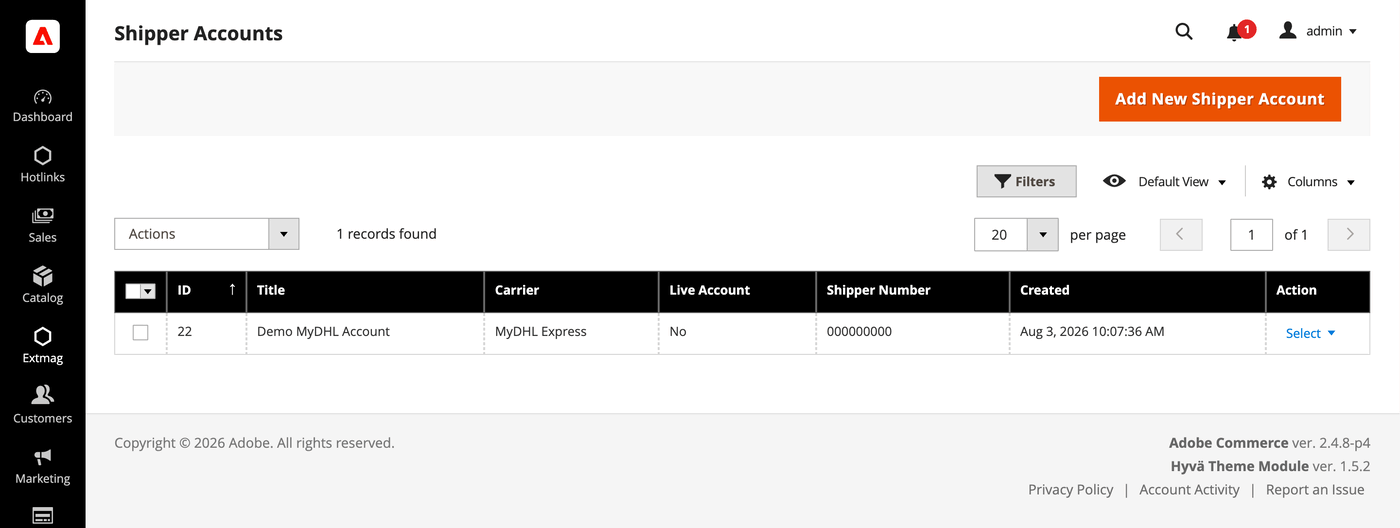
- Cliquez sur le bouton « Add New Shipper Account ».
- Saisissez vos identifiants et cliquez sur « Save ». Laissez Live Account sur No tant que vous testez sur le bac à sable du transporteur.
Adresses
- Allez dans Admin Main Menu -> Extmag -> Settings -> Addresses.
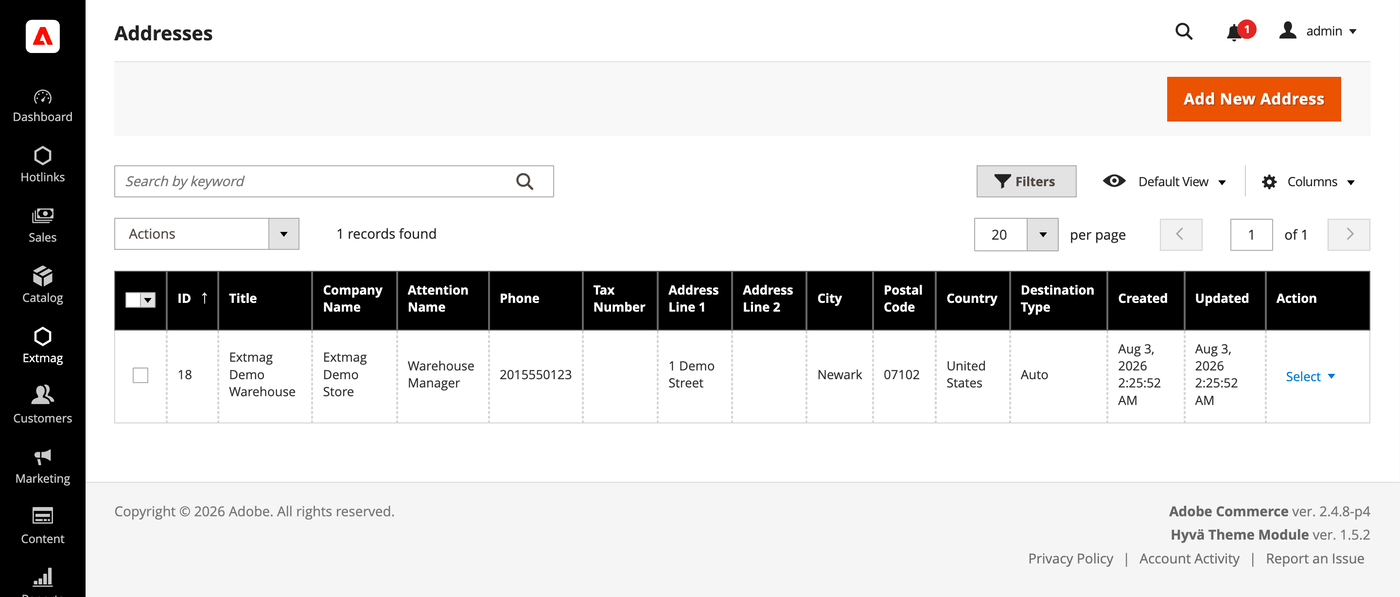
- Cliquez sur le bouton « Add New Address ».
- Renseignez la raison sociale, le contact, le téléphone et l’adresse complète, puis cliquez sur « Save ». Ajoutez une adresse par site d’expédition — l’adresse de facturation et l’adresse d’expédition se choisissent séparément.
Cartons d’emballage
- Allez dans Admin Main Menu -> Extmag -> Settings -> Package Boxes.
- Cliquez sur le bouton « Add New Box ».
- Indiquez les dimensions intérieures et extérieures, le poids à vide et la charge maximale, puis cliquez sur « Save ». Le calculateur d’emballage répartit la commande entre les colis à partir de ces cartons : plus vos cartons réels sont renseignés, plus le tarif annoncé est proche de celui qui vous sera facturé.
Méthodes de livraison
- Allez dans Admin Main Menu -> Extmag -> Shipping Methods.
- Cliquez sur le bouton « Add New Shipping Method ».
- Choisissez MyDHL Express comme transporteur, décidez quels services afficher — tous, une liste précise, ou seulement le moins cher ou le plus cher — et limitez la méthode par site web et groupe de clients si nécessaire. Cliquez sur « Save ».
Configuration
- Allez dans Admin Main Menu -> Extmag -> Settings -> MyDHL Express Configuration.
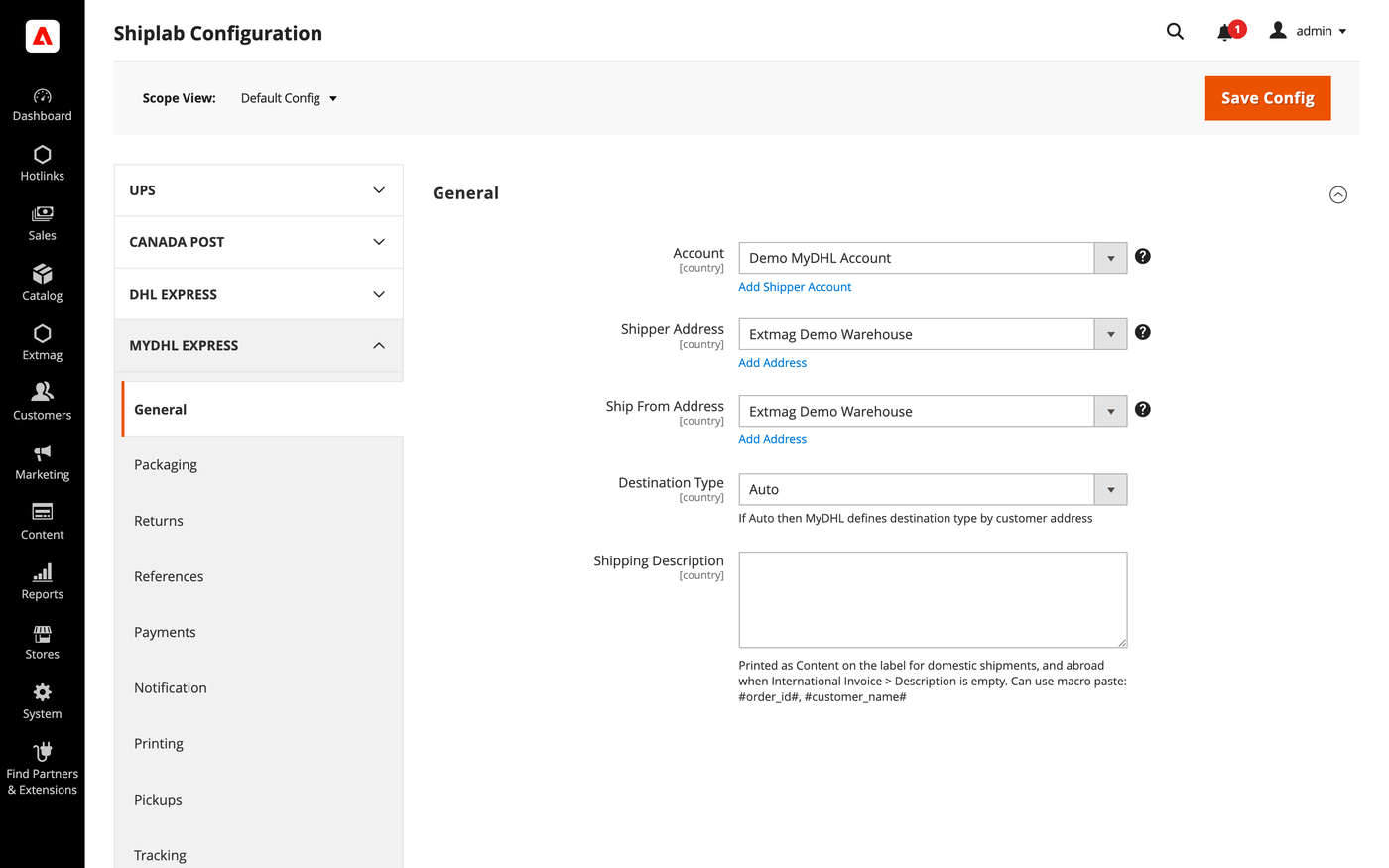
- Ouvrez d’abord l’onglet General et sélectionnez le compte expéditeur, l’adresse de facturation et l’adresse d’expédition créés plus haut.
- Parcourez les onglets restants en remplissant ce qui s’applique à votre compte.
Les onglets couvrent :
- General — compte, adresses, type de destination, méthode de livraison par défaut et consignes d’expédition.
- Packaging — type d’emballage, dimensions et répartition d’une commande entre les colis.
- Returns — étiquettes de retour et gestion des RMA.
- References — les numéros de référence imprimés sur l’étiquette et leurs codes-barres.
- Payments — qui paie l’expédition et les droits, et les coordonnées du compte payeur.
- Notification — les événements notifiés par le transporteur et leurs destinataires.
- Printing — formats de documents et imprimante utilisée par type de document.
- Pickups — enlèvements réservés automatiquement après création d’une étiquette, ou planifiés à la main.
- Tracking — fréquence d’interrogation des colis et écriture des statuts dans la commande.
- International Invoice — la facture commerciale dématérialisée, son image de signature et le contenu douanier.
- Automatic — quand les étiquettes sont créées sans opérateur.
- Mass Actions — création d’étiquettes en lot depuis la grille des commandes.
- Manual Actions — création d’une étiquette unique depuis une commande.
- Other Options — journalisation et les autres réglages au niveau du transporteur.
Chaque réglage s’applique par site web et par pays de destination : une règle qui n’a de sens que pour un marché n’affecte pas les autres.
La référence complète champ par champ, avec les chemins de configuration exacts, figure dans le Reference Manual fourni avec l’extension.
2.0.8
Persisted the locator API request/response via DataSave for debugging. Renamed 'Access Point' to 'Service Point' (DHL official term) across the UI and documentation.
2.0.7
Added a landed-cost shipment-price mode and fixed freight/insurance charges. Suppressed landed cost on the phase-1 rate pass and surfaced the duty estimate in the admin rate dropdown. Added Access Point selection UI for the admin label form and frontend checkout. Replaced the ShippingMethods Save plugin with an access-point-depends UI mixin.
2.0.6
Move EstimatedDutiesStorage and checkout total wiring to Extmag_Shiplab base. Render estimated duties as informational row (value=0) for both DDP and DAP. Derive duty payer from Terms of Shipment; relabel field to third-party billing override. Convert estimated duties from base to quote currency for checkout totals display. Sum only TOTAL_* aggregates from Landed Cost breakdown to avoid double-counting. Add default values for Access Point and map config sections. Add DHL Service Point Locator with iframe-based access point selection at checkout. Show estimated-duties checkout segment when value is zero (DDP informational row). Improve Landed Cost: HS code normalization, DDP breakdown, response warnings. Always send cityName in DHL address payload (required by schema, fallback to postal code or 'N/A'). Apply typeCode/dimensions fallback to base getPackages() for LandedCost path. Skip empty optional fields in rate/landed-cost payloads via setIfNotEmpty helper. Omit manufacturerCountry from invoice line items when product has no country of origin. Use placeholder dimensions instead of synthetic 'YP' typeCode for shipper's own packaging. Shiplab: Replace raw filesystem calls in settings import with Magento file driver.
2.0.5
Shiplab: Added support for multiple label files per tracking number with -N suffix.
2.0.4
Added 'YP' typeCode fallback when package has no dimensions. Improved REST API error reporting by parsing the 'reasons' array. Shiplab: Hardened product info access in PackageHandler to handle missing cart entries safely.
2.0.3
Shiplab: Added zero-weight guard and weight diagnostics for shipping rate calculation. Shiplab: Removed legacy Additional Price fields and migrated data to price rules.
2.0.2
Use CategoryChooser frontend model for dangerous goods product categories field. Shiplab: Replaced multiselect categories with AJAX tree chooser in dimension config. Added support Magento 2.4.9 and Adobe Commerce 2.4.9
2.0.1
Simplify GoGreen options and add invoice instructions support. Shiplab: Fixed attribute ID retrieval order in category EAV setup patch.
2.0.0
Migrate from SOAP to REST API and add Landed Cost support. Add cache persistence for estimated duties storage and Carrier plugin. Shiplab: Added response post-processing hook and fixed logo data handling.
1.8.11
Migrate from SOAP to REST API and add Landed Cost support. Add cache persistence for estimated duties storage and Carrier plugin. Shiplab: Added response post-processing hook and fixed logo data handling.
1.8.10
Shiplab: Added BlackoutRules feature with full CRUD, date picker mixin, and schedule migration.
1.8.9
Added duty, tax, and fee breakdown parsing in rate response.
1.8.8
Fixed Charges parsing in rate response. Initialized service array at each loop iteration in rate response parsing. Shiplab: Fixed null safety issues and added numeric attribute validation. Added support Magento 2.4.8-p4 and Adobe Commerce 2.4.8-p4
1.8.7
Fixed service code resolution to preserve value set during step three.
1.8.6
Optimized the algorithms for packing items into boxes to ensure better efficiency.
1.8.5
Fixed bundle product handling for Ship Separately/Together and price/weight types.
Added config option to include zero-price bundle children in international invoices.
Fixed property type declarations for PHP 8.x compatibility.
1.8.4
Fixed loadedData check in DataProvider classes for PHP 8.x compatibility.
Fixed place order callback to pass data for proper Braintree payment handling.
1.8.3
Refactored code.
1.8.2
Added support for PHP 8.4
1.8.1
Added support Magento 2.4.8-p3 and Adobe Commerce 2.4.8-p3
1.8.0
Added support Magento 2.4.8-p2 and Adobe Commerce 2.4.8-p2
1.7.9
Fixed a bug with the Schedule New Update form on the category page
1.7.8
Added support Magento 2.4.8-p1 and Adobe Commerce 2.4.8-p1
1.7.7
Added support Magento 2.4.8 and Adobe Commerce 2.4.8
1.7.6
Fixed a bug when the order has only virtual products
1.7.5
Added support Magento 2.4.7-p5 and Adobe Commerce 2.4.7-p5
1.7.4
Added support Magento 2.4.7-p4 and Adobe Commerce 2.4.7-p4
1.7.3
Fixed a bug with SplitButton for the order view page in the admin panel
1.7.2
Fixed logs for shipping rates
Added support Magento 2.4.7-p3 and Adobe Commerce 2.4.7-p3
1.7.1
Fixed the price format on the label creation page in the admin panel.
Improved the integration with the Hyva Theme.
1.7.0
Fixed a bug with division by zero
1.6.9
Fixed a bug with a recursive function for shipping rates
1.6.8
Fixed a bug with shipping rates debugging.
Fixed CSP for printing by websocket.
1.6.7
Fixed a bug with the deactivating module
1.6.6
Fixed the z-index issue on the label details page.
Added support Magento 2.4.7-p2 and Adobe Commerce 2.4.7-p2
1.6.5
Added support Magento 2.4.7-p1 and Adobe Commerce 2.4.7-p1
1.6.4
Fixed cache for shipping rates
1.6.3
The issue with printing return labels on the customer side has been fixed.
1.6.2
Fixed the packaging box selector
1.6.1
Fixed calculation of the estimated value of a parcel including a discount, which caused the error "Missing or Invalid Monetary Value of Commodity 1's Commodity Value"
1.6.0
The issue related to the customer group and guest order creation in the admin panel has been fixed
1.5.9
Fixed CURL multi-handles
1.5.8
Added support Magento 2.4.7 and Adobe Commerce 2.4.7
1.5.7
Integration with Hyva Theme and Hyva Checkout has been added
1.5.6
Fixed the JS bug with placing the order
Fixed bug with Signature Image Uploader
1.5.5
Updated linked modules
1.5.4
Added the ability to rename original courier shipping methods
1.5.3
Added support Magento 2.4.6-p3 and Adobe Commerce 2.4.6-p3
1.5.2
Fixed the packer for packages of the shipment
1.5.1
Fixed a bug with downloading shipping logs
1.5.0
Added two options "Show Method if Not Applicable" and "Displayed Error Message" in the Extmag Shipping method configuration
1.4.9
Fixed a bug when it was impossible to save the Shiplab configuration in Magento 2.4.6-p1
1.4.8
Fixed Shiplab version
1.4.7
Fixed PDP printing with the QZ Tray program
1.4.6
Support the QZ Tray program for printing labels.
1.4.5
Fixed a bug with Sales Rules.
Removed deprecated code.
1.4.4
Fixed sources for orders after saving the tracking number
Added support Magento 2.4.6-p2 and Adobe Commerce 2.4.6-p2
1.4.3
Fixed calculating prices for shipping methods.
Fixed shipping price rules.
1.4.2
Fixed bug with shipping price rules
1.4.1
Fixed bug with session and manual label creation
1.4.0
Improved selection of Websites and Customer Groups for Shipping Methods
1.3.9
Fixed bugs on the checkout page of the admin panel
1.3.8
Added support Adobe Commerce 2.4.6-p1
1.3.7
Fix bug with musltiselect fields and values as type integer
1.3.6
Fixed bug with the Volume Weight switcher
1.3.5
Support Adobe Commerce (Magento) 2.4.6
Support PHP 8.1
1.3.4
Fixed some bugs to support PHP 8.1
1.3.3
Added max volumetric weight for a package.
Added type of volumetric weight value.
Fixed some bugs with volumetric weight.
1.3.2
Fixed a bug with the volumetric weight
1.3.1
Updated dependencies.
Fixed some minor bugs.
1.3.0
Added support for Product Volumetric Weight
1.2.2
Support Adobe Commerce (Magento) 2.4.5-p1
1.2.1
Fixed the country_id condition type for the shipping method rules
1.2.0
Fixed a few bugs linked with PHP 8.1
Added "Additional Price Actions" for applying multiple rules for the shipping method.
1.1.1
Added support for PHP 8.1 and Magento 2.4.4
1.1.0
Improve PHP code.
Removed the json_request_data field from the form of creating labels.
1.0.0
release 1.0.0
