
MyDHL Express Comprehensive Shipping para Magento® 2.x
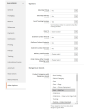
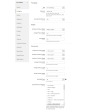
MyDHL Express Comprehensive Shipping es una extensión para Magento 2 con la que puede gestionar todo el ciclo de entrega de MyDHL Express a través de la API de MyDHL Express.
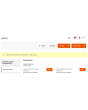
La extensión ofrece una amplia gama de ajustes. Obtenga tarifas de envío actualizadas y cree etiquetas de envío MyDHL Express térmicas (ZPL, EPL) y en PDF. Programe recogidas y haga seguimiento de sus paquetes.
Las principales ventajas de la extensión MyDHL Express Comprehensive Shipping:
Etiquetas de envío térmicas y en PDF
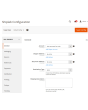
La creación de etiquetas de envío es posible tanto de forma manual como automática, e incluso programada. La extensión MyDHL Express Comprehensive Shipping vincula la etiqueta a un pedido, a un albarán o a un abono. Todas las etiquetas se almacenan en su servidor y pueden consultarse en todo momento desde la interfaz de administración.
Antes de la creación manual, elija el método de envío deseado entre los ofrecidos por MyDHL Express y vea al instante los costes de envío. En modo automático, las etiquetas se generan según el método elegido por el cliente o al precio mínimo/máximo de todos los métodos MyDHL.
Paperless Commercial Invoice
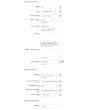
MyDHL Express Comprehensive Shipping admite envíos internacionales. Para los envíos al extranjero se ofrece la emisión sin papel (o en papel) de la factura aduanera (International Invoice). Para ello la extensión admite los siguientes ajustes: códigos Harmonized y ScheduleB, Dangerous Goods y Hazardous Materials, condiciones de entrega, Reason for Export, Sold To Address y otros.
Tarifas y métodos de envío
Obtenga precios de envío en el checkout igual que en la plataforma MyDHL Express. Los precios de envío dependen habitualmente del seguro, el valor declarado del paquete, el peso, las dimensiones, etc. — nuestra extensión tiene en cuenta todos estos factores. El coste de un método puede ser tanto estático como dinámico.
Pago, COD, seguro
Adapte el pagador a sus procesos de negocio. El envío puede pagarlo el remitente o un tercero, y los aranceles e impuestos tanto el destinatario como el remitente. También controla el seguro (Insured) y utiliza Invoice Line Total. Si lo necesita, indique un número fiscal. Si el comprador desea pagar contra reembolso, utilice la opción COD.
Etiquetas de devolución y RMA
La creación de etiquetas de devolución es tan sencilla como la de las etiquetas de envío habituales. Las etiquetas de devolución pueden crearse a la vez que la etiqueta de envío normal. El administrador puede ofrecer al cliente la posibilidad de crear e imprimir sus propias etiquetas de devolución.
Landed Cost — aranceles e impuestos de importación estimados
Muestre en el checkout los aranceles, impuestos y tasas de importación estimados para los envíos internacionales. La extensión calcula los cargos aduaneros mediante la API DHL Landed Cost a partir de los códigos de mercancía, el origen del producto y los aranceles del país de destino. Los aranceles pueden mostrarse como una línea informativa en el checkout (los paga el destinatario) o incluirse en el precio de envío (DDP — los paga el remitente). Admite códigos de mercancía (códigos SA) por producto y ajustes de país de fabricación para un cálculo arancelario preciso.
Recogida y seguimiento
Solicite la recogida de paquetes directamente desde el panel de administración. Usted elige para qué etiquetas desea solicitar una recogida y la extensión envía la petición al servicio de mensajería. En cada recogida puede ver en todo momento qué se ha enviado. Tras el envío podrá hacer seguimiento de los paquetes con nuestra extensión y ver todas las paradas y la ubicación actual.
Impresión
Utilice nuestra aplicación para imprimir etiquetas térmicas y en PDF en impresoras locales. Puede obtenerla aquí.
Configuración
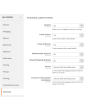
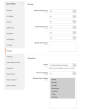
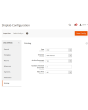
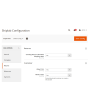
Las posibilidades de nuestra extensión son prácticamente ilimitadas gracias a sus ajustes flexibles. Puede configurar la extensión para una tienda concreta o para un país concreto. También son posibles ajustes totalmente independientes para etiquetas de envío y etiquetas de devolución.
Demo
Puede probar esta extensión durante 30 días. Solicite la demo en esta misma página con Solicitar demo; cómo funciona se explica en Pruebe una extensión durante 30 días.
Hyva Theme y Hyva Checkout
Compatible con Hyva Theme y Hyva Checkout
| CMS | Magento 2 |
|---|---|
| Compatibilidad | 2.4, 2.3 |
| Características |
|
La extensión se instala con Composer. Qué repositorio añade depende de dónde la haya comprado; la instalación en sí es la misma en ambos casos.
1. Conectar el repositorio
Comprada en extmag.com. Su página de cuenta muestra la dirección del repositorio y sus credenciales personales, junto con los dos comandos composer config que hay que pegar. Ejecútelos una vez por proyecto; a partir de ahí, todas las extensiones que posea están disponibles desde el mismo repositorio.
Comprada en el Adobe Commerce Marketplace. El paquete se sirve desde repo.magento.com, que la mayoría de las tiendas ya tienen configurado. Si no es su caso, añada las claves de acceso de su cuenta de Adobe en My Profile -> Access Keys.
2. Instalar la extensión
Ejecute en la raíz del proyecto:
composer require extmag/mydhlshipping
php bin/magento setup:upgrade
php bin/magento cache:flush
Composer resuelve los paquetes compartidos de Extmag de los que depende la extensión, así que no hay nada más que requerir a mano.
Salga del admin y vuelva a entrar: la extensión está lista.
Impresión de etiquetas
Para imprimir etiquetas en una impresora local o de red, instale nuestro software de impresión desde aquí y siga después Instalación y configuración de el-Print.
Hyva Theme y Hyva Checkout
Las tiendas sobre Hyva necesitan un paquete más:
composer require extmag/shiplab-hyva
composer require magewirephp/magewire
La integración sustituye una plantilla de Hyva, view/frontend/templates/checkout/shipping/method-list.phtml. Si su tema ya sobrescribe ese archivo, combine los cambios en lugar de reemplazarlo.
Probarla antes de comprar
Puede pedir una demo de 30 días de esta extensión e instalarla exactamente como se indica arriba: mismo paquete, mismo repositorio, mismos comandos. Cómo funcionan las demos.
Instalar sin Composer
El archivo puede descomprimirse en app/code/Extmag/, pero eso deja la extensión fuera de la gestión de dependencias: sus paquetes compartidos hay que instalarlos a mano y las actualizaciones nunca le llegan. Use Composer en cualquier tienda que gestione, también en la demo.
Para cualquier duda sobre la instalación, escriba a nuestro soporte técnico.
-
User Guide User Guide.pdf · 1.4 MBDescargar
-
Reference Manual Reference Manual.pdf · 519.8 KBDescargar
-
Installation Guide Installation Guide.pdf · 389.7 KBDescargar
MyDHL Express se configura desde el menú Extmag del admin de Adobe Commerce (Magento). Añada la cuenta del transportista, las direcciones desde las que envía, las cajas en las que embala y los métodos de envío que ven los clientes, y ajuste después la configuración del transportista.
Cuenta de MyDHL Express
- Si todavía no tiene credenciales de MyDHL Express, obténgalas en MyDHL Express. Necesitará credenciales de API y un número de cuenta de MyDHL.
- Vaya a Admin Main Menu -> Extmag -> Settings -> Shipper Accounts.
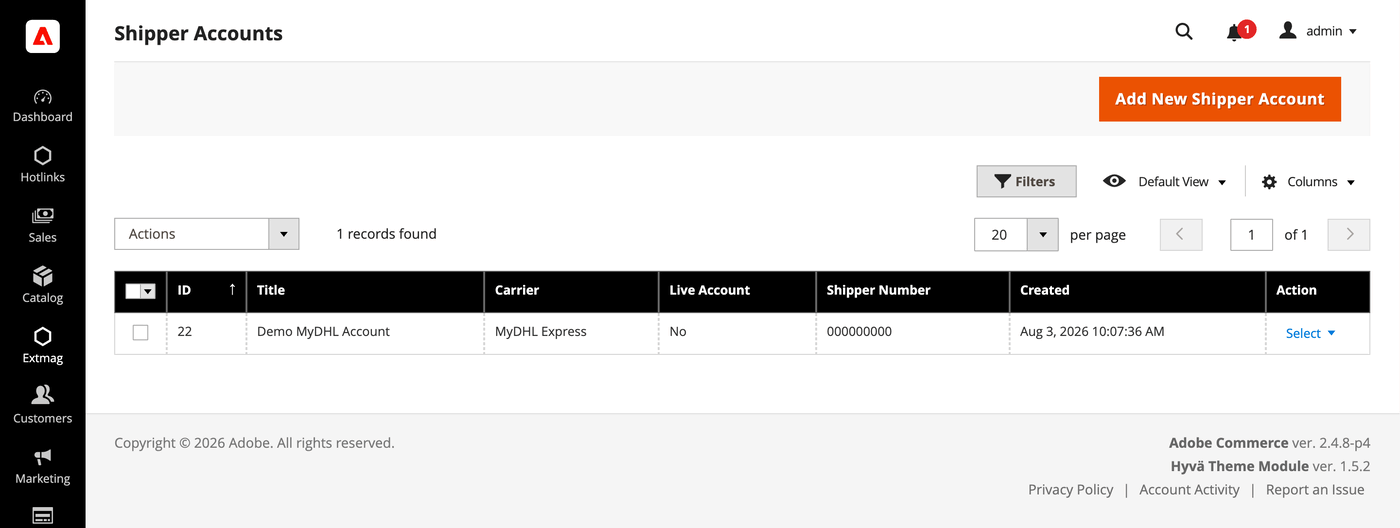
- Haga clic en el botón «Add New Shipper Account».
- Introduzca sus credenciales y haga clic en «Save». Deje Live Account en No mientras pruebe contra el entorno de pruebas del transportista.
Direcciones
- Vaya a Admin Main Menu -> Extmag -> Settings -> Addresses.
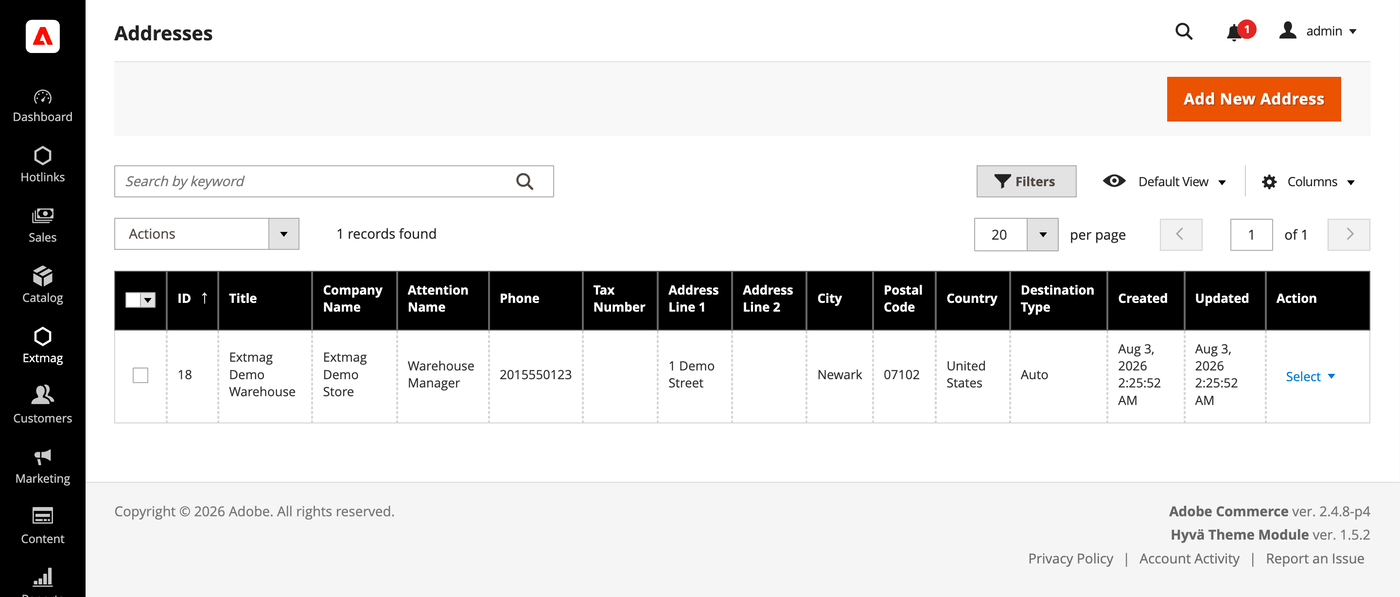
- Haga clic en el botón «Add New Address».
- Rellene el nombre de la empresa, el contacto, el teléfono y la dirección completa, y haga clic en «Save». Añada una dirección por cada ubicación desde la que envíe: la dirección de facturación y la de origen se eligen por separado.
Cajas de embalaje
- Vaya a Admin Main Menu -> Extmag -> Settings -> Package Boxes.
- Haga clic en el botón «Add New Box».
- Introduzca las medidas interiores y exteriores, el peso en vacío y la carga máxima, y haga clic en «Save». El empaquetador reparte el pedido entre bultos a partir de estas cajas, así que cuantas más de sus cajas reales estén dadas de alta, más se acercará la tarifa mostrada a la que le cobrarán.
Métodos de envío
- Vaya a Admin Main Menu -> Extmag -> Shipping Methods.
- Haga clic en el botón «Add New Shipping Method».
- Elija MyDHL Express como transportista, decida qué servicios suyos mostrar —todos, una lista concreta, o solo el más barato o el más caro— y limite el método por sitio web y grupo de clientes si lo necesita. Haga clic en «Save».
Configuración
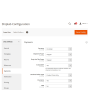
- Vaya a Admin Main Menu -> Extmag -> Settings -> MyDHL Express Configuration.
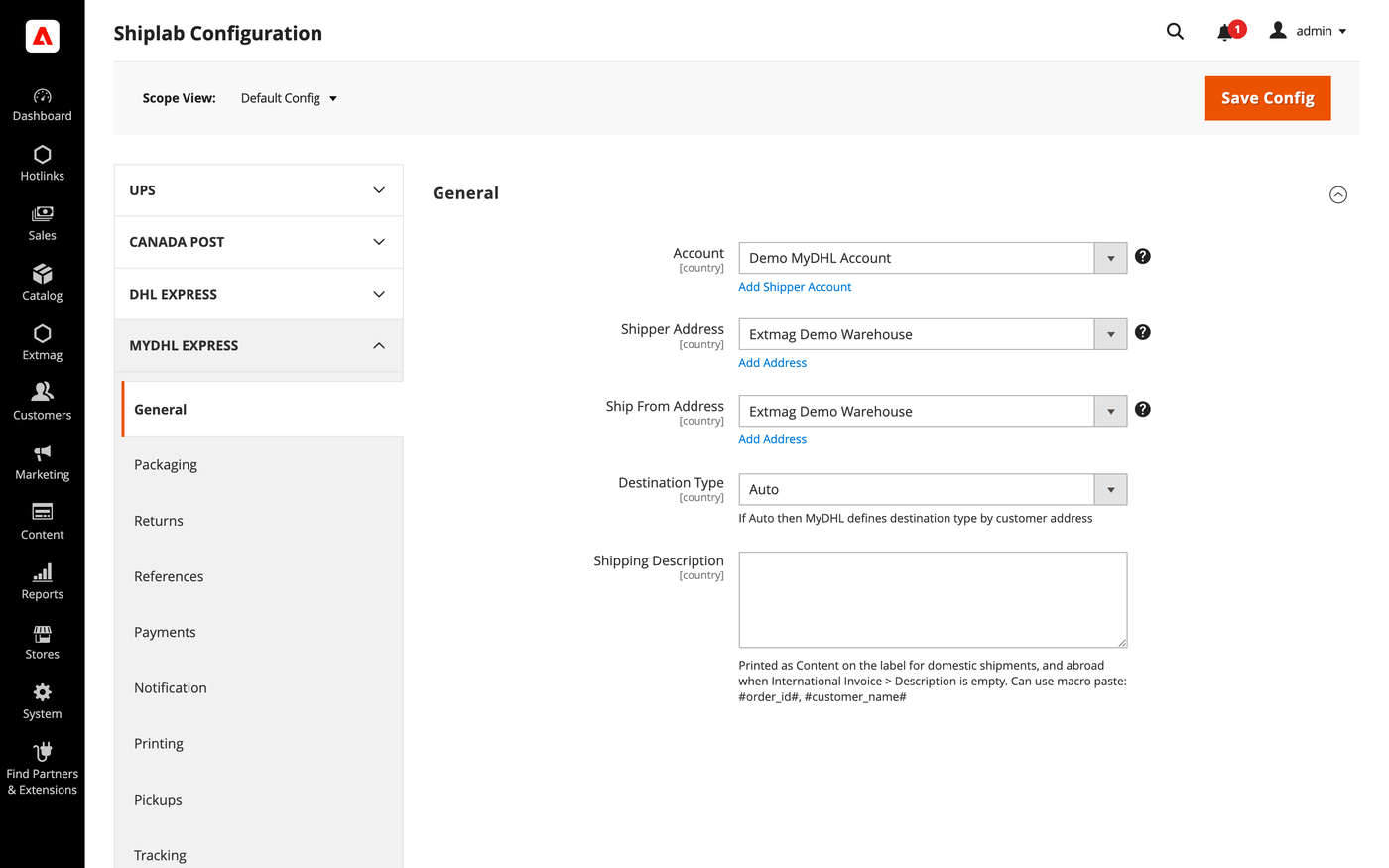
- Abra primero la pestaña General y seleccione la cuenta de expedidor, la dirección de facturación y la dirección de origen que creó arriba.
- Recorra las pestañas restantes rellenando lo que corresponda a su cuenta.
Las pestañas cubren:
- General — cuenta, direcciones, tipo de destino, método de envío por defecto e instrucciones de envío.
- Packaging — tipo de embalaje, dimensiones y reparto del pedido entre bultos.
- Returns — etiquetas de devolución y gestión de RMA.
- References — los números de referencia impresos en la etiqueta y sus códigos de barras.
- Payments — quién paga el envío y los aranceles, y los datos de la cuenta del pagador.
- Notification — los eventos de los que avisa el transportista y sus destinatarios.
- Printing — formatos de documento e impresora usada para cada tipo.
- Pickups — si las recogidas se reservan automáticamente tras crear una etiqueta o se planifican a mano.
- Tracking — cada cuánto se consultan los bultos y cómo se escriben los estados en el pedido.
- International Invoice — la factura comercial sin papel, su imagen de firma y el contenido aduanero.
- Automatic — cuándo se crean etiquetas sin operador.
- Mass Actions — creación de etiquetas en lote desde la rejilla de pedidos.
- Manual Actions — creación de una etiqueta suelta desde un pedido.
- Other Options — registro y el resto de interruptores a nivel de transportista.
Cada ajuste puede aplicarse por sitio web y por país de destino, de modo que una regla que solo tiene sentido en un mercado no afecta a los demás.
La referencia completa campo por campo, con las rutas de configuración exactas, está en el Reference Manual que acompaña a la extensión.
2.0.8
Persisted the locator API request/response via DataSave for debugging. Renamed 'Access Point' to 'Service Point' (DHL official term) across the UI and documentation.
2.0.7
Added a landed-cost shipment-price mode and fixed freight/insurance charges. Suppressed landed cost on the phase-1 rate pass and surfaced the duty estimate in the admin rate dropdown. Added Access Point selection UI for the admin label form and frontend checkout. Replaced the ShippingMethods Save plugin with an access-point-depends UI mixin.
2.0.6
Move EstimatedDutiesStorage and checkout total wiring to Extmag_Shiplab base. Render estimated duties as informational row (value=0) for both DDP and DAP. Derive duty payer from Terms of Shipment; relabel field to third-party billing override. Convert estimated duties from base to quote currency for checkout totals display. Sum only TOTAL_* aggregates from Landed Cost breakdown to avoid double-counting. Add default values for Access Point and map config sections. Add DHL Service Point Locator with iframe-based access point selection at checkout. Show estimated-duties checkout segment when value is zero (DDP informational row). Improve Landed Cost: HS code normalization, DDP breakdown, response warnings. Always send cityName in DHL address payload (required by schema, fallback to postal code or 'N/A'). Apply typeCode/dimensions fallback to base getPackages() for LandedCost path. Skip empty optional fields in rate/landed-cost payloads via setIfNotEmpty helper. Omit manufacturerCountry from invoice line items when product has no country of origin. Use placeholder dimensions instead of synthetic 'YP' typeCode for shipper's own packaging. Shiplab: Replace raw filesystem calls in settings import with Magento file driver.
2.0.5
Shiplab: Added support for multiple label files per tracking number with -N suffix.
2.0.4
Added 'YP' typeCode fallback when package has no dimensions. Improved REST API error reporting by parsing the 'reasons' array. Shiplab: Hardened product info access in PackageHandler to handle missing cart entries safely.
2.0.3
Shiplab: Added zero-weight guard and weight diagnostics for shipping rate calculation. Shiplab: Removed legacy Additional Price fields and migrated data to price rules.
2.0.2
Use CategoryChooser frontend model for dangerous goods product categories field. Shiplab: Replaced multiselect categories with AJAX tree chooser in dimension config. Added support Magento 2.4.9 and Adobe Commerce 2.4.9
2.0.1
Simplify GoGreen options and add invoice instructions support. Shiplab: Fixed attribute ID retrieval order in category EAV setup patch.
2.0.0
Migrate from SOAP to REST API and add Landed Cost support. Add cache persistence for estimated duties storage and Carrier plugin. Shiplab: Added response post-processing hook and fixed logo data handling.
1.8.11
Migrate from SOAP to REST API and add Landed Cost support. Add cache persistence for estimated duties storage and Carrier plugin. Shiplab: Added response post-processing hook and fixed logo data handling.
1.8.10
Shiplab: Added BlackoutRules feature with full CRUD, date picker mixin, and schedule migration.
1.8.9
Added duty, tax, and fee breakdown parsing in rate response.
1.8.8
Fixed Charges parsing in rate response. Initialized service array at each loop iteration in rate response parsing. Shiplab: Fixed null safety issues and added numeric attribute validation. Added support Magento 2.4.8-p4 and Adobe Commerce 2.4.8-p4
1.8.7
Fixed service code resolution to preserve value set during step three.
1.8.6
Optimized the algorithms for packing items into boxes to ensure better efficiency.
1.8.5
Fixed bundle product handling for Ship Separately/Together and price/weight types.
Added config option to include zero-price bundle children in international invoices.
Fixed property type declarations for PHP 8.x compatibility.
1.8.4
Fixed loadedData check in DataProvider classes for PHP 8.x compatibility.
Fixed place order callback to pass data for proper Braintree payment handling.
1.8.3
Refactored code.
1.8.2
Added support for PHP 8.4
1.8.1
Added support Magento 2.4.8-p3 and Adobe Commerce 2.4.8-p3
1.8.0
Added support Magento 2.4.8-p2 and Adobe Commerce 2.4.8-p2
1.7.9
Fixed a bug with the Schedule New Update form on the category page
1.7.8
Added support Magento 2.4.8-p1 and Adobe Commerce 2.4.8-p1
1.7.7
Added support Magento 2.4.8 and Adobe Commerce 2.4.8
1.7.6
Fixed a bug when the order has only virtual products
1.7.5
Added support Magento 2.4.7-p5 and Adobe Commerce 2.4.7-p5
1.7.4
Added support Magento 2.4.7-p4 and Adobe Commerce 2.4.7-p4
1.7.3
Fixed a bug with SplitButton for the order view page in the admin panel
1.7.2
Fixed logs for shipping rates
Added support Magento 2.4.7-p3 and Adobe Commerce 2.4.7-p3
1.7.1
Fixed the price format on the label creation page in the admin panel.
Improved the integration with the Hyva Theme.
1.7.0
Fixed a bug with division by zero
1.6.9
Fixed a bug with a recursive function for shipping rates
1.6.8
Fixed a bug with shipping rates debugging.
Fixed CSP for printing by websocket.
1.6.7
Fixed a bug with the deactivating module
1.6.6
Fixed the z-index issue on the label details page.
Added support Magento 2.4.7-p2 and Adobe Commerce 2.4.7-p2
1.6.5
Added support Magento 2.4.7-p1 and Adobe Commerce 2.4.7-p1
1.6.4
Fixed cache for shipping rates
1.6.3
The issue with printing return labels on the customer side has been fixed.
1.6.2
Fixed the packaging box selector
1.6.1
Fixed calculation of the estimated value of a parcel including a discount, which caused the error "Missing or Invalid Monetary Value of Commodity 1's Commodity Value"
1.6.0
The issue related to the customer group and guest order creation in the admin panel has been fixed
1.5.9
Fixed CURL multi-handles
1.5.8
Added support Magento 2.4.7 and Adobe Commerce 2.4.7
1.5.7
Integration with Hyva Theme and Hyva Checkout has been added
1.5.6
Fixed the JS bug with placing the order
Fixed bug with Signature Image Uploader
1.5.5
Updated linked modules
1.5.4
Added the ability to rename original courier shipping methods
1.5.3
Added support Magento 2.4.6-p3 and Adobe Commerce 2.4.6-p3
1.5.2
Fixed the packer for packages of the shipment
1.5.1
Fixed a bug with downloading shipping logs
1.5.0
Added two options "Show Method if Not Applicable" and "Displayed Error Message" in the Extmag Shipping method configuration
1.4.9
Fixed a bug when it was impossible to save the Shiplab configuration in Magento 2.4.6-p1
1.4.8
Fixed Shiplab version
1.4.7
Fixed PDP printing with the QZ Tray program
1.4.6
Support the QZ Tray program for printing labels.
1.4.5
Fixed a bug with Sales Rules.
Removed deprecated code.
1.4.4
Fixed sources for orders after saving the tracking number
Added support Magento 2.4.6-p2 and Adobe Commerce 2.4.6-p2
1.4.3
Fixed calculating prices for shipping methods.
Fixed shipping price rules.
1.4.2
Fixed bug with shipping price rules
1.4.1
Fixed bug with session and manual label creation
1.4.0
Improved selection of Websites and Customer Groups for Shipping Methods
1.3.9
Fixed bugs on the checkout page of the admin panel
1.3.8
Added support Adobe Commerce 2.4.6-p1
1.3.7
Fix bug with musltiselect fields and values as type integer
1.3.6
Fixed bug with the Volume Weight switcher
1.3.5
Support Adobe Commerce (Magento) 2.4.6
Support PHP 8.1
1.3.4
Fixed some bugs to support PHP 8.1
1.3.3
Added max volumetric weight for a package.
Added type of volumetric weight value.
Fixed some bugs with volumetric weight.
1.3.2
Fixed a bug with the volumetric weight
1.3.1
Updated dependencies.
Fixed some minor bugs.
1.3.0
Added support for Product Volumetric Weight
1.2.2
Support Adobe Commerce (Magento) 2.4.5-p1
1.2.1
Fixed the country_id condition type for the shipping method rules
1.2.0
Fixed a few bugs linked with PHP 8.1
Added "Additional Price Actions" for applying multiple rules for the shipping method.
1.1.1
Added support for PHP 8.1 and Magento 2.4.4
1.1.0
Improve PHP code.
Removed the json_request_data field from the form of creating labels.
1.0.0
release 1.0.0
