
Admin-Assistente para Magento® 2.x

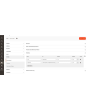


O Admin-Assistente dá a quem administra sua loja as ferramentas que o painel do Adobe Commerce (Magento) não traz: busca baseada em regras nas grades em que você trabalha todos os dias, atalhos para as páginas que abre o tempo todo e uma resposta direta sobre o que está instalado, o que está configurado onde e o que as tarefas em segundo plano estão fazendo.
Encontrar um pedido pelo que ele contém, conferir uma configuração em todas as visões de loja, ver quais extensões têm atualização esperando, saber se o cron chegou a rodar — cada uma dessas coisas normalmente exige uma exportação, uma troca de escopo ou uma mensagem para o desenvolvedor. O Admin-Assistente responde tudo isso pelo próprio painel.
Cada ferramenta tem a sua própria permissão, de modo que um perfil pode receber as grades sem o diagnóstico, ou o contrário.
Recursos
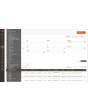
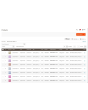
Filtros avançados para pedidos, faturas, remessas, notas de crédito e produtos
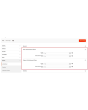
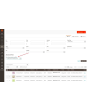
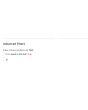
A filtragem funciona como uma regra de preço do carrinho: adicione uma condição, escolha o atributo, o operador e o valor, e combine as condições com TODAS ou QUALQUER. As condições não se limitam às colunas da grade.
Nas grades de vendas elas cobrem totais, quantidade e peso, o método de envio, o endereço completo de cobrança e entrega, nome, e-mail e grupo do cliente, forma de pagamento, status e loja — além de uma combinação de atributos de produto, que localiza um pedido pelo que ele contém. « Pedidos acima de um valor que contenham um produto desta marca e sejam enviados para este país » vira uma consulta só, em vez de uma exportação e uma planilha.
Uma consulta que você monta com frequência pode ser salva como predefinição e reaplicada em um clique. Cada grade é ativada separadamente, e os filtros padrão do Magento podem continuar visíveis ou ser ocultados assim que os avançados estiverem lá.
Painel
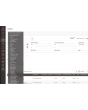
Uma página listando cada ferramenta da extensão e se ela está ativa, com link para cada uma. Uma página inicial prática depois do login e o jeito mais rápido de ver como a extensão está configurada em uma instalação que você não conhece.
Hotlinks
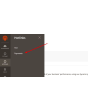
Acesso rápido às páginas do painel que você usa o tempo todo — Vendas → Formas de pagamento, uma seção específica da configuração, uma grade onde você vive. Adicione-as por título e URL, ordene-as, desligue algumas; elas aparecem na barra lateral para todos.
Os hotlinks automáticos fazem o mesmo sem que se peça: a extensão conta as páginas que cada usuário visita e oferece a essa pessoa as suas mais visitadas, até o limite que você definir.
Informações sobre extensões instaladas
Cada pacote de terceiros instalado com a versão atual, a última publicada e se há atualização disponível. Sem sessão SSH e sem comando do composer para responder se estamos atrasados em alguma coisa.
Informações do ambiente
A versão, edição e modo do Adobe Commerce (Magento); a versão do PHP, seus limites de memória e de upload e as extensões carregadas; tamanho do banco e número de tabelas; se o Redis e o motor de busca respondem; e quanto disco ocupam as pastas de log, cache, mídia, estáticos e gerados. A página pela qual um chamado de suporte costuma começar.
Monitor de cron
Cada tarefa que a instalação declara, com grupo, expressão de agendamento, último status, última execução e duração, além do histórico. As tarefas podem ser executadas na hora pela grade. Uma tarefa que nunca rodou é informada com clareza — normalmente o caminho mais rápido para descobrir que o cron não roda com o usuário certo.
Comparação de configurações
Cada caminho de configuração que um site ou visão de loja sobrescreve, com o escopo, o valor em vigor ali e o padrão do qual ele se afasta. Depois de uma importação de configuração ou de uma migração, esta é a lista de tudo que não é padrão, em uma tela.
Configuração multistore
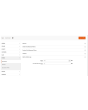
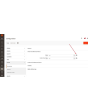
Dentro da configuração, um campo gerenciado mostra um pequeno ícone ao lado do campo. Um clique exibe o valor daquele campo em cada loja da instalação — sem trocar de escopo, sem percorrer os sites um a um. Para quem administra mais de uma loja, isso economiza horas.
Visualizador de plugins e preferences
Quais plugins interceptam uma classe, em que ordem e em quais métodos, com busca por classe alvo, classe do plugin ou módulo; e para qual classe concreta cada interface é resolvida. Um filtro mostra apenas os métodos tocados por mais de um plugin — é ali que vivem os conflitos entre extensões.
Sessões administrativas
Cada sessão administrativa com usuário, endereço IP, status, horário de início e última atividade, e uma ação de logout forçado que a encerra na hora: a próxima requisição daquele navegador cai na tela de login.
Gerenciamento de índices
A grade nativa de gerenciamento de índices ganha um contador de backlog e o último erro por indexador, além de uma página de detalhe com histórico de execuções, dependências e dois controles. Pausar interrompe por completo as atualizações agendadas de um indexador; Limitar as reduz a uma passada a cada tantos minutos. Ambos servem para uma importação em massa ou uma migração de dados — pause o que não precisa acompanhar e reindexe uma vez ao final. Uma reindexação manual sempre roda, independentemente do controle.
Grid de categorias
A árvore de categorias como uma grade plana: ordenável, filtrável, com caminho, nível, status, posição e contagem real de produtos. Encontre as categorias sem produtos, reative em lote as que foram desativadas por engano, edite um nome na própria linha. Se você tem muitas categorias, a diferença em relação à árvore é imediata.
Preservar tabelas do banco de dados ao remover extensões
Quando um módulo é desativado, o Adobe Commerce (Magento) apaga suas tabelas na próxima atualização. O Admin-Assistente impede isso, de modo que um módulo desligado por uma tarde não leva os dados junto. As tabelas só são removidas quando um módulo pede isso explicitamente por meio dos seus próprios data patches.
Ativar/desativar Two-Factor Authentication a partir do painel administrativo
A autenticação em dois fatores pode ser contornada pela configuração, separadamente para o login no painel e para a geração de tokens de API, com a opção de manter o contorno fora do modo de desenvolvimento. Pensado para um teste de carga, uma cópia restaurada de produção ou uma instalação que já esteja atrás de um provedor de identidade que exige MFA — não para uma loja pública sem nada que cumpra esse papel.
Logs Manager Pro
O módulo Logs Manager Pro está totalmente integrado ao Admin-Assistente. Ao comprar o Admin-Assistente, você recebe gratuitamente todos os recursos do Logs Manager Pro.
Mais informações sobre as possibilidades do Logs Manager Pro estão aqui.
Backup Manager Pro
O módulo Backup Manager Pro está totalmente integrado ao Admin-Assistente. Ao comprar o Admin-Assistente, você recebe gratuitamente todos os recursos do Backup Manager Pro.
Mais informações sobre as possibilidades do Backup Manager Pro estão aqui.
Demonstração
Você pode testar esta extensão por 30 dias. Solicite a demonstração nesta mesma página com Solicitar demonstração; como funciona está explicado em Teste uma extensão por 30 dias.
| CMS | Magento 2 |
|---|---|
| Compatibilidade | 2.4, 2.3 |
| Recursos |
|
A extensão é instalada com o Composer. Qual repositório você adiciona depende de onde a comprou — a instalação em si é a mesma nos dois casos.
1. Conectar o repositório
Comprada na extmag.com. A página da sua conta mostra o endereço do repositório e suas credenciais pessoais, junto com os dois comandos composer config para colar. Execute-os uma vez por projeto; depois disso, toda extensão que você possui fica disponível no mesmo repositório.
Comprada no Adobe Commerce Marketplace. O pacote é servido de repo.magento.com, que a maioria das lojas já tem configurado. Se não for o caso, adicione as access keys da sua conta Adobe em My Profile -> Access Keys.
2. Instalar a extensão
Execute na raiz do projeto:
composer require extmag/improver
php bin/magento setup:upgrade
php bin/magento cache:flush
O Composer resolve os pacotes Extmag compartilhados dos quais a extensão depende, então não há mais nada a exigir manualmente.
Saia do admin e entre novamente: a extensão está pronta.
Armazenamento em nuvem
O suporte a Dropbox e Google Drive já vem com a extensão. O OneDrive precisa de um pacote adicional:
composer require krizalys/onedrive-php-sdk
Testar antes de comprar
Você pode pedir uma demonstração de 30 dias desta extensão e instalá-la exatamente como acima: mesmo pacote, mesmo repositório, mesmos comandos. Como funcionam as demonstrações.
Instalar sem o Composer
O arquivo pode ser descompactado em app/code/Extmag/, mas isso deixa a extensão fora do gerenciamento de dependências: os pacotes compartilhados precisam ser instalados à mão e as atualizações nunca chegam até ela. Use o Composer em qualquer loja que você opere, inclusive na demonstração.
Para qualquer dúvida sobre a instalação, fale com nosso suporte técnico.
-
User Guide User Guide.pdf · 1.3 MBDownload
-
Reference Manual Reference Manual.pdf · 356.2 KBDownload
-
Installation Guide Installation Guide.pdf · 230.0 KBDownload
O AdminWizard acrescenta um conjunto de ferramentas ao admin do Adobe Commerce (Magento), no menu Extmag. A maioria funciona assim que a extensão é instalada; o que precisa de configuração são as grades que recebem os filtros avançados, os atalhos que aparecem na barra lateral e se o desvio da autenticação em dois fatores será usado.
Dashboard
- Vá em Admin Main Menu -> Extmag -> AdminWizard -> Dashboard.
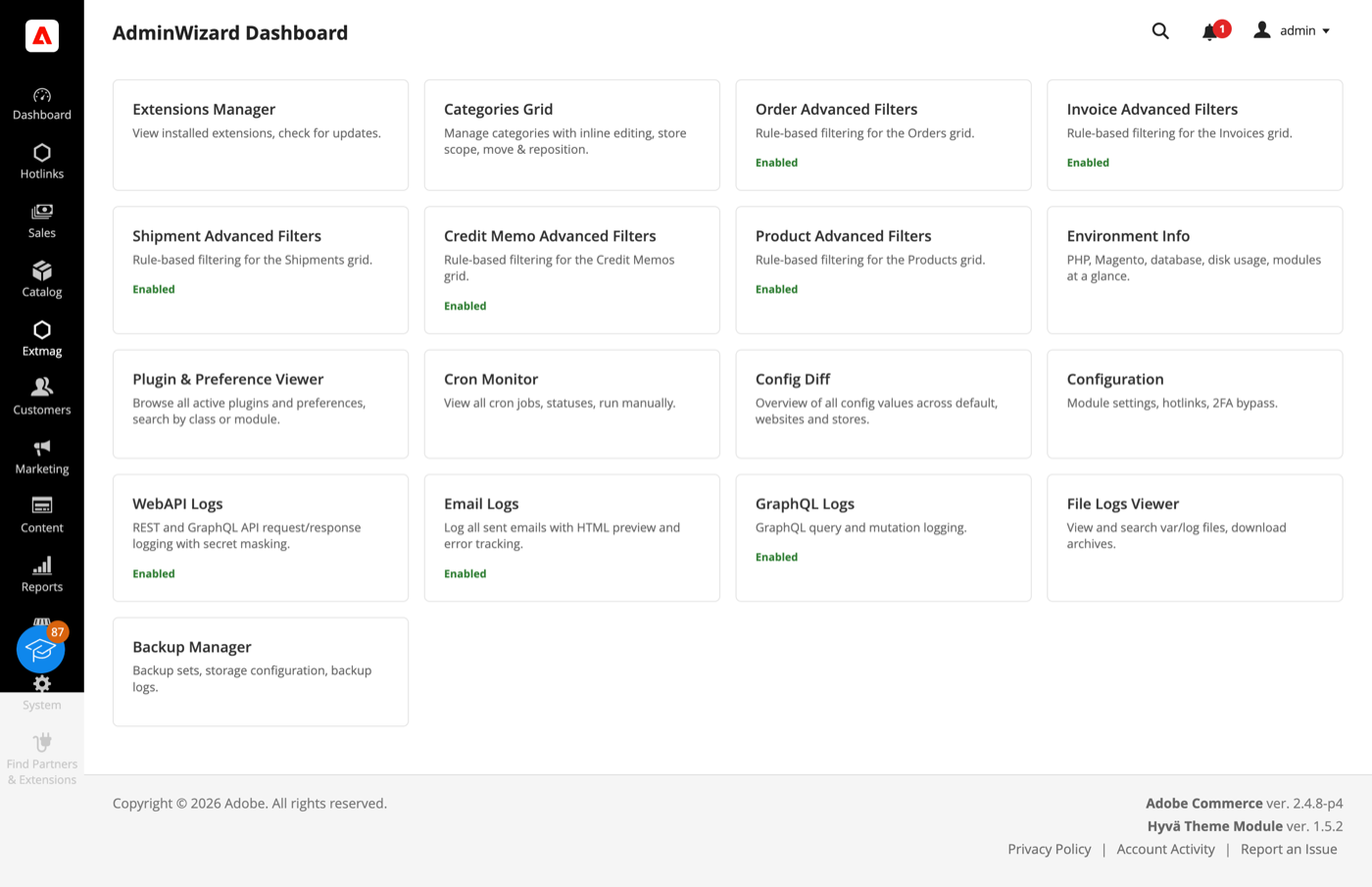
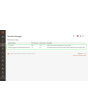
- Cada ferramenta é um cartão: as que estão ligadas dizem isso, e cada uma abre a própria página. É uma boa página de chegada após o login — o estado da extensão e o acesso a tudo em uma tela.
O dashboard também lista as ferramentas que vêm do Logs Manager Pro e do Backup Manager Pro. Os dois acompanham o AdminWizard sem custo adicional, então os cartões deles são reais e não propaganda.
Advanced Filters para as grades
- Abra Sales -> Orders (ou Invoices, Shipments, Credit Memos, ou Catalog -> Products) e clique em «Advanced Filters» ao lado dos filtros padrão.
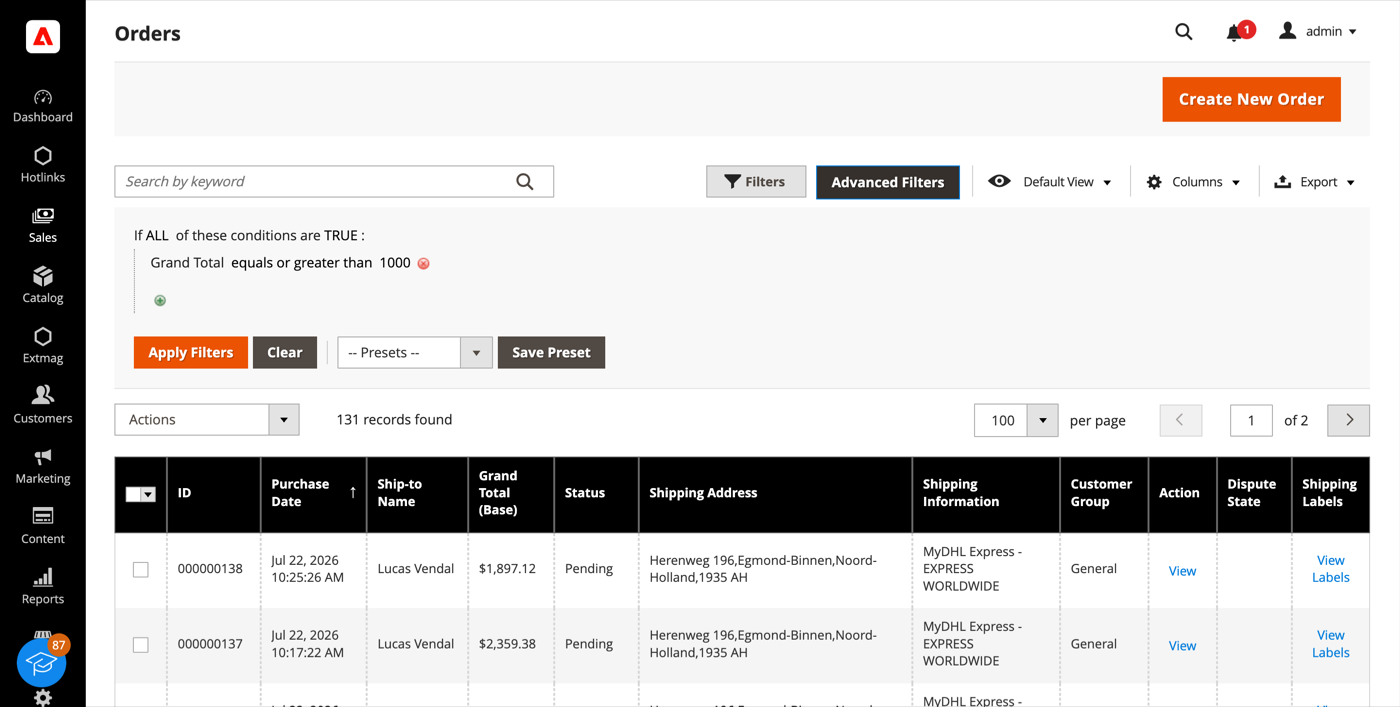
- Monte a consulta como se monta uma regra de carrinho: adicione uma condição, escolha o atributo, o operador e o valor, e combine as condições com ALL / ANY.
- Clique em «Apply Filters». A grade recarrega mostrando apenas as linhas correspondentes.
- «Save Preset» guarda uma consulta que você usa com frequência; ela aparece na lista Presets e fica a um clique na próxima vez.
A lista de condições não se limita às colunas da grade. Nas grades de vendas ela cobre totais, quantidades, peso, método de envio, o endereço completo de cobrança e de entrega, nome do cliente, e-mail e grupo, forma de pagamento, status do pedido e loja, além de uma condição sobre atributos de produto que encontra um pedido pelo que há dentro dele. «Pedidos contendo um produto desta marca acima deste preço» é uma única condição, não uma exportação com planilha.
Extensions List e Environment Info
- Vá em Admin Main Menu -> Extmag -> AdminWizard -> Extensions List.
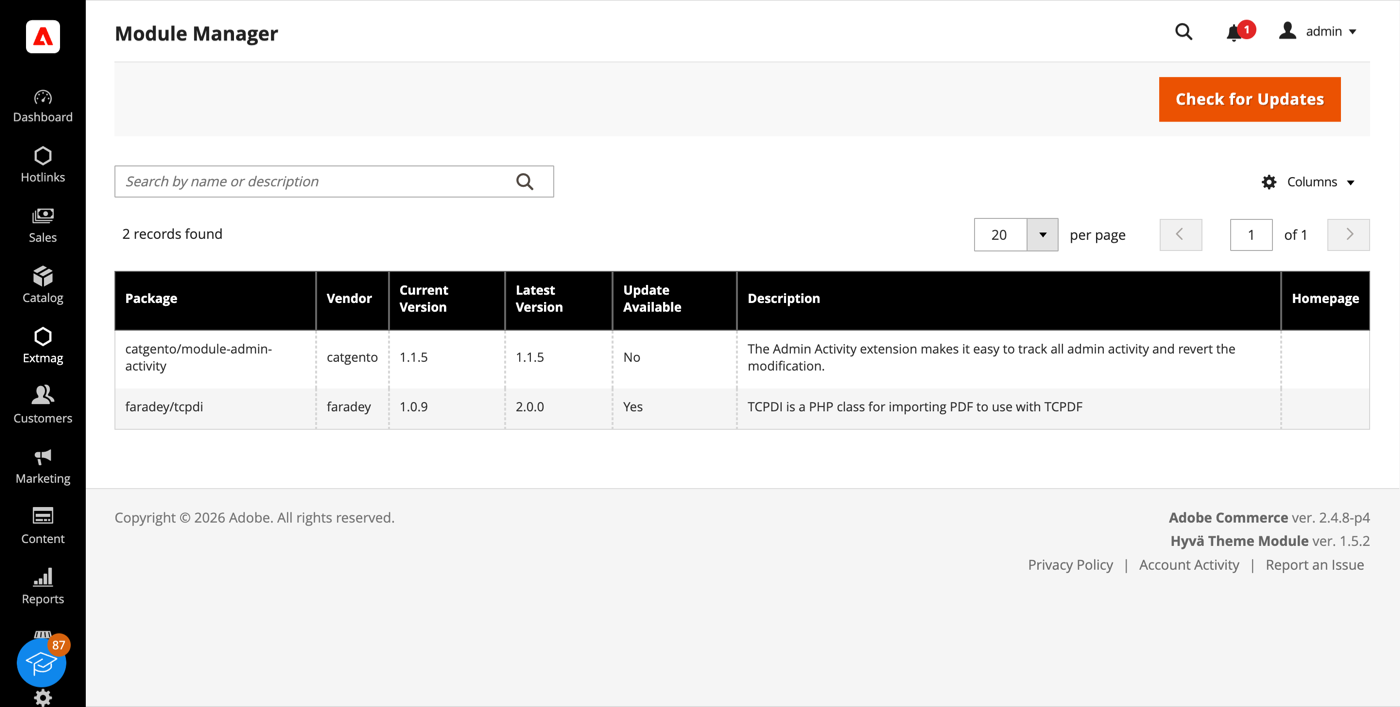
- Clique em «Check for Updates». A grade mostra cada pacote de terceiros instalado com a versão atual, a última publicada e se existe atualização.
- O Environment Info, no mesmo menu, dá o resto do quadro: versão, edição e modo do Magento, versão do PHP e seus limites, quais extensões estão carregadas, tamanho do banco e número de tabelas, estado do Redis e do motor de busca, e quanto disco ocupam as pastas log, cache, media, static e generated.
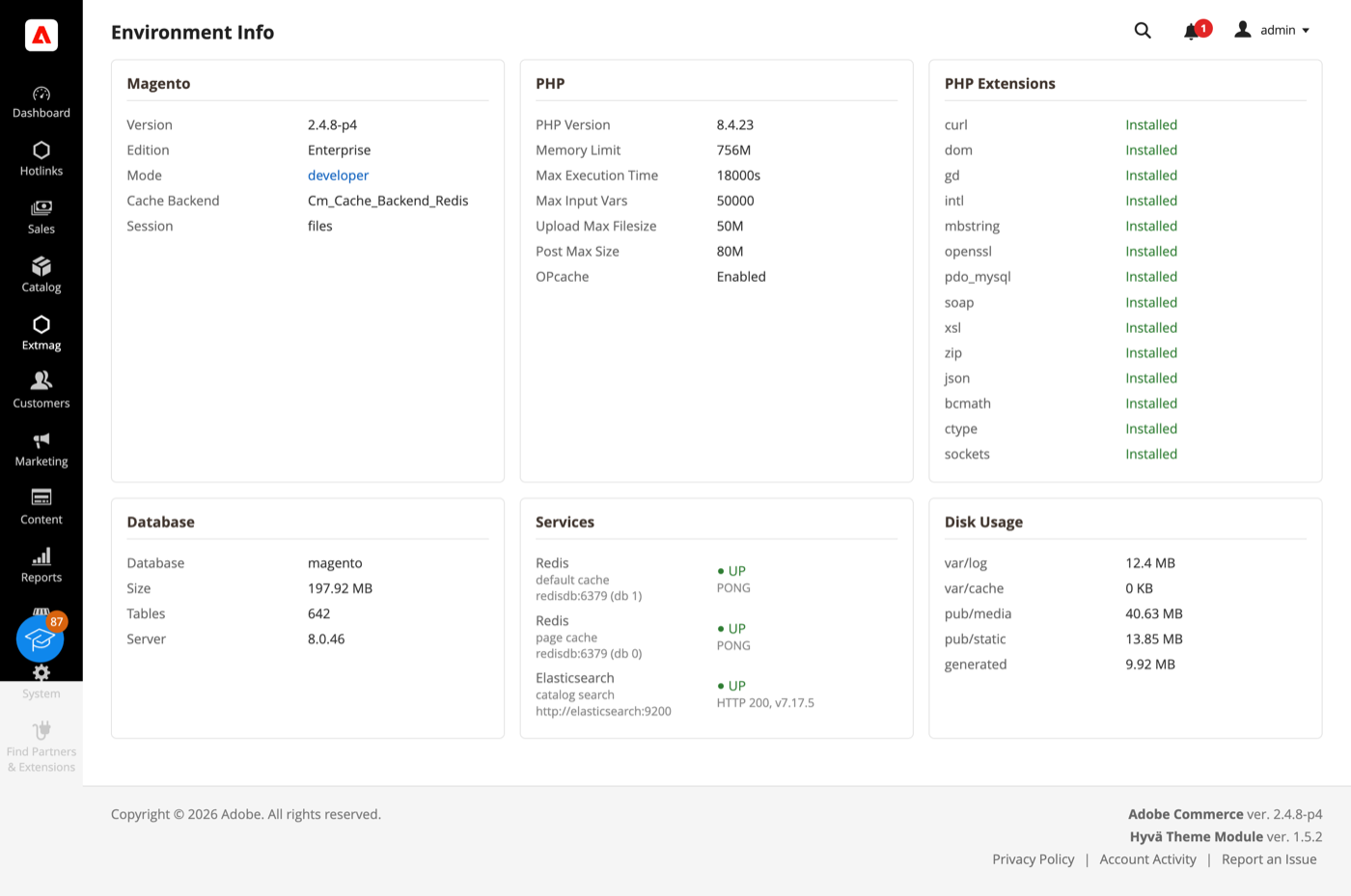
As duas páginas respondem às perguntas com que um chamado de suporte costuma começar, sem abrir uma sessão SSH.
Cron Monitor
- Vá em Admin Main Menu -> Extmag -> AdminWizard -> Cron Monitor.
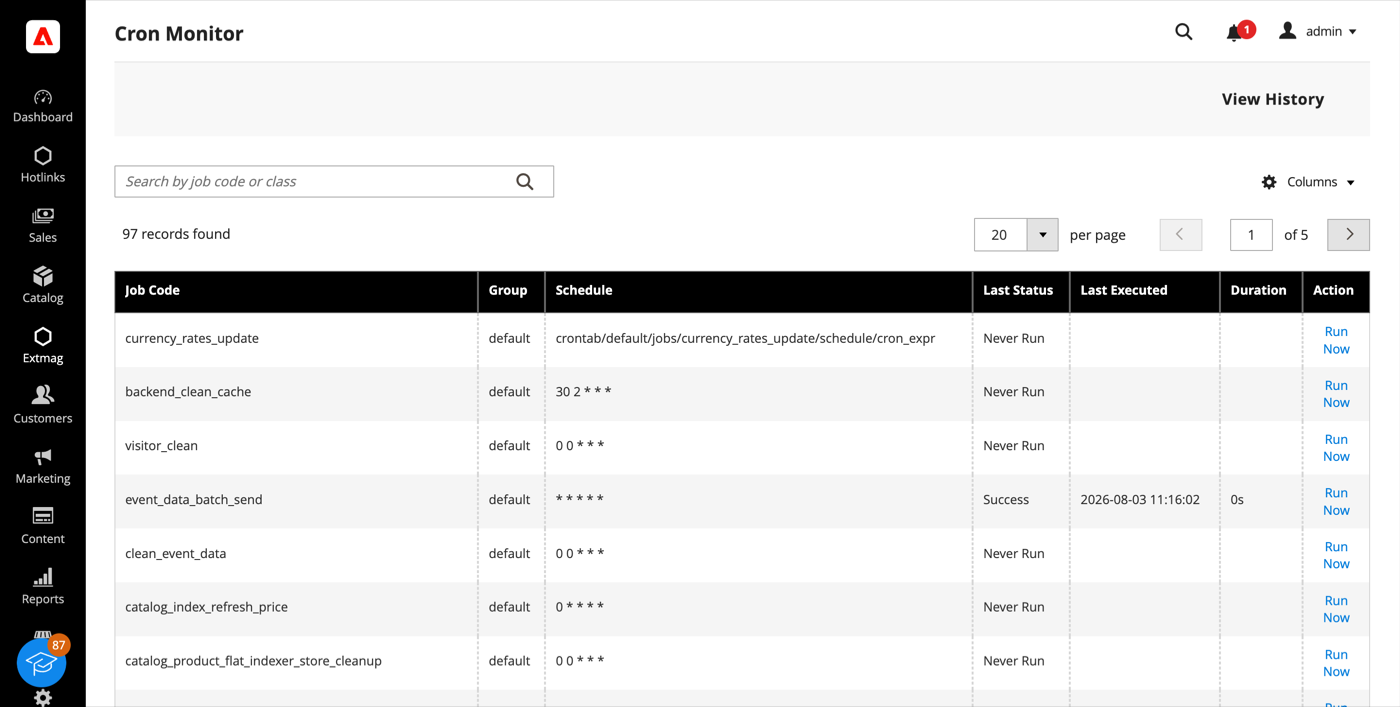
- A grade lista todas as tarefas que a instalação declara — o grupo, a expressão de agendamento, o último status, quando rodou pela última vez e quanto tempo levou.
- «Run Now» executa uma tarefa na hora; «View History» mostra as execuções anteriores. Uma tarefa que nunca rodou é apontada com todas as letras, e esse costuma ser o caminho mais rápido para descobrir que o cron não roda com o usuário certo.
Config Diff
- Vá em Admin Main Menu -> Extmag -> AdminWizard -> Config Diff.
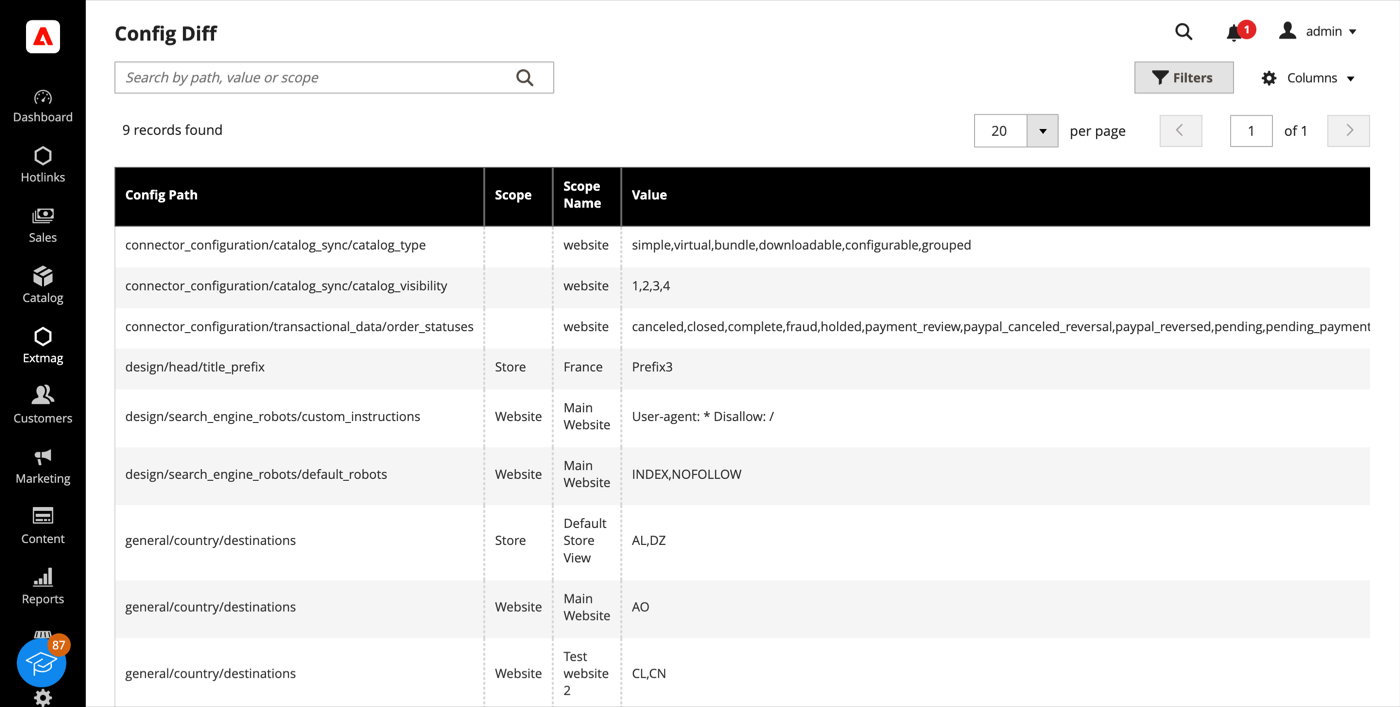
- A grade lista cada caminho de configuração que um site ou uma store view sobrescreve, com o escopo, o valor em vigor ali e o padrão do qual ele se afasta.
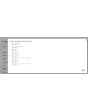
A mesma informação está disponível campo a campo em outras partes do admin: um campo gerenciado pelo AdminWizard mostra um ícone de engrenagem ao lado do campo, e clicar nele lista o valor daquele campo em cada loja sem trocar de escopo.
Plugin & Preference Viewer
- Vá em Admin Main Menu -> Extmag -> AdminWizard -> Plugin & Preference Viewer.
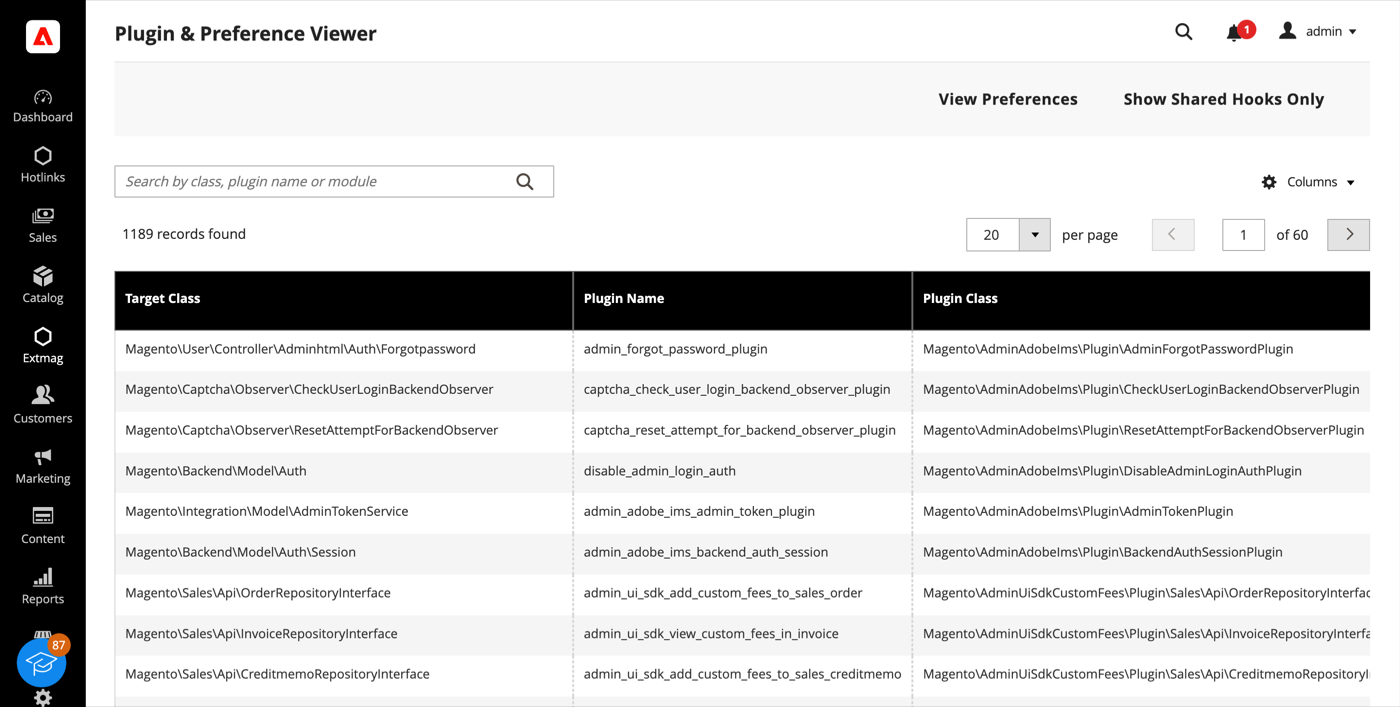
- Pesquise por classe alvo, classe do plugin ou módulo para ver cada plugin que intercepta uma classe, na ordem de sort, com os métodos em que ele se engancha. «View Preferences» muda para a lista de preferences: para qual classe concreta cada interface resolve.
- «Show Shared Hooks Only» reduz a lista aos métodos que mais de um plugin toca, que é onde moram os conflitos entre extensões.
Admin Sessions e Categories Grid
- Admin Sessions (Extmag -> AdminWizard -> Admin Sessions) lista cada sessão de admin com usuário, IP, status, hora de início e última atividade. Um Force Logout por linha encerra a sessão imediatamente — a próxima requisição daquele navegador cai na tela de login.
- Categories Grid (Catalog -> Inventory -> Categories Grid) mostra a árvore de categorias como uma grade plana, ordenável e filtrável, com o caminho, o nível, o status, a posição e a contagem de produtos ao vivo. Filtrar por contagem de produtos vazia ou ativar um lote de categorias leva segundos, onde a árvore exige muitos cliques.
Index Management
A grade nativa System -> Tools -> Index Management ganha um contador de fila e o último erro por indexador, além de uma página de detalhe com histórico de execuções, dependências e dois controles: Pause interrompe por completo as atualizações agendadas de um indexador e Throttle as limita a uma passada a cada tantos minutos. Ambos servem para uma importação em massa ou uma migração — pause o que não precisa acompanhar e reindexe uma vez no fim. Uma reindexação manual sempre roda, diga o que disser a trava.
Configuração
- Vá em Admin Main Menu -> Extmag -> AdminWizard -> Configuration.
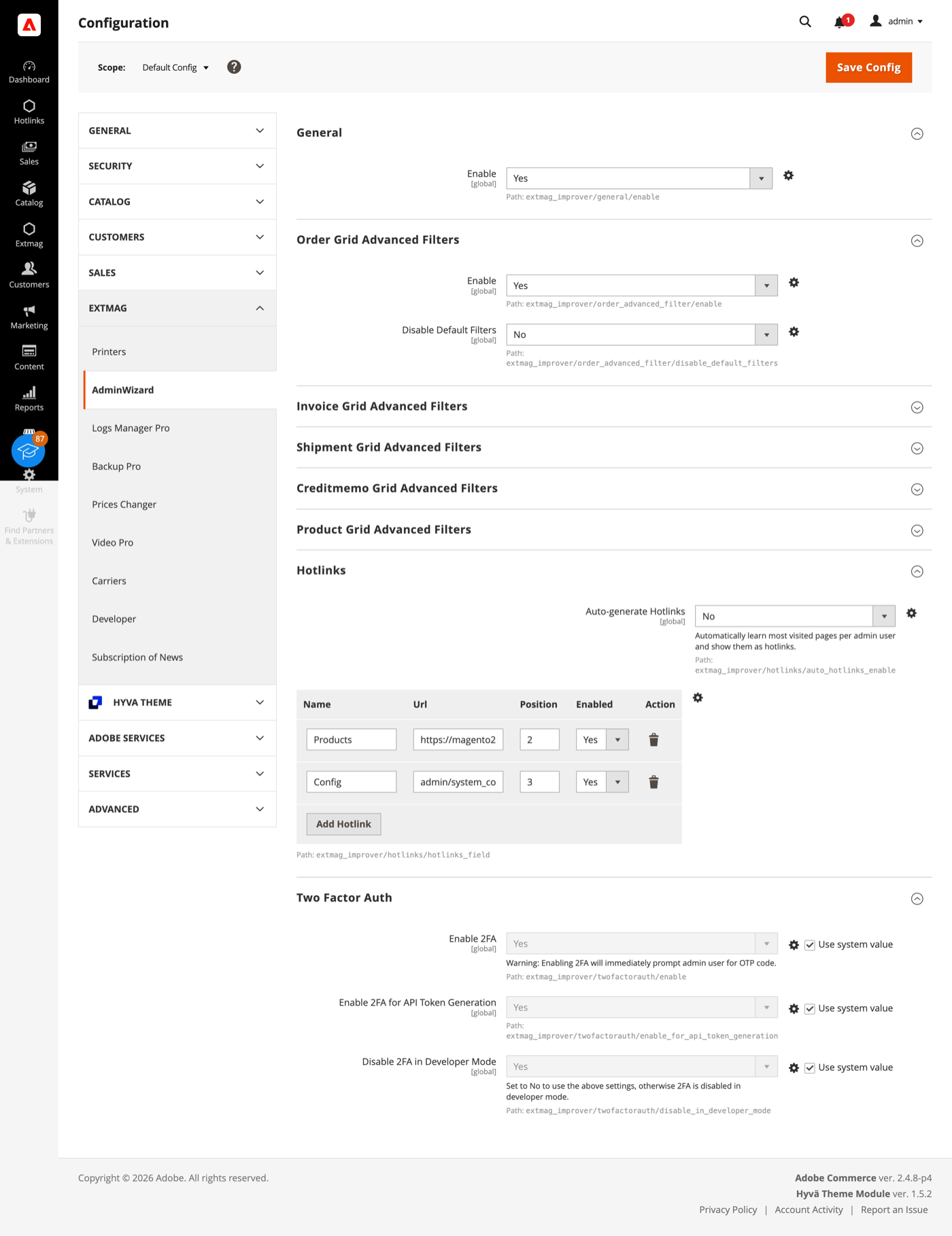
- Percorra os grupos preenchendo o que se aplica à sua loja.
Os grupos cobrem:
- General — a chave principal da extensão.
- Order, Invoice, Shipment, Credit Memo e Product Grid Advanced Filters — um grupo por grade: se os filtros avançados aparecem ali e se os filtros padrão do Magento são ocultados depois disso.
- Hotlinks — uma tabela de atalhos (título e URL, ordenados e ligáveis individualmente) que aparecem como um item Hotlinks na barra lateral do admin para todos. Ligue o Auto-generate Hotlinks e cada operador ganha também as próprias páginas mais visitadas, limitadas ao número que você definir.
- Two Factor Auth — se a autenticação em dois fatores do Magento é desviada, separadamente para o login no admin e para a geração de tokens de API, com a opção de manter o desvio fora do modo de desenvolvedor.
A autenticação em dois fatores é um controle de segurança. Ligue o desvio para um teste de carga, para uma cópia restaurada da produção ou para uma instalação que já está atrás de um provedor de identidade que impõe MFA — não em uma loja de produção pública sem que outra coisa faça esse trabalho.
Uma coisa funciona sem configuração alguma: quando um módulo é desativado, o Adobe Commerce (Magento) apaga as tabelas de banco dele no próximo setup:upgrade. O AdminWizard impede isso, de modo que desativar um módulo temporariamente não destrói os dados dele. Vem ativo por padrão.
A referência completa campo a campo, com os caminhos exatos de configuração e os recursos ACL por trás de cada página, está no Reference Manual que acompanha a extensão.
1.4.7
Use injected $escaper instead of $block->escape*() in admin templates. Bind reload link via JS to comply with CSP restrict mode.
1.4.6
Fixed clearing advanced filters by iterating remove buttons and applying.
1.4.5
Added support Magento 2.4.9 and Adobe Commerce 2.4.9
1.4.4
Major refactoring: replace AdminActionLog with AdminSession, add Dashboard and new tools. Added support Magento 2.4.8-p4 and Adobe Commerce 2.4.8-p4
1.4.0
Added support Magento 2.4.7-p4 and Adobe Commerce 2.4.7-p4
1.3.9
Added support Magento 2.4.7-p3 and Adobe Commerce 2.4.7-p3
1.3.8
Added support Magento 2.4.7-p2 and Adobe Commerce 2.4.7-p2
1.3.7
Added support Magento 2.4.7-p1 and Adobe Commerce 2.4.7-p1
1.3.6
Fixed names of Google API classes. There were changing underscores to namespaces.
1.3.5
Backup Core:
Fixed Google Drive connection
Improved the frequency of the schedule
1.3.4
Added support Magento 2.4.7 and Adobe Commerce 2.4.7
1.3.3
Fixed bug with nullable variable in the method attribute
Fixed schedule frequency for the backup
1.3.2
Added support Magento 2.4.6-p4 and Adobe Commerce 2.4.6-p4
1.3.1
Removed extra button from Admin Actions Log Grid
1.3.0
A category grid has been added. Now you can manage your categories very conveniently. Now it’s convenient to filter, sort, create, edit, and delete them.
1.2.8
Added Advanced Filters for the Creditmemo Grid.
1.2.7
Added the ability to reverse admin actions. For example, you can return the saving of a configuration or product if it was done incorrectly or by mistake.
1.2.6
Added Advanced Filters for the Shipments Grid.
Added "Product Type", "Has Options", and "Required options" as filters for the Products grid.
1.2.5
Enable/disable two-factor authentication from the admin panel.
1.2.4
The Backup Manager Pro module has been integrated into the Admin Wizard module and has become part of it.
To check the correct connection to Cloud Storages, Test Connection buttons for Microsoft OneDrive, Google Drive, and Dropbox were added.
1.2.3
Fixed a bug with the Google Drive connection
1.2.2
The Logs Manager Pro module has been integrated into the Admin Wizard module and has become part of it.
To check the correct connection to Cloud Storages, Test Connection buttons for Microsoft OneDrive, Google Drive, and Dropbox were added.
1.2.1
Added support Magento 2.4.6-p2 and Adobe Commerce 2.4.6-p2
1.2.0
Implementation advanced filters for invoices.
Add translations.
1.1.0
Added support Adobe Commerce 2.4.6-p1
1.0.0
Added the new version 1.0.0


