
Logs Manager voor Magento® 2.x

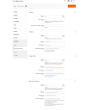
Magento® 2 biedt standaard geen tools voor het werken met logbestanden. Na verloop van tijd groeien logbestanden uit tot grote, soms enorme afmetingen. Werken met dergelijke bestanden is onhandig, hun analyse wordt een complex proces. Om ervoor te zorgen dat uw logbestanden altijd een acceptabele omvang hebben, gebruikt u de Logs Manager-extensie.
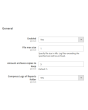
Logs Manager stelt u in staat om de maximale grootte van elk logbestand en het maximale aantal gearchiveerde kopieën in te stellen.
Na activering van de module worden uw logbestanden dagelijks gecontroleerd. Bestanden die groter zijn dan de ingestelde grootte worden gearchiveerd. De module bewaart zoveel archiefkopieën als in de configuratie aangegeven en verwijdert verouderde archieven. Zo blijven uw logbestanden steeds klein en eenvoudig te lezen en te analyseren.
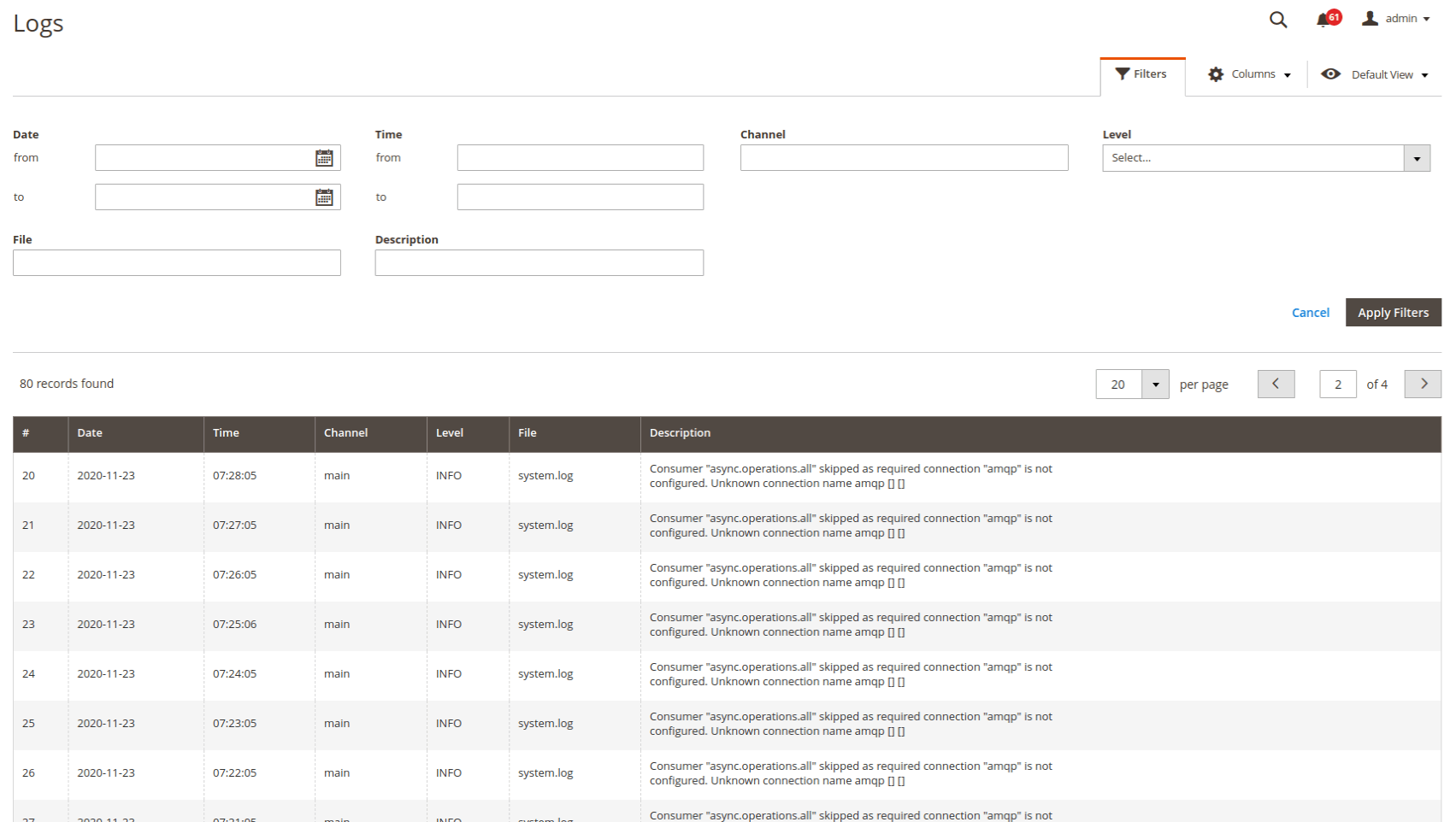
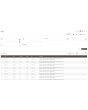
Logs bekijken en analyseren direct in het admin-paneel — zeer comfortabel. U configureert de toegang ofwel alleen voor uzelf ofwel voor specifieke beheerders. Zoeken en filteren gebeurt over alle logbestanden. U kunt logs filteren op datum en tijd, op fouttype en via de tekstzoekfunctie.
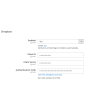
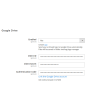
Een andere belangrijke functie van Logs Manager voor Magento 2 is het werken met clouddiensten. Elk gecomprimeerd logbestand kan automatisch worden geüpload naar een map (met structuur) van uw Dropbox of een andere clouddienst. Zo maakt u serverruimte vrij voor belangrijkere bestanden. Ondersteunde cloudopslagdiensten: Dropbox, Google Drive, Microsoft OneDrive.
De Logs Manager-module comprimeert logbestanden naar ZIP-archieven. Omdat logs vaak herhaalde regels of delen van regels bevatten, laten ze zich goed comprimeren. Een bestand van 10 MB kan bijvoorbeeld worden teruggebracht tot 0,5–1 MB. Gewoonlijk ligt de compressieratio tussen 70 en 90 %.
Demo
U kunt deze extensie 30 dagen uitproberen. Vraag de demo aan op deze pagina met Demo aanvragen; hoe het werkt leest u op Probeer een extensie 30 dagen uit.
| CMS | Magento 2 |
|---|---|
| Compatibiliteit | 2.4, 2.3, 2.2, 2.1, 2.0 |
| Functies |
|
De extensie wordt met Composer geïnstalleerd. Welke repository u toevoegt hangt af van waar u haar heeft gekocht — de installatie zelf is in beide gevallen dezelfde.
1. De repository koppelen
Gekocht op extmag.com. Uw accountpagina toont het adres van de repository en uw persoonlijke inloggegevens, samen met de twee composer config-commando’s om te plakken. Voer ze één keer per project uit; daarna is elke extensie die u bezit beschikbaar uit dezelfde repository.
Gekocht op de Adobe Commerce Marketplace. Het pakket komt van repo.magento.com, dat de meeste winkels al ingesteld hebben. Zo niet, voeg dan de access keys uit uw Adobe-account toe onder My Profile -> Access Keys.
2. De extensie installeren
Voer uit in de projectmap:
composer require extmag/logsmanagerpro
php bin/magento setup:upgrade
php bin/magento cache:flush
Composer lost de gedeelde Extmag-pakketten op waarvan de extensie afhangt, dus er hoeft verder niets met de hand te worden opgegeven.
Log uit de admin en weer in, en de extensie is klaar voor gebruik.
Uitproberen voordat u koopt
U kunt een demo van 30 dagen van deze extensie aanvragen en die precies zo installeren als hierboven — hetzelfde pakket, dezelfde repository, dezelfde commando’s. Hoe demo’s werken.
Installeren zonder Composer
Het archief kan ook in app/code/Extmag/ worden uitgepakt, maar daarmee valt de extensie buiten het afhankelijkheidsbeheer: haar gedeelde pakketten moeten met de hand worden geïnstalleerd en updates bereiken haar nooit. Gebruik Composer voor elke winkel die u draait, ook voor de demo.
Heeft u een vraag over de installatie, neem dan contact op met onze technische support.
-
User Guide User Guide.pdf · 725.7 KBDownloaden
-
Reference Manual Reference Manual.pdf · 346.6 KBDownloaden
-
Installation Guide Installation Guide.pdf · 208.8 KBDownloaden
Systeemconfiguratie
Logoverzicht
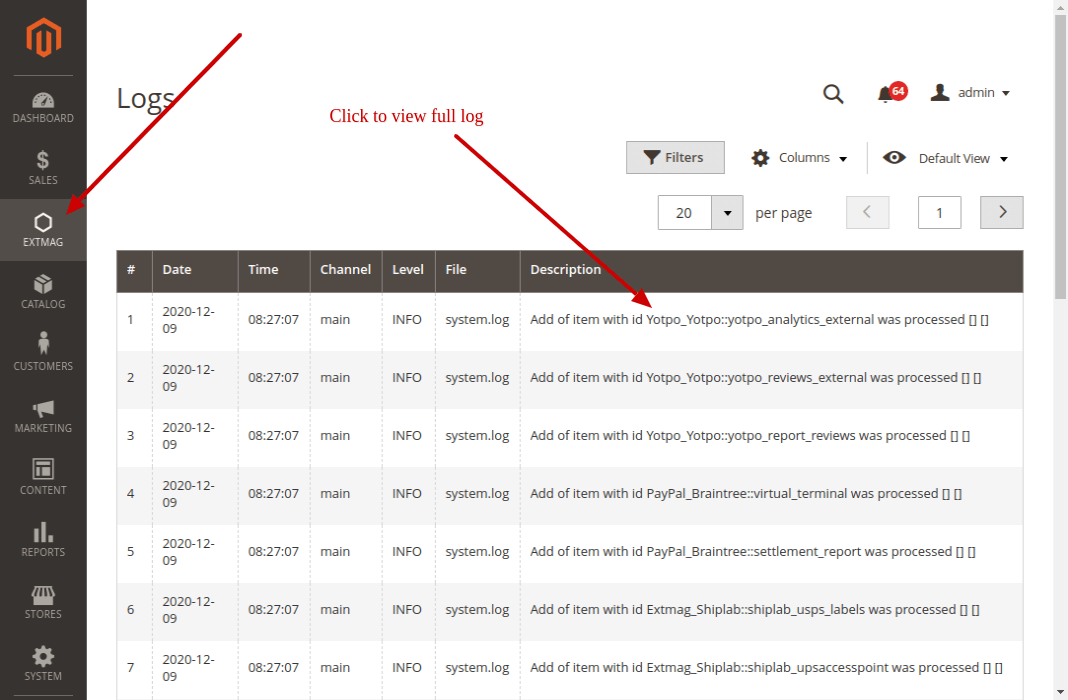
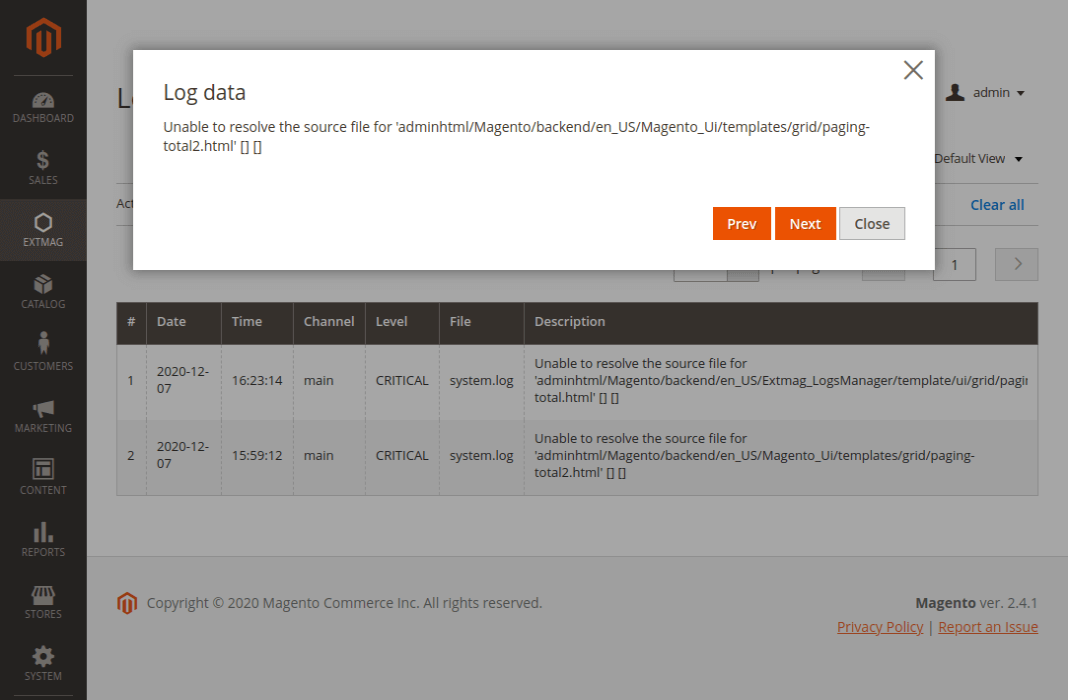
Op de overzichtspagina ziet u al uw logs. In de lijst staat maar een klein deel van de omschrijving; klik erop en er opent een venster met de volledige tekst.
De logs vindt u onder Admin main menu -> Extmag -> Logs Manager -> Logs.
Logs filteren
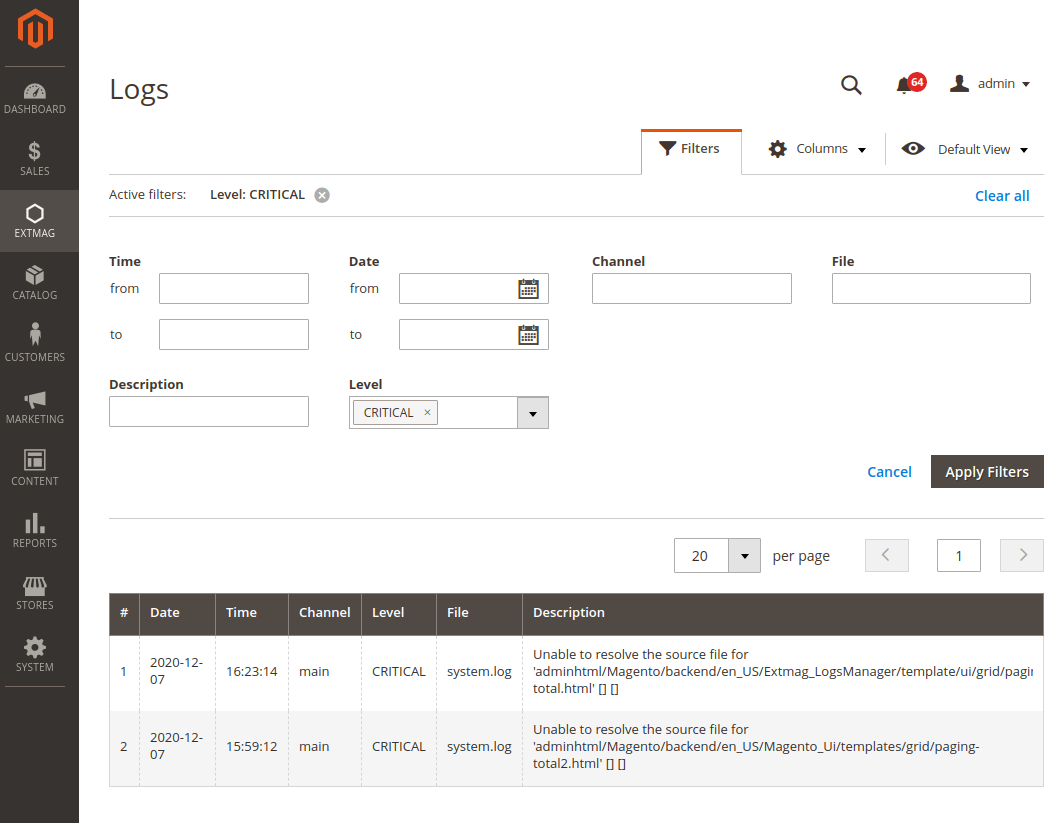
Er wordt gefilterd op:
- datum en tijd
- Channel (main of een module)
- bestandsnaam
- zoeken in de logomschrijving
- logniveau (Error, Info, Warning, Critical, Debug en meer)
Aandachtspunten
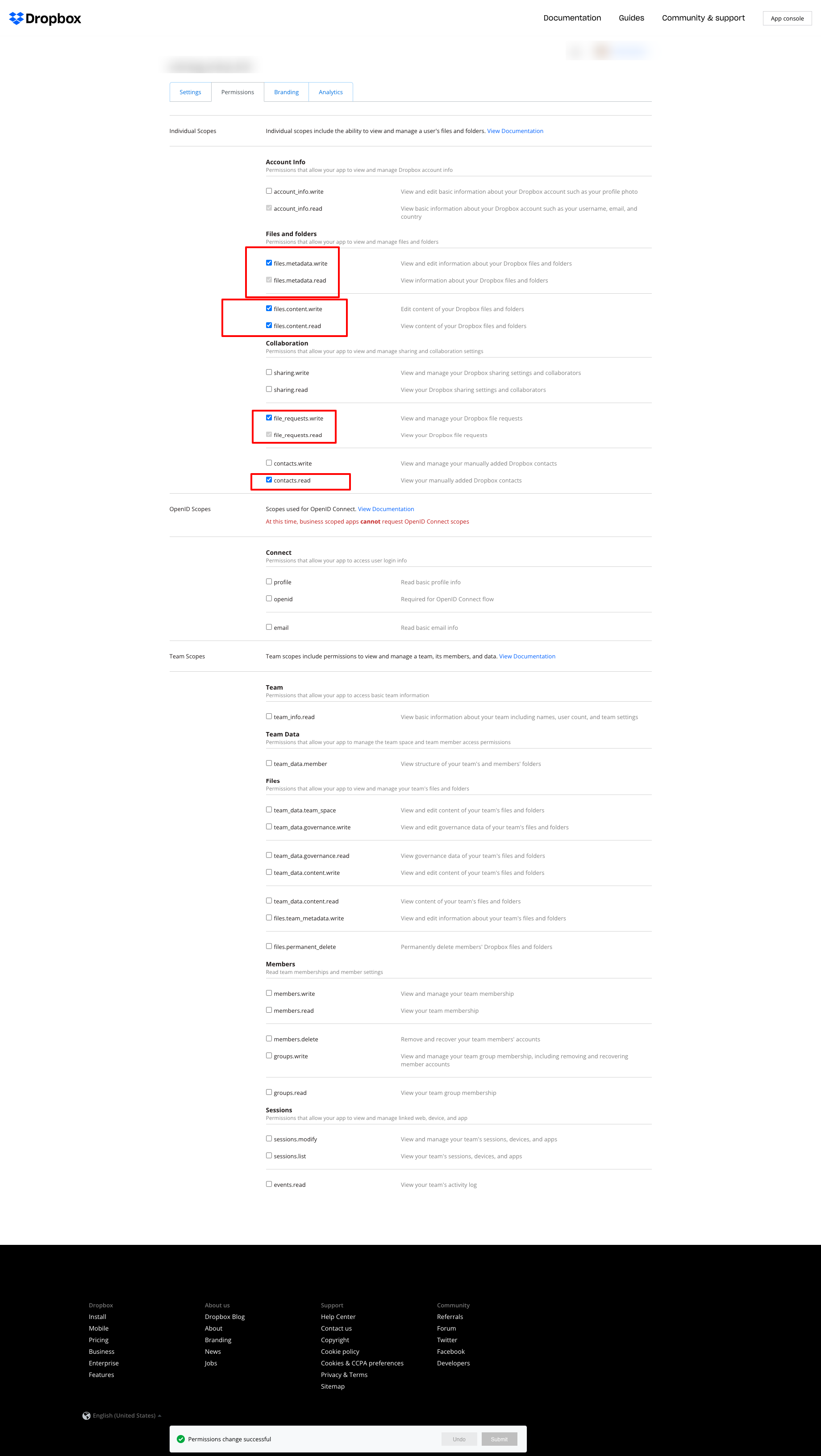
Gebruikt u Dropbox om de logs te bewaren en krijgt u de onderstaande fout:
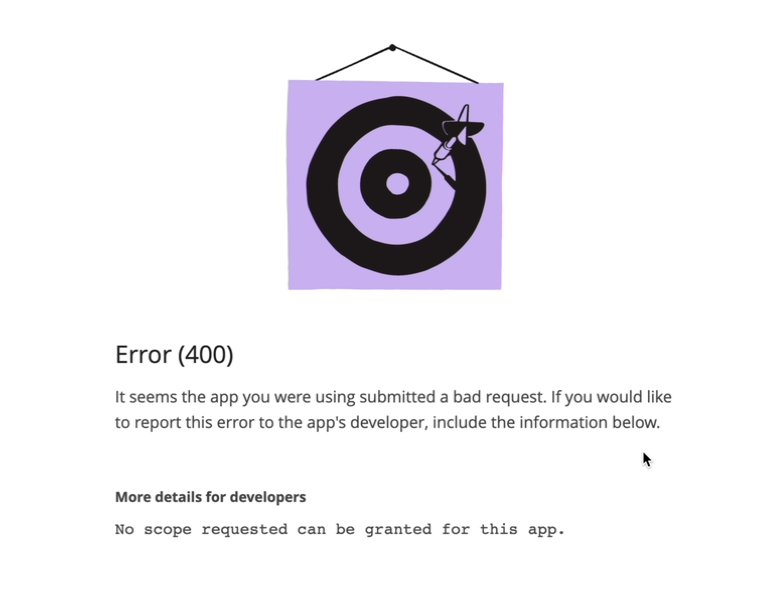
stel de rechten dan in zoals op de volgende schermafbeelding:
2.2.0
LogsCore: Switched admin log templates to the Escaper service instead of block escape helpers.
2.1.9
LogsCore: Add email and webapi log management features. Added support Magento 2.4.8-p4 and Adobe Commerce 2.4.8-p4
2.1.8
Added support Magento 2.4.8-p4 and Adobe Commerce 2.4.8-p4
2.1.7
Refactored code.
2.1.6
The functionality for uploading logs to cloud storages, such as Dropbox, Google Drive, and MS OneDrive, has been removed. This is now handled by the Backup Pro module.
2.1.5
Added support Magento 2.4.8-p3 and Adobe Commerce 2.4.8-p3
2.1.4
Added support Magento 2.4.8-p2 and Adobe Commerce 2.4.8-p2
2.1.3
Added support Magento 2.4.8-p1 and Adobe Commerce 2.4.8-p1
2.1.2
Added support Magento 2.4.8 and Adobe Commerce 2.4.8
2.1.1
Added support Magento 2.4.7-p5 and Adobe Commerce 2.4.7-p5
2.1.0
Added support Magento 2.4.7-p4 and Adobe Commerce 2.4.7-p4
2.0.9
Added support Magento 2.4.7-p3 and Adobe Commerce 2.4.7-p3
2.0.8
Added support Magento 2.4.7-p2 and Adobe Commerce 2.4.7-p2
2.0.7
Added support Magento 2.4.7-p1 and Adobe Commerce 2.4.7-p1
2.0.6
Fixed names of Google API classes. There were changing underscores to namespaces.
2.0.5
Fixed Google Drive connection
2.0.4
Added support Magento 2.4.7 and Adobe Commerce 2.4.7
2.0.3
Added support Magento 2.4.6-p4 and Adobe Commerce 2.4.6-p4
2.0.2
Added support Magento 2.4.6-p3 and Adobe Commerce 2.4.6-p3
2.0.1
Fixed a bug with the Google Drive connection
2.0.0
To check the correct connection to Cloud Storages, Test Connection buttons for Microsoft OneDrive, Google Drive, and Dropbox were added.
1.6.2
1.6.1
Added support Magento 2.4.6-p2 and Adobe Commerce 2.4.6-p2
1.6.0
Added support Adobe Commerce 2.4.6-p1
1.5.9
Support Adobe Commerce (Magento) 2.4.6
Support PHP 8.1 and PHP 8.2
1.5.8
Fixed PHP warnings
1.5.7
Refactoring code
1.5.6
Support Adobe Commerce (Magento) 2.4.5-p1
1.5.5
Support Adobe Commerce (Magento) 2.4.5
1.5.4
Added new dependency to the module composer.json
Added permissions to request authorization for Dropbox
1.5.3
Fixed bug with the core module
1.5.2
Added support for PHP 8.1 and Adobe Commerce (Magento) 2.4.4
1.5.1
Update versions of dependencies
1.5.0
Added the ability to download log files in zip format for local storage or transfer to developers of extensions to analyze errors and work of extensions
1.4.1
Show error with onedrive getting Authentication Code if this error exists
1.4.0
Added reports to log listing
Filter by reports
Compress reports folder and send archive to cloud storage
1.3.5
Added listing of logs in the admin panel with filtering by several parameters
1.3.4
Fixed bug with schedule and config cache
Refactoring PHP code
1.3.3
Fixed bug with uploading log files to Microsoft OneDrive
1.3.2
Fixed bug with empty client id
Fixed supporting Magento 2.3.5
Fixed bug with Microsoft OneDrive OAuth code
1.3.0
Added Microsoft OneDrive for keeping your log archives.
1.2.0
Admin has to create self Dropbox app.
Admin has to create self Google app.
1.1.0
Added Google Drive storage.
Fixed some small bugs.