
Logs Manager pour Magento® 2.x

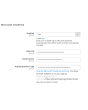
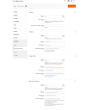
Magento® 2 ne fournit pas par défaut d’outils pour le travail avec les fichiers de logs. Avec le temps, les fichiers de logs atteignent de grandes — parfois très grandes — tailles. Le travail avec de tels fichiers est peu pratique, leur analyse devient un processus complexe. Pour que vos fichiers de logs aient toujours une taille acceptable, utilisez l’extension Logs Manager.
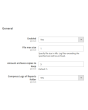
Logs Manager vous permet de définir la taille maximale de chaque fichier de logs et le nombre maximal de copies archivées.
Après activation du module, vos fichiers de logs sont vérifiés quotidiennement. Les fichiers qui dépassent la taille définie sont archivés. Le module conserve autant de copies d’archive que spécifié dans la configuration et supprime les archives obsolètes. Ainsi, vos fichiers de logs restent toujours de petite taille, simples à lire et à analyser.
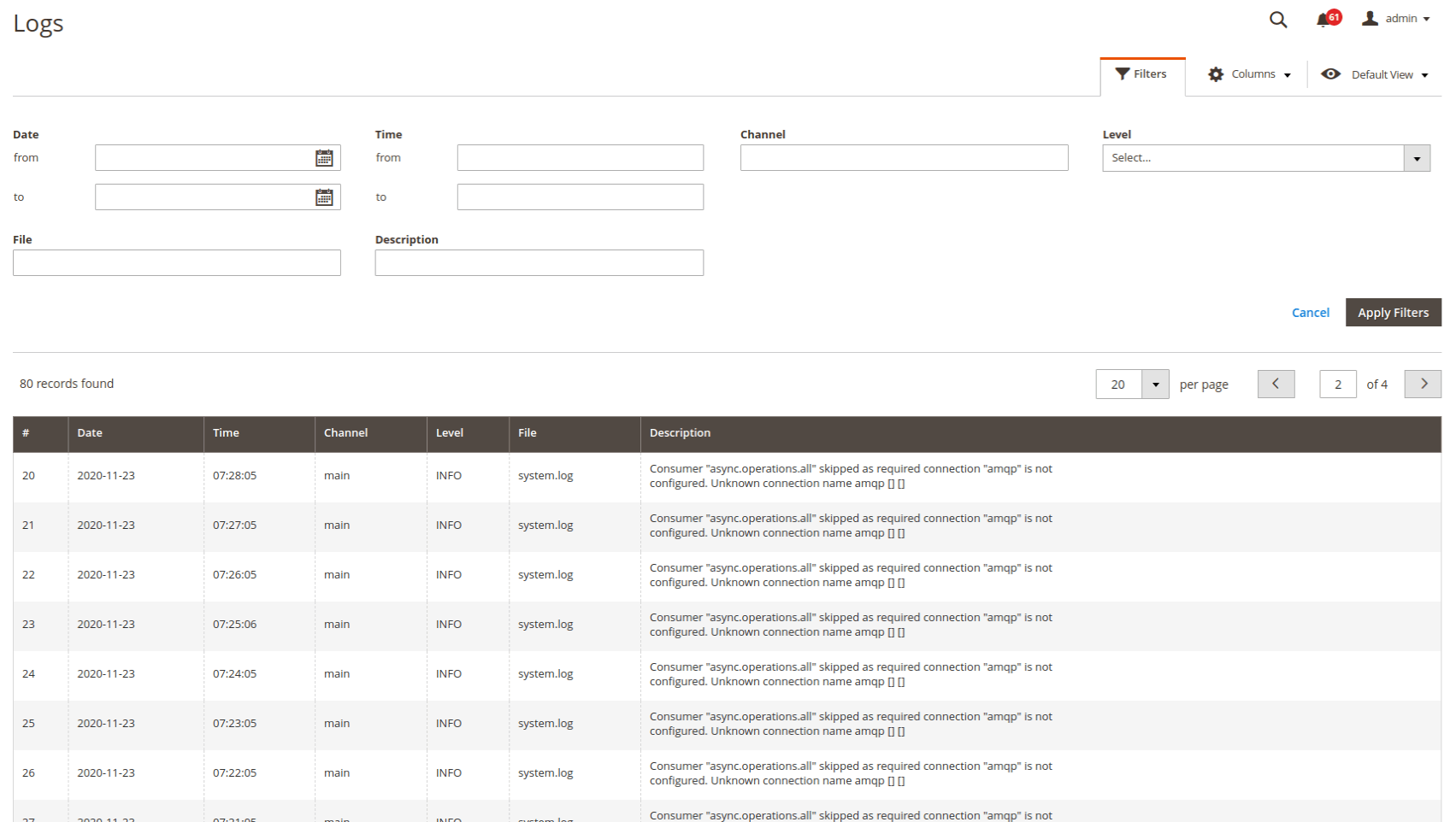
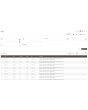
Consultez et analysez les logs directement dans le panneau d’administration — très confortable. Vous configurez l’accès soit uniquement pour vous-même, soit pour certains administrateurs. La recherche et le filtrage couvrent l’ensemble des fichiers de logs. Vous pouvez filtrer les logs par date et heure, par type d’erreur et via la recherche textuelle.
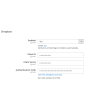
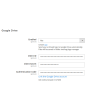
Une autre fonctionnalité importante de Logs Manager pour Magento 2 est le travail avec les services cloud. Chaque fichier de logs compressé peut être téléchargé automatiquement dans un dossier (avec structure) de votre Dropbox ou d’un autre service cloud. Vous libérez ainsi de l’espace sur le serveur pour des fichiers plus importants. Stockages cloud pris en charge : Dropbox, Google Drive, Microsoft OneDrive.
Le module Logs Manager compresse les fichiers de logs en archives ZIP. Étant donné que les logs contiennent souvent des lignes ou parties de lignes répétées, ils se compressent très bien. Un fichier de 10 Mo peut par exemple être réduit à 0,5–1 Mo. En règle générale, le taux de compression est de 70 à 90 %.
Démo
Vous pouvez essayer cette extension pendant 30 jours. Demandez la démo sur cette page avec Demander une démo ; son fonctionnement est expliqué sur Essayez une extension pendant 30 jours.
| CMS | Magento 2 |
|---|---|
| Compatibilité | 2.4, 2.3, 2.2, 2.1, 2.0 |
| Fonctionnalités |
|
L’extension s’installe avec Composer. Le dépôt à ajouter dépend de l’endroit où vous l’avez achetée — l’installation elle-même est identique dans les deux cas.
1. Connecter le dépôt
Achetée sur extmag.com. Votre page de compte affiche l’adresse du dépôt et vos identifiants personnels, ainsi que les deux commandes composer config à coller. Exécutez-les une fois par projet ; toutes les extensions que vous possédez sont ensuite disponibles depuis le même dépôt.
Achetée sur l’Adobe Commerce Marketplace. Le paquet est servi depuis repo.magento.com, déjà configuré sur la plupart des boutiques. Sinon, ajoutez les clés d’accès de votre compte Adobe sous My Profile -> Access Keys.
2. Installer l’extension
À la racine du projet, exécutez :
composer require extmag/logsmanagerpro
php bin/magento setup:upgrade
php bin/magento cache:flush
Composer résout les paquets Extmag partagés dont dépend l’extension : rien d’autre n’est à exiger à la main.
Déconnectez-vous de l’admin puis reconnectez-vous, et l’extension est prête.
L’essayer avant d’acheter
Vous pouvez demander une démo de 30 jours de cette extension et l’installer exactement comme ci-dessus — même paquet, même dépôt, mêmes commandes. Comment fonctionnent les démos.
Installer sans Composer
L’archive peut être décompressée dans app/code/Extmag/, mais l’extension se retrouve alors hors de la gestion des dépendances : ses paquets partagés doivent être installés à la main et les mises à jour ne l’atteignent jamais. Utilisez Composer pour toute boutique que vous exploitez, démo comprise.
Pour toute question sur l’installation, contactez notre support technique.
-
User Guide User Guide.pdf · 725.7 KBTélécharger
-
Reference Manual Reference Manual.pdf · 346.6 KBTélécharger
-
Installation Guide Installation Guide.pdf · 208.8 KBTélécharger
Configuration système
Liste des logs
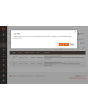
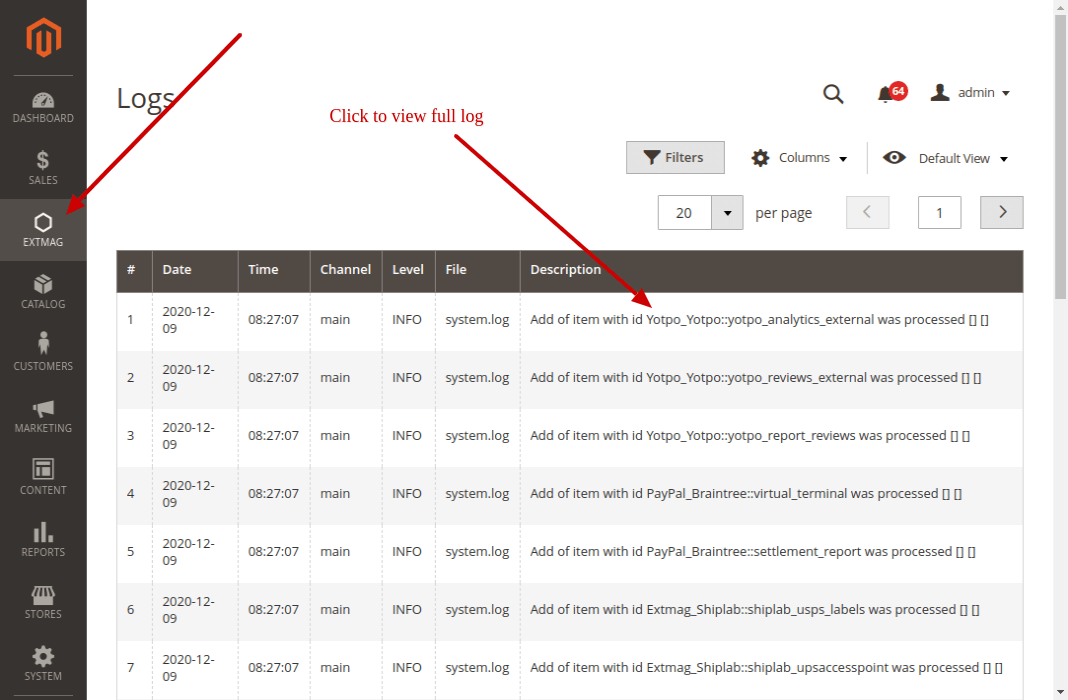
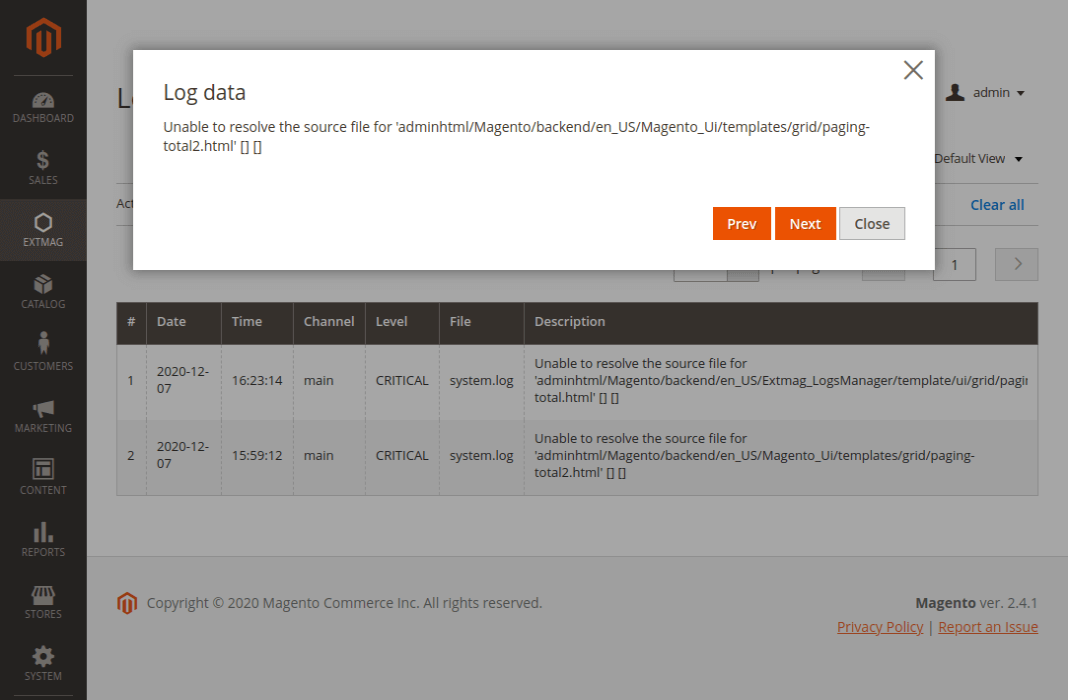
La page de liste affiche tous vos logs. Seule une petite partie de la description y est visible ; cliquez dessus et une fenêtre s’ouvre avec le texte complet.
Les logs se trouvent dans Admin main menu -> Extmag -> Logs Manager -> Logs.
Filtrer les logs
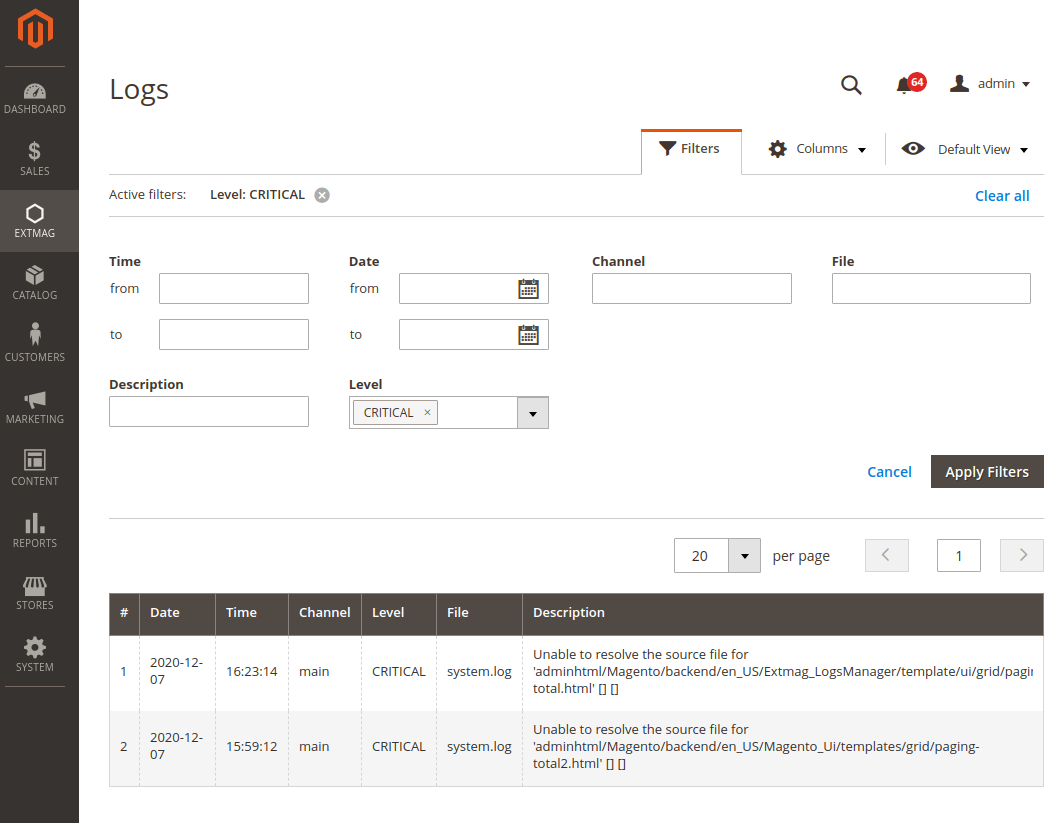
Les logs se filtrent par :
- date et heure
- Channel (main ou un module)
- nom de fichier
- recherche dans la description du log
- niveau de log (Error, Info, Warning, Critical, Debug et autres)
Points d’attention
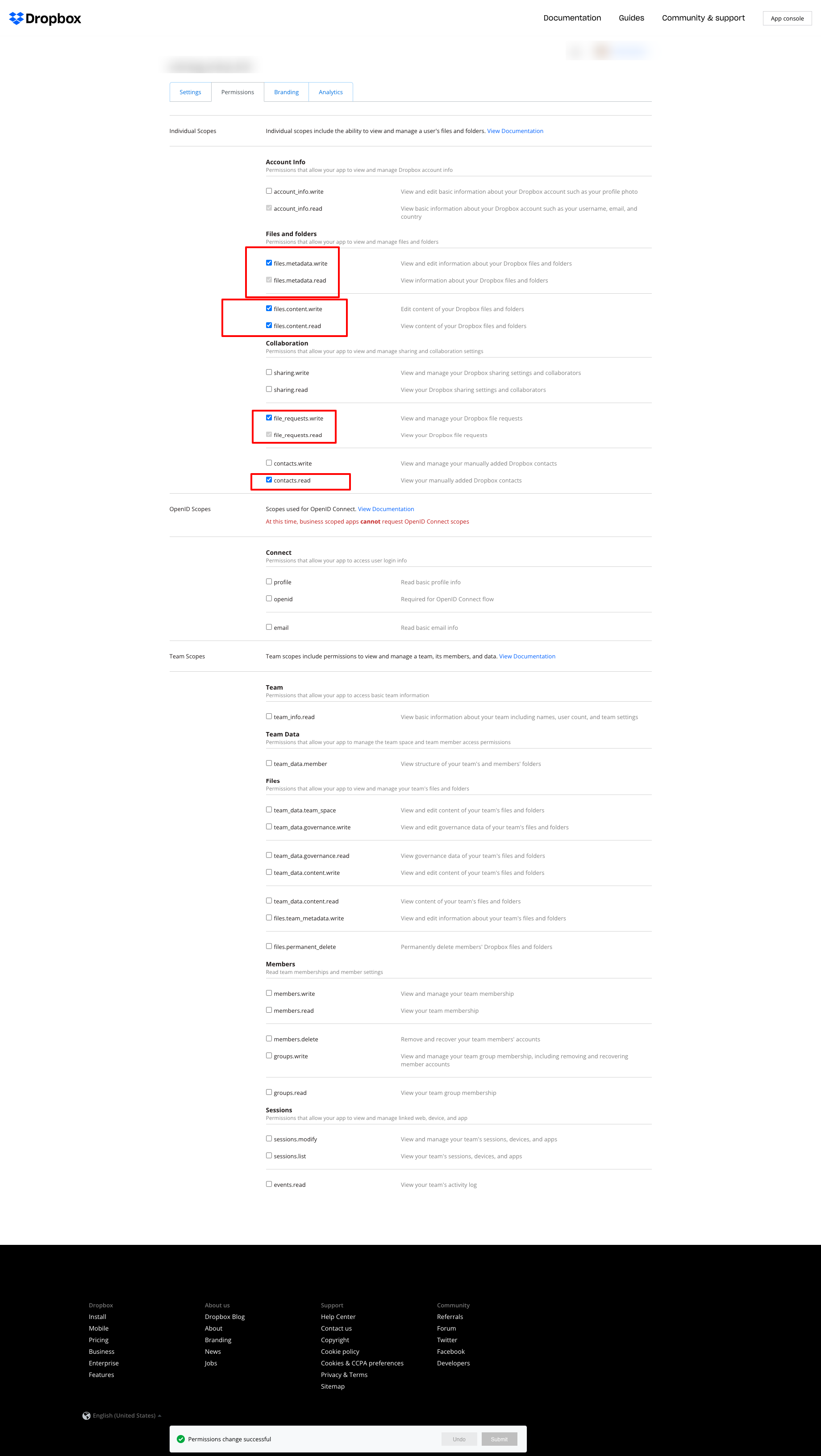
Si vous utilisez Dropbox pour stocker les logs et obtenez l’erreur ci-dessous :
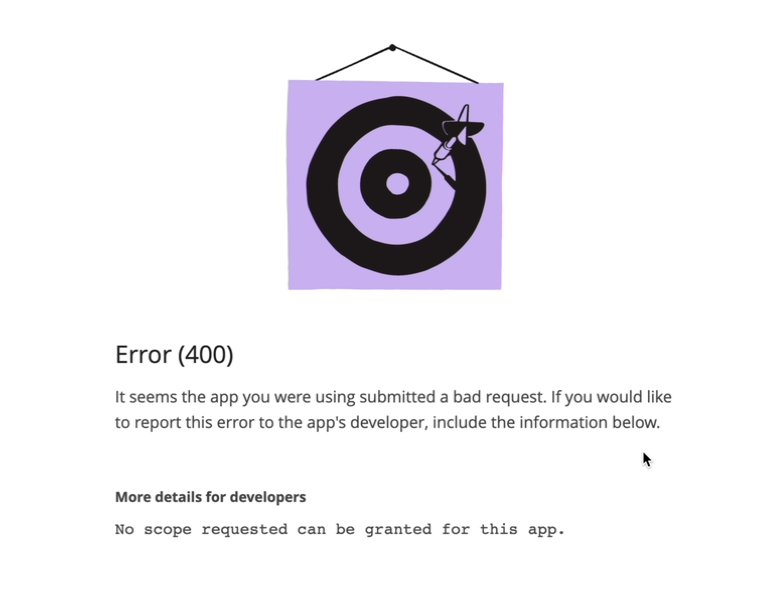
réglez les autorisations comme sur la capture suivante :
2.2.0
LogsCore: Switched admin log templates to the Escaper service instead of block escape helpers.
2.1.9
LogsCore: Add email and webapi log management features. Added support Magento 2.4.8-p4 and Adobe Commerce 2.4.8-p4
2.1.8
Added support Magento 2.4.8-p4 and Adobe Commerce 2.4.8-p4
2.1.7
Refactored code.
2.1.6
The functionality for uploading logs to cloud storages, such as Dropbox, Google Drive, and MS OneDrive, has been removed. This is now handled by the Backup Pro module.
2.1.5
Added support Magento 2.4.8-p3 and Adobe Commerce 2.4.8-p3
2.1.4
Added support Magento 2.4.8-p2 and Adobe Commerce 2.4.8-p2
2.1.3
Added support Magento 2.4.8-p1 and Adobe Commerce 2.4.8-p1
2.1.2
Added support Magento 2.4.8 and Adobe Commerce 2.4.8
2.1.1
Added support Magento 2.4.7-p5 and Adobe Commerce 2.4.7-p5
2.1.0
Added support Magento 2.4.7-p4 and Adobe Commerce 2.4.7-p4
2.0.9
Added support Magento 2.4.7-p3 and Adobe Commerce 2.4.7-p3
2.0.8
Added support Magento 2.4.7-p2 and Adobe Commerce 2.4.7-p2
2.0.7
Added support Magento 2.4.7-p1 and Adobe Commerce 2.4.7-p1
2.0.6
Fixed names of Google API classes. There were changing underscores to namespaces.
2.0.5
Fixed Google Drive connection
2.0.4
Added support Magento 2.4.7 and Adobe Commerce 2.4.7
2.0.3
Added support Magento 2.4.6-p4 and Adobe Commerce 2.4.6-p4
2.0.2
Added support Magento 2.4.6-p3 and Adobe Commerce 2.4.6-p3
2.0.1
Fixed a bug with the Google Drive connection
2.0.0
To check the correct connection to Cloud Storages, Test Connection buttons for Microsoft OneDrive, Google Drive, and Dropbox were added.
1.6.2
1.6.1
Added support Magento 2.4.6-p2 and Adobe Commerce 2.4.6-p2
1.6.0
Added support Adobe Commerce 2.4.6-p1
1.5.9
Support Adobe Commerce (Magento) 2.4.6
Support PHP 8.1 and PHP 8.2
1.5.8
Fixed PHP warnings
1.5.7
Refactoring code
1.5.6
Support Adobe Commerce (Magento) 2.4.5-p1
1.5.5
Support Adobe Commerce (Magento) 2.4.5
1.5.4
Added new dependency to the module composer.json
Added permissions to request authorization for Dropbox
1.5.3
Fixed bug with the core module
1.5.2
Added support for PHP 8.1 and Adobe Commerce (Magento) 2.4.4
1.5.1
Update versions of dependencies
1.5.0
Added the ability to download log files in zip format for local storage or transfer to developers of extensions to analyze errors and work of extensions
1.4.1
Show error with onedrive getting Authentication Code if this error exists
1.4.0
Added reports to log listing
Filter by reports
Compress reports folder and send archive to cloud storage
1.3.5
Added listing of logs in the admin panel with filtering by several parameters
1.3.4
Fixed bug with schedule and config cache
Refactoring PHP code
1.3.3
Fixed bug with uploading log files to Microsoft OneDrive
1.3.2
Fixed bug with empty client id
Fixed supporting Magento 2.3.5
Fixed bug with Microsoft OneDrive OAuth code
1.3.0
Added Microsoft OneDrive for keeping your log archives.
1.2.0
Admin has to create self Dropbox app.
Admin has to create self Google app.
1.1.0
Added Google Drive storage.
Fixed some small bugs.