
UPS Universal Shipping para Magento® 2.x

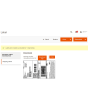
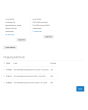
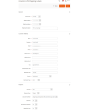
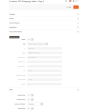
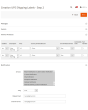
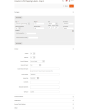
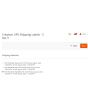
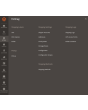
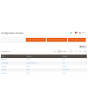
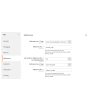
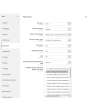
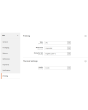
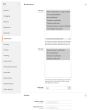
UPS Universal Shipping é uma extensão para Magento 2 que permite gerenciar todo o ciclo de envio com UPS por meio da API da UPS (United Parcel Service).
A extensão oferece uma ampla gama de configurações. Obtenha preços de frete atualizados e crie etiquetas de envio UPS em formato térmico (ZPL, EPL) e PDF. Agende coletas e rastreie suas encomendas.
Principais vantagens da extensão UPS Universal Shipping:
Etiquetas de envio térmicas e em PDF
A criação de etiquetas de envio pode ser feita de forma manual, automática e até mesmo agendada. A extensão UPS Universal Shipping vincula a etiqueta de envio a um pedido, a uma remessa ou a uma nota de crédito. Todas as etiquetas são armazenadas em seu servidor e podem ser acessadas a qualquer momento pela interface administrativa do seu site Magento.
Antes de criar manualmente cada etiqueta, você pode escolher o método de envio desejado entre os oferecidos pela UPS e ver imediatamente os custos de envio. No modo automático, as etiquetas são geradas conforme o método escolhido pelo cliente ou pelo preço mínimo/máximo de todos os métodos UPS.
Paperless Commercial Invoice
O UPS Universal Shipping oferece suporte a envios internacionais. Para envios ao exterior, é oferecida a emissão da fatura aduaneira (International Invoice) em formato eletrônico (ou impresso). Para isso, o UPS Universal Shipping suporta as seguintes configurações: códigos Harmonized e ScheduleB, Dangerous Goods e Hazardous Materials, condições de entrega, Reason for Export, Sold To Address e outras.
Tarifas de frete & métodos de envio
Obtenha tarifas de frete no checkout como em ups.com. Os preços de frete dependem normalmente do seguro, do valor declarado do pacote, do peso, das dimensões etc. — todos esses pontos são considerados por nossa extensão. O custo de um método pode ser tanto estático quanto dinâmico. Tanto os preços quanto a exibição do método podem ser ajustados por meio de limites. Opcionalmente, você pode exibir o método apenas no painel administrativo. Você cria quantos métodos desejar. Mais detalhes aqui.
Pagamento, COD, seguro
Adapte o pagador aos seus processos de negócio. O envio pode ser pago pelo remetente (Shipper) ou por terceiros (Third Party), e impostos e taxas alfandegárias (Duty and Taxes) podem ser pagos tanto pelo destinatário quanto pelo remetente. Você também controla o seguro (Insured) e utiliza Invoice Line Total. Se necessário, informe um número de identificação fiscal (Tins number — Taxpayer Identification). Se o comprador quiser pagar na entrega, utilize a opção COD (Cash on Delivery).
Etiquetas de devolução e RMA
A criação de etiquetas de devolução é tão simples quanto a das etiquetas regulares. Uma grande vantagem: as etiquetas de devolução podem ser criadas ao mesmo tempo que a etiqueta regular.
O administrador pode dar ao cliente a possibilidade de criar e imprimir as próprias etiquetas de devolução.
Coleta e rastreamento
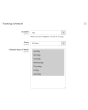
Solicite a coleta de pacotes diretamente do painel administrativo da sua loja online. Tudo é feito de forma simples e rápida. Você escolhe para quais etiquetas criadas a coleta deve ser solicitada, e a extensão envia a solicitação à transportadora. Em cada coleta, você pode ver a qualquer momento o que foi enviado. Veja um exemplo de documento Pickup Slips para várias remessas aqui.
Após o envio dos pacotes, rastreie-os com nossa extensão UPS Universal Shipping. Você visualiza todas as etapas pelas quais o pacote passou e sua localização atual.
Impressão
A impressão é uma das etapas mais importantes ao trabalhar com etiquetas de envio. Utilize nosso aplicativo para imprimir etiquetas térmicas e em PDF em impressoras locais e de rede. Obtenha-o aqui.
Configuração
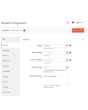
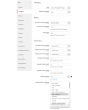
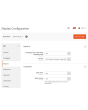
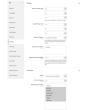
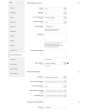
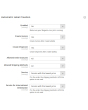
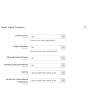
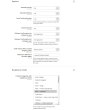
As possibilidades do nosso módulo são praticamente ilimitadas graças às configurações flexíveis. Ao mesmo tempo, as configurações são intuitivas e muitas já vêm definidas por padrão. Você configura a extensão para uma loja específica ou um país específico. Você aplica certas configurações aos envios nacionais e outras aos envios internacionais. Configurações totalmente separadas para etiquetas regulares e etiquetas de devolução também são possíveis. É possível definir configurações próprias para cada continente — isso também é viável com o nosso módulo.
Demonstração
Você pode testar esta extensão por 30 dias. Solicite a demonstração nesta mesma página com Solicitar demonstração; como funciona está explicado em Teste uma extensão por 30 dias.
Hyva Theme e Hyva Checkout
Compatível com Hyva Theme e Hyva Checkout
| CMS | Magento 2 |
|---|---|
| Compatibilidade | 2.4, 2.3 |
| Recursos |
|
A extensão é instalada com o Composer. Qual repositório você adiciona depende de onde a comprou — a instalação em si é a mesma nos dois casos.
1. Conectar o repositório
Comprada na extmag.com. A página da sua conta mostra o endereço do repositório e suas credenciais pessoais, junto com os dois comandos composer config para colar. Execute-os uma vez por projeto; depois disso, toda extensão que você possui fica disponível no mesmo repositório.
Comprada no Adobe Commerce Marketplace. O pacote é servido de repo.magento.com, que a maioria das lojas já tem configurado. Se não for o caso, adicione as access keys da sua conta Adobe em My Profile -> Access Keys.
2. Instalar a extensão
Execute na raiz do projeto:
composer require extmag/upsshipping2
php bin/magento setup:upgrade
php bin/magento cache:flush
O Composer resolve os pacotes Extmag compartilhados dos quais a extensão depende, então não há mais nada a exigir manualmente.
Saia do admin e entre novamente: a extensão está pronta.
Impressão de etiquetas
Para imprimir etiquetas em uma impressora local ou de rede, instale nosso software de impressão aqui e depois siga Instalação e configuração do el-Print.
Hyva Theme e Hyva Checkout
Lojas em Hyva precisam de um pacote a mais:
composer require extmag/shiplab-hyva
composer require magewirephp/magewire
A integração substitui um template do Hyva, view/frontend/templates/checkout/shipping/method-list.phtml. Se o seu tema já sobrescreve esse arquivo, mescle as alterações em vez de substituí-lo.
Testar antes de comprar
Você pode pedir uma demonstração de 30 dias desta extensão e instalá-la exatamente como acima: mesmo pacote, mesmo repositório, mesmos comandos. Como funcionam as demonstrações.
Instalar sem o Composer
O arquivo pode ser descompactado em app/code/Extmag/, mas isso deixa a extensão fora do gerenciamento de dependências: os pacotes compartilhados precisam ser instalados à mão e as atualizações nunca chegam até ela. Use o Composer em qualquer loja que você opere, inclusive na demonstração.
Para qualquer dúvida sobre a instalação, fale com nosso suporte técnico.
-
User Guide User Guide.pdf · 1.1 MBDownload
-
Reference Manual Reference Manual.pdf · 403.0 KBDownload
-
Installation Guide Installation Guide.pdf · 1.0 MBDownload
O UPS é configurado pelo menu Extmag no admin do Adobe Commerce (Magento). Cadastre a conta da transportadora, os endereços de onde você envia, as caixas em que embala e os métodos de envio que os clientes veem, e depois ajuste a configuração da transportadora.
Conta UPS
- Se ainda não tem credenciais da UPS, obtenha-as na UPS. Você vai precisar de Client ID, Client Secret e Shipper Number do UPS Developer Portal.
- Vá em Admin Main Menu -> Extmag -> Settings -> Shipper Accounts.
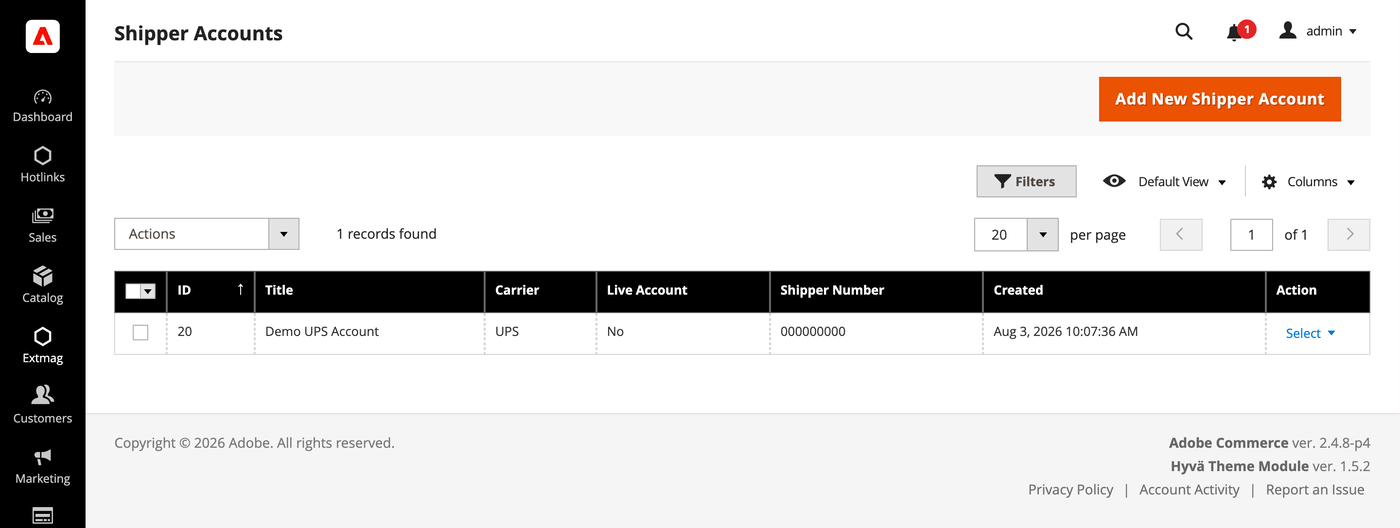
- Clique no botão «Add New Shipper Account».
- Informe suas credenciais e clique em «Save». Deixe Live Account em No enquanto testa no ambiente de testes da transportadora.
Endereços
- Vá em Admin Main Menu -> Extmag -> Settings -> Addresses.
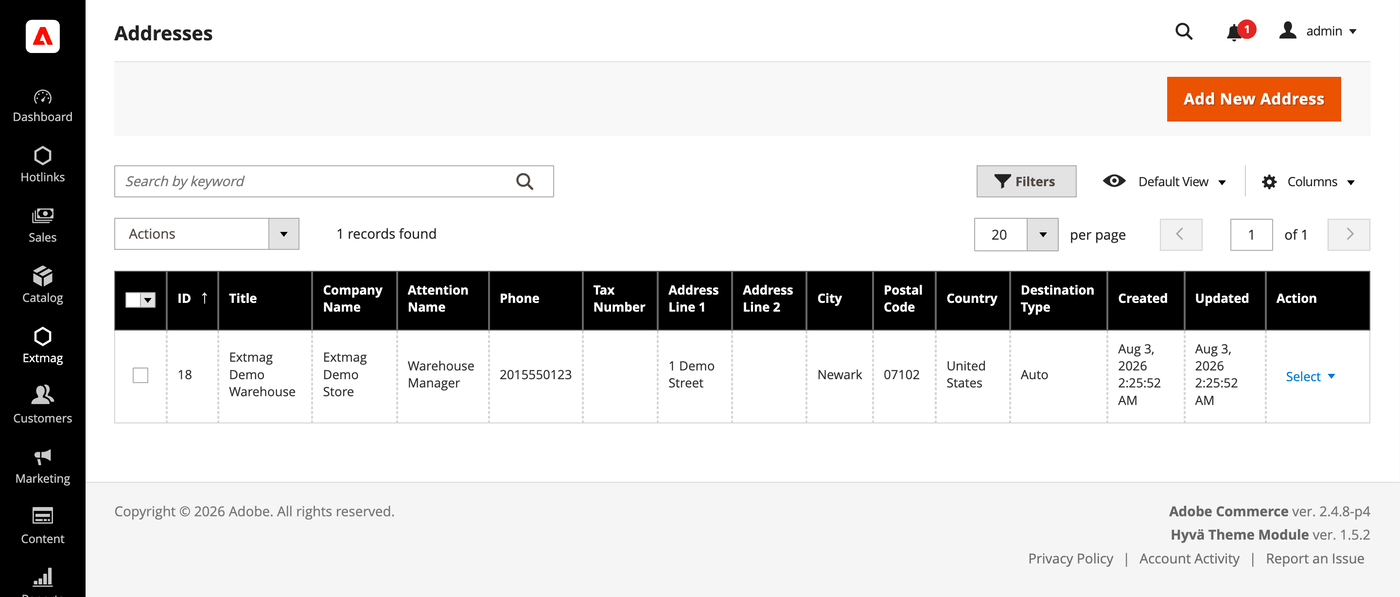
- Clique no botão «Add New Address».
- Preencha razão social, contato, telefone e endereço completo e clique em «Save». Cadastre um endereço para cada local de onde você envia — o endereço de cobrança e o de origem são escolhidos separadamente.
Caixas de embalagem
- Vá em Admin Main Menu -> Extmag -> Settings -> Package Boxes.
- Clique no botão «Add New Box».
- Informe as medidas internas e externas, o peso vazio e a carga máxima e clique em «Save». O empacotador distribui o pedido entre volumes a partir dessas caixas: quanto mais das suas caixas reais estiverem cadastradas, mais perto a tarifa exibida fica da que será cobrada de você.
Métodos de envio
- Vá em Admin Main Menu -> Extmag -> Shipping Methods.
- Clique no botão «Add New Shipping Method».
- Escolha UPS como transportadora, decida quais serviços dela mostrar — todos, uma lista específica, ou apenas o mais barato ou o mais caro — e restrinja o método por site e grupo de clientes se precisar. Clique em «Save».
Configuração
- Vá em Admin Main Menu -> Extmag -> Settings -> UPS Configuration.
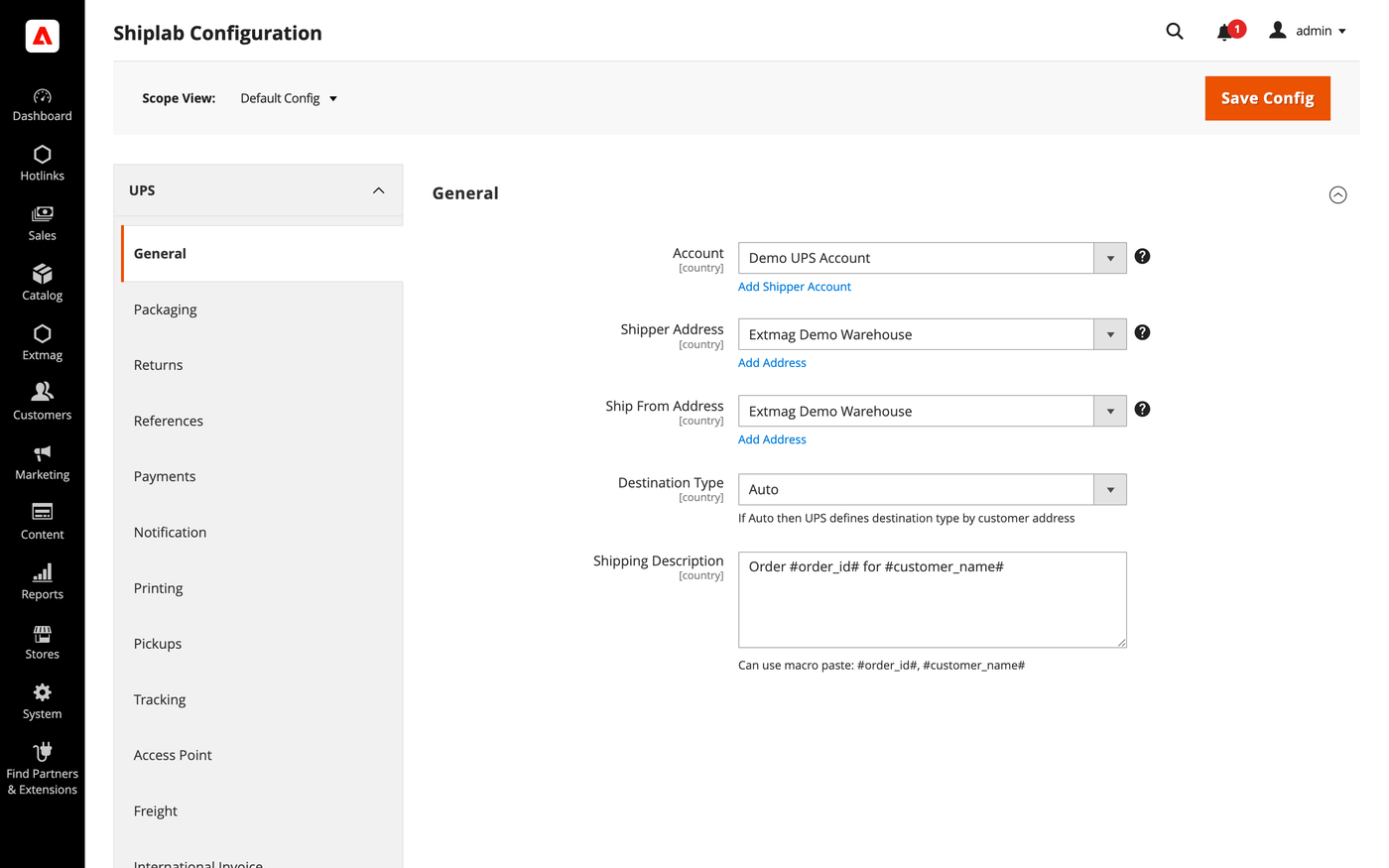
- Abra primeiro a aba General e selecione a conta de remetente, o endereço de cobrança e o endereço de origem criados acima.
- Percorra as demais abas preenchendo o que se aplica à sua conta.
As abas cobrem:
- General — conta, endereços, tipo de destino, método de envio padrão e instruções de envio.
- Packaging — tipo de embalagem, dimensões e divisão do pedido entre volumes.
- Returns — etiquetas de devolução e tratamento de RMA.
- References — os números de referência impressos na etiqueta e seus códigos de barras.
- Payments — quem paga o frete e os impostos, e os dados da conta do pagador.
- Notification — os eventos que a transportadora notifica e os destinatários.
- Printing — formatos de documento e a impressora usada em cada tipo.
- Pickups — se as coletas são agendadas automaticamente após criar a etiqueta ou marcadas à mão.
- Tracking — com que frequência os volumes são consultados e como os status voltam para o pedido.
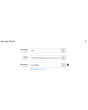
- Access Point — entrega em um UPS Access Point em vez de um endereço, com as notificações correspondentes.
- Freight — envios de 150 lbs para cima, com unidades de manuseio e classe de frete próprias.
- International Invoice — a fatura comercial sem papel, sua imagem de assinatura e o conteúdo aduaneiro.
- Automatic — quando as etiquetas são criadas sem operador.
- Mass Actions — criação de etiquetas em lote pela grade de pedidos.
- Manual Actions — criação de uma etiqueta avulsa a partir de um pedido.
- Other Options — logs e os demais interruptores no nível da transportadora.
Cada ajuste pode ser aplicado por site e por país de destino, de modo que uma regra que só faz sentido em um mercado não afeta os demais.
A referência completa campo a campo, com os caminhos exatos de configuração, está no Reference Manual que acompanha a extensão.
3.9.3
Logged the UPS Locator API response via DataSave for diagnostics. Refreshed the Installation Guide, User Guide, and Reference Manual.
3.9.2
Replaced $block->escapeHtmlAttr calls with injected Escaper in Access Point admin button template. Refactored access-point locator iframe to load map JS externally for CSP compatibility and whitelisted Bing Maps hosts. Shiplab: Replace raw filesystem calls in settings import with Magento file driver.
3.9.1
Replaced $block->escapeHtmlAttr calls with injected Escaper in Access Point admin button template. Refactored access-point locator iframe to load map JS externally for CSP compatibility and whitelisted Bing Maps hosts. Shiplab: Replace raw filesystem calls in settings import with Magento file driver.
3.9.0
Shiplab: Added zero-weight guard and weight diagnostics for shipping rate calculation. Shiplab: Removed legacy Additional Price fields and migrated data to price rules.
3.8.9
Replaced multiselect with category chooser for dangerous goods product categories field. Shiplab: Replaced multiselect categories with AJAX tree chooser in dimension config. Added support Magento 2.4.9 and Adobe Commerce 2.4.9
3.8.8
Shiplab: Fixed attribute ID retrieval order in category EAV setup patch.
3.8.7
Shiplab: Added response post-processing hook and fixed logo data handling.
3.8.6
Shiplab: Added BlackoutRules feature with full CRUD, date picker mixin, and schedule migration.
3.8.5
Fixed service array initialization in Rate response parser to prevent data leakage between loop iterations. Shiplab: Fixed null safety issues and added numeric attribute validation. Added support Magento 2.4.8-p4 and Adobe Commerce 2.4.8-p4
3.8.4
Fixed service code resolution to preserve value set during step three.
3.8.3
Optimized the algorithms for packing items into boxes to ensure better efficiency.
3.8.2
Added email field to addresses and new macros for shipping description.
Added custom address attribute support and fixed config value handling.
Refactored AttributesOfCustomerAddress to use CollectionFactory.
Fixed duplicate Access Point creation by checking existing records before save.
3.8.1
Fixed bundle product handling for Ship Separately/Together and price/weight types.
Added config option to include zero-price bundle children in international invoices.
Fixed property type declarations for PHP 8.x compatibility.
3.8.0
Fixed loadedData check in DataProvider classes for PHP 8.x compatibility.
Fixed place order callback to pass data for proper Braintree payment handling.
3.7.9
Refactored code.
3.7.8
Added support for PHP 8.4
3.7.7
Fixed an issue with saving the Access Point address.
3.7.6
Added support Magento 2.4.8-p3 and Adobe Commerce 2.4.8-p3
3.7.5
Fixed a bug with the country code for Kosovo
3.7.4
Added support Magento 2.4.8-p2 and Adobe Commerce 2.4.8-p2
3.7.3
Fixed a bug with the Schedule New Update form on the category page
3.7.2
Fixed the discount price for the International invoice
3.7.1
Added the selected Access Point display to the checkout payment step.
3.7.0
Fixed a bug with the field City and the Access Point popup in the checkout page
3.6.9
Fixed the PhoneNumber field for UPS Location API
3.6.8
Fixed Distance Unit Of Measurement for the UPS Access Point
Added support Magento 2.4.8-p1 and Adobe Commerce 2.4.8-p1
Update the UPS API version in the module
Fixed QV Notification Services with new UPS API version
3.6.7
Added support Magento 2.4.8 and Adobe Commerce 2.4.8
3.6.6
Fixed a bug when the order has only virtual products
3.6.5
Added support Magento 2.4.7-p5 and Adobe Commerce 2.4.7-p5
3.6.4
Added support Magento 2.4.7-p4 and Adobe Commerce 2.4.7-p4
3.6.3
Fixed a bug with UPS Access Point Locator with non-UPS shipping methods
3.6.2
Fixed a bug with the Access Point Locator when the Drop Location is not an array
3.6.1
Fixed a bug with an empty Access Point country code
3.6.0
Fixed a bug with SplitButton for the order view page in the admin panel
3.5.9
Fixed logs for shipping rates
Added support Magento 2.4.7-p3 and Adobe Commerce 2.4.7-p3
3.5.8
Fixed the price format on the label creation page in the admin panel.
Improved the integration with the Hyva Theme.
3.5.7
Fixed formattedAccessPointAddress in email templates for Access Point
3.5.6
Added email templates for Access Point address.
Fixed Tracking.php. Fixed logs with config_snapshot.
Fixed zero baseSubTotal.
3.5.5
Fixed a bug with division by zero
3.5.4
Fixed a bug with the StateProvince code for the pickup location
3.5.3
Fixed a bug with a recursive function for shipping rates
3.5.2
Fixed a bug with shipping rates debugging.
Fixed CSP for printing by websocket.
3.5.1
Fixed bug with the deactivating module
3.5.0
Fixed bug with afterGetAPIUrl plugin
3.4.9
Fixed the z-index issue on the label details page.
Added support Magento 2.4.7-p2 and Adobe Commerce 2.4.7-p2
3.4.8
Fixed the z-index issue on the label details page.
Added support Magento 2.4.7-p2 and Adobe Commerce 2.4.7-p2
3.4.7
Fixed bug with Saturday Delivery
3.4.6
Removed polyfill javascript library for Google Maps
3.4.5
Added support Magento 2.4.7-p1 and Adobe Commerce 2.4.7-p1
3.4.4
Fixed cache for shipping rates
3.4.3
Fixed Locator API URL for the sandbox mode
3.4.2
The issue with printing return labels on the customer side has been fixed.
3.4.1
Fixed the packaging box selector
3.4.0
Fixed calculation of the estimated value of a parcel including a discount, which caused the error "Missing or Invalid Monetary Value of Commodity 1's Commodity Value"
3.3.9
Fixed the Origination Names
3.3.8
The issue related to the customer group and guest order creation in the admin panel has been fixed
3.3.7
Fixed bug with empty shipping method name
3.3.6
Added support Magento 2.4.7 and Adobe Commerce 2.4.7
3.3.5
Integration with Hyva Theme and Hyva Checkout has been added
3.3.4
Fixed the bug with OAuth token and Freight Rates
3.3.3
Added support Magento 2.4.6-p4 and Adobe Commerce 2.4.6-p4
3.3.2
Improve cache for the shipping rate request
3.3.1
Improve the speed of calculating rules
3.3.0
Fixed the JS bug with placing the order
3.2.9
Fixed a bug that occurred when mass-creating delivery labels
3.2.8
Fixed the bug with the commodity code for the International Invoice
3.2.7
Added messages for errors in saving shipping labels
3.2.6
Fixed the Carbon Neutral indicator
3.2.5
Fixed the bug with configuration and printing_character_set option
3.2.4
Updated linked modules
3.2.3
Added the ability to rename original courier shipping methods
3.2.2
Updated CSP politics for the UPS Access Point popup
3.2.1
Added support Magento 2.4.6-p3 and Adobe Commerce 2.4.6-p3
3.2.0
Added Google and Bing maps to the UPS Access Point popup.
3.1.4
Integrated the UPS Access Point in the IOSC Onestepcheckout module
3.1.3
Integrated the UPS Access Point in the IOSC Onestepcheckout module
3.1.2
Fixed the packer for packages of the shipment
3.1.1
Fixed a bug with downloading shipping logs
3.1.0
Fixed the data type of the Service Code
3.0.9
Added two options "Show Method if Not Applicable" and "Displayed Error Message" in the Extmag Shipping method configuration
3.0.8
Fixed bug with shipper_tax_number field in the UPS shipping method configuration
3.0.7
Set packaging type code by default in configuration with module installation
Fixed a bug when it was impossible to save the Shiplab configuration in Magento 2.4.6-p1
3.0.6
Fixed PDP printing with the QZ Tray program
3.0.5
Support the QZ Tray program for printing labels.
3.0.4
Fixed bug with Sales Rules.
Removed deprecated code.
3.0.3
Fixed sources for orders after saving the tracking number
Added support Magento 2.4.6-p2 and Adobe Commerce 2.4.6-p2
3.0.2
Added logging for OAuth generating token
3.0.1
Fixed calculating prices for shipping methods.
Fixed shipping price rules.
3.0.0
Added support for UPS API OAuth 2.0
Fixed minor bugs
2.8.7
Improved selection of Websites and Customer Groups for Shipping Methods
2.8.6
Fixed bugs of Access Point on the checkout page of the admin panel
2.8.5
Fixed Top Text for UPS Access Point popup on checkout page
2.8.4
Fixed shipping rates for UPS Access Points
Added top text for Access Point popup
2.8.3
Added support Adobe Commerce 2.4.6-p1
2.8.2
Added the functionality of substituting the default address for the country if the customer entered an incorrect delivery address.
2.8.1
Added the integration of the UPS Access Point with the BSS OneStepCheckout extension
2.8.0
Fix bug with musltiselect fields and values as type integer
2.7.9
Added the new buttons to the Shipping Label view page. These buttons lead to the corresponding shipping and order pages.
2.7.8
Fixed bug with calculating discount and tax for shipping rates
2.7.7
Fixed bug with the Volume Weight switcher
2.7.6
Support PHP 8.1
Improved supporting Adobe Commerce (Magento) 2.4.6
2.7.5
Support Adobe Commerce (Magento) 2.4.6
Fixed bug with the type of variables
2.7.4
Fixed some bugs to support PHP 8.1
2.7.3
Added max volumetric weight for a package.
Added type of volumetric weight value.
Fixed some bugs with volumetric weight.
2.7.2
Fixed a bug with the volumetric weight
2.7.1
Updated dependencies.
Fixed some minor bugs.
2.7.0
Added support for Product Volumetric Weight
2.6.3
Fixed the PHP warnings
2.6.2
Support Adobe Commerce (Magento) 2.4.5-p1
2.6.1
Fixed country_id condition type for shipping method rules
2.6.0
Fixed a few bugs linked with PHP 8.1
Added "Additional Price Actions" for applying multiple rules for the shipping method.
2.5.5
Support Magento 2.4.4
2.5.4
Added carrier logo to shipping methods.
Fixed some bugs.
Support PHP 8
2.5.3
Added carrier logo to shipping methods.
Fixed some bugs.
2.5.2
Improve PHP code.
Removed json_request_data field from the form of creating labels
2.5.1
Fixed js for the form of step two
2.5.0
Go to subscription
2.4.0
Change the display of prices with and without duties and taxes
2.3.0-2.3.4
Sending email with creating return labels and added a new email template
Changed code for compatibility PHP version 7.4 and high
Changed UPS Access Point popup
Added Freight Shipping
Added Custom UPS Access Point popup
2.2.0
By default, the address specified in the store settings is used, if the address is not created and selected in the extension settings.
When deleting a label, its tracking number is also removed from the order and shipping.
If the product is configurable, then the name of its child is used for the international invoice.
Added the ability to enable the use of a direct link to the carrier's website to receive tracking information in the admin panel and in letters sent to customers.
For international invoices, added the ability to specify the Discount / Rebate amount.
2.0.0-2.1.0
Added the ability to control the display of shipping methods by date, time of day, and days of the week.
Added the ability to download log files from the log list page.
Added EORI Number
1.3.0-1.9.0
The new option "Allowed areas" was added. It shows the shipping method in admin only
Added "country from" and "country to" in the Directions column on the labels grid page
Added Consignee VAT/Tax/EORI ID
Support UK Brexit
Added links to order, shipment, creditmemo, and user account in the grid of shipping labels
Added the Create a new label item in the Action column to the grid of shipping labels, which allows you to create another shipping label for the same order and shipment
Added dependency from Core module
Fixed bug with system configuration
Fixed bug with access control list
Fixed access control list and admin menu
Added additional print button on order and shipment page in admin
Added PHP library textalk/websocket.
Added print by the network.
Added auto print.
