
Backup Manager para Magento® 2.x
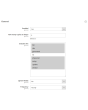
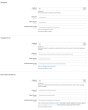
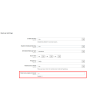
O Extmag Backup Manager para Magento® 2.x oferece configurações flexíveis para backups diários ou de hora em hora. Você faz backup apenas das pastas da sua loja que são críticas para o funcionamento e configura o módulo padrão de backup do Magento para criar uma cópia completa do site uma vez por semana. Assim, seus backups ocupam o mínimo de espaço no servidor e não atrapalham o funcionamento do site. Cópias mínimas são criadas rapidamente e não exigem modo de manutenção.
Outro diferencial do Extmag Backup Manager para Magento 2.x é a possibilidade de armazenar backups na nuvem. Atualmente o módulo suporta Dropbox, Google Drive e Microsoft OneDrive. Após alguns ajustes, todos os seus backups são enviados ao serviço de nuvem escolhido. Você também define quantas cópias devem ser mantidas no servidor para restauração. O módulo exclui todas as demais cópias — porém elas permanecem na nuvem (se configurado), até que você as remova manualmente.
A restauração de um backup é feita pela interface padrão, da mesma forma que um backup regular do módulo padrão de backup do Magento.
Exemplo de uso do Extmag Backup Manager para Magento 2.x:
- Durante o desenvolvimento da loja online, configure o módulo para que os backups incluam todas as pastas e sejam criados a cada 2–3 horas. Assim, em caso de erro de desenvolvimento, você sempre retorna à versão correta.
- Quando o site estiver completamente pronto e entrar em produção, faça um backup completo.
- Configure o módulo para fazer backup apenas das pastas que mudam com frequência. A pasta vendor, por exemplo, não faz parte delas — se você excluí-la, ela já estará incluída no backup completo.
- Em caso de tráfego alto e muitos pedidos, configure o módulo para criar backups a cada 3–5 horas. Em caso de perda de dados, você restaura os dados até a hora seguinte.
- Com poucos pedidos por dia, configure um cronograma de backup de uma vez a cada 12 horas. Backups mais frequentes são, obviamente, possíveis.
Demonstração
Você pode testar esta extensão por 30 dias. Solicite a demonstração nesta mesma página com Solicitar demonstração; como funciona está explicado em Teste uma extensão por 30 dias.
| CMS | Magento 2 |
|---|---|
| Compatibilidade | 2.4, 2.3, 2.2, 2.1, 2.0 |
| Recursos |
|
A extensão é instalada com o Composer. Qual repositório você adiciona depende de onde a comprou — a instalação em si é a mesma nos dois casos.
1. Conectar o repositório
Comprada na extmag.com. A página da sua conta mostra o endereço do repositório e suas credenciais pessoais, junto com os dois comandos composer config para colar. Execute-os uma vez por projeto; depois disso, toda extensão que você possui fica disponível no mesmo repositório.
Comprada no Adobe Commerce Marketplace. O pacote é servido de repo.magento.com, que a maioria das lojas já tem configurado. Se não for o caso, adicione as access keys da sua conta Adobe em My Profile -> Access Keys.
2. Instalar a extensão
Execute na raiz do projeto:
composer require extmag/backuppro
php bin/magento setup:upgrade
php bin/magento cache:flush
O Composer resolve os pacotes Extmag compartilhados dos quais a extensão depende, então não há mais nada a exigir manualmente.
Saia do admin e entre novamente: a extensão está pronta.
Armazenamento em nuvem
O suporte a Dropbox e Google Drive já vem com a extensão. O OneDrive precisa de um pacote adicional:
composer require krizalys/onedrive-php-sdk
Testar antes de comprar
Você pode pedir uma demonstração de 30 dias desta extensão e instalá-la exatamente como acima: mesmo pacote, mesmo repositório, mesmos comandos. Como funcionam as demonstrações.
Instalar sem o Composer
O arquivo pode ser descompactado em app/code/Extmag/, mas isso deixa a extensão fora do gerenciamento de dependências: os pacotes compartilhados precisam ser instalados à mão e as atualizações nunca chegam até ela. Use o Composer em qualquer loja que você opere, inclusive na demonstração.
Para qualquer dúvida sobre a instalação, fale com nosso suporte técnico.
-
User Guide User Guide.pdf · 1.3 MBDownload
-
Reference Manual Reference Manual.pdf · 490.5 KBDownload
-
Installation Guide Installation Guide.pdf · 302.5 KBDownload
Configuração do sistema
Pontos de atenção
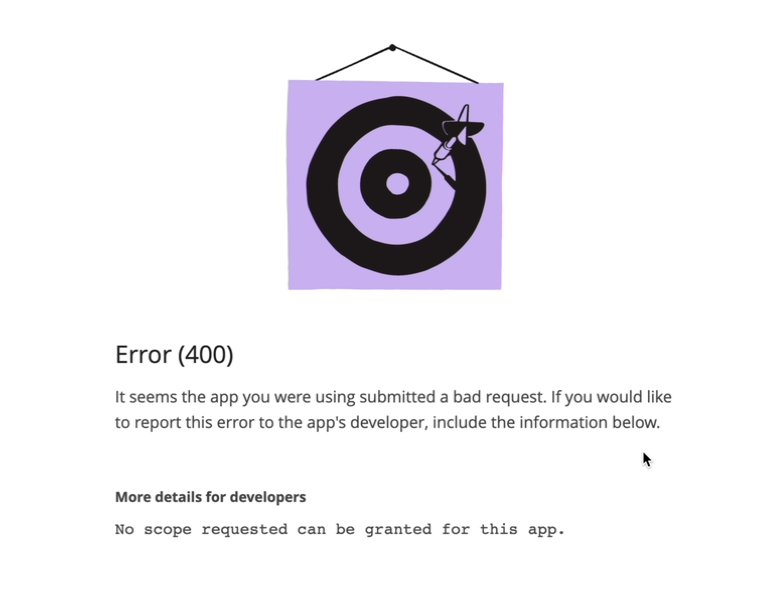
Se o armazenamento em nuvem retornar o erro mostrado abaixo:
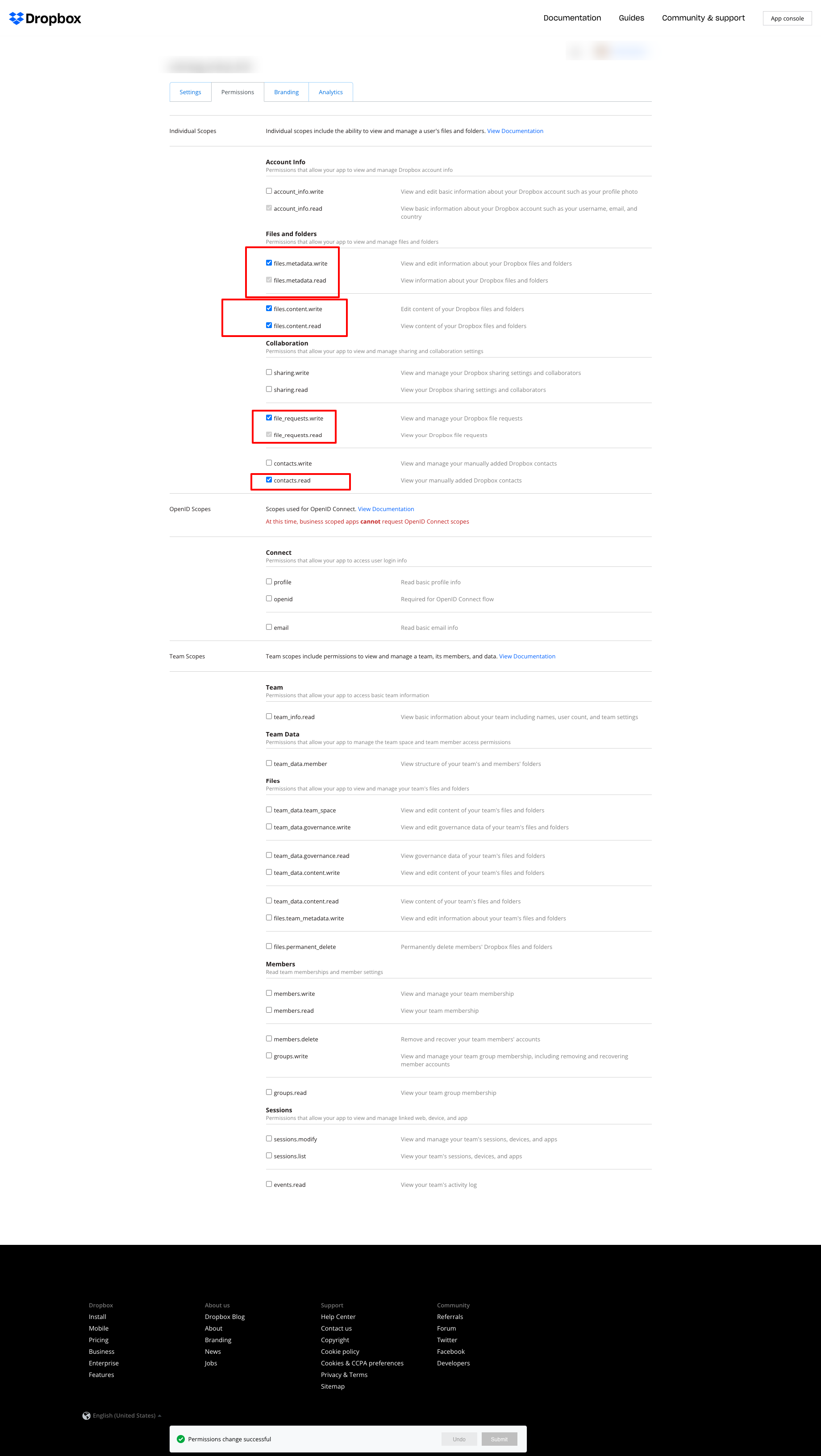
ajuste as permissões como na captura a seguir:
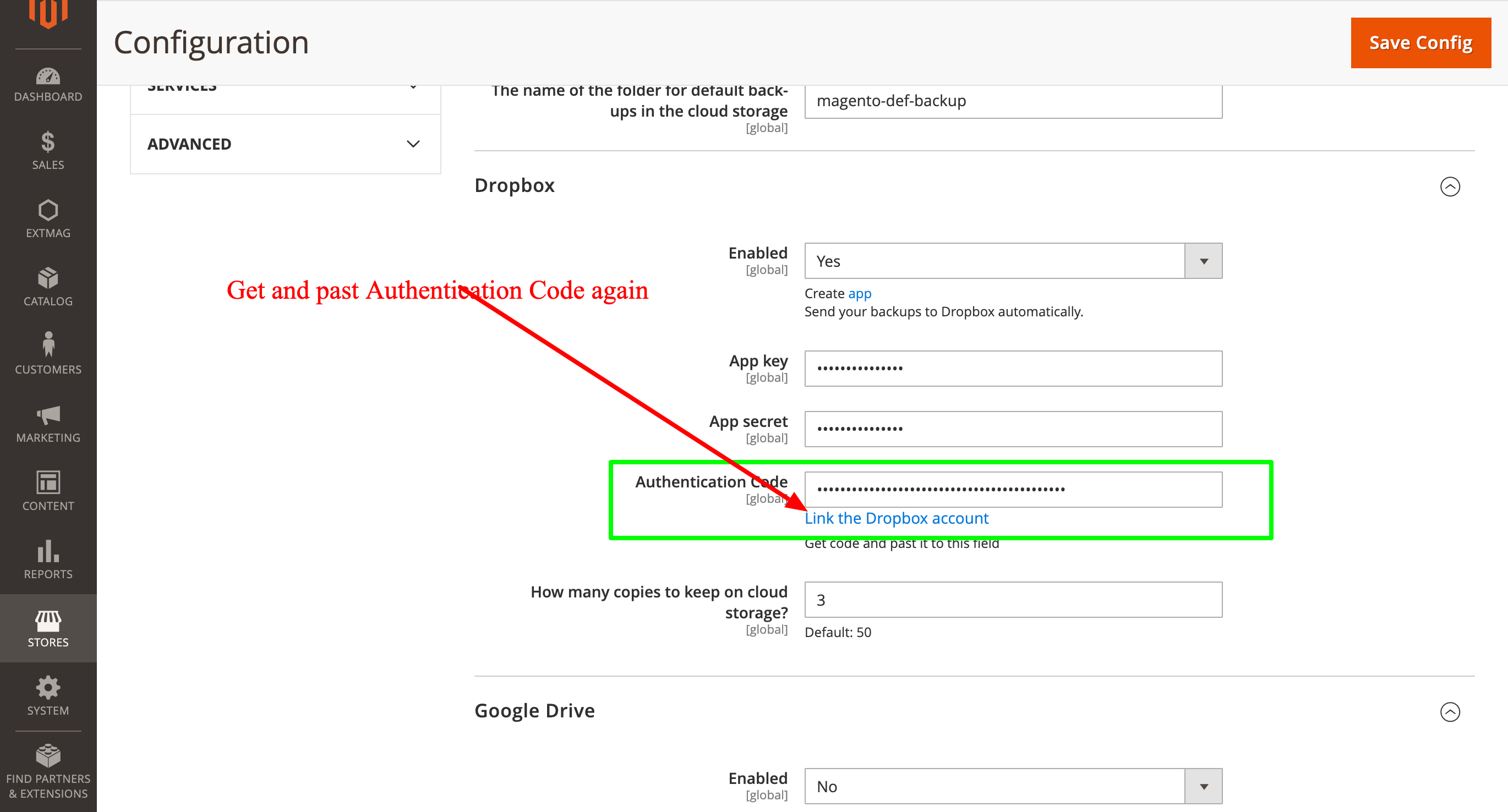
e depois obtenha o Authentication Code novamente e informe-o outra vez:
2.0.4
BackupCore: Fixed backup type detection and folder name collisions. BackupCore: Removed Store/Website repository preferences. BackupCore: Refactored token show.phtml to use secureRenderer for CSP compliance. BackupCore: Added create_mini ACL resource.
2.0.3
Added support Magento 2.4.9 and Adobe Commerce 2.4.9
2.0.2
Added support Magento 2.4.8-p4 and Adobe Commerce 2.4.8-p4
2.0.1
Refactored code.
2.0.0
Added backup sets.
Added starage sets.
Added Amazon S3 as a cloud storage.
1.7.2
Added support Magento 2.4.8-p3 and Adobe Commerce 2.4.8-p3
1.7.1
Added support Magento 2.4.8-p2 and Adobe Commerce 2.4.8-p2
1.7.0
Added support Magento 2.4.8-p1 and Adobe Commerce 2.4.8-p1
1.6.9
Added support Magento 2.4.8 and Adobe Commerce 2.4.8
1.6.8
Added support Magento 2.4.7-p5 and Adobe Commerce 2.4.7-p5
1.6.7
Added support Magento 2.4.7-p4 and Adobe Commerce 2.4.7-p4
1.6.6
Added support Magento 2.4.7-p3 and Adobe Commerce 2.4.7-p3
1.6.5
Added support Magento 2.4.7-p2 and Adobe Commerce 2.4.7-p2
1.6.4
Added support Magento 2.4.7-p1 and Adobe Commerce 2.4.7-p1
1.6.3
Fixed names of Google API classes. There were changing underscores to namespaces.
1.6.2
Improved the frequency of the schedule
Fixed Google Drive connection
1.6.1
Added support Magento 2.4.7 and Adobe Commerce 2.4.7
1.6.0
Fixed schedule frequency for the backup
1.5.9
Fixed bug with nullable variable in the method attribute
1.5.8
Added support Magento 2.4.6-p4 and Adobe Commerce 2.4.6-p4
1.5.7
Added support Magento 2.4.6-p3 and Adobe Commerce 2.4.6-p3
1.5.6
Added buttons Test Connection for Cloud Storages configuration
1.5.5
Added support Magento 2.4.6-p2 and Adobe Commerce 2.4.6-p2
1.5.4
Added support Adobe Commerce 2.4.6-p1
1.5.3
Support Adobe Commerce (Magento) 2.4.6
Support PHP 8.1 and PHP 8.2
1.5.2
Improved the PHP code
1.5.1
Fixed PHP warnings
1.5.0
Support Adobe Commerce (Magento) 2.4.5-p1
1.4.9
Support Adobe Commerce (Magento) 2.4.5
1.4.8
Added new dependency to the module composer.json
Added permissions to request authorization for Dropbox
1.4.6
Fixed bug with the core module
1.4.5
Cleared error message if the access token for cloud storage is correct
1.4.4
Fixed sending backups to cloud services.
Fixes some bugs.
1.4.3
Added support for PHP 8.1 and Adobe Commerce (Magento) 2.4.4
1.4.2
Fixed bug with DB dump
1.4.1
Update versions of dependencies
1.4.0
Added the ability to manage the number of stored copies of mini backups on your cloud storage
1.3.0
Decrease time of database backup and increase availability database at backup doing.
Added new CLI command for restoring DB from backup.
1.2.0
Added folder name for cloud storage
1.1.0
Added "Extmag Mini Backup" button on logs grid
Fixed authentication errors for cloud storage
Refactoring code
1.0.5
Show error with onedrive getting auth code if this error exists
1.0.4
The version of the core module up to ^1.2
Changed the version of dependency modules
1.0.3
Fixed bug with acl
Fixed bug with system configuration
Core module was added as a dependency
1.0.2
Fixed bug with schedule and config cache
1.0.1
Fixed bug with uploading backups to Microsoft OneDrive
Fixed bug with schedule
1.0.0
Module created
