
Admin-Asistente para Magento® 2.x



El Admin-Asistente ofrece a quienes gestionan su tienda las herramientas que el panel de Adobe Commerce (Magento) no incluye: búsqueda basada en reglas en las cuadrículas con las que trabaja a diario, accesos directos a las páginas que abre constantemente y una respuesta clara sobre qué está instalado, qué está configurado dónde y qué hacen las tareas en segundo plano.
Encontrar un pedido por lo que contiene, comprobar un ajuste en todas las vistas de tienda, ver qué extensiones tienen una actualización esperando, saber si el cron llegó a ejecutarse — cada una de estas cosas suele exigir una exportación, un cambio de ámbito o un mensaje a un desarrollador. El Admin-Asistente las responde desde el propio panel.
Cada herramienta tiene su propio permiso, de modo que un rol puede recibir las cuadrículas sin el diagnóstico, o al revés.
Funciones
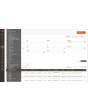
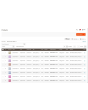
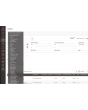
Filtros avanzados para pedidos, facturas, envíos, notas de crédito y productos
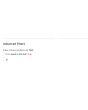
El filtrado funciona como una regla de precios del carrito: añada una condición, elija el atributo, el operador y el valor, y combine las condiciones con TODAS o CUALQUIERA. Las condiciones no se limitan a las columnas de la cuadrícula.
En las cuadrículas de ventas cubren totales, cantidad y peso, el método de envío, la dirección completa de facturación y envío, nombre, correo y grupo del cliente, método de pago, estado y tienda — además de una combinación de atributos de producto, que localiza un pedido por lo que contiene. «Pedidos por encima de un importe que contengan un producto de esta marca y se envíen a este país» es una sola consulta en lugar de una exportación y una hoja de cálculo.
Una consulta que construya a menudo puede guardarse como preajuste y volver a aplicarse con un clic. Cada cuadrícula se activa por separado, y los filtros estándar de Magento pueden mantenerse u ocultarse una vez que están los avanzados.
Panel de control
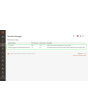
Una página con todas las herramientas de la extensión y su estado, cada una enlazada. Una página de inicio práctica tras iniciar sesión y la forma más rápida de ver cómo está configurada la extensión en una instalación que no conoce.
Hotlinks
Acceso rápido a las páginas del panel que usa constantemente — Ventas → Métodos de pago, una sección concreta de la configuración, una cuadrícula en la que vive. Añádalas con título y URL, ordénelas, desactive las que no quiera; aparecen en la barra lateral del panel para todos.
Los hotlinks automáticos hacen lo mismo sin pedírselo: la extensión cuenta las páginas que visita cada usuario del panel y le ofrece a esa persona las suyas más visitadas, hasta el límite que usted fije.
Información sobre las extensiones instaladas
Cada paquete de terceros instalado con su versión actual, la última publicada y si hay una actualización disponible. Sin sesión SSH ni comando de composer para responder a «¿vamos atrasados en algo?».
Información del entorno
La versión, edición y modo de Adobe Commerce (Magento); la versión de PHP, sus límites de memoria y subida y las extensiones cargadas; el tamaño de la base de datos y el número de tablas; si Redis y el motor de búsqueda responden; y cuánto disco ocupan las carpetas de logs, caché, medios, estáticos y generados. La página por la que suele empezar una petición de soporte.
Monitor de cron
Cada tarea que declara la instalación, con su grupo, expresión de programación, último estado, última ejecución y duración, además de su historial. Las tareas pueden ejecutarse al momento desde la cuadrícula. Una tarea que nunca se ha ejecutado se indica con claridad — normalmente la vía más rápida para descubrir que el cron no corre con el usuario correcto.
Diferencias de configuración
Cada ruta de configuración que una web o vista de tienda sobrescribe, con el ámbito, el valor vigente allí y el valor por defecto del que se aparta. Después de una importación de configuración o una migración, esta es la lista de todo lo que no es estándar, en una pantalla.
Configuración multitienda
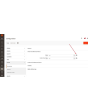
Dentro de la configuración, un campo gestionado muestra un pequeño icono junto a la entrada. Al pulsarlo se ve el valor de ese campo en cada tienda de la instalación — sin cambiar de ámbito, sin recorrer las webs una a una. Para quien gestiona más de una tienda, esto ahorra horas.
Visor de plugins y preferencias
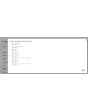
Qué plugins interceptan una clase, en qué orden y sobre qué métodos, con búsqueda por clase destino, clase del plugin o módulo; y a qué clase concreta se resuelve cada interfaz. Un filtro muestra solo los métodos que toca más de un plugin — ahí es donde viven los conflictos entre extensiones.
Sesiones de administración
Cada sesión del panel con su usuario, dirección IP, estado, hora de inicio y última actividad, y una acción de cierre forzado que la termina de inmediato: la siguiente petición desde ese navegador cae en la pantalla de acceso.
Gestión de índices
La cuadrícula nativa de gestión de índices gana un contador de backlog y el último error por indexador, y una página de detalle con historial de ejecuciones, dependencias y dos controles. Pausa detiene por completo las actualizaciones programadas de un indexador; Limitación las reduce a una pasada cada tantos minutos. Ambos están pensados para una importación masiva o una migración de datos — pause lo que no necesita ir al día y reindexe una vez al final. Una reindexación manual se ejecuta siempre, diga lo que diga el control.
Grid de categorías
El árbol de categorías como una cuadrícula plana: ordenable, filtrable, con la ruta, el nivel, el estado, la posición y el recuento real de productos. Encuentre las categorías sin productos, vuelva a activar en lote las que se desactivaron por error, edite un nombre en línea. Si tiene muchas categorías, la diferencia frente al árbol es inmediata.
Conservar las tablas de la base de datos al eliminar extensiones
Cuando se desactiva un módulo, Adobe Commerce (Magento) elimina sus tablas en la siguiente actualización. El Admin-Asistente lo impide, de modo que un módulo apagado una tarde no se lleva sus datos. Las tablas solo se eliminan cuando un módulo lo pide explícitamente mediante sus propios data patches.
Activar/desactivar Two-Factor Authentication desde el panel de administración
La autenticación en dos pasos puede omitirse desde la configuración, por separado para el acceso al panel y para la generación de tokens de API, con la opción de mantener la omisión fuera del modo desarrollador. Pensado para una prueba de carga, una copia restaurada de producción o una instalación que ya está detrás de un proveedor de identidad que exige MFA — no para una tienda pública sin nada que cumpla esa función.
Logs Manager Pro
El módulo Logs Manager Pro está totalmente integrado en el Admin-Asistente. Al comprar el Admin-Asistente obtiene gratis todas las funciones de Logs Manager Pro.
Encontrará más información sobre las posibilidades de Logs Manager Pro aquí.
Backup Manager Pro
El módulo Backup Manager Pro está totalmente integrado en el Admin-Asistente. Al comprar el Admin-Asistente obtiene gratis todas las funciones de Backup Manager Pro.
Encontrará más información sobre las posibilidades de Backup Manager Pro aquí.
Demo
Puede probar esta extensión durante 30 días. Solicite la demo en esta misma página con Solicitar demo; cómo funciona se explica en Pruebe una extensión durante 30 días.
| CMS | Magento 2 |
|---|---|
| Compatibilidad | 2.4, 2.3 |
| Características |
|
La extensión se instala con Composer. Qué repositorio añade depende de dónde la haya comprado; la instalación en sí es la misma en ambos casos.
1. Conectar el repositorio
Comprada en extmag.com. Su página de cuenta muestra la dirección del repositorio y sus credenciales personales, junto con los dos comandos composer config que hay que pegar. Ejecútelos una vez por proyecto; a partir de ahí, todas las extensiones que posea están disponibles desde el mismo repositorio.
Comprada en el Adobe Commerce Marketplace. El paquete se sirve desde repo.magento.com, que la mayoría de las tiendas ya tienen configurado. Si no es su caso, añada las claves de acceso de su cuenta de Adobe en My Profile -> Access Keys.
2. Instalar la extensión
Ejecute en la raíz del proyecto:
composer require extmag/improver
php bin/magento setup:upgrade
php bin/magento cache:flush
Composer resuelve los paquetes compartidos de Extmag de los que depende la extensión, así que no hay nada más que requerir a mano.
Salga del admin y vuelva a entrar: la extensión está lista.
Almacenamiento en la nube
La compatibilidad con Dropbox y Google Drive viene con la extensión. OneDrive necesita un paquete adicional:
composer require krizalys/onedrive-php-sdk
Probarla antes de comprar
Puede pedir una demo de 30 días de esta extensión e instalarla exactamente como se indica arriba: mismo paquete, mismo repositorio, mismos comandos. Cómo funcionan las demos.
Instalar sin Composer
El archivo puede descomprimirse en app/code/Extmag/, pero eso deja la extensión fuera de la gestión de dependencias: sus paquetes compartidos hay que instalarlos a mano y las actualizaciones nunca le llegan. Use Composer en cualquier tienda que gestione, también en la demo.
Para cualquier duda sobre la instalación, escriba a nuestro soporte técnico.
-
User Guide User Guide.pdf · 1.3 MBDescargar
-
Reference Manual Reference Manual.pdf · 356.2 KBDescargar
-
Installation Guide Installation Guide.pdf · 230.0 KBDescargar
AdminWizard añade un conjunto de herramientas al admin de Adobe Commerce (Magento), bajo el menú Extmag. La mayoría funcionan nada más instalar la extensión; lo que hay que configurar es qué rejillas reciben los filtros avanzados, qué accesos directos aparecen en la barra lateral y si se usa el salto de la doble autenticación.
Dashboard
- Vaya a Admin Main Menu -> Extmag -> AdminWizard -> Dashboard.
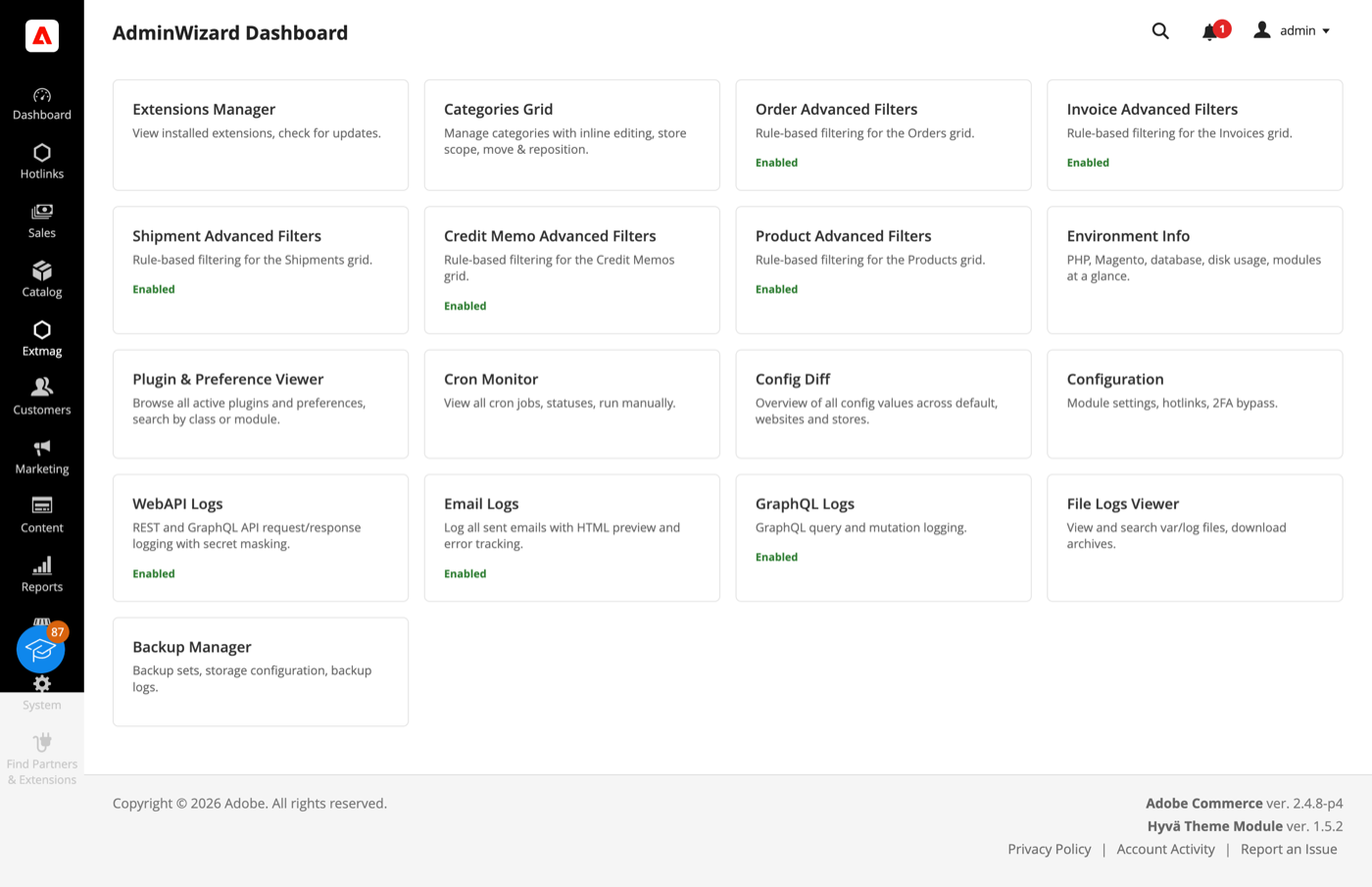
- Cada herramienta es una tarjeta: las activadas lo indican y cada una abre su propia página. Resulta útil como página de llegada tras el inicio de sesión: el estado de la extensión y el acceso a todo en una pantalla.
El dashboard también lista las herramientas que vienen de Logs Manager Pro y Backup Manager Pro. Ambos se incluyen con AdminWizard sin coste adicional, así que sus tarjetas son reales y no publicidad.
Advanced Filters para las rejillas
- Abra Sales -> Orders (o Invoices, Shipments, Credit Memos, o Catalog -> Products) y haga clic en «Advanced Filters» junto a los filtros estándar.
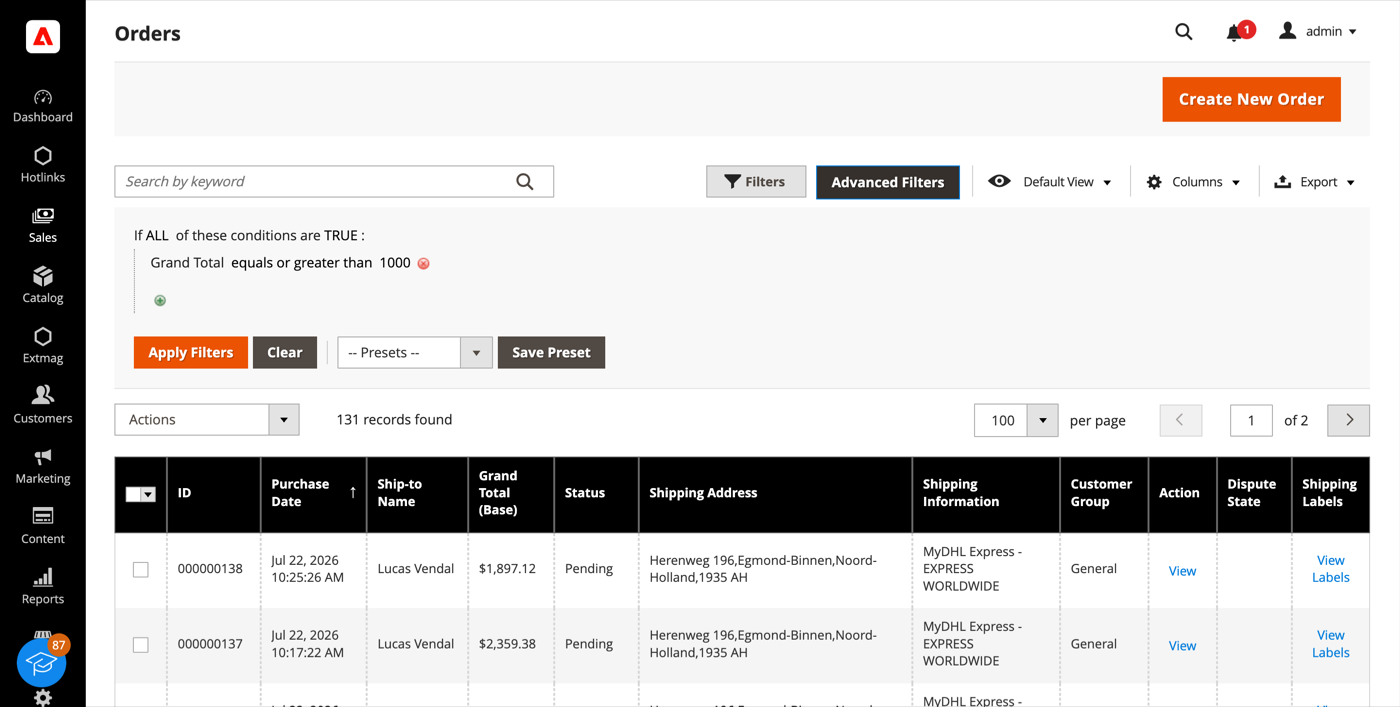
- Construya la consulta como una regla de carrito: añada una condición, elija el atributo, el operador y el valor, y combine las condiciones con ALL / ANY.
- Haga clic en «Apply Filters». La rejilla se recarga mostrando solo las filas que coinciden.
- «Save Preset» guarda una consulta que use a menudo; aparece en la lista Presets y la próxima vez estará a un clic.
La lista de condiciones no se limita a las columnas de la rejilla. En las rejillas de ventas cubre totales, cantidades, peso, método de envío, la dirección completa de facturación y envío, nombre del cliente, correo y grupo, método de pago, estado del pedido y tienda, además de una condición sobre atributos de producto que localiza un pedido por lo que contiene. «Pedidos con un producto de esta marca por encima de este precio» es una sola condición, no una exportación y una hoja de cálculo.
Extensions List y Environment Info
- Vaya a Admin Main Menu -> Extmag -> AdminWizard -> Extensions List.
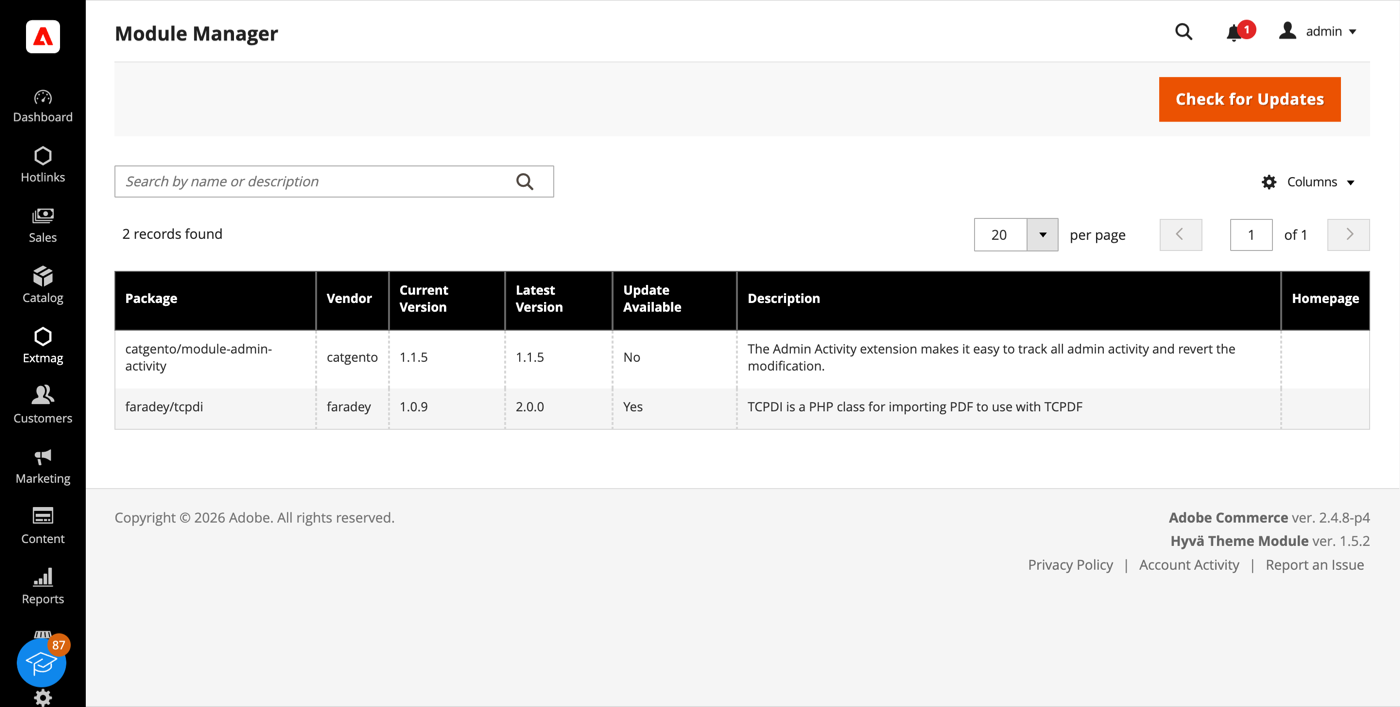
- Haga clic en «Check for Updates». La rejilla muestra cada paquete de terceros instalado con su versión actual, la última publicada y si existe actualización.
- Environment Info, en el mismo menú, da el resto del cuadro: versión, edición y modo de Magento, versión de PHP y sus límites, extensiones cargadas, tamaño de la base de datos y número de tablas, estado de Redis y del motor de búsqueda, y cuánto disco ocupan las carpetas log, cache, media, static y generated.
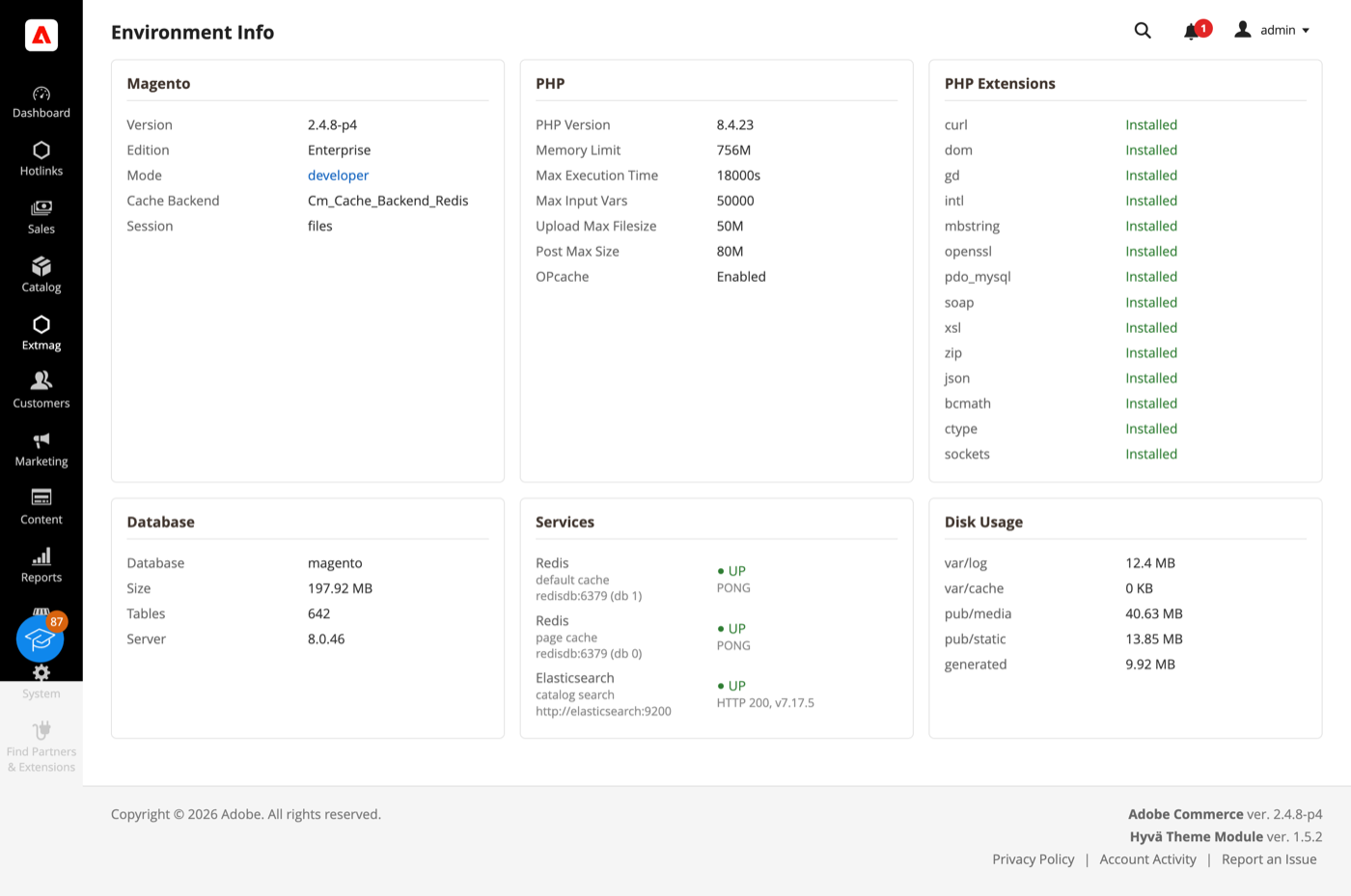
Ambas páginas responden a las preguntas con las que suele empezar una petición de soporte, sin abrir una sesión SSH.
Cron Monitor
- Vaya a Admin Main Menu -> Extmag -> AdminWizard -> Cron Monitor.
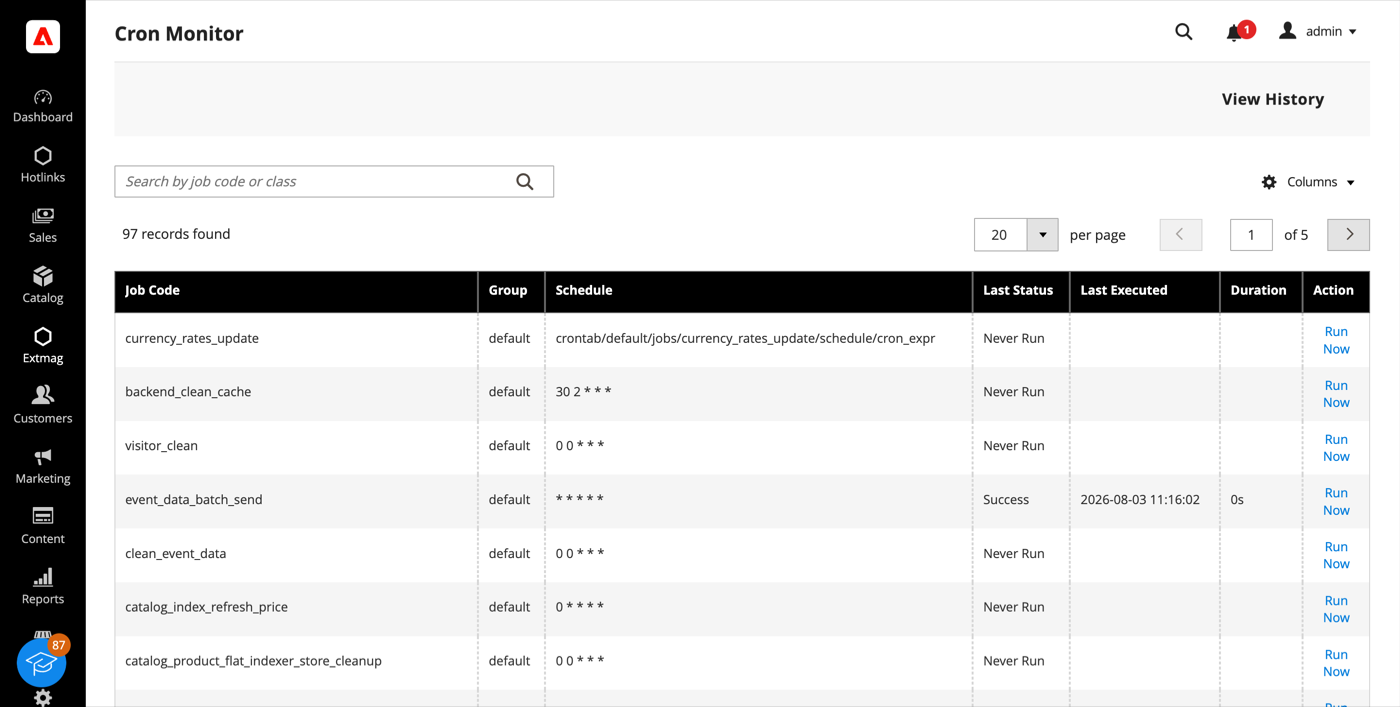
- La rejilla lista todas las tareas que declara la instalación: su grupo, su expresión de programación, el último estado, cuándo se ejecutó por última vez y cuánto tardó.
- «Run Now» ejecuta una tarea al instante; «View History» muestra sus ejecuciones anteriores. Una tarea que nunca se ha ejecutado se indica con claridad, que suele ser la vía más rápida para descubrir que el cron no corre con el usuario correcto.
Config Diff
- Vaya a Admin Main Menu -> Extmag -> AdminWizard -> Config Diff.
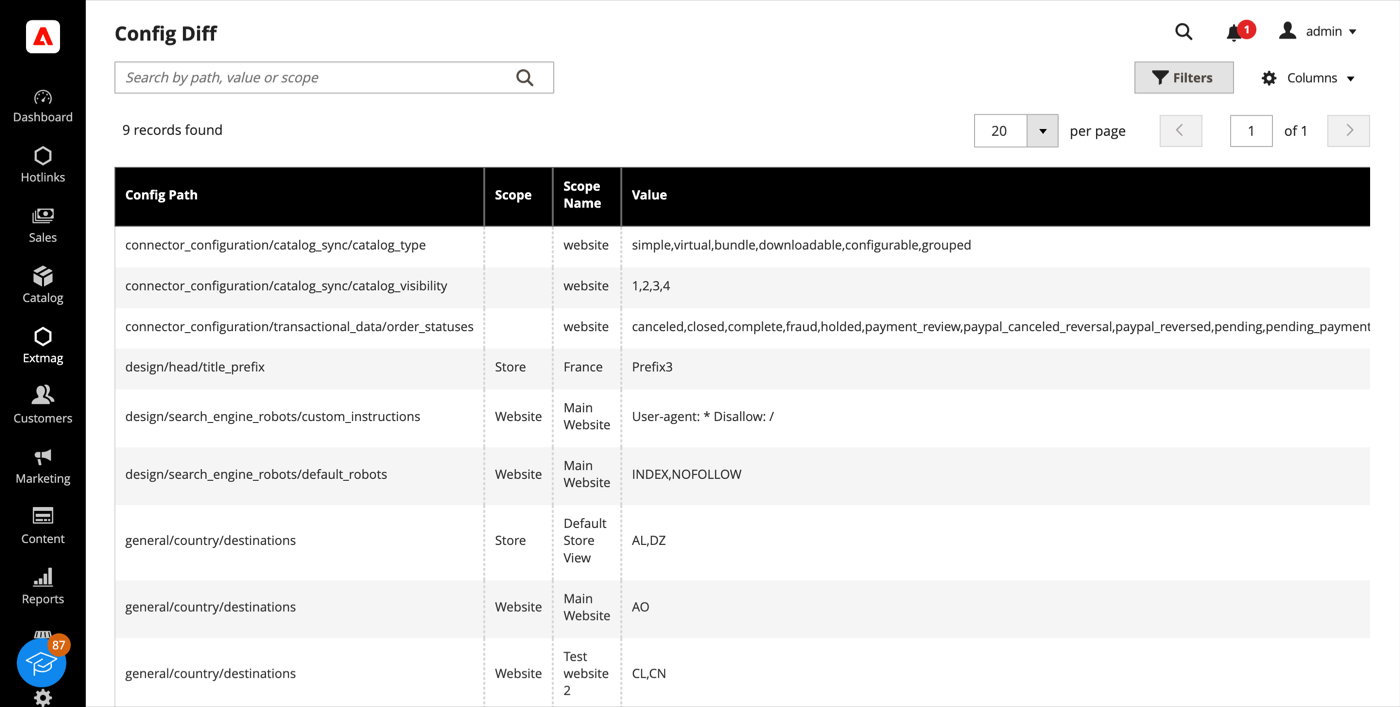
- La rejilla lista cada ruta de configuración que un sitio web o una vista de tienda sobrescribe, con el scope, el valor vigente allí y el valor por defecto del que se aparta.
La misma información está disponible campo a campo en otras partes del admin: un campo gestionado por AdminWizard muestra un icono de engranaje junto a la entrada, y al pulsarlo se lista el valor de ese campo en cada tienda sin cambiar de scope.
Plugin & Preference Viewer
- Vaya a Admin Main Menu -> Extmag -> AdminWizard -> Plugin & Preference Viewer.
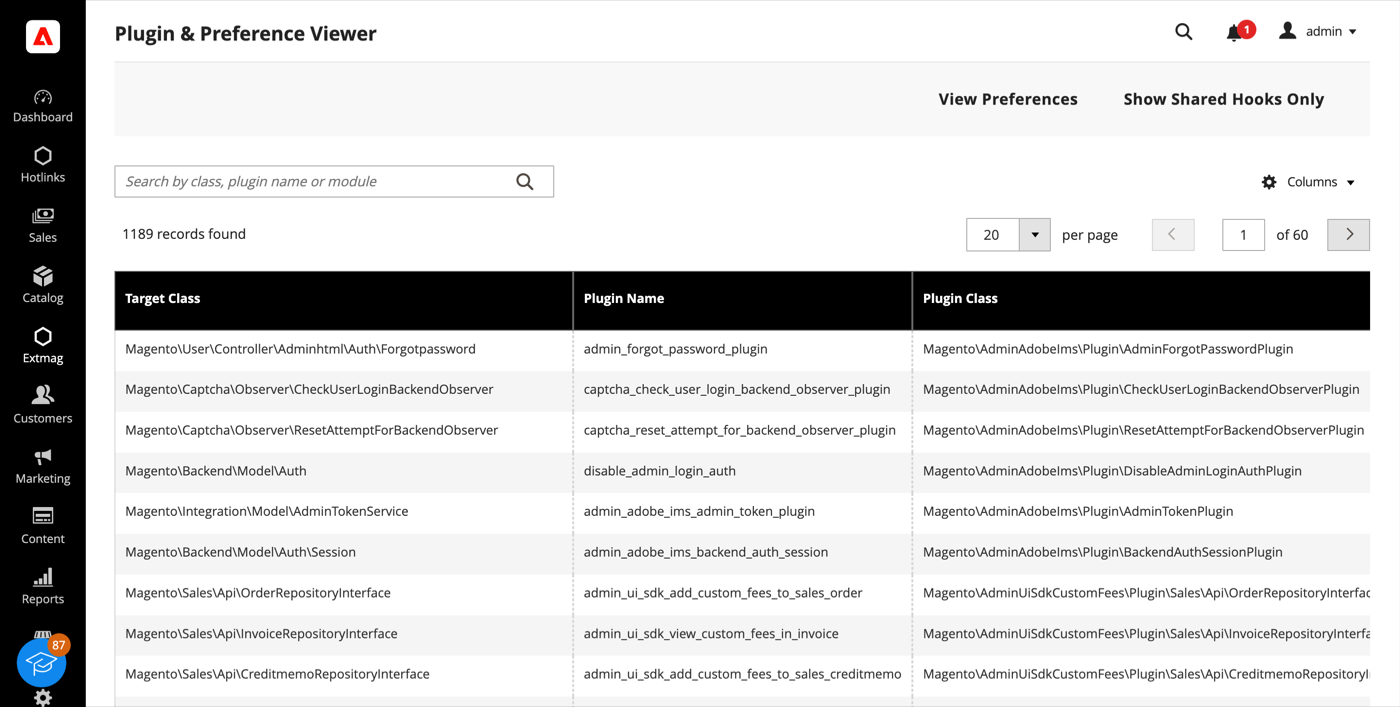
- Busque por clase destino, clase de plugin o módulo para ver cada plugin que intercepta una clase, en orden de sort, con los métodos que engancha. «View Preferences» cambia a la lista de preferences: a qué clase concreta resuelve cada interfaz.
- «Show Shared Hooks Only» reduce la lista a los métodos que toca más de un plugin, que es donde viven los conflictos entre extensiones.
Admin Sessions y Categories Grid
- Admin Sessions (Extmag -> AdminWizard -> Admin Sessions) lista cada sesión de admin con su usuario, IP, estado, hora de inicio y última actividad. Un Force Logout por fila termina una sesión de inmediato: la siguiente petición desde ese navegador aterriza en la pantalla de login.
- Categories Grid (Catalog -> Inventory -> Categories Grid) muestra el árbol de categorías como una rejilla plana, ordenable y filtrable, con la ruta, el nivel, el estado, la posición y el recuento de productos en vivo. Filtrar por recuento de productos vacío o activar un lote de categorías lleva segundos, donde la vista de árbol exige mucho clic.
Index Management
La rejilla nativa System -> Tools -> Index Management gana un contador de retraso y el último error por indexador, además de una página de detalle con historial de ejecuciones, dependencias y dos controles: Pause detiene por completo las actualizaciones programadas de un indexador y Throttle las limita a una pasada cada tantos minutos. Ambos están pensados para una importación masiva o una migración: pause lo que no necesita ir al día y reindexe una vez al final. Una reindexación manual siempre se ejecuta, diga lo que diga la restricción.
Configuración
- Vaya a Admin Main Menu -> Extmag -> AdminWizard -> Configuration.
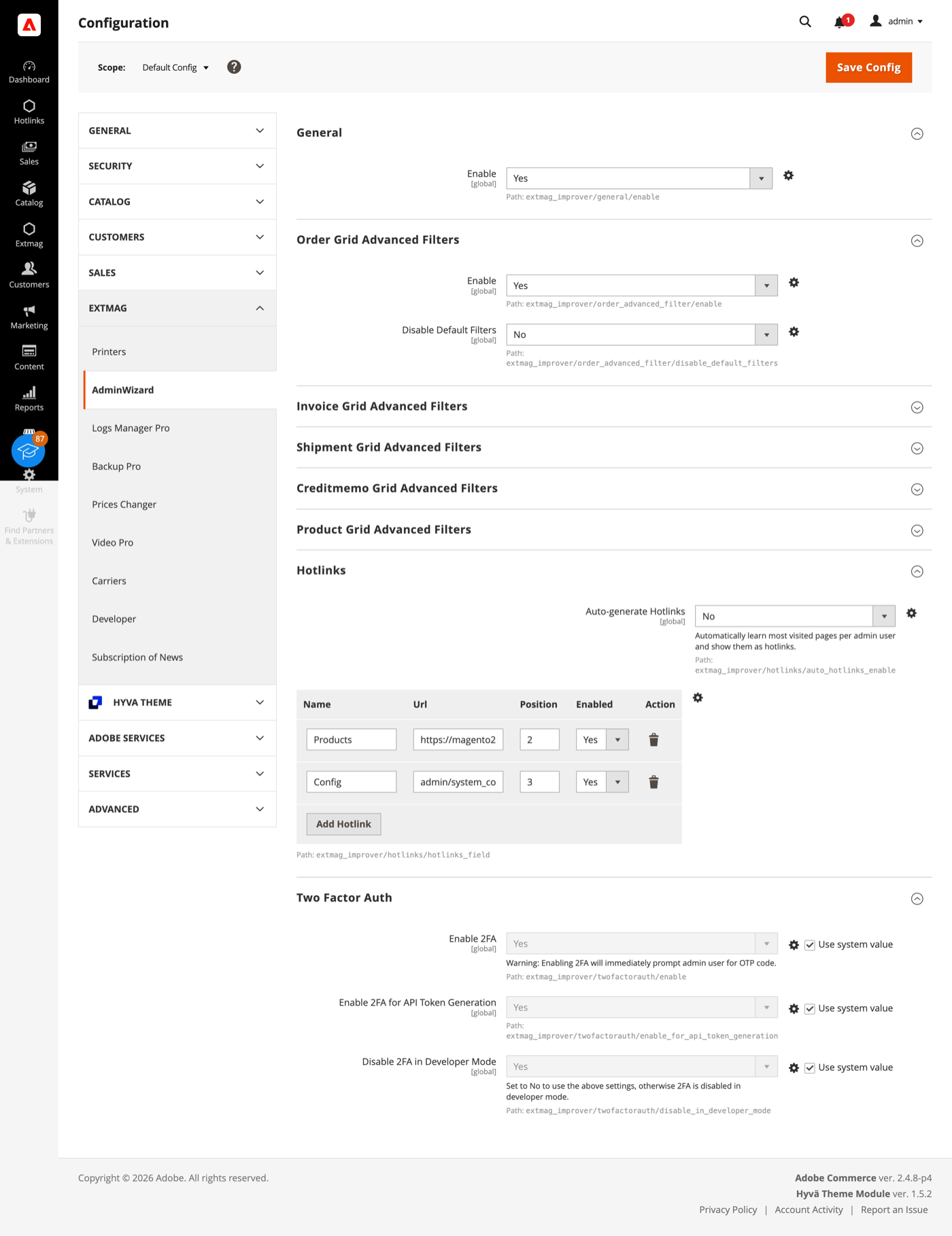
- Recorra los grupos rellenando lo que corresponda a su tienda.
Los grupos cubren:
- General: el interruptor principal de la extensión.
- Order, Invoice, Shipment, Credit Memo y Product Grid Advanced Filters: un grupo por rejilla, con si los filtros avanzados aparecen allí y si los filtros estándar de Magento se ocultan una vez que están.
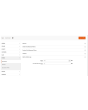
- Hotlinks: una tabla de accesos directos (título y URL, ordenados y activables uno a uno) que se muestran como una entrada Hotlinks en la barra lateral del admin para todos. Active Auto-generate Hotlinks y cada operador obtiene además sus propias páginas más visitadas, con el tope que usted fije.
- Two Factor Auth: si se salta la doble autenticación de Magento, por separado para el acceso al admin y para la generación de tokens de API, con la opción de no aplicar el salto en modo desarrollador.
La doble autenticación es una medida de seguridad. Active el salto para una prueba de carga, una copia restaurada de producción o una instalación que ya está detrás de un proveedor de identidad que impone MFA; no en una tienda de producción pública sin que otra cosa haga ese trabajo.
Una cosa funciona sin configuración alguna: cuando un módulo se desactiva, Adobe Commerce (Magento) elimina sus tablas de base de datos en el siguiente setup:upgrade. AdminWizard lo impide, de modo que desactivar un módulo temporalmente no destruye sus datos. Está activo por defecto.
La referencia completa campo por campo, con las rutas de configuración exactas y los recursos ACL detrás de cada página, está en el Reference Manual que acompaña a la extensión.
1.4.7
Use injected $escaper instead of $block->escape*() in admin templates. Bind reload link via JS to comply with CSP restrict mode.
1.4.6
Fixed clearing advanced filters by iterating remove buttons and applying.
1.4.5
Added support Magento 2.4.9 and Adobe Commerce 2.4.9
1.4.4
Major refactoring: replace AdminActionLog with AdminSession, add Dashboard and new tools. Added support Magento 2.4.8-p4 and Adobe Commerce 2.4.8-p4
1.4.0
Added support Magento 2.4.7-p4 and Adobe Commerce 2.4.7-p4
1.3.9
Added support Magento 2.4.7-p3 and Adobe Commerce 2.4.7-p3
1.3.8
Added support Magento 2.4.7-p2 and Adobe Commerce 2.4.7-p2
1.3.7
Added support Magento 2.4.7-p1 and Adobe Commerce 2.4.7-p1
1.3.6
Fixed names of Google API classes. There were changing underscores to namespaces.
1.3.5
Backup Core:
Fixed Google Drive connection
Improved the frequency of the schedule
1.3.4
Added support Magento 2.4.7 and Adobe Commerce 2.4.7
1.3.3
Fixed bug with nullable variable in the method attribute
Fixed schedule frequency for the backup
1.3.2
Added support Magento 2.4.6-p4 and Adobe Commerce 2.4.6-p4
1.3.1
Removed extra button from Admin Actions Log Grid
1.3.0
A category grid has been added. Now you can manage your categories very conveniently. Now it’s convenient to filter, sort, create, edit, and delete them.
1.2.8
Added Advanced Filters for the Creditmemo Grid.
1.2.7
Added the ability to reverse admin actions. For example, you can return the saving of a configuration or product if it was done incorrectly or by mistake.
1.2.6
Added Advanced Filters for the Shipments Grid.
Added "Product Type", "Has Options", and "Required options" as filters for the Products grid.
1.2.5
Enable/disable two-factor authentication from the admin panel.
1.2.4
The Backup Manager Pro module has been integrated into the Admin Wizard module and has become part of it.
To check the correct connection to Cloud Storages, Test Connection buttons for Microsoft OneDrive, Google Drive, and Dropbox were added.
1.2.3
Fixed a bug with the Google Drive connection
1.2.2
The Logs Manager Pro module has been integrated into the Admin Wizard module and has become part of it.
To check the correct connection to Cloud Storages, Test Connection buttons for Microsoft OneDrive, Google Drive, and Dropbox were added.
1.2.1
Added support Magento 2.4.6-p2 and Adobe Commerce 2.4.6-p2
1.2.0
Implementation advanced filters for invoices.
Add translations.
1.1.0
Added support Adobe Commerce 2.4.6-p1
1.0.0
Added the new version 1.0.0
Productos relacionados


