
Logs Manager para Magento® 2.x

O Magento® 2 não disponibiliza por padrão ferramentas para trabalhar com arquivos de log. Com o tempo, os arquivos de log crescem até atingir tamanhos grandes, às vezes enormes. Trabalhar com esses arquivos é inconveniente e sua análise se torna um processo complexo. Para que seus arquivos de log mantenham sempre um tamanho aceitável, utilize a extensão Logs Manager.
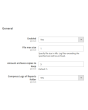
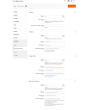
O Logs Manager permite definir o tamanho máximo de cada arquivo de log e o número máximo de cópias arquivadas.
Após a ativação do módulo, seus arquivos de log são verificados diariamente. Arquivos maiores que o tamanho definido são arquivados. O módulo mantém o número de cópias de arquivo configurado e remove as cópias antigas. Assim, seus arquivos de log permanecem sempre pequenos e fáceis de ler e analisar.
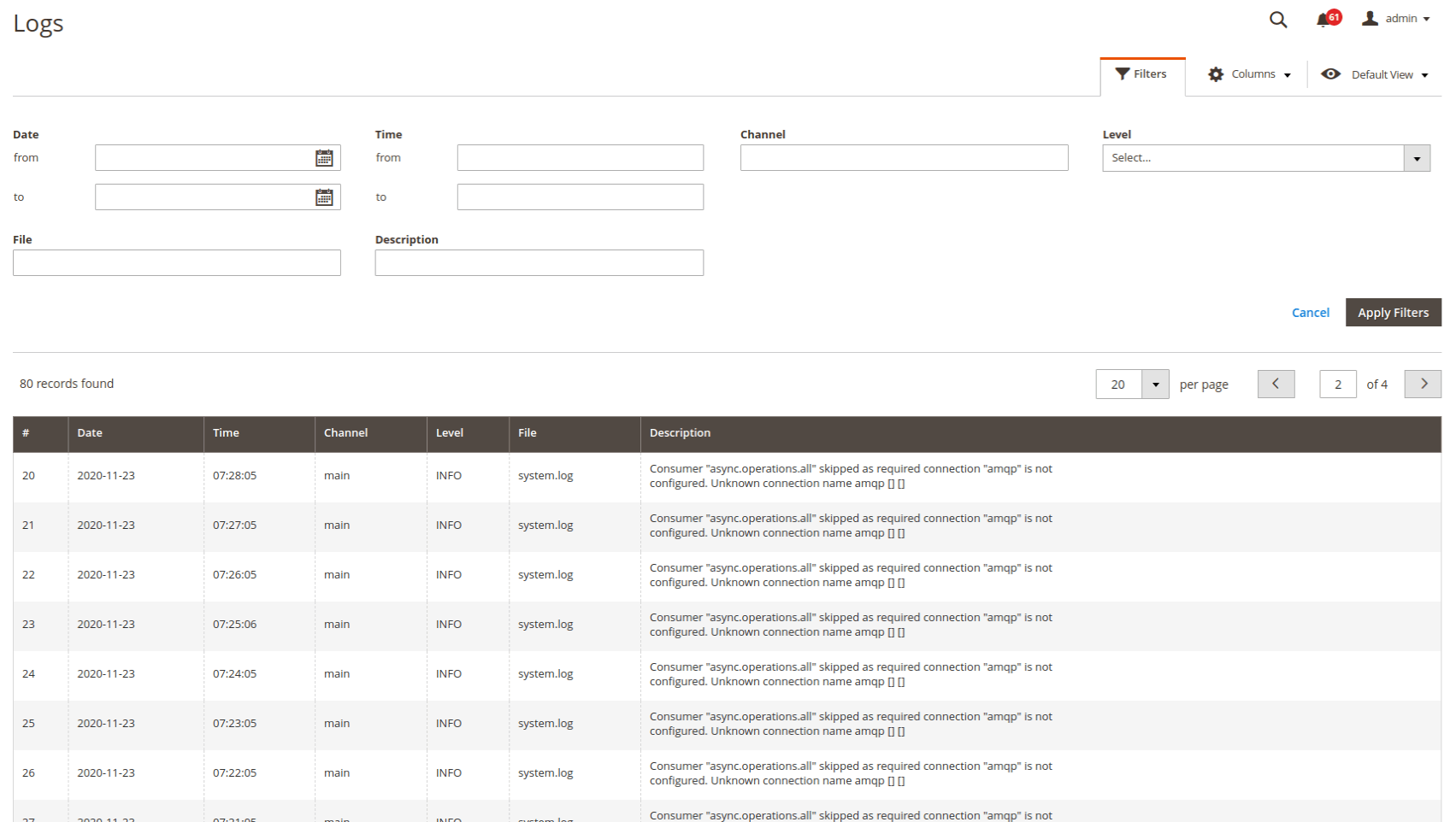
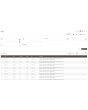
Visualizar e analisar logs diretamente do painel administrativo — muito prático. Você configura o acesso apenas para você ou para administradores específicos. A busca e a filtragem são feitas em todos os arquivos de log. Você pode filtrar logs por data e hora, por tipo de erro e pela busca de texto.
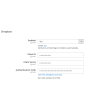
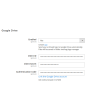
Outra funcionalidade importante do Logs Manager para Magento 2 é o trabalho com serviços de nuvem. Cada arquivo de log compactado pode ser enviado automaticamente para uma pasta (com estrutura) do seu Dropbox ou de outro serviço de nuvem. Assim, você libera espaço no servidor para arquivos mais importantes. Serviços de armazenamento em nuvem suportados: Dropbox, Google Drive, Microsoft OneDrive.
O módulo Logs Manager compacta os arquivos de log em arquivos ZIP. Como os logs costumam conter linhas ou partes de linhas repetidas, eles podem ser bem compactados. Um arquivo de 10 MB, por exemplo, pode ser reduzido para 0,5–1 MB. Geralmente, a taxa de compactação fica entre 70 e 90%.
Demonstração
Você pode testar esta extensão por 30 dias. Solicite a demonstração nesta mesma página com Solicitar demonstração; como funciona está explicado em Teste uma extensão por 30 dias.
| CMS | Magento 2 |
|---|---|
| Compatibilidade | 2.4, 2.3, 2.2, 2.1, 2.0 |
| Recursos |
|
A extensão é instalada com o Composer. Qual repositório você adiciona depende de onde a comprou — a instalação em si é a mesma nos dois casos.
1. Conectar o repositório
Comprada na extmag.com. A página da sua conta mostra o endereço do repositório e suas credenciais pessoais, junto com os dois comandos composer config para colar. Execute-os uma vez por projeto; depois disso, toda extensão que você possui fica disponível no mesmo repositório.
Comprada no Adobe Commerce Marketplace. O pacote é servido de repo.magento.com, que a maioria das lojas já tem configurado. Se não for o caso, adicione as access keys da sua conta Adobe em My Profile -> Access Keys.
2. Instalar a extensão
Execute na raiz do projeto:
composer require extmag/logsmanagerpro
php bin/magento setup:upgrade
php bin/magento cache:flush
O Composer resolve os pacotes Extmag compartilhados dos quais a extensão depende, então não há mais nada a exigir manualmente.
Saia do admin e entre novamente: a extensão está pronta.
Testar antes de comprar
Você pode pedir uma demonstração de 30 dias desta extensão e instalá-la exatamente como acima: mesmo pacote, mesmo repositório, mesmos comandos. Como funcionam as demonstrações.
Instalar sem o Composer
O arquivo pode ser descompactado em app/code/Extmag/, mas isso deixa a extensão fora do gerenciamento de dependências: os pacotes compartilhados precisam ser instalados à mão e as atualizações nunca chegam até ela. Use o Composer em qualquer loja que você opere, inclusive na demonstração.
Para qualquer dúvida sobre a instalação, fale com nosso suporte técnico.
-
User Guide User Guide.pdf · 725.7 KBDownload
-
Reference Manual Reference Manual.pdf · 346.6 KBDownload
-
Installation Guide Installation Guide.pdf · 208.8 KBDownload
Configuração do sistema
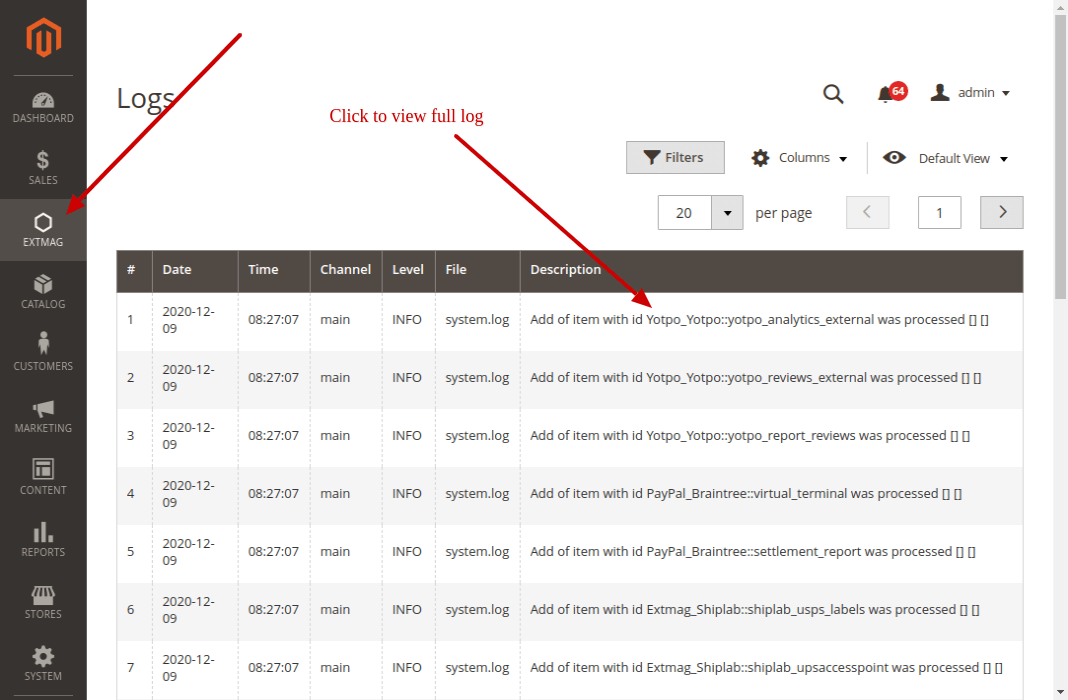
Listagem de logs
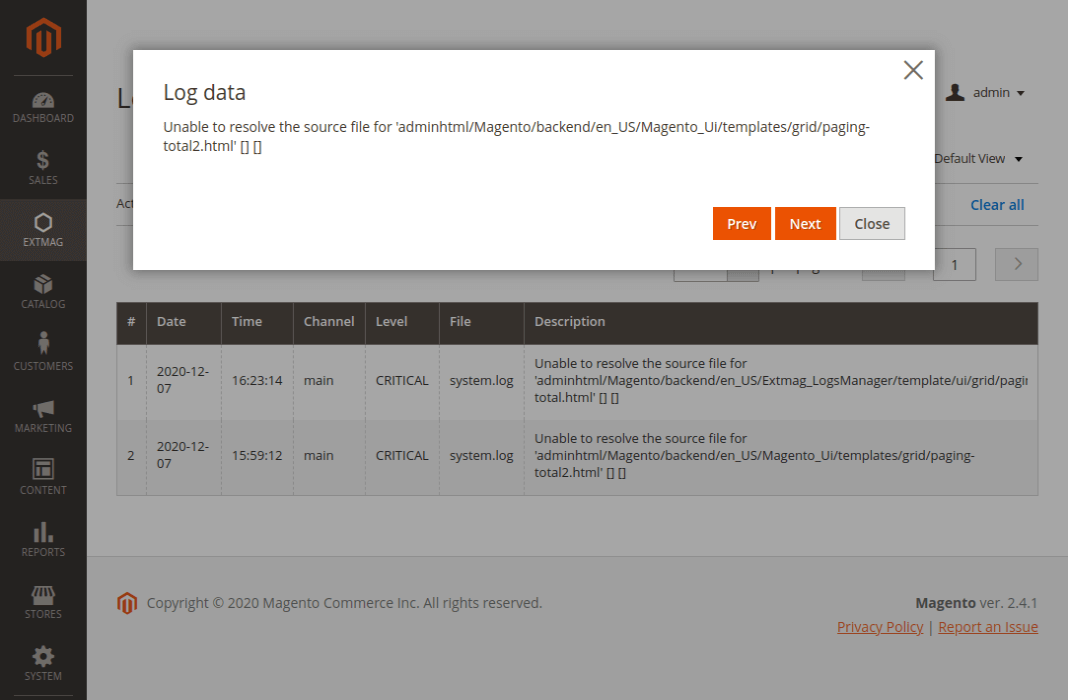
Na página de listagem você vê todos os seus logs. Ali aparece apenas uma parte da descrição; clique nela e abre uma janela com o texto completo.
Os logs ficam em Admin main menu -> Extmag -> Logs Manager -> Logs.
Filtrar os logs
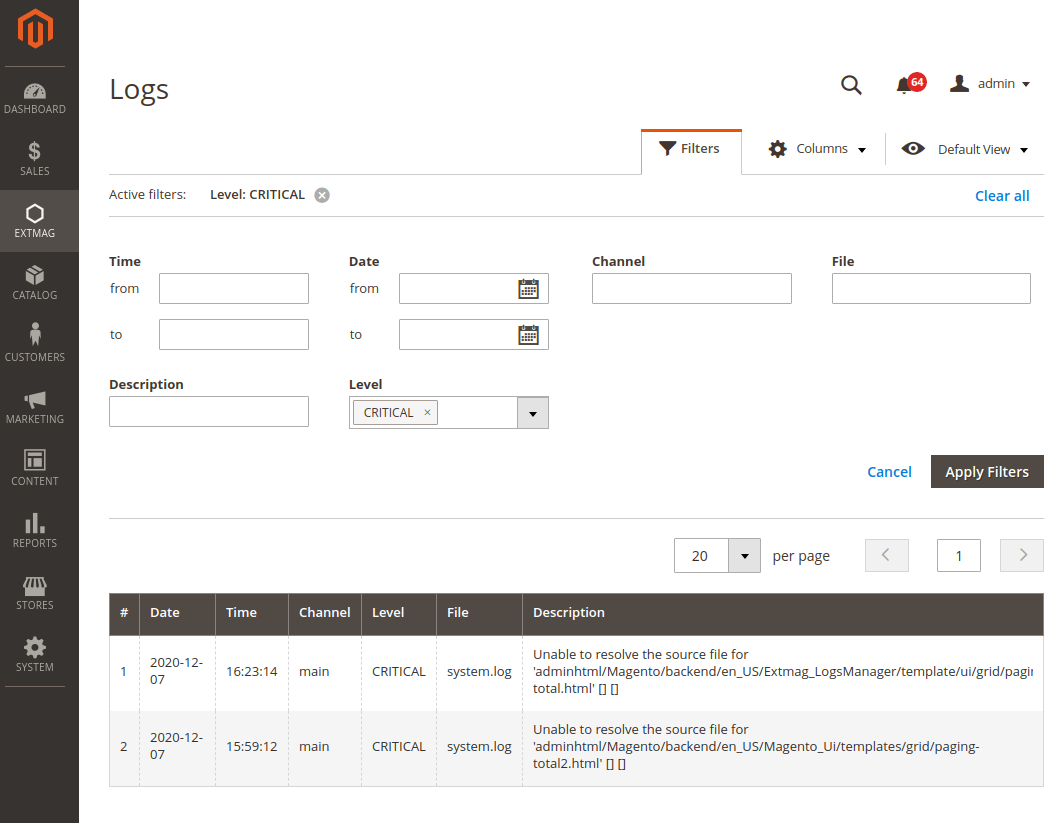
Os logs são filtrados por:
- data e hora
- Channel (main ou algum módulo)
- nome do arquivo
- busca na descrição do log
- nível do log (Error, Info, Warning, Critical, Debug e outros)
Pontos de atenção
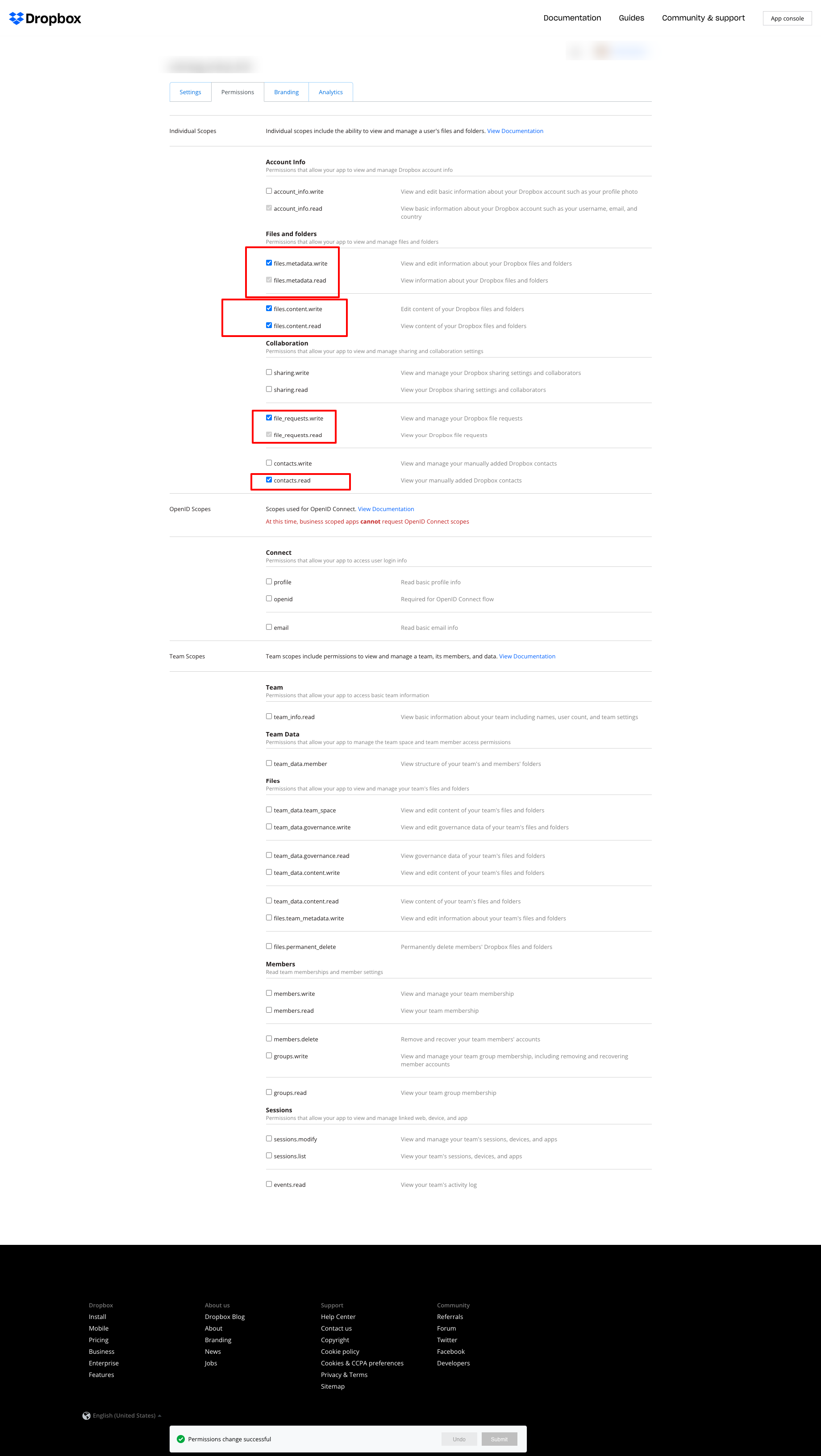
Se você usa o Dropbox para guardar os logs e recebe o erro mostrado abaixo:
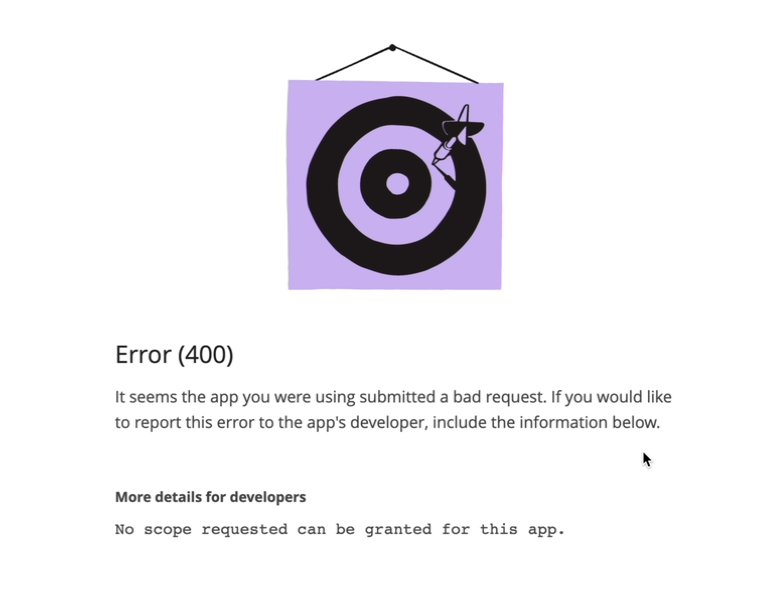
ajuste as permissões como na captura a seguir:
2.2.0
LogsCore: Switched admin log templates to the Escaper service instead of block escape helpers.
2.1.9
LogsCore: Add email and webapi log management features. Added support Magento 2.4.8-p4 and Adobe Commerce 2.4.8-p4
2.1.8
Added support Magento 2.4.8-p4 and Adobe Commerce 2.4.8-p4
2.1.7
Refactored code.
2.1.6
The functionality for uploading logs to cloud storages, such as Dropbox, Google Drive, and MS OneDrive, has been removed. This is now handled by the Backup Pro module.
2.1.5
Added support Magento 2.4.8-p3 and Adobe Commerce 2.4.8-p3
2.1.4
Added support Magento 2.4.8-p2 and Adobe Commerce 2.4.8-p2
2.1.3
Added support Magento 2.4.8-p1 and Adobe Commerce 2.4.8-p1
2.1.2
Added support Magento 2.4.8 and Adobe Commerce 2.4.8
2.1.1
Added support Magento 2.4.7-p5 and Adobe Commerce 2.4.7-p5
2.1.0
Added support Magento 2.4.7-p4 and Adobe Commerce 2.4.7-p4
2.0.9
Added support Magento 2.4.7-p3 and Adobe Commerce 2.4.7-p3
2.0.8
Added support Magento 2.4.7-p2 and Adobe Commerce 2.4.7-p2
2.0.7
Added support Magento 2.4.7-p1 and Adobe Commerce 2.4.7-p1
2.0.6
Fixed names of Google API classes. There were changing underscores to namespaces.
2.0.5
Fixed Google Drive connection
2.0.4
Added support Magento 2.4.7 and Adobe Commerce 2.4.7
2.0.3
Added support Magento 2.4.6-p4 and Adobe Commerce 2.4.6-p4
2.0.2
Added support Magento 2.4.6-p3 and Adobe Commerce 2.4.6-p3
2.0.1
Fixed a bug with the Google Drive connection
2.0.0
To check the correct connection to Cloud Storages, Test Connection buttons for Microsoft OneDrive, Google Drive, and Dropbox were added.
1.6.2
1.6.1
Added support Magento 2.4.6-p2 and Adobe Commerce 2.4.6-p2
1.6.0
Added support Adobe Commerce 2.4.6-p1
1.5.9
Support Adobe Commerce (Magento) 2.4.6
Support PHP 8.1 and PHP 8.2
1.5.8
Fixed PHP warnings
1.5.7
Refactoring code
1.5.6
Support Adobe Commerce (Magento) 2.4.5-p1
1.5.5
Support Adobe Commerce (Magento) 2.4.5
1.5.4
Added new dependency to the module composer.json
Added permissions to request authorization for Dropbox
1.5.3
Fixed bug with the core module
1.5.2
Added support for PHP 8.1 and Adobe Commerce (Magento) 2.4.4
1.5.1
Update versions of dependencies
1.5.0
Added the ability to download log files in zip format for local storage or transfer to developers of extensions to analyze errors and work of extensions
1.4.1
Show error with onedrive getting Authentication Code if this error exists
1.4.0
Added reports to log listing
Filter by reports
Compress reports folder and send archive to cloud storage
1.3.5
Added listing of logs in the admin panel with filtering by several parameters
1.3.4
Fixed bug with schedule and config cache
Refactoring PHP code
1.3.3
Fixed bug with uploading log files to Microsoft OneDrive
1.3.2
Fixed bug with empty client id
Fixed supporting Magento 2.3.5
Fixed bug with Microsoft OneDrive OAuth code
1.3.0
Added Microsoft OneDrive for keeping your log archives.
1.2.0
Admin has to create self Dropbox app.
Admin has to create self Google app.
1.1.0
Added Google Drive storage.
Fixed some small bugs.