
MyDHL Express umfassender Versand für Magento® 2.x
MyDHL Express Comprehensive Shipping ist eine Magento-2-Erweiterung, mit der Sie den gesamten MyDHL-Express-Lieferzyklus über die MyDHL Express API verwalten.
Die Erweiterung bietet eine breite Palette an Einstellungen. Holen Sie aktuelle Versandpreise ein und erstellen Sie Thermo- (ZPL, EPL) und PDF-MyDHL-Express-Versandetiketten. Legen Sie Abholungen an und verfolgen Sie Ihre Pakete.
Die wichtigsten Vorteile der MyDHL Express Comprehensive Shipping Erweiterung:
Thermo- und PDF-Versandetiketten
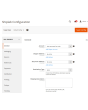
Die Erstellung von Versandetiketten ist sowohl manuell als auch automatisch und sogar geplant möglich. Die MyDHL Express Comprehensive Shipping Erweiterung verknüpft das Etikett mit einer Bestellung, einer Lieferung oder einer Gutschrift. Alle Etiketten werden auf Ihrem Server gespeichert und sind jederzeit über das Admin-Interface erreichbar.
Vor der manuellen Erstellung wählen Sie die gewünschte Versandmethode aus den von MyDHL Express angebotenen und sehen sofort die Versandkosten. Im Automatikmodus werden Etiketten gemäß der vom Kunden gewählten Methode oder zum minimalen/maximalen Preis aller MyDHL-Methoden erzeugt.
Paperless Commercial Invoice
MyDHL Express Comprehensive Shipping unterstützt weltweite Sendungen. Für den Versand ins Ausland wird die papierlose (oder papierhafte) Ausstellung der Zollrechnung (International Invoice) angeboten. Dafür unterstützt die Erweiterung folgende Einstellungen: Harmonized- und ScheduleB-Codes, Dangerous Goods und Hazardous Materials, Lieferbedingungen, Reason for Export, Sold To Address und weitere.
Versandtarife & Versandmethoden
Erhalten Sie Versandpreise im Checkout wie auf der MyDHL-Express-Plattform. Versandpreise hängen üblicherweise von Versicherung, deklariertem Paketwert, Gewicht, Abmessungen usw. ab — alle diese Punkte berücksichtigt unsere Erweiterung. Die Kosten einer Methode können sowohl statisch als auch dynamisch sein.
Zahlung, COD, Versicherung
Passen Sie den Zahler an Ihre Geschäftsprozesse an. Versand kann vom Absender oder Dritten bezahlt werden, Zoll und Steuern sowohl vom Empfänger als auch vom Absender. Sie regeln auch Versicherung (Insured) und nutzen Invoice Line Total. Bei Bedarf hinterlegen Sie eine Steuernummer. Möchte der Käufer per Nachnahme zahlen, nutzen Sie die Option COD.
Retouren-Etiketten und RMA
Die Erstellung von Retouren-Etiketten ist genauso einfach wie die regulärer Versandetiketten. Retouren-Etiketten lassen sich gleichzeitig mit dem regulären Etikett erstellen. Der Administrator kann dem Kunden die Möglichkeit geben, Retouren-Etiketten selbst zu erstellen und zu drucken.
Landed Cost — geschätzte Einfuhrabgaben und Steuern
Zeigen Sie im Checkout geschätzte Einfuhrabgaben, Steuern und Gebühren für internationale Sendungen an. Die Erweiterung berechnet die Zollkosten über die DHL-Landed-Cost-API anhand von Warennummern, Warenursprung und den Tarifen des Ziellandes. Die Abgaben lassen sich als informative Zeile im Checkout ausweisen (zahlbar vom Empfänger) oder in den Versandpreis einrechnen (DDP — der Absender zahlt). Unterstützt werden Warennummern (HS-Codes) je Produkt sowie Einstellungen zum Herstellungsland für eine korrekte Tarifberechnung.
Abholung und Tracking
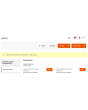
Bestellen Sie die Paketabholung direkt aus dem Admin-Panel. Sie wählen, für welche Etiketten eine Abholung bestellt werden soll, und die Erweiterung sendet die Anfrage an den Zustelldienst. In jeder Abholung sehen Sie jederzeit, was verschickt wurde. Nach Versand verfolgen Sie Pakete mit unserer Erweiterung und sehen alle Stationen sowie den aktuellen Standort.
Druck
Nutzen Sie unsere App, um Thermo- und PDF-Etiketten auf lokalen Druckern zu drucken. Sie erhalten sie hier.
Konfiguration
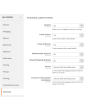
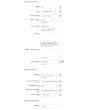
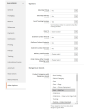
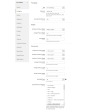
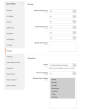
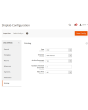
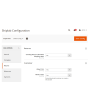
Die Möglichkeiten unserer Erweiterung sind dank flexibler Einstellungen praktisch unbegrenzt. Sie konfigurieren die Erweiterung für einen bestimmten Store oder ein bestimmtes Land. Vollständig getrennte Einstellungen für reguläre und Retouren-Etiketten sind ebenfalls möglich.
Demo
Sie können diese Erweiterung 30 Tage lang testen. Die Demo fordern Sie direkt auf dieser Seite über Demo anfordern an; wie das abläuft, steht unter Eine Erweiterung 30 Tage lang testen.
Hyva Theme und Hyva Checkout
Kompatibel mit Hyva Theme und Hyva Checkout
| CMS | Magento 2 |
|---|---|
| Kompatibilität | 2.4, 2.3 |
| Funktionen |
|
Die Erweiterung wird mit Composer installiert. Welches Repository Sie einbinden, hängt davon ab, wo Sie sie gekauft haben — die Installation selbst ist in beiden Fällen dieselbe.
1. Repository einbinden
Auf extmag.com gekauft. Ihre Kontoseite zeigt die Repository-Adresse und Ihre persönlichen Zugangsdaten samt den beiden composer config-Befehlen zum Einfügen. Führen Sie sie einmal pro Projekt aus; danach steht jede Erweiterung, die Sie besitzen, aus demselben Repository zur Verfügung.
Auf dem Adobe Commerce Marketplace gekauft. Das Paket wird von repo.magento.com ausgeliefert, das in den meisten Shops bereits eingerichtet ist. Falls nicht, tragen Sie die Access Keys aus Ihrem Adobe-Konto unter My Profile -> Access Keys ein.
2. Erweiterung installieren
Im Projektverzeichnis ausführen:
composer require extmag/mydhlshipping
php bin/magento setup:upgrade
php bin/magento cache:flush
Composer löst die gemeinsam genutzten Extmag-Pakete auf, von denen die Erweiterung abhängt — von Hand ist nichts weiter zu fordern.
Melden Sie sich vom Admin ab und wieder an, dann ist die Erweiterung einsatzbereit.
Etikettendruck
Um Etiketten auf einem lokalen oder Netzwerkdrucker zu drucken, installieren Sie unsere Drucksoftware von hier und folgen Sie danach Installation und Konfiguration von el-Print.
Hyva Theme und Hyva Checkout
Shops auf Hyva brauchen ein Paket mehr:
composer require extmag/shiplab-hyva
composer require magewirephp/magewire
Die Integration ersetzt ein Hyva-Template, view/frontend/templates/checkout/shipping/method-list.phtml. Überschreibt Ihr Theme diese Datei bereits, führen Sie die Änderungen zusammen, statt sie zu ersetzen.
Vor dem Kauf ausprobieren
Sie können eine 30-Tage-Demo dieser Erweiterung anfordern und sie genau wie oben installieren — gleiches Paket, gleiches Repository, gleiche Befehle. Wie Demos funktionieren.
Installation ohne Composer
Das Archiv lässt sich stattdessen nach app/code/Extmag/ entpacken, doch damit steht die Erweiterung außerhalb der Abhängigkeitsverwaltung: Ihre gemeinsam genutzten Pakete müssen von Hand installiert werden und Updates erreichen sie nie. Nutzen Sie für jeden Shop, den Sie betreiben, Composer — auch für die Demo.
Bei Fragen zur Installation wenden Sie sich bitte an unseren technischen Support.
-
User Guide User Guide.pdf · 1.4 MBHerunterladen
-
Reference Manual Reference Manual.pdf · 519.8 KBHerunterladen
-
Installation Guide Installation Guide.pdf · 389.7 KBHerunterladen
MyDHL Express wird über das Extmag-Menü im Adobe-Commerce-(Magento-)Admin eingerichtet. Legen Sie das Carrier-Konto an, die Adressen, von denen Sie versenden, die Kartons, in die Sie packen, und die Versandmethoden, die Kunden sehen — und stimmen Sie danach die Carrier-Konfiguration ab.
MyDHL-Express-Konto
- Wenn Sie noch keine Zugangsdaten für MyDHL Express haben, holen Sie sie bei MyDHL Express. Sie brauchen API-Zugangsdaten und eine Kundennummer von MyDHL.
- Gehen Sie zu Admin Main Menu -> Extmag -> Settings -> Shipper Accounts.
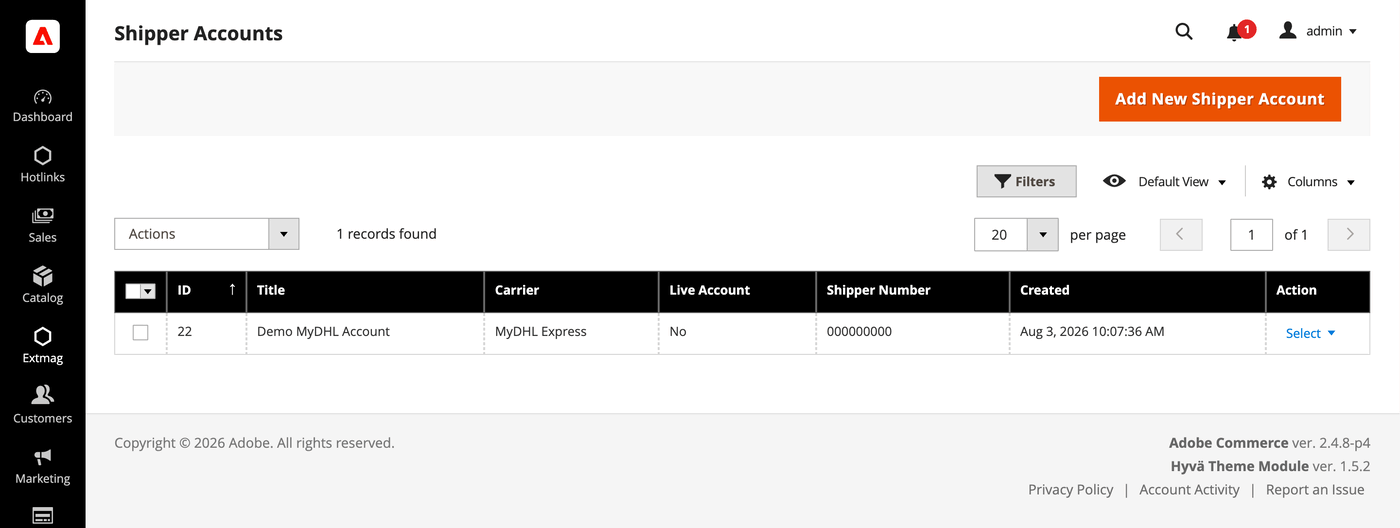
- Klicken Sie auf die Schaltfläche „Add New Shipper Account“.
- Tragen Sie Ihre Zugangsdaten ein und klicken Sie auf „Save“. Lassen Sie Live Account auf No, solange Sie gegen die Sandbox des Carriers testen.
Adressen
- Gehen Sie zu Admin Main Menu -> Extmag -> Settings -> Addresses.
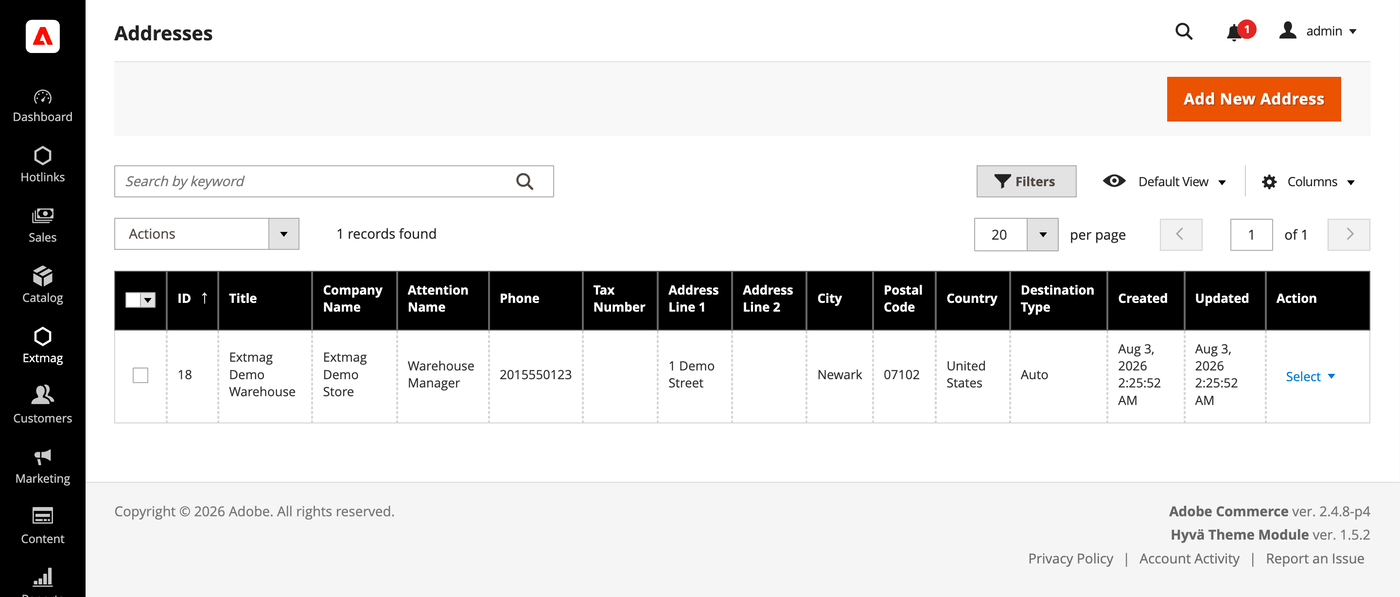
- Klicken Sie auf die Schaltfläche „Add New Address“.
- Füllen Sie Firmenname, Ansprechpartner, Telefon und vollständige Adresse aus und klicken Sie auf „Save“. Legen Sie eine Adresse je Standort an, von dem Sie versenden — Rechnungsadresse und Versandadresse werden getrennt ausgewählt.
Verpackungskartons
- Gehen Sie zu Admin Main Menu -> Extmag -> Settings -> Package Boxes.
- Klicken Sie auf die Schaltfläche „Add New Box“.
- Tragen Sie Innen- und Außenmaße, Leergewicht und maximale Zuladung ein und klicken Sie auf „Save“. Der Packer verteilt eine Bestellung anhand dieser Kartons auf Pakete — je mehr Ihrer echten Kartons hinterlegt sind, desto näher liegt der angezeigte Preis an dem, was Ihnen berechnet wird.
Versandmethoden
- Gehen Sie zu Admin Main Menu -> Extmag -> Shipping Methods.
- Klicken Sie auf die Schaltfläche „Add New Shipping Method“.
- Wählen Sie MyDHL Express als Carrier, entscheiden Sie, welche seiner Services angezeigt werden — alle, eine bestimmte Auswahl oder nur der günstigste beziehungsweise teuerste — und schränken Sie die Methode bei Bedarf nach Website und Kundengruppe ein. Klicken Sie auf „Save“.
Konfiguration
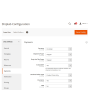
- Gehen Sie zu Admin Main Menu -> Extmag -> Settings -> MyDHL Express Configuration.
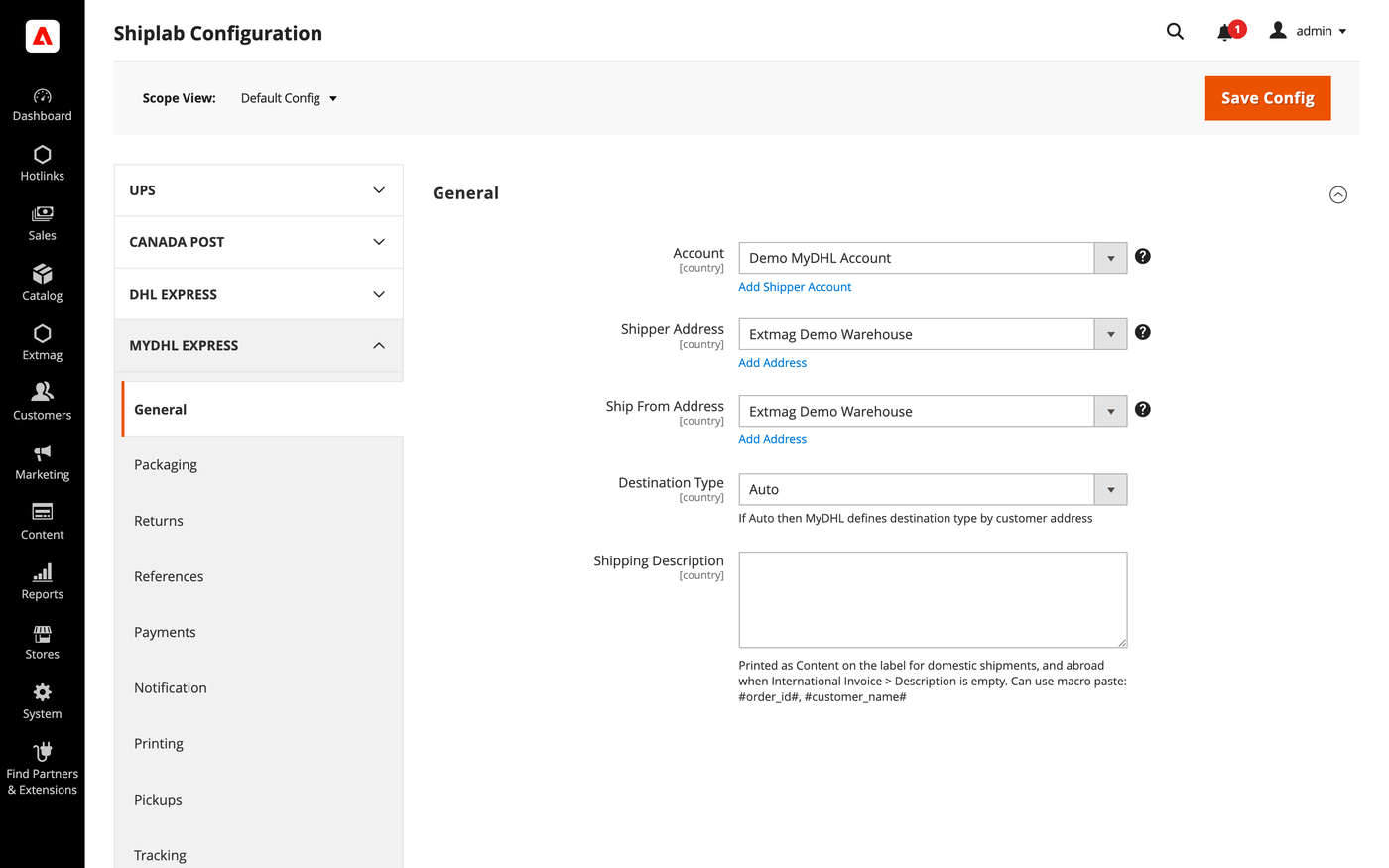
- Öffnen Sie zuerst den Reiter General und wählen Sie das Versenderkonto, die Rechnungsadresse und die Versandadresse aus, die Sie oben angelegt haben.
- Arbeiten Sie die übrigen Reiter durch und füllen Sie aus, was auf Ihr Konto zutrifft.
Die Reiter im Einzelnen:
- General — Konto, Adressen, Zielart, Standard-Versandmethode und Versandhinweise.
- Packaging — Verpackungsart, Maße und die Aufteilung einer Bestellung auf Pakete.
- Returns — Retourenetiketten und RMA-Abwicklung.
- References — die auf das Etikett gedruckten Referenznummern und ihre Barcodes.
- Payments — wer Sendung und Abgaben bezahlt sowie die Kontodaten des Zahlers.
- Notification — die Ereignisse, über die der Carrier benachrichtigt, und die Empfänger.
- Printing — Dokumentformate und der Drucker je Dokumenttyp.
- Pickups — ob Abholungen nach der Etikettenerstellung automatisch gebucht oder manuell geplant werden.
- Tracking — wie oft Pakete abgefragt werden und wie Status zurück in die Bestellung geschrieben werden.
- International Invoice — die papierlose Handelsrechnung, ihr Signaturbild und der Zollinhalt.
- Automatic — wann Etiketten ohne Bediener erzeugt werden.
- Mass Actions — Etiketten in großer Zahl aus dem Bestellraster erzeugen.
- Manual Actions — ein einzelnes Etikett zu einer Bestellung erzeugen.
- Other Options — Logging und die übrigen Schalter auf Carrier-Ebene.
Jede Einstellung lässt sich je Website und je Zielland anwenden, sodass eine Regel, die nur für einen Markt sinnvoll ist, die übrigen nicht berührt.
Die vollständige Referenz Feld für Feld, samt der genauen Konfigurationspfade, steht im Reference Manual, das der Erweiterung beiliegt.
2.0.8
Persisted the locator API request/response via DataSave for debugging. Renamed 'Access Point' to 'Service Point' (DHL official term) across the UI and documentation.
2.0.7
Added a landed-cost shipment-price mode and fixed freight/insurance charges. Suppressed landed cost on the phase-1 rate pass and surfaced the duty estimate in the admin rate dropdown. Added Access Point selection UI for the admin label form and frontend checkout. Replaced the ShippingMethods Save plugin with an access-point-depends UI mixin.
2.0.6
Move EstimatedDutiesStorage and checkout total wiring to Extmag_Shiplab base. Render estimated duties as informational row (value=0) for both DDP and DAP. Derive duty payer from Terms of Shipment; relabel field to third-party billing override. Convert estimated duties from base to quote currency for checkout totals display. Sum only TOTAL_* aggregates from Landed Cost breakdown to avoid double-counting. Add default values for Access Point and map config sections. Add DHL Service Point Locator with iframe-based access point selection at checkout. Show estimated-duties checkout segment when value is zero (DDP informational row). Improve Landed Cost: HS code normalization, DDP breakdown, response warnings. Always send cityName in DHL address payload (required by schema, fallback to postal code or 'N/A'). Apply typeCode/dimensions fallback to base getPackages() for LandedCost path. Skip empty optional fields in rate/landed-cost payloads via setIfNotEmpty helper. Omit manufacturerCountry from invoice line items when product has no country of origin. Use placeholder dimensions instead of synthetic 'YP' typeCode for shipper's own packaging. Shiplab: Replace raw filesystem calls in settings import with Magento file driver.
2.0.5
Shiplab: Added support for multiple label files per tracking number with -N suffix.
2.0.4
Added 'YP' typeCode fallback when package has no dimensions. Improved REST API error reporting by parsing the 'reasons' array. Shiplab: Hardened product info access in PackageHandler to handle missing cart entries safely.
2.0.3
Shiplab: Added zero-weight guard and weight diagnostics for shipping rate calculation. Shiplab: Removed legacy Additional Price fields and migrated data to price rules.
2.0.2
Use CategoryChooser frontend model for dangerous goods product categories field. Shiplab: Replaced multiselect categories with AJAX tree chooser in dimension config. Added support Magento 2.4.9 and Adobe Commerce 2.4.9
2.0.1
Simplify GoGreen options and add invoice instructions support. Shiplab: Fixed attribute ID retrieval order in category EAV setup patch.
2.0.0
Migrate from SOAP to REST API and add Landed Cost support. Add cache persistence for estimated duties storage and Carrier plugin. Shiplab: Added response post-processing hook and fixed logo data handling.
1.8.11
Migrate from SOAP to REST API and add Landed Cost support. Add cache persistence for estimated duties storage and Carrier plugin. Shiplab: Added response post-processing hook and fixed logo data handling.
1.8.10
Shiplab: Added BlackoutRules feature with full CRUD, date picker mixin, and schedule migration.
1.8.9
Added duty, tax, and fee breakdown parsing in rate response.
1.8.8
Fixed Charges parsing in rate response. Initialized service array at each loop iteration in rate response parsing. Shiplab: Fixed null safety issues and added numeric attribute validation. Added support Magento 2.4.8-p4 and Adobe Commerce 2.4.8-p4
1.8.7
Fixed service code resolution to preserve value set during step three.
1.8.6
Optimized the algorithms for packing items into boxes to ensure better efficiency.
1.8.5
Fixed bundle product handling for Ship Separately/Together and price/weight types.
Added config option to include zero-price bundle children in international invoices.
Fixed property type declarations for PHP 8.x compatibility.
1.8.4
Fixed loadedData check in DataProvider classes for PHP 8.x compatibility.
Fixed place order callback to pass data for proper Braintree payment handling.
1.8.3
Refactored code.
1.8.2
Added support for PHP 8.4
1.8.1
Added support Magento 2.4.8-p3 and Adobe Commerce 2.4.8-p3
1.8.0
Added support Magento 2.4.8-p2 and Adobe Commerce 2.4.8-p2
1.7.9
Fixed a bug with the Schedule New Update form on the category page
1.7.8
Added support Magento 2.4.8-p1 and Adobe Commerce 2.4.8-p1
1.7.7
Added support Magento 2.4.8 and Adobe Commerce 2.4.8
1.7.6
Fixed a bug when the order has only virtual products
1.7.5
Added support Magento 2.4.7-p5 and Adobe Commerce 2.4.7-p5
1.7.4
Added support Magento 2.4.7-p4 and Adobe Commerce 2.4.7-p4
1.7.3
Fixed a bug with SplitButton for the order view page in the admin panel
1.7.2
Fixed logs for shipping rates
Added support Magento 2.4.7-p3 and Adobe Commerce 2.4.7-p3
1.7.1
Fixed the price format on the label creation page in the admin panel.
Improved the integration with the Hyva Theme.
1.7.0
Fixed a bug with division by zero
1.6.9
Fixed a bug with a recursive function for shipping rates
1.6.8
Fixed a bug with shipping rates debugging.
Fixed CSP for printing by websocket.
1.6.7
Fixed a bug with the deactivating module
1.6.6
Fixed the z-index issue on the label details page.
Added support Magento 2.4.7-p2 and Adobe Commerce 2.4.7-p2
1.6.5
Added support Magento 2.4.7-p1 and Adobe Commerce 2.4.7-p1
1.6.4
Fixed cache for shipping rates
1.6.3
The issue with printing return labels on the customer side has been fixed.
1.6.2
Fixed the packaging box selector
1.6.1
Fixed calculation of the estimated value of a parcel including a discount, which caused the error "Missing or Invalid Monetary Value of Commodity 1's Commodity Value"
1.6.0
The issue related to the customer group and guest order creation in the admin panel has been fixed
1.5.9
Fixed CURL multi-handles
1.5.8
Added support Magento 2.4.7 and Adobe Commerce 2.4.7
1.5.7
Integration with Hyva Theme and Hyva Checkout has been added
1.5.6
Fixed the JS bug with placing the order
Fixed bug with Signature Image Uploader
1.5.5
Updated linked modules
1.5.4
Added the ability to rename original courier shipping methods
1.5.3
Added support Magento 2.4.6-p3 and Adobe Commerce 2.4.6-p3
1.5.2
Fixed the packer for packages of the shipment
1.5.1
Fixed a bug with downloading shipping logs
1.5.0
Added two options "Show Method if Not Applicable" and "Displayed Error Message" in the Extmag Shipping method configuration
1.4.9
Fixed a bug when it was impossible to save the Shiplab configuration in Magento 2.4.6-p1
1.4.8
Fixed Shiplab version
1.4.7
Fixed PDP printing with the QZ Tray program
1.4.6
Support the QZ Tray program for printing labels.
1.4.5
Fixed a bug with Sales Rules.
Removed deprecated code.
1.4.4
Fixed sources for orders after saving the tracking number
Added support Magento 2.4.6-p2 and Adobe Commerce 2.4.6-p2
1.4.3
Fixed calculating prices for shipping methods.
Fixed shipping price rules.
1.4.2
Fixed bug with shipping price rules
1.4.1
Fixed bug with session and manual label creation
1.4.0
Improved selection of Websites and Customer Groups for Shipping Methods
1.3.9
Fixed bugs on the checkout page of the admin panel
1.3.8
Added support Adobe Commerce 2.4.6-p1
1.3.7
Fix bug with musltiselect fields and values as type integer
1.3.6
Fixed bug with the Volume Weight switcher
1.3.5
Support Adobe Commerce (Magento) 2.4.6
Support PHP 8.1
1.3.4
Fixed some bugs to support PHP 8.1
1.3.3
Added max volumetric weight for a package.
Added type of volumetric weight value.
Fixed some bugs with volumetric weight.
1.3.2
Fixed a bug with the volumetric weight
1.3.1
Updated dependencies.
Fixed some minor bugs.
1.3.0
Added support for Product Volumetric Weight
1.2.2
Support Adobe Commerce (Magento) 2.4.5-p1
1.2.1
Fixed the country_id condition type for the shipping method rules
1.2.0
Fixed a few bugs linked with PHP 8.1
Added "Additional Price Actions" for applying multiple rules for the shipping method.
1.1.1
Added support for PHP 8.1 and Magento 2.4.4
1.1.0
Improve PHP code.
Removed the json_request_data field from the form of creating labels.
1.0.0
release 1.0.0
