
DHL Express umfassender XML-Versand für Magento® 2.x
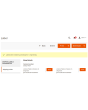
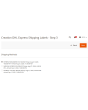
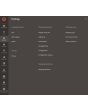
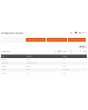
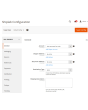
DHL Express Comprehensive Shipping ist eine Magento-2-Erweiterung, mit der Sie den gesamten DHL-Express-Lieferzyklus über die DHL Express Kurier-API verwalten.
Die Erweiterung bietet eine breite Palette an Einstellungen. Holen Sie aktuelle Versandpreise ein und erstellen Sie Thermo- (ZPL, EPL) und PDF-DHL-Express-Versandetiketten. Legen Sie Abholungen an und verfolgen Sie Ihre Pakete.
Die wichtigsten Vorteile der DHL Express Comprehensive Shipping Erweiterung:
Thermo- und PDF-Versandetiketten
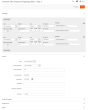
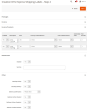
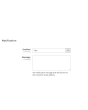
Die Erstellung von Versandetiketten ist sowohl manuell als auch automatisch und sogar geplant möglich. Die DHL Express Comprehensive Shipping Erweiterung verknüpft ein Versandetikett mit einer Bestellung, einer Lieferung oder einer Gutschrift. Alle Etiketten werden auf Ihrem Server gespeichert und sind jederzeit über das Admin-Interface erreichbar.
Vor der manuellen Erstellung jedes Etiketts wählen Sie die gewünschte Versandmethode aus den von DHL Express angebotenen und sehen sofort die Versandkosten. Im Automatikmodus werden Etiketten gemäß der vom Kunden gewählten Methode oder zum minimalen/maximalen Preis aller DHL-Express-Methoden erzeugt.
Paperless Commercial Invoice
DHL Express Comprehensive Shipping unterstützt weltweite Sendungen. Für den Versand ins Ausland wird die papierlose (oder papierhafte) Ausstellung der Zollrechnung (International Invoice) angeboten. Dafür unterstützt die Erweiterung folgende Einstellungen: Harmonized- und ScheduleB-Codes, Dangerous Goods und Hazardous Materials, Lieferbedingungen, Reason for Export, Sold To Address und weitere.
Versandtarife & Versandmethoden
Erhalten Sie Versandpreise im Checkout wie auf dhl.com. Versandpreise hängen üblicherweise von Versicherung, deklariertem Paketwert, Gewicht, Abmessungen usw. ab — alle diese Punkte berücksichtigt unsere Erweiterung. Die Kosten einer Methode können sowohl statisch als auch dynamisch sein. Sowohl Preise als auch die Anzeige der Methode lassen sich über Limits anpassen. Sie erstellen beliebig viele Methoden. Mehr Details hier.
Zahlung, COD, Versicherung
Passen Sie den Zahler an Ihre Geschäftsprozesse an. Versand kann vom Absender oder Dritten bezahlt werden, Zoll und Steuern sowohl vom Empfänger als auch vom Absender. Sie regeln auch Versicherung (Insured) und nutzen Invoice Line Total. Bei Bedarf hinterlegen Sie eine Steuernummer (Tins number — Taxpayer Identification). Möchte der Käufer per Nachnahme zahlen, nutzen Sie die Option COD (Cash on Delivery).
Retouren-Etiketten und RMA
Die Erstellung von Retouren-Etiketten ist genauso einfach wie die regulärer Versandetiketten. Ein großer Pluspunkt: Retouren-Etiketten lassen sich gleichzeitig mit dem regulären Etikett erstellen.
Der Administrator kann dem Kunden die Möglichkeit geben, Retouren-Etiketten selbst zu erstellen und zu drucken.
Abholung und Tracking
Bestellen Sie die Paketabholung direkt aus dem Admin-Panel Ihres Online-Shops. Alles ist einfach und schnell erledigt. Sie wählen, für welche erstellten Etiketten eine Abholung bestellt werden soll, und die Erweiterung sendet die Anfrage an den Zustelldienst. In jeder Abholung sehen Sie jederzeit, was verschickt wurde. Ein Beispiel-Pickup-Slips-Dokument für mehrere Sendungen sehen Sie hier.
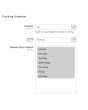
Nach Versand verfolgen Sie Pakete mit unserer DHL Express Comprehensive Shipping Erweiterung. Sie sehen alle Stationen und den aktuellen Standort.
Druck
Das Drucken ist einer der wichtigsten Schritte bei der Arbeit mit Versandetiketten. Nutzen Sie unsere App, um Thermo- und PDF-Etiketten auf lokalen Druckern zu drucken. Sie erhalten sie hier.
Konfiguration
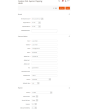
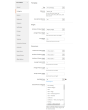
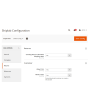
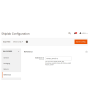
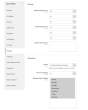
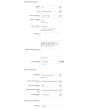
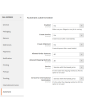
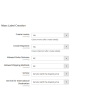
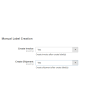
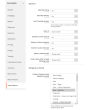
Die Möglichkeiten unserer Erweiterung sind dank flexibler Einstellungen praktisch unbegrenzt. Gleichzeitig sind die Einstellungen intuitiv und viele sind standardmäßig gesetzt. Sie konfigurieren die Erweiterung für einen bestimmten Store oder ein bestimmtes Land. Sie wenden bestimmte Einstellungen auf Inlandssendungen an und andere auf Auslandssendungen. Vollständig getrennte Einstellungen für reguläre und Retouren-Etiketten sind ebenfalls möglich. Für jeden Kontinent lassen sich eigene Einstellungen festlegen.
Demo
Sie können diese Erweiterung 30 Tage lang testen. Die Demo fordern Sie direkt auf dieser Seite über Demo anfordern an; wie das abläuft, steht unter Eine Erweiterung 30 Tage lang testen.
Hyva Theme und Hyva Checkout
Kompatibel mit Hyva Theme und Hyva Checkout
| CMS | Magento 2 |
|---|---|
| Kompatibilität | 2.4, 2.3 |
| Funktionen |
|
Die Erweiterung wird mit Composer installiert. Welches Repository Sie einbinden, hängt davon ab, wo Sie sie gekauft haben — die Installation selbst ist in beiden Fällen dieselbe.
1. Repository einbinden
Auf extmag.com gekauft. Ihre Kontoseite zeigt die Repository-Adresse und Ihre persönlichen Zugangsdaten samt den beiden composer config-Befehlen zum Einfügen. Führen Sie sie einmal pro Projekt aus; danach steht jede Erweiterung, die Sie besitzen, aus demselben Repository zur Verfügung.
Auf dem Adobe Commerce Marketplace gekauft. Das Paket wird von repo.magento.com ausgeliefert, das in den meisten Shops bereits eingerichtet ist. Falls nicht, tragen Sie die Access Keys aus Ihrem Adobe-Konto unter My Profile -> Access Keys ein.
2. Erweiterung installieren
Im Projektverzeichnis ausführen:
composer require extmag/dhlshipping2
php bin/magento setup:upgrade
php bin/magento cache:flush
Composer löst die gemeinsam genutzten Extmag-Pakete auf, von denen die Erweiterung abhängt — von Hand ist nichts weiter zu fordern.
Melden Sie sich vom Admin ab und wieder an, dann ist die Erweiterung einsatzbereit.
Etikettendruck
Um Etiketten auf einem lokalen oder Netzwerkdrucker zu drucken, installieren Sie unsere Drucksoftware von hier und folgen Sie danach Installation und Konfiguration von el-Print.
Hyva Theme und Hyva Checkout
Shops auf Hyva brauchen ein Paket mehr:
composer require extmag/shiplab-hyva
composer require magewirephp/magewire
Die Integration ersetzt ein Hyva-Template, view/frontend/templates/checkout/shipping/method-list.phtml. Überschreibt Ihr Theme diese Datei bereits, führen Sie die Änderungen zusammen, statt sie zu ersetzen.
Vor dem Kauf ausprobieren
Sie können eine 30-Tage-Demo dieser Erweiterung anfordern und sie genau wie oben installieren — gleiches Paket, gleiches Repository, gleiche Befehle. Wie Demos funktionieren.
Installation ohne Composer
Das Archiv lässt sich stattdessen nach app/code/Extmag/ entpacken, doch damit steht die Erweiterung außerhalb der Abhängigkeitsverwaltung: Ihre gemeinsam genutzten Pakete müssen von Hand installiert werden und Updates erreichen sie nie. Nutzen Sie für jeden Shop, den Sie betreiben, Composer — auch für die Demo.
Bei Fragen zur Installation wenden Sie sich bitte an unseren technischen Support.
-
User Guide User Guide.pdf · 824.2 KBHerunterladen
-
Reference Manual Reference Manual.pdf · 396.8 KBHerunterladen
-
Installation Guide Installation Guide.pdf · 242.5 KBHerunterladen
DHL Express wird über das Extmag-Menü im Adobe-Commerce-(Magento-)Admin eingerichtet. Legen Sie das Carrier-Konto an, die Adressen, von denen Sie versenden, die Kartons, in die Sie packen, und die Versandmethoden, die Kunden sehen — und stimmen Sie danach die Carrier-Konfiguration ab.
DHL-Express-Konto
- Wenn Sie noch keine Zugangsdaten für DHL Express haben, holen Sie sie bei DHL Express. Sie brauchen Site ID, Passwort und Kundennummer von DHL.
- Gehen Sie zu Admin Main Menu -> Extmag -> Settings -> Shipper Accounts.
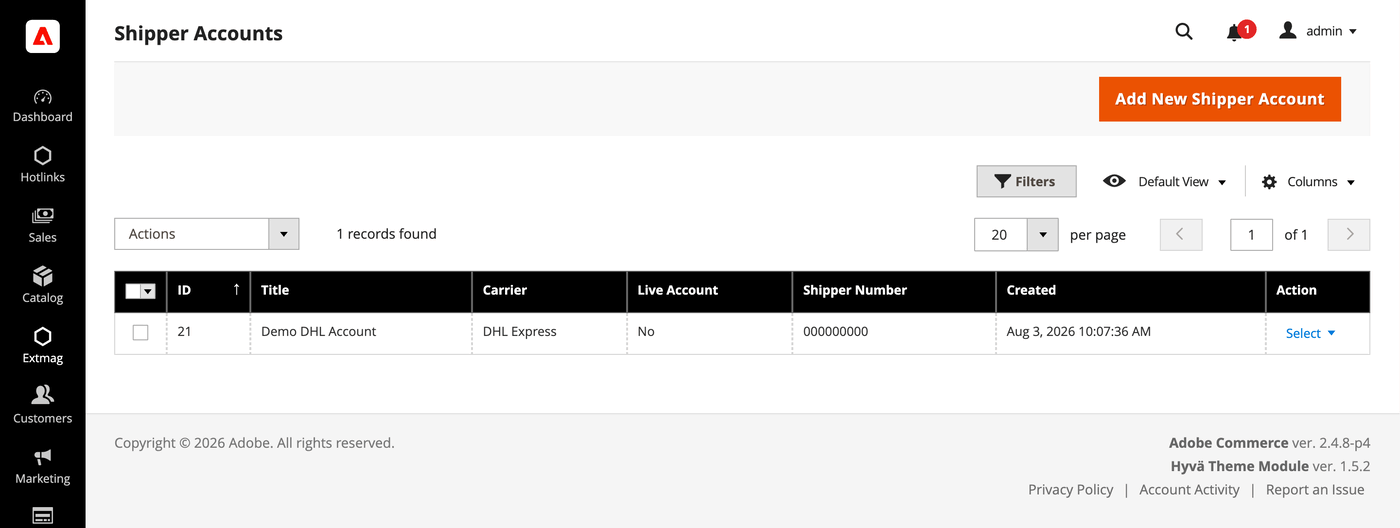
- Klicken Sie auf die Schaltfläche „Add New Shipper Account“.
- Tragen Sie Ihre Zugangsdaten ein und klicken Sie auf „Save“. Lassen Sie Live Account auf No, solange Sie gegen die Sandbox des Carriers testen.
Adressen
- Gehen Sie zu Admin Main Menu -> Extmag -> Settings -> Addresses.
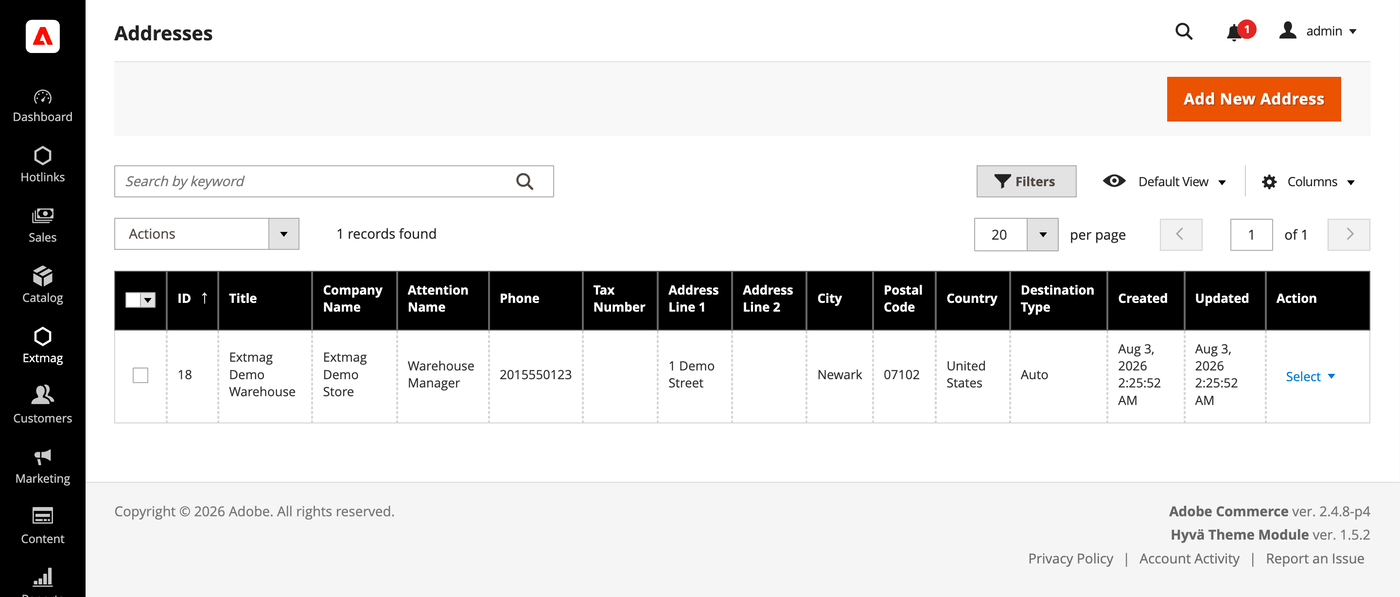
- Klicken Sie auf die Schaltfläche „Add New Address“.
- Füllen Sie Firmenname, Ansprechpartner, Telefon und vollständige Adresse aus und klicken Sie auf „Save“. Legen Sie eine Adresse je Standort an, von dem Sie versenden — Rechnungsadresse und Versandadresse werden getrennt ausgewählt.
Verpackungskartons
- Gehen Sie zu Admin Main Menu -> Extmag -> Settings -> Package Boxes.
- Klicken Sie auf die Schaltfläche „Add New Box“.
- Tragen Sie Innen- und Außenmaße, Leergewicht und maximale Zuladung ein und klicken Sie auf „Save“. Der Packer verteilt eine Bestellung anhand dieser Kartons auf Pakete — je mehr Ihrer echten Kartons hinterlegt sind, desto näher liegt der angezeigte Preis an dem, was Ihnen berechnet wird.
Versandmethoden
- Gehen Sie zu Admin Main Menu -> Extmag -> Shipping Methods.
- Klicken Sie auf die Schaltfläche „Add New Shipping Method“.
- Wählen Sie DHL Express als Carrier, entscheiden Sie, welche seiner Services angezeigt werden — alle, eine bestimmte Auswahl oder nur der günstigste beziehungsweise teuerste — und schränken Sie die Methode bei Bedarf nach Website und Kundengruppe ein. Klicken Sie auf „Save“.
Konfiguration
- Gehen Sie zu Admin Main Menu -> Extmag -> Settings -> DHL Express Configuration.
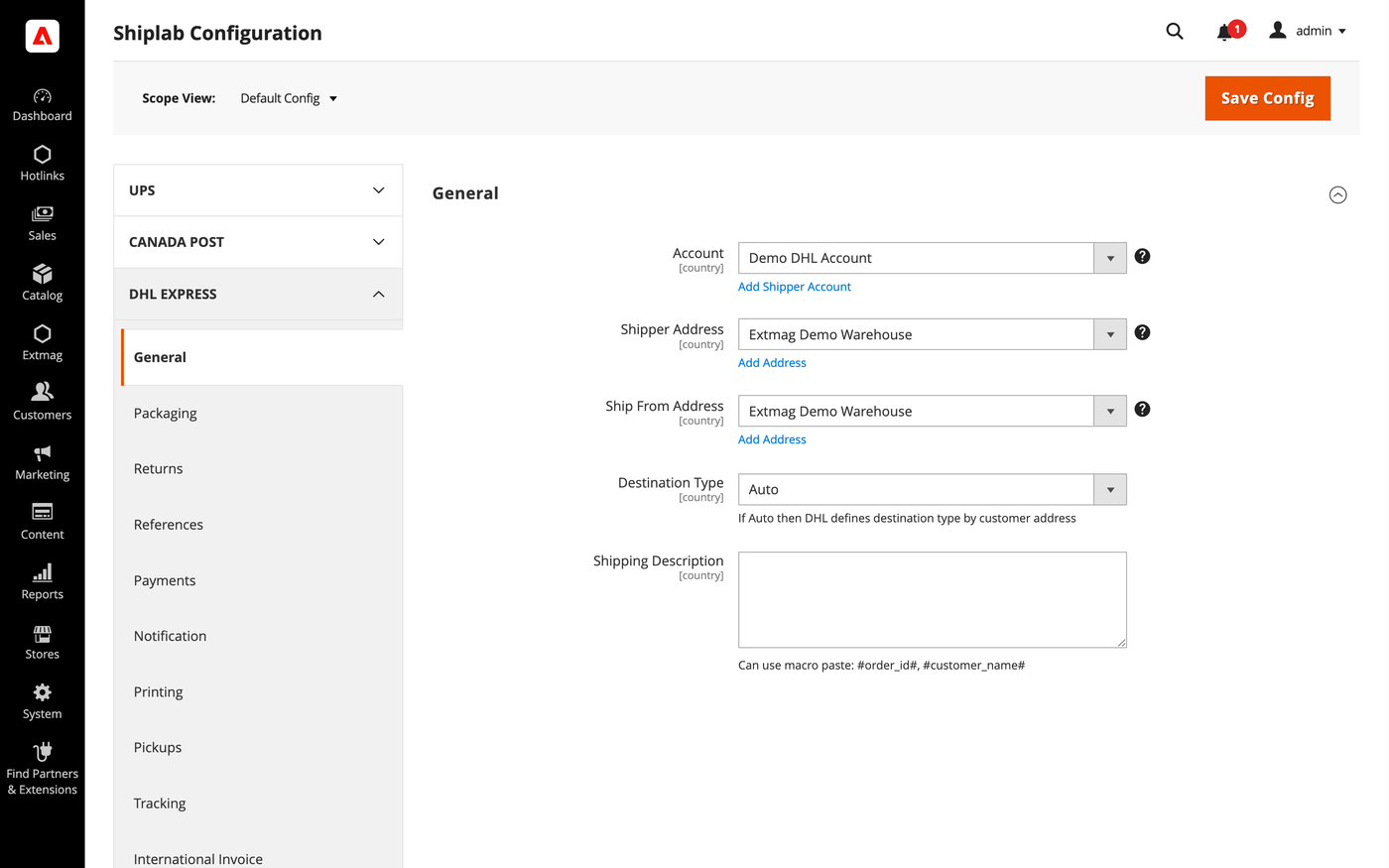
- Öffnen Sie zuerst den Reiter General und wählen Sie das Versenderkonto, die Rechnungsadresse und die Versandadresse aus, die Sie oben angelegt haben.
- Arbeiten Sie die übrigen Reiter durch und füllen Sie aus, was auf Ihr Konto zutrifft.
Die Reiter im Einzelnen:
- General — Konto, Adressen, Zielart, Standard-Versandmethode und Versandhinweise.
- Packaging — Verpackungsart, Maße und die Aufteilung einer Bestellung auf Pakete.
- Returns — Retourenetiketten und RMA-Abwicklung.
- References — die auf das Etikett gedruckten Referenznummern und ihre Barcodes.
- Payments — wer Sendung und Abgaben bezahlt sowie die Kontodaten des Zahlers.
- Notification — die Ereignisse, über die der Carrier benachrichtigt, und die Empfänger.
- Printing — Dokumentformate und der Drucker je Dokumenttyp.
- Pickups — ob Abholungen nach der Etikettenerstellung automatisch gebucht oder manuell geplant werden.
- Tracking — wie oft Pakete abgefragt werden und wie Status zurück in die Bestellung geschrieben werden.
- International Invoice — die papierlose Handelsrechnung, ihr Signaturbild und der Zollinhalt.
- Automatic — wann Etiketten ohne Bediener erzeugt werden.
- Mass Actions — Etiketten in großer Zahl aus dem Bestellraster erzeugen.
- Manual Actions — ein einzelnes Etikett zu einer Bestellung erzeugen.
- Other Options — Logging und die übrigen Schalter auf Carrier-Ebene.
Jede Einstellung lässt sich je Website und je Zielland anwenden, sodass eine Regel, die nur für einen Markt sinnvoll ist, die übrigen nicht berührt.
Die vollständige Referenz Feld für Feld, samt der genauen Konfigurationspfade, steht im Reference Manual, das der Erweiterung beiliegt.
3.4.6
Shiplab: Made log retention configurable and sped up the cleanup cron.
3.4.5
Shiplab: Replace raw filesystem calls in settings import with Magento file driver.
3.4.4
Shiplab: Replace raw filesystem calls in settings import with Magento file driver.
3.4.3
Shiplab: Added support for multiple label files per tracking number with -N suffix.
3.4.2
Shiplab: Added zero-weight guard and weight diagnostics for shipping rate calculation. Shiplab: Removed legacy Additional Price fields and migrated data to price rules.
3.4.1
Replaced multiselect product categories field with category chooser frontend model. Shiplab: Replaced multiselect categories with AJAX tree chooser in dimension config. Added support Magento 2.4.9 and Adobe Commerce 2.4.9
3.4.0
Shiplab: Fixed attribute ID retrieval order in category EAV setup patch.
3.3.10
Shiplab: Added response post-processing hook and fixed logo data handling.
3.3.9
Shiplab: Added BlackoutRules feature with full CRUD, date picker mixin, and schedule migration.
3.3.8
Initialized service array at each loop iteration in rate response parser. Shiplab: Fixed null safety issues and added numeric attribute validation. Added support Magento 2.4.8-p4 and Adobe Commerce 2.4.8-p4
3.3.7
Fixed service code resolution to preserve value set during step three.
3.3.6
Optimized the algorithms for packing items into boxes to ensure better efficiency.
3.3.5
Fixed bundle product handling for Ship Separately/Together and price/weight types.
Added config option to include zero-price bundle children in international invoices.
Fixed property type declarations for PHP 8.x compatibility.
3.3.4
Fixed undefined array key warnings and minimum weight validation
Added proper null coalescing for street address lines to prevent undefined array key warnings
Added minimum weight validation (0.1) in Rate and Ship requests to avoid API errors with zero weight
3.3.3
Fixed loadedData check in DataProvider classes for PHP 8.x compatibility.
Fixed place order callback to pass data for proper Braintree payment handling.
3.3.2
Fixed reference_id empty check and test rate URL
3.3.1
Refactored code.
3.3.0
Added support for PHP 8.4
3.2.9
Added support Magento 2.4.8-p3 and Adobe Commerce 2.4.8-p3
3.2.8
Added support Magento 2.4.8-p2 and Adobe Commerce 2.4.8-p2
3.2.7
Fixed a bug with the Schedule New Update form on the category page
3.2.6
Added support Magento 2.4.8-p1 and Adobe Commerce 2.4.8-p1
3.2.5
Added support Magento 2.4.8 and Adobe Commerce 2.4.8
3.2.4
Fixed a bug when the order has only virtual products
3.2.3
Added support Magento 2.4.7-p5 and Adobe Commerce 2.4.7-p5
3.2.2
Added support Magento 2.4.7-p4 and Adobe Commerce 2.4.7-p4
3.2.1
Fixed a bug with SplitButton for the order view page in the admin panel
3.2.0
Fixed logs for shipping rates
Added support Magento 2.4.7-p3 and Adobe Commerce 2.4.7-p3
3.1.9
Fixed the price format on the label creation page in the admin panel.
Improved the integration with the Hyva Theme.
3.1.8
Fixed a bug with division by zero
3.1.7
Fixed a bug with a recursive function for shipping rates
3.1.6
Fixed a bug with shipping rates debugging.
Fixed CSP for printing by websocket.
3.1.5
Fixed a bug with the deactivating module
3.1.4
Fixed the z-index issue on the label details page.
Added support Magento 2.4.7-p2 and Adobe Commerce 2.4.7-p2
3.1.3
Fixed Dutiable option for International Invoice
3.1.2
Fixed a bug with printing_template
3.1.1
Fixed error with archive_doc
3.1.0
Added support Magento 2.4.7-p1 and Adobe Commerce 2.4.7-p1
3.0.9
Fixed cache for shipping rates
3.0.8
The issue with printing return labels on the customer side has been fixed.
3.0.7
Fixed the packaging box selector
3.0.6
Fixed calculation of the estimated value of a parcel including a discount, which caused the error "Missing or Invalid Monetary Value of Commodity 1's Commodity Value"
3.0.5
The issue related to the customer group and guest order creation in the admin panel has been fixed
3.0.4
Added support Magento 2.4.7 and Adobe Commerce 2.4.7
3.0.3
Integration with Hyva Theme and Hyva Checkout has been added
3.0.2
Added support Magento 2.4.6-p4 and Adobe Commerce 2.4.6-p4
3.0.1
Improve cache for the shipping rate request
3.0.0
Improve the speed of calculating rules
2.9.9
Fixed the JS bug with placing the order
2.9.8
Updated linked modules
2.9.7
Added the ability to rename original courier shipping methods
2.9.6
Added support Magento 2.4.6-p3 and Adobe Commerce 2.4.6-p3
2.9.5
Fixed the packer for packages of the shipment
2.9.4
Fixed a bug with downloading shipping logs
2.9.3
Added two options "Show Method if Not Applicable" and "Displayed Error Message" in the Extmag Shipping method configuration
2.9.2
Fixed a bug when it was impossible to save the Shiplab configuration in Magento 2.4.6-p1
2.9.1
Fixed PDP printing with the QZ Tray program
2.9.0
Support the QZ Tray program for printing labels.
2.8.9
Fixed a bug with Sales Rules.
Removed deprecated code.
2.8.8
Fixed sources for orders after saving the tracking number
Added support Magento 2.4.6-p2 and Adobe Commerce 2.4.6-p2
2.8.7
Fixed calculating prices for shipping methods.
Fixed shipping price rules.
2.8.6
Fixed bug with shipping price rules
2.8.5
Fixed bug with session and manual label creation
2.8.4
Improved selection of Websites and Customer Groups for Shipping Methods
2.8.3
Fixed bugs on the checkout page of the admin panel
2.8.2
Added support Adobe Commerce 2.4.6-p1
2.8.1
Fix bug with musltiselect fields and values as type integer
2.8.0
Fixed ACL resources
2.7.9
Fixed a bug with the time of the Pickup
2.7.8
Fixed bug with the Volume Weight switcher
2.7.7
Support Adobe Commerce (Magento) 2.4.6
Fixed some minor bugs
2.7.6
Fixed some bugs for PHP 8.1 support
2.7.5
Added max volumetric weight for a package.
Added type of volumetric weight value.
Fixed some bugs with volumetric weight.
2.7.4
Fixed bugs in dependencies libs.
2.7.3
Fixed a bug with volumetric weight
2.7.2
Updated dependencies.
Fixed some minor bugs.
2.7.1
Fixed bug with deprecated functionality in the dependent extension
2.7.0
Added support for Product Volumetric Weight
2.6.3
Fixed PHP warnings
2.6.2
Support Adobe Commerce (Magento) 2.4.5-p1
2.6.1
Fixed the country_id condition type for the shipping method rules
2.6.0
Fixed a few bugs linked with PHP 8.1
Added "Additional Price Actions" for applying multiple rules for the shipping method.
2.5.5
2.5.4
Added "Direct Signature" option for Delivery confirmation
2.5.3
Added support for PHP 8.1 and Magento 2.4.4
2.5.2
Improve PHP code.
Removed the json_request_data field from the form of creating labels.
2.5.1
Fixed js for form step two
2.5.0
Go to subscription
2.4.2
Fix showing error with converting pdf to image
Fix folders creation for media data
2.4.1
Cut product name to 75 symbols for International Invoice
2.4.0
Added the ability to display shipping costs both with tax and without tax
2.3.5
Fix bug with scheduleb_code
2.3.2
Sending email with creating return labels and added a new email template
Optimizing code
Refactoring code
2.3.0
DHL API version updated from v6.2 to v10
2.2.0
By default, the address specified in the store settings is used, if the address is not created and selected in the extension settings.
When deleting a label, its tracking number is also removed from the order and shipping.
If the product is configurable, then the name of its child is used for the international invoice.
Added the ability to enable the use of a direct link to the carrier's website to receive tracking information in the admin panel and in letters sent to customers.
2.1.0
Added the ability to control the display of shipping methods by date, time of day, and days of the week.
Added the ability to download log files from the log list page.
Refactoring PHP code
2.0.0
Added EORI Number
Fixed some bugs
Refactoring PHP code
1.9.0
A new parameter Allowed areas have been added that allows you to show the delivery method only in the admin panel
"Country from" and "country to" was added in the Directions column on the labels grid page
1.8.0
Added Consignee VAT/Tax/EORI ID
Support UK Brexit
1.7.0
Added links to order, shipment, creditmemo, and user account in the grid of shipping labels
Added the Create a new label item in the Action column to the grid of shipping labels, which allows you to create another shipping label for the same order and shipment
1.6.0
Added dependency from Core module
Fixed bug with system configuration
Fixed bug with access control list
1.5.1
Fixed access control list and admin menu
1.5.0
Added additional print button on order and shipment page in admin
1.4.1
Added PHP library textalk/websocket.
1.4.0
Added print by the network.
Added auto print.
